
View full specs
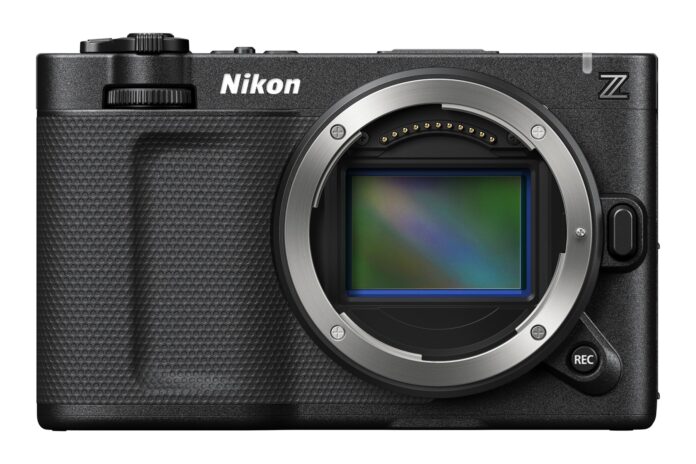
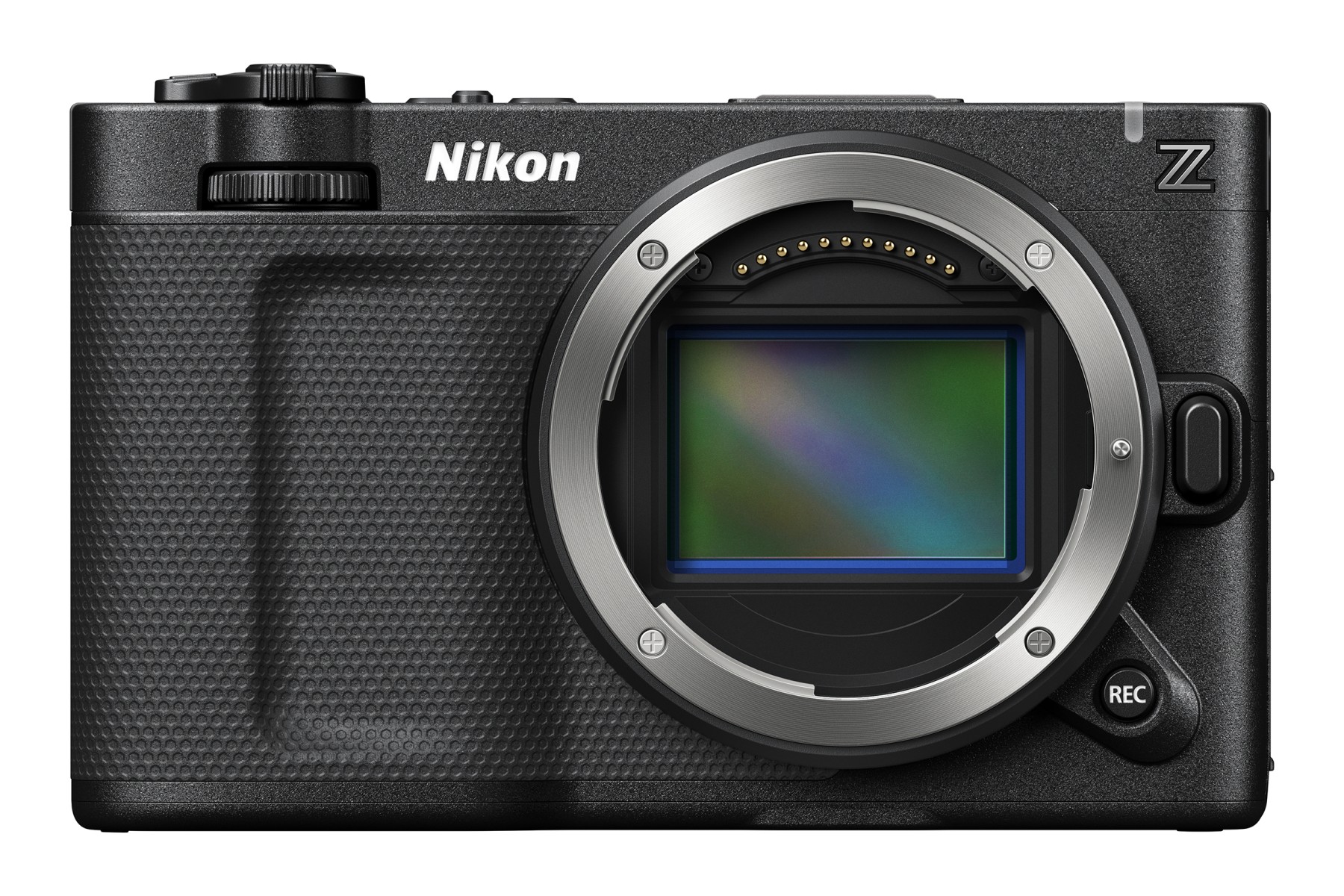
The Nikon ZR is easiest to recommend when filmmaking is the main job and RED’s color workflow, 6K internal RAW, strong autofocus, and excellent built-in audio will save real production time. This Nikon ZR review treats it as a compact cinema tool, not a cheaper Nikon Z6 III for photography: there is no viewfinder, mechanical shutter, or conventional handgrip.
The ZR is Nikon’s first Z CINEMA camera developed with RED. It is a compact full-frame production tool, not the small travel camera its flat body might suggest. Its $2,199.95 US price is aggressive, but the complete working kit can cost much more once you add fast media, storage, power, a cage, and suitable lenses.
Nikon ZR at a glance
| Feature | What it means in practice |
|---|---|
| 24.5MP full-frame sensor | Strong hybrid resolution with an emphasis on fast video readout |
| 6K/60p internal RAW | R3D NE, N-RAW, and ProRes RAW choices without an external recorder |
| 4-inch, 1000-nit monitor | A genuinely useful built-in display, but there is no EVF |
| 32-bit float audio | More headroom against clipping from built-in or compatible external microphones |
| 7.5-stop rated IBIS | Useful handheld stabilization, not a replacement for a gimbal |
| CFexpress Type B + microSD | Only the primary slot is suited to the heaviest recording modes |
| Electronic shutter only | Capable stills with real rolling-shutter and flash-sync compromises |
| $2,199.95 starting price | Excellent body value if the cinema features fit your workflow |
Nikon released the ZR in the US in late October 2025. The official Nikon ZR page lists the current formats, accessories, and firmware-added features.
Who should buy the Nikon ZR?
The best buyer is a solo filmmaker, documentary shooter, small production company, or Nikon photographer moving seriously into video. It is especially persuasive for an operator who wants autofocus and stabilization without giving up internal RAW. RED users may also value a compact B-camera that shares REDWideGamutRGB and Log3G10 when recording R3D NE.
The ZR makes less sense for photographers who merely shoot occasional clips. The Nikon Z6 III offers much of the same underlying speed and 6K capability. It also gives you an excellent EVF, a deeper grip, a mechanical shutter, full-size HDMI, and a faster secondary card slot. Those are daily advantages, not luxuries, when stills pay the bills. Our Nikon ZR vs Z6 III comparison maps those differences to stills, solo video, and crewed production.
It is also a poor fit if you need built-in neutral-density filters, Open Gate recording, full-size XLR inputs, or redundant RAW capture. The ZR can be rigged into a larger system, but that changes both its price and its wonderfully small footprint.
Video and audio are the reasons to buy it
R3D NE is useful, not magic
The headline format is 12-bit R3D NE at up to 6K/60p. It brings RED’s wide-gamut color space and Log3G10 curve into a Nikon body. Nikon rates this mode at more than 15 stops of dynamic range and provides dual base ISO settings of 800 and 6400. Exposure and ISO remain adjustable in post, which is the practical attraction of RAW.
The camera also records 12-bit N-RAW and ProRes RAW HQ, 10-bit ProRes 422 HQ and H.265, plus H.264. That breadth matters because R3D NE is rarely the sensible default for every clip. A disciplined shooter can reserve RAW for difficult grades or effects work, then use a lighter 10-bit format for interviews and routine delivery.
R3D NE currently works in REDCINE-X Pro, DaVinci Resolve, and Final Cut Pro. Nikon’s R3D NE workflow guide is worth checking against your editor before a paid project. Test a sample file on your actual computer, not just on a compatibility chart.
The audio system removes real friction
The three built-in microphones support five pickup patterns, and 32-bit float recording is available with built-in and compatible external inputs. That extra headroom can rescue an unexpectedly loud moment from clipping. It cannot fix poor microphone placement, wind, room echo, or a bad cable.
The digital accessory shoe supports Nikon’s ME-D10 microphone without a separate battery or audio cable. There are also 3.5mm microphone and headphone connections. Firmware 1.10 added wired jam-sync timecode through the 3.5mm connection, making the small body more credible in a multi-camera workflow.
Handling favors a stripped-down cinema rig
The body weighs about 1.19 lb without a battery or cards. It is impressively small, but the flat front provides little leverage with a heavy zoom. A compact prime keeps the original idea intact. A power zoom, follow focus, monitor, or V-mount battery quickly makes a cage and grip sensible.
The 4-inch, 3.07-million-dot vari-angle screen is the standout control surface. It reaches 1000 nits and covers the DCI-P3 gamut. I would still use a hood in harsh sun, but this display reduces the pressure to mount an external monitor. That helps preserve the ZR’s best quality: a minimal, fast setup.
There are costs to the small shell. HDMI is fragile Type D, commonly called micro-HDMI. The body has no cinema-style accessory threads beyond its bottom tripod socket. Both cards sit in the battery compartment, which can be awkward on a plate or gimbal. A cage protects connections and adds mounting points, but it should be counted in the purchase price.
Nikon describes the magnesium-alloy body as dust and drip resistant. There is no published IP rating, so I would still protect it around rain, spray, and open port doors.
Autofocus and stabilization are strong, with limits
EXPEED 7 processing brings automatic recognition of nine subject types, including people, common animals, vehicles, trains, and aircraft. Focus speed and tracking sensitivity can be adjusted for video. That makes the ZR far more practical for a one-person crew than a cinema body that expects a dedicated focus puller.
The autofocus advantage is clearest for interviews, gimbal shots, presentations, and documentary work with native Z lenses. Adapted lenses may lose functions or behave differently. If autofocus matters, test the exact lens and adapter combination before committing to a job.
Five-axis sensor-shift stabilization is rated up to 7.5 stops under Nikon’s test conditions. It helps with static handheld frames and smooths small movements. It cannot remove the vertical bounce of walking footage. Electronic VR adds a crop and is unavailable in some high-resolution modes, so it is not a universal cure.
The Z mount remains a major strength. All NIKKOR Z lenses are compatible, and many F-mount lenses work through an FTZ or FTZ II adapter with restrictions. Our best Nikon Z lenses guide is a useful starting point, though filmmakers should also consider focus breathing, gearing, and repeatable manual focus.
Is the Nikon ZR good for photography?
Yes, with an important qualification: the files should be very good, while the body is less pleasant for serious stills work. The ZR records 14-bit NEF files at 24.5MP and offers Nikon’s modern subject detection. It can shoot full-resolution RAW at up to 20 fps. Faster 30, 60, and 120 fps modes are JPEG-only, with reduced resolution at the highest rates.
The problem is not image quality. It is operation. There is no EVF, so every photo is composed on the rear screen. The shallow grip becomes tiring with large lenses, and many settings rely on touch controls or menus. In bright sun, with a long telephoto, or during a fast event, the Z6 III is the better tool.
The electronic shutter also brings practical risks. Fast motion can skew, while LED lighting can band. Flash synchronizes at only 1/60 second or slower. Those limits rule the ZR out as my first choice for studio flash, weddings, indoor sports, or other work where timing and artificial light are unpredictable.
For behind-the-scenes stills, thumbnails, portraits between takes, or a compact personal setup, the ZR is entirely credible. Photographers attracted by its size should also read our Nikon Zf review. The Zf is the more satisfying photo camera, even though its video ceiling is much lower.
What a Workable Nikon ZR Kit Really Costs
The main slot accepts CFexpress Type B and XQD cards. The secondary slot takes UHS-I microSD. Nikon recommends fast CFexpress or XQD media for high-resolution and high-frame-rate recording. Crucially, RAW video cannot be recorded to the microSD slot. That means no in-camera RAW backup, despite the presence of two cards.
Proxy recording can make the edit easier, but 6K RAW still consumes cards, reader time, drive space, and computing power quickly. The professional choice is not always the highest-quality setting. If a client wants a 4K master with a quick turnaround, a well-exposed 10-bit format may be the better production decision.
The EN-EL15c battery is familiar and easy to source. Nikon rates it for about 90 minutes of video or 350–370 stills, depending on the photo energy-saving setting. USB-C supports in-camera charging and external power delivery with compatible equipment. An EN-EL15b or EN-EL15a can power the camera, but endurance is lower and charging support differs.
Long recording claims need context. Current firmware permits clips up to six hours in selected non-RAW formats. Nikon’s original 125-minute 6K RAW claim used external power and controlled conditions. Card capacity, temperature, battery, and codec can end a take sooner. Test the complete setup before recording a ceremony, interview, or performance that cannot be repeated.
Nikon ZR alternatives that make more sense for some buyers
Choose the Nikon Z6 III when photography is at least half the job. You keep 6K internal RAW and excellent autofocus while gaining a viewfinder, grip, mechanical shutter, full-size HDMI, and UHS-II SD support. You lose the ZR’s 4-inch display, 32-bit float audio, and R3D NE workflow.
If the Z8 is also on your shortlist, our Nikon ZR vs Z8 comparison separates the video-first choice from the professional hybrid choice.
Choose the Canon EOS C50 when Open Gate, 7K capture, included XLR handling, and more production-oriented connections matter more than in-body stabilization. It is a more conventional cinema package and a substantially larger investment.
Choose the Sony FX3 when your work already depends on Sony E-mount lenses, full-size HDMI, active cooling, and a mature rental ecosystem. Its 4K ceiling looks modest beside the ZR, but resolution is not the only measure of a dependable production camera.
Choose the Blackmagic Cinema Camera 6K for full-frame Open Gate recording and a Resolve-centered workflow. Its autofocus and handheld stabilization are much less helpful to a solo operator. The ZR is the easier camera when subjects move and the crew is one person.
Verdict: exceptional value for video, not a default hybrid
Pros:
- Internal 6K/60p RAW with R3D NE, N-RAW, and ProRes RAW options
- Excellent 4-inch DCI-P3 monitor
- 32-bit float audio and useful built-in microphones
- Strong subject-detection autofocus and 5-axis IBIS
- Compact body and aggressive US price
Cons:
- No EVF, mechanical shutter, Open Gate, or built-in ND filters
- Only one slot handles RAW video
- Micro-HDMI and minimal rigging points
- Flat grip and screen-led controls are awkward for stills
- RAW media, storage, power, and post costs add up quickly
For a solo shooter who will genuinely use R3D NE, 32-bit float audio, autofocus, and IBIS, the Nikon ZR is one of the best-value compact cinema bodies available. It is also a capable occasional stills camera. For a photographer who wants one body to do everything, the Z6 III remains the smarter purchase.
Frequently asked questions
Does the Nikon ZR have a viewfinder?
No. Composition and playback use the 4-inch vari-angle rear monitor. Nikon does not list an add-on electronic viewfinder.
Can the Nikon ZR shoot photos?
Yes. It records 24.5MP 14-bit NEF files and reaches 20 fps with full-resolution RAW. The electronic-only shutter, 1/60-second flash sync, shallow grip, and lack of an EVF make it less suitable as a primary photo body.
Which memory cards does the Nikon ZR use?
The primary slot takes CFexpress Type B or XQD. The secondary slot takes UHS-I microSD, microSDHC, or microSDXC. RAW video requires the primary slot, so the second card cannot provide a duplicate RAW recording.
Can Nikon F-mount lenses be used on the ZR?
Yes, with Nikon’s FTZ or FTZ II adapter. Restrictions vary by lens. Some older autofocus designs will not autofocus, and third-party adapter combinations may lose functions.
Does the Nikon ZR overheat?
It has a fanless heat-dissipating body, and Nikon publishes long recording claims under specified conditions. No camera is immune to heat limits. Ambient temperature, codec, card, power, and the auto-temperature setting all affect runtime.
Solo filmmakers, documentary and event video shooters, small production teams, and Nikon Z users who need internal 6K RAW, RED color workflow, autofocus, IBIS, and 32-bit float audio.
Stills are the main job, you need an EVF or mechanical shutter, or production requires built-in ND, Open Gate, full-size HDMI, XLR audio, or redundant RAW recording.
High; codecs, CFexpress media, RAW storage, color management, external power, rigging, and postproduction require planning.
Canon EOS C50 or higher cinema bodies for more production I/O and Open Gate; Nikon Z6 III for a photo-first hybrid; RED KOMODO-X for a higher-end RED production workflow.
Excellent internal formats and audio in a fanless compact body, but no Open Gate or built-in ND, only one RAW-capable card slot, and micro-HDMI.
Yes for video-first users who will use its distinctive workflow advantages; no as the default all-purpose Nikon hybrid for photographers.