
View full specs
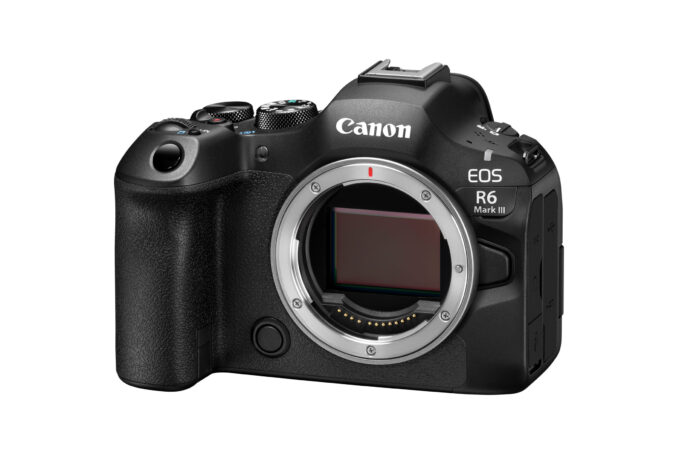
The Canon EOS R6 Mark III is the best-balanced R6 yet for photographers who need more resolution, fast action, and serious video. This Canon EOS R6 Mark III review focuses on the harder question: whether its 32.5MP files, pre-capture, CFexpress speed, or 7K/Open Gate recording will change the work you deliver. For most EOS R6 Mark II owners, the answer is still no.
Canon has not turned the R6 into a miniature R5. Instead, it has made a more capable all-rounder with a few new workflow costs. The body launched at $2,799, and the real bill can include an LP-E6P battery pool, CFexpress media, storage, and faster computers. That context matters as much as the headline specifications.
| Canon EOS R6 Mark III at a glance | What it means |
|---|---|
| 32.5MP full-frame CMOS sensor | More room to crop than the 24.2MP R6 Mark II, without R5-sized files |
| 12 fps mechanical / 40 fps electronic | Excellent action speed, but electronic-shutter distortion still needs judgment |
| 20-frame pre-continuous capture | Useful for birds taking off, impacts, and other moments that beat human reaction time |
| CFexpress Type B + UHS-II SD | Faster clearing and high-end video, with a new media cost and uneven card speeds |
| 7K RAW and 7K Open Gate | Serious reframing freedom for hybrid work, plus heavy files and heat management |
| Best fit | Events, weddings, wildlife, sports, documentary work, and demanding hybrid production |
Who should buy the Canon EOS R6 Mark III?
Best for fast, mixed assignments
The strongest case belongs to photographers who cross genres. A wedding shooter may need silent stills, face priority in a crowd, and polished 4K clips on the same day. A wildlife photographer may want 40 fps, pre-capture, and enough resolution to trim a loose frame. The R6 Mark III addresses both without the 45MP files and higher price of an R5-series body.
It also makes sense as a substantial move from the original 20MP EOS R6 or from a Canon DSLR. You gain more cropping room, newer subject recognition, in-body stabilization, a modern hybrid workflow, and an RF mount that still accepts EF and EF-S lenses through Canon’s adapter. RF-S and adapted EF-S lenses use a cropped image area, so they are a bridge rather than a full-frame destination.
Who should skip it
R6 Mark II owners who mainly shoot portraits, studio work, or ordinary 4K should be disciplined. Their camera already delivers 40 fps electronic shooting, excellent autofocus, IBIS, and dual-card recording. Spend the difference on glass unless the Mark III solves a specific limitation.
Landscape and commercial shooters who crop hard may prefer the 45MP EOS R5 Mark II. Video-first users who record long takes should consider a fan-cooled cinema or video-oriented body. Our Canon EOS R6 V review covers Canon’s viewfinder-free, actively cooled option for solo video and vertical production. Beginners can get the same RF system access from an EOS R8 with less weight and expense.
What changed from the EOS R6 Mark II?
The sensor is the central upgrade. Resolution rises from 24.2MP to 32.5MP, which is about 34% more pixels but roughly 16% more linear detail. That distinction keeps expectations sensible. Fine texture and cropping improve, but the result is not a different format or an excuse for loose technique.
Burst headlines remain 12 fps with the mechanical or electronic first curtain and 40 fps electronically. The useful change is the 20-frame pre-continuous mode. It records the half-second before a full shutter press. The Mark III also adds Register People Priority for up to ten faces, a practical tool for ceremonies, press lines, and team sports.
Storage changes more dramatically. The Mark II’s two UHS-II SD slots become one CFexpress Type B slot and one UHS-II SD slot. CFexpress supports the deeper, faster workflow and demanding codecs. It also costs more, runs hot under sustained video, and prevents a perfectly matched two-card setup.
For a detailed value comparison, our Canon R6 Mark II review explains why the older body remains compelling at a meaningful discount. The Mark III is clearly more capable. It is not automatically the better purchase.
Image quality: useful resolution, not magic
The 32.5MP sensor hits a productive middle ground. It gives wildlife, travel, and event shooters more freedom to crop while keeping RAW files below the burden of a 45MP body. Maximum still dimensions are 6960 × 4640 pixels. That is enough for large prints and tighter editorial layouts when capture and lens quality hold up.
The practical gain is detail and cropping latitude, not an automatic low-light improvement. More pixels do not guarantee cleaner shadows than the R6 Mark II, and output size and noise reduction can change how the two files compare. Choose the Mark III for added detail and flexibility, not because noise has suddenly disappeared.
Canon’s JPEG color remains a practical advantage for quick delivery, while RAW and C-RAW provide the latitude serious editing requires. The honest compromise is volume. A 40 fps burst can produce hundreds of 32.5MP files in seconds. Culling time, card capacity, backup speed, and archive cost all rise with the specification.
Autofocus and burst shooting under pressure
Dual Pixel CMOS AF II detects people, animals, and vehicles. Register People Priority can tell the camera which face matters most when several people enter the frame. This is more consequential for weddings and events than another abstract claim about artificial intelligence. It reduces the need to fight the camera when the intended subject is not closest.
The 40 fps electronic mode is powerful, but it is not free speed. Canon does not describe this as a stacked sensor, and its own manual warns that fast subjects can look distorted with an electronic shutter. Artificial light can also create bands. For golf swings, propellers, fast pans, or venues with troublesome LEDs, test the scene and use the 12 fps mechanical mode when shape and tonal consistency matter more than frame count.
Pre-continuous capture is the feature likely to raise the keeper rate. It helps with a bird leaving a perch, a baseball meeting the bat, or a fleeting expression before the shutter is fully pressed. It also produces more near-duplicates. Use it for events that are genuinely hard to anticipate, not as a permanent substitute for timing.
CFexpress clears sustained bursts faster than SD media, but card speed cannot fix poor setup. Subject type, AF area, tracking behavior, shutter choice, and minimum shutter speed still deserve deliberate custom modes.
Handling, viewfinder, and stabilization
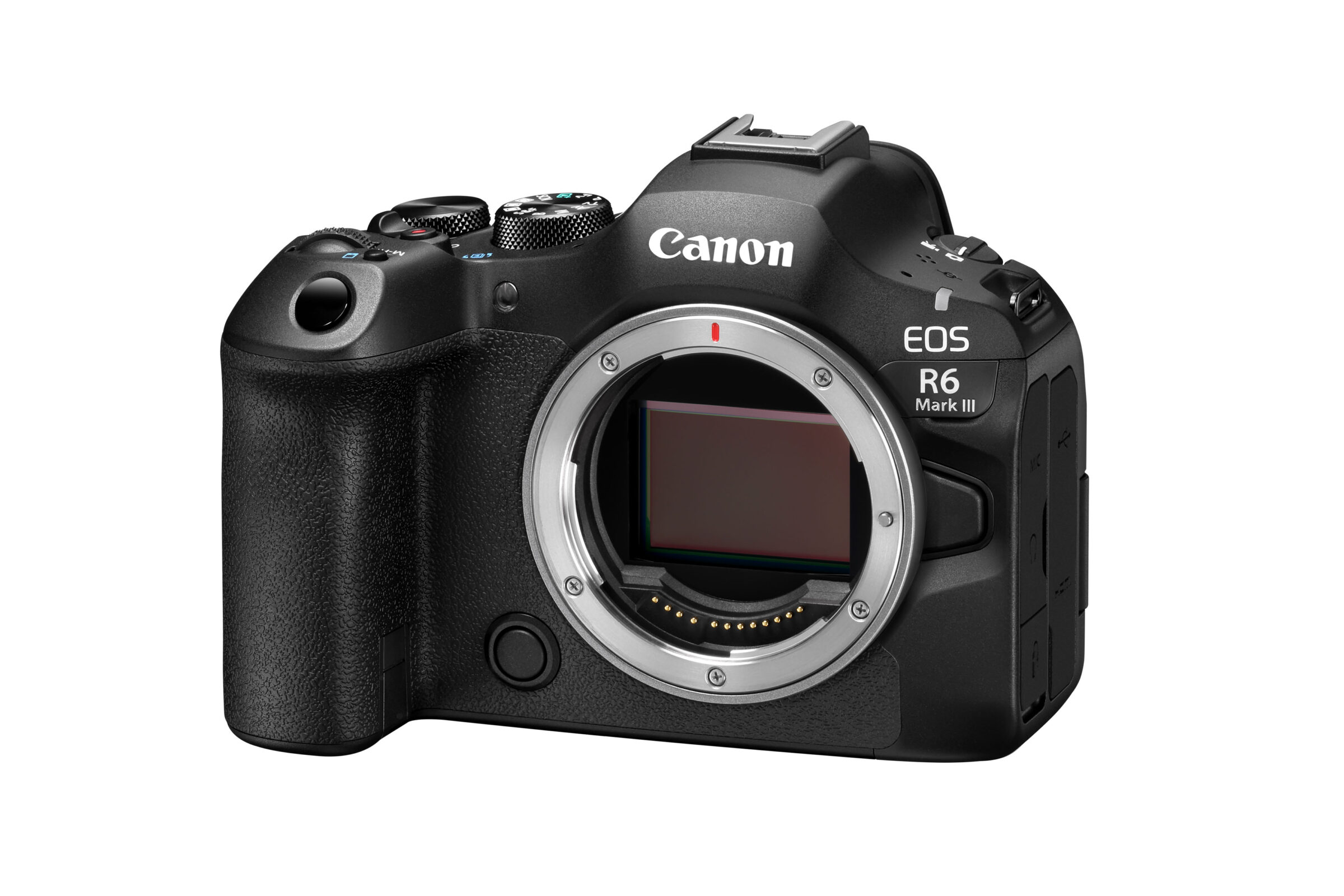
The R6 Mark III keeps the familiar Canon shape and control logic. At about 699 g with a battery and card, it is only modestly heavier than the Mark II. The deep grip, three control dials, AF joystick, and stills/movie switch make it easy to configure as two tools in one body.
The viewfinder is a 3.69-million-dot OLED with 0.76× magnification. The rear display is a 3-inch, 1.62-million-dot vari-angle touchscreen. Both are competent rather than class-leading. Photographers moving from the Mark II will not find a dramatic viewing upgrade, while R5 Mark II users will notice the lower-resolution finder.
Canon rates coordinated stabilization at up to 8.5 stops in the center and 7.5 stops toward the frame edge. Treat those figures as best-case ratings, not a promise that every lens or subject becomes handholdable. IBIS controls camera movement. It does nothing to stop a moving subject, and wide-angle video can still show corner warping or a floating look with aggressive digital stabilization.
Canon provides no IP rating. Treat the body as a precision electronic device, use proper rain protection, and remember that water damage is excluded from Canon’s US warranty.
The video specification is unusually deep for a photo-first body. It records 7K Canon RAW Light internally at up to 59.94p in 12-bit. Open Gate uses the full 3:2 sensor area at up to 29.97p in 10-bit MP4 or 12-bit RAW. There is also 4K up to 119.8p, plus Canon Log 2, Canon Log 3, waveform, false color, zebras, and a full-size HDMI port.
Open Gate is valuable when one take must feed horizontal, square, and vertical edits. It provides more framing room than conventional 16:9 capture. Internal RAW is useful for productions that can justify its storage and postproduction demands. Neither feature improves an ordinary 4K delivery by itself.
The compromise is thermal and operational. The body has no fan. Canon’s recording guide warns that 4K and other demanding modes can raise internal temperature, and recording may stop. Clip length, ambient heat, standby time, codec, frame rate, and card temperature all affect the result. Long interviews and hot outdoor events need a test plan and a fallback mode.
CFexpress is necessary for the heaviest data rates. Those files can also expose a slow card reader, small SSD, or underpowered editing machine. Hybrid capability is real, but so is the supporting budget.
Battery, cards, and field workflow
The supplied battery is the LP-E6P. Canon rates it for about 390 EVF or 620 rear-screen shots in power-saving mode, falling to 270 or 510 with smoother display settings. Burst-heavy stills use can exceed CIPA figures, while video, Wi-Fi, cold weather, and frequent review can reduce them. One battery is not a sensible all-day plan.
Older LP-E6NH and LP-E6N batteries can operate with restrictions, but the LP-E6P is the safe choice for full performance and clear charge reporting. Do not assume an existing drawer of LP-E6 packs removes the battery cost. Check Canon’s compatibility guidance before relying on older cells for paid work.
Card 1 accepts CFexpress Type B. Card 2 accepts SD, SDHC, or SDXC and supports UHS-II, including V90 media. This is flexible, but the two slots do not have equal bandwidth. If instant redundancy is mandatory, choose recording formats both cards can sustain and test a full card-to-ingest cycle before an assignment.
The camera supports 2.4 and 5 GHz Wi-Fi, Bluetooth, FTP transfer, USB-C transfer and power, and a full-size HDMI connection. Canon’s published specifications and current accessories are collected on the official EOS R6 Mark III product page. For a working kit, budget for a fast reader, verified cables, and enough duplicate storage to back up a day without erasing cards.
R6 Mark III alternatives worth considering
Canon EOS R6 Mark II: the value choice
Buy the Mark II when its discount leaves enough money for a better RF lens, lighting, or a second body. Its 24.2MP files are easier to store, and two matching UHS-II SD slots simplify redundant recording. It gives up the Mark III’s resolution, CFexpress throughput, pre-capture implementation, and advanced video modes.
Canon EOS R5 Mark II: more detail and a faster sensor
The Canon R5 Mark II is the stronger choice for wildlife cropping, commercial detail, and photographers who need 45MP. Its stacked sensor and higher-end finder also move it above the R6 class. The penalties are price, file size, and a workflow that demands more from lenses and storage.
Sony A7 V and Nikon Z6 III: system-level rivals
The Sony A7 V pairs 33MP with a partially stacked sensor, strong battery life, and broad third-party lens choice. It is especially persuasive for buyers starting without Canon glass. The Nikon Z6 III offers a partially stacked 24.5MP sensor and strong 6K video, often with a different balance of readout speed and resolution.
Do not switch systems for a small body advantage. Compare the lenses you will actually buy, service access, flash compatibility, and the resale cost of leaving your current mount.
Buying traps to avoid
- Counting only the body price: CFexpress cards, an LP-E6P spare, a fast reader, and storage can materially raise the first-year cost.
- Buying a mystery bundle: Low-grade cards, generic batteries, and filler accessories are not a bargain beside an authorized US body with a clear warranty.
- Assuming both card slots are equal: The SD slot can become the limiting factor in redundant video or long-burst workflows.
- Using 40 fps for everything: Electronic shutter can distort fast motion and band under some lighting. Mechanical shutter remains part of the professional toolkit.
- Overlooking lenses: A better RF lens on an R6 Mark II can improve the final image more than a Mark III body with compromised glass.
- Expecting unlimited video: The body has no active fan. Test the exact codec, frame rate, card, and ambient conditions before a long take.
Verdict: the best R6, but not the automatic upgrade
The Canon EOS R6 Mark III is an excellent photo-first hybrid because its upgrades solve recognizable problems. The 32.5MP sensor gives useful crop room. Pre-continuous capture helps with unpredictable action. Register People Priority addresses crowded scenes. CFexpress and 7K recording open workflows the Mark II cannot match.
Buy it if you shoot fast subjects, deliver both stills and video, or need more resolution without moving to an R5 Mark II. Keep the R6 Mark II if 24.2MP, 4K60, dual SD cards, and its existing autofocus already cover your work. For a new Canon buyer with the budget, the Mark III is the R6 to choose. For an existing owner, it should solve a problem, not merely satisfy an upgrade itch.
Frequently asked questions
Is the Canon EOS R6 Mark III worth upgrading to from the R6 Mark II?
Only for specific gains. Upgrade for 32.5MP cropping, pre-continuous capture, CFexpress throughput, Register People Priority, full-size HDMI, or 7K/Open Gate video. For portraits, events, and ordinary 4K that the Mark II already handles well, the value case is weak.
Does the Canon EOS R6 Mark III have two card slots?
Yes, but they differ. One slot accepts CFexpress Type B cards and the other accepts UHS-II SD cards. That setup supports high data rates, although matched-speed redundancy is less straightforward than with two identical slots.
Can the EOS R6 Mark III use EF lenses?
Yes. Canon EF, EF-S, TS-E, and MP-E lenses work with the appropriate Canon EF-EOS R mount adapter. EF-S lenses use a cropped sensor area. EF-M lenses are not compatible.
Is 40 fps safe for every kind of action?
No. It is useful when the electronic shutter suits the subject and lighting. Fast movement can distort, and flickering sources can cause bands. Use the 12 fps mechanical mode when shape, flash compatibility, or artificial-light consistency matters more.
Wedding, event, wildlife, sports, documentary, and hybrid Canon shooters who need more crop room and advanced video.
The R6 Mark II already covers your work, or you need 45MP files, a stacked sensor, matched card slots, or fan-cooled long-form video.
Medium-high; the controls are approachable, but AF setup, mixed media, codecs, and RF system cost reward experience.
EOS R5 Mark II for more resolution and faster readout; a Cinema EOS or video-first body for cooled long-form production.
Excellent 7K/Open Gate and 4K120 tools, but no active fan and demanding modes add heat, media, storage, and postproduction costs.
Yes for new R6-class buyers and photographers who need its specific gains; not an automatic upgrade from the R6 Mark II.