Start with the camera, then choose Nikon Coolpix accessories
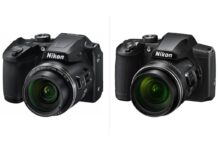
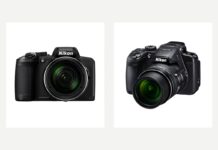
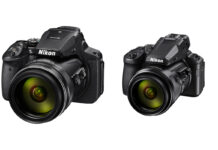
Nikon Coolpix accessories are model-specific, so start with the camera decision first. If you are still choosing a body, use the Nikon Coolpix camera guide. For specific models, compare the Nikon P1100 review, Nikon Coolpix P1000 review, Nikon Coolpix B500 review, and Nikon Coolpix B600 review before buying batteries, cases, straps, or memory cards.
Nikon Coolpix accessories are only useful when they solve a real problem. That sounds obvious, but Coolpix owners get tripped up by the same mistake over and over: buying generic camera add-ons before checking whether their exact model actually supports them.
That matters more with Coolpix than with many other camera lines. Nikon made a huge range of compact, bridge, superzoom, and enthusiast models over the years, and accessory compatibility is often highly model-specific. Batteries differ. AC adapters differ. Cases differ. Some models use AA batteries, some use Nikon EN-EL packs, some support converter lenses or flash brackets, and many do not. Older models may also have stricter memory card limits than newer ones.
So this guide keeps the core advice simple: buy the accessories that improve reliability, handling, and sharpness first, and skip the clutter. I’ll also point out the compatibility traps that matter most, especially if you’re searching for coolpix accessories for a specific camera like the Nikon Coolpix A, Coolpix P80, or Coolpix L110.
Before you buy anything model-specific, check Nikon’s own accessory references here: Nikon Coolpix accessories PDF and Nikon system/accessory PDF. They’re old-school PDFs, but they’re exactly the kind of source you want when compatibility is unclear.
Buy these first: the Nikon Coolpix accessories that actually matter
If I were building a sensible Coolpix kit from scratch, I would prioritize the basics below before thinking about filters, lights, or any oversized accessory bundle.
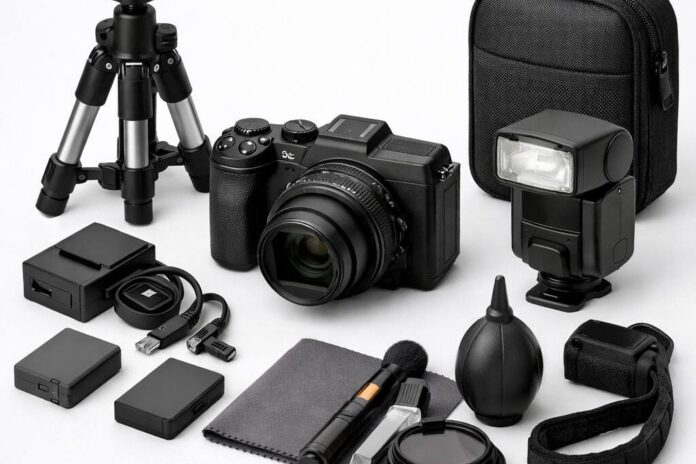
| Accessory | Why it matters | What to buy | What to avoid |
|---|---|---|---|
| SD card | A bad card causes more frustration than almost any other accessory | Reliable full-size SD/SDHC/SDXC card from a major brand, sized to your camera and shooting habits | No-name cards, suspicious marketplace deals, microSD with adapter unless you have no better option |
| Spare battery or charger | Dead batteries end shooting days fast, especially on zoom-heavy models | Genuine Nikon battery if available, or a reputable third-party spare and charger for your exact model | Unbranded batteries, guessing battery type by appearance |
| Case | Protects the lens area and makes the camera easier to carry regularly | A fitted pouch for slim models or a structured case for bridge/superzoom bodies | Universal cases that are too loose, bulky bags that make the camera annoying to bring |
| Wrist strap or better strap | Improves security and makes compact cameras more pleasant to carry | Simple wrist strap for pocketable models, padded strap for larger bridge cameras | Cheap straps with weak stitching or awkward clips |
| Cleaning kit | Dust, fingerprints, and grit ruin images and wear down the camera over time | Rocket blower, microfiber cloth, lens-safe cleaning fluid | Canned air, rough cloths, bargain kits full of junk tools |
| Tripod or mini support | Helps more than people expect for zoom, low light, self-timer shots, and video | Mini tripod for compact models, sturdier support for superzooms | Ultra-cheap flimsy tripods that wobble under the camera |
If your budget is tight, buy in this order: card, power, case, support. That gets you the biggest real-world improvement for the least money.
What most Coolpix owners should skip at first
Here’s the blunt version: most Coolpix owners do not need a giant accessory bundle.
- Skip random “50-in-1” kits full of low-grade readers, tiny tabletop tripods, and mystery cleaning pens.
- Skip filters unless your exact model supports them properly or has a Nikon-approved adapter solution.
- Skip external audio gear unless your camera actually supports it.
- Skip generic flash add-ons unless your model has a compatible shoe or Nikon-documented adapter path.
- Skip oversized camera bags for small Coolpix models. They just make the camera less likely to leave the house.
For most people, the best nikon coolpix accessories are the boring ones: power, storage, protection, and stability. Those are the accessories that keep you shooting and improve sharpness. Everything else is secondary.
Compatibility first: why Coolpix accessories are so model-specific
This is the part too many accessory roundups gloss over. Coolpix is not one camera. It’s a long-running family of very different cameras, and Nikon’s own documentation makes that clear.
Depending on the model, you may be dealing with different:
- battery types
- chargers and AC adapters
- memory card support
- cases and soft pouches
- LCD hoods
- converter lenses and adapter rings
- flash brackets or external flash adapters
- USB and video cables
That’s why the safest buying process is:
- Find your exact camera model name on the body.
- Check Nikon’s accessory PDF or manual.
- Confirm battery type, card type, and any adapter requirements.
- Only then look at third-party options.
If a listing says it fits “most Nikon Coolpix cameras,” treat that as a warning, not reassurance.
Nikon Coolpix accessories by camera type
Slim compact Coolpix models
These are the pocketable cameras people actually carry, which means portability matters more than building a mini rig around them.
Buy first:
- one reliable SD card
- one spare battery if your model uses a rechargeable pack
- a slim fitted case or pouch
- a wrist strap
- a blower and microfiber cloth
Worth it: a small tabletop tripod or mini support for travel photos, night scenes, and family self-timer shots.
Usually not worth it: bulky bags, clip-on lights, and generic filter kits. They tend to add more hassle than value on small Coolpix bodies.
AA-powered bridge Coolpix models
Some bridge-style Coolpix cameras used AA batteries, which changes the buying advice quite a bit.
Buy first:
- good quality rechargeable AA batteries
- a smart AA charger
- a larger case with room for spare cells
- a more stable tripod than you’d use for a pocket camera
The practical advantage here is obvious: AA power is easy to replace on the road. The downside is that battery performance depends heavily on the cells you use. Cheap AAs are false economy.
If your Coolpix takes AAs, I would prioritize high-quality rechargeables over almost any other upgrade.
P-series superzoom Coolpix models
This is where support gear starts to matter more. Long zoom magnifies every little shake, and larger P-series bodies benefit from better carrying solutions.
Buy first:
- spare battery for your exact P-series model
- fast, reliable SD card
- structured case
- tripod or monopod-style support if you shoot at long focal lengths often
Worth considering: a better neck strap and, if Nikon documentation supports it for your model, any official adapter or converter accessories.
Skip unless you know you need it: cheap telephoto add-ons and generic flash accessories. Superzoom owners are especially vulnerable to buying gimmicks that promise more reach and deliver softer images.
Older enthusiast and legacy Coolpix models
Older Coolpix cameras can still be enjoyable, but they are where compatibility mistakes happen most often. Nikon offered all sorts of model-specific accessories over the years, including converter lenses, lens adapters, hoods, cases, AC adapters, and flash brackets.
That means two things:
- There may be useful original accessories out there.
- You absolutely cannot assume one older Coolpix accessory fits another.
For legacy models, I would focus on practical essentials first: power, memory, carrying, and cleaning. If you want specialty accessories, verify them against Nikon’s PDFs before spending money.
Nikon Coolpix A accessories
The Nikon Coolpix A is the model that most deserves extra caution. It sits apart from the usual compact Coolpix crowd and attracts buyers looking for more serious accessories. That makes it easy to overspend.
If you’re searching specifically for nikon coolpix a accessories, start with the same core kit as any serious compact camera:
- reliable spare battery and charger for the exact battery type
- high-quality SD card
- protective case that fits the body properly
- cleaning kit
- small support or tripod
Then, before buying anything more specialized, verify compatibility through Nikon documentation. The Coolpix A had model-specific accessory options, and this is not the place to guess based on a marketplace title.
In other words: buy carefully, not broadly.
Model-specific caution: Coolpix A, P80, and L110
Nikon Coolpix A
The Coolpix A tends to attract accessory searches because owners want to treat it like a premium enthusiast compact. Fair enough. Just remember that “premium” does not mean “universally compatible.” Check Nikon’s accessory references before buying batteries, cases, adapters, or any lens-related add-ons.
If I were spending money here, I’d put it into dependable power, storage, and a case first. Those are the upgrades you’ll actually notice.
Nikon Coolpix P80 accessories
If you’re looking for nikon coolpix p80 accessories, slow down and verify everything. The P80 is an older bridge-style Coolpix, and older bridge models are exactly where generic accessory listings become unreliable.
Do not assume that a battery, AC adapter, lens adapter, or case sold for “P-series” will fit the P80. Nikon’s own accessory documentation is the right place to confirm what was officially supported. For third-party gear, compare the exact battery designation, body dimensions, and any adapter naming carefully.
Safe buys for most owners are still the basics: memory card, carrying case, cleaning kit, and stable support. Specialty accessories need proof, not optimism.
Nikon Coolpix L110 accessories
The nikon coolpix l110 accessories query is another one where battery assumptions can go wrong. The L110 is from a generation where power and accessory choices differ from many rechargeable-pack Coolpix models. Before buying any battery-related item, confirm whether you need rechargeable AAs, a charger, or a specific Nikon power accessory path for your use.
For the L110, practical purchases usually look like this:
- quality AA rechargeables and charger
- a case sized for a bridge camera
- a tripod for low light and long zoom use
- a blower and cloth
That’s a much smarter starting point than chasing random “L110 accessory bundles.”
Memory cards: the least exciting accessory and one of the most important
Memory cards are not glamorous, but they are one of the few accessories every Coolpix owner needs.
My advice is simple:
- buy from a major brand
- buy from a reputable retailer
- use full-size SD cards where possible
- don’t overspend on speed your camera can’t use
Many Coolpix cameras are perfectly happy with a dependable mid-range SDHC or SDXC card. You do not need the most expensive card on the shelf just because the packaging says “pro.” What you need is reliability.
For older models, card compatibility can be more limited, so check the manual or Nikon documentation before buying large-capacity cards. This is especially important with legacy Coolpix cameras.
Good buying rule: one or two dependable cards from SanDisk, Lexar, or Kingston beat a stack of bargain cards every time.
Batteries and chargers: where it pays to be picky
Power is the accessory category where I’m least enthusiastic about cutting corners.
For rechargeable-battery Coolpix models, a genuine Nikon battery is usually the safest choice if price is reasonable. A reputable third-party battery can be fine, but only if it is clearly matched to your exact model and comes from a brand with a decent track record.
For AA-powered Coolpix cameras, the smarter move is usually a set of quality rechargeable AAs and a proper charger rather than disposable batteries. That saves money over time and gives more predictable performance.
What I would avoid:
- unbranded battery packs
- chargers with poor fit or vague compatibility claims
- listings that mention dozens of camera models but no exact battery designation
If your camera supports AC power accessories or USB charging options, verify them through Nikon’s documentation first. Older Coolpix cameras often used very specific AC adapters and couplers.
Cases and straps: buy for carryability, not just protection
A case is only useful if it helps you bring the camera more often.
For slim Coolpix models, I prefer a fitted pouch or compact case that protects the camera without turning it into luggage. For bridge and superzoom models, a semi-rigid case with enough room for spare power and a card is more practical.
As for straps, the stock strap is often fine, but not always pleasant. A wrist strap makes a lot of sense for compact Coolpix cameras. Larger bridge cameras benefit from a more comfortable neck strap, especially if you carry them for a full day.
What to avoid is the universal “camera bag” approach. If the bag is too big, the camera becomes less convenient, and convenience is half the point of a Coolpix.
Tripods and support: one of the easiest ways to get sharper photos
If your goal is sharper images, support gear is one of the few accessories that directly helps.
Even a small Coolpix benefits from a mini tripod for:
- night scenes
- indoor family photos
- group shots with self-timer
- travel photos at lower ISO
For bridge and superzoom models, support matters even more. Long zoom exaggerates hand shake, and image stabilization only goes so far. A sturdier tripod or compact support can make a visible difference.
If I were buying one support accessory for a typical Coolpix owner, I’d choose a decent mini tripod for compact models or a genuinely stable travel tripod for larger superzooms. I would not waste money on the flimsy freebie-style tripods that come in cheap kits.
Cleaning gear: cheap, useful, and often neglected
This is one of the easiest wins in any coolpix accessories setup.
A simple cleaning kit should include:
- rocket blower
- microfiber cloth
- lens-safe cleaning fluid or wipes
That’s enough for most users. You do not need a giant maintenance kit. And you definitely do not need canned air near a compact camera lens mechanism.
Use the blower first, then the cloth. Keep sand and grit away from the lens area. If you shoot at the beach or on dusty trails, this matters more than any cosmetic accessory ever will.
Genuine Nikon vs third-party Coolpix accessories
Here’s the practical split.
Buy genuine Nikon when compatibility or safety matters most:
- batteries
- chargers
- AC adapters
- model-specific adapters and converter accessories
Third-party is often perfectly sensible for:
- SD cards
- cases
- straps
- tripods
- cleaning gear
That’s usually the sweet spot. Use Nikon where the camera is picky, and use reputable third-party brands where the accessory is more universal.
The mistake is assuming all third-party gear is bad or all Nikon-branded gear is necessary. Neither is true. The right answer depends on the accessory category.
A sensible buying plan for most Coolpix owners
If you want a straightforward roadmap, use this:
Stage 1: essentials
- memory card
- spare battery or AA rechargeables and charger
- case
- cleaning kit
Stage 2: sharper shooting
- mini tripod or stable travel tripod
- better strap if the camera is uncomfortable to carry
Stage 3: model-specific extras
- official adapters
- converter accessories
- specialty cases or hoods
Only move to stage 3 after checking Nikon’s documentation for your exact model.
FAQ: Nikon Coolpix accessories
What are the most useful Nikon Coolpix accessories?
For most people, the most useful nikon coolpix accessories are a reliable SD card, spare battery or charger, fitted case, wrist strap, cleaning kit, and a tripod or mini tripod. Those improve reliability, protection, and sharpness more than novelty add-ons do.
Are Coolpix accessories universal across all Nikon Coolpix cameras?
No. That is the biggest mistake buyers make. Coolpix accessory compatibility is often model-specific. Batteries, chargers, AC adapters, cases, converter lenses, and other accessories can vary significantly by model. Always verify with Nikon’s accessory PDFs or your camera manual.
What Nikon Coolpix accessories should I buy first?
Buy a memory card, power solution, and case first. After that, add a cleaning kit and some form of support. Those are the accessories that solve the most common real-world problems.
What accessories are best for the Nikon Coolpix A?
For nikon coolpix a accessories, start with dependable power, a quality SD card, a protective case, cleaning gear, and a small tripod. Then verify any specialized accessory through Nikon documentation before buying.
What accessories are best for the Nikon Coolpix P80?
For nikon coolpix p80 accessories, stick to safe essentials unless you have confirmed compatibility: memory card, case, cleaning kit, and stable support. Older P-series models can be tricky for batteries, adapters, and specialty accessories, so check Nikon’s PDFs first.
What accessories are best for the Nikon Coolpix L110?
For nikon coolpix l110 accessories, quality AA rechargeables and a charger are usually a smarter first purchase than generic accessory bundles. Add a bridge-camera case, tripod, and cleaning kit, then verify any other accessory carefully.
Can I use third-party batteries with a Nikon Coolpix?
You can, but be selective. Reputable third-party batteries can be fine for some models, but unbranded batteries are not worth the risk. Match the exact battery type and buy from a trusted seller.
Do all Nikon Coolpix cameras use the same SD cards?
No. Many use standard SD-format cards, but older models may have capacity or format limits. Check your manual or Nikon documentation before buying large SDXC cards for legacy cameras.
Final advice: keep the kit small and the compatibility checks strict
The best nikon coolpix accessories are not the ones that make your camera look more serious. They’re the ones that help you keep shooting, carry the camera comfortably, and come home with sharper photos.
For most Coolpix owners, that means a good card, dependable power, a case that actually fits, a basic cleaning kit, and some kind of support. Everything else should be justified by your exact camera and how you use it.
And if you own an older or less common model, especially a Coolpix A, P80, or L110, do yourself a favor: verify first, buy second. Nikon’s own references are still the safest place to start: Coolpix accessories PDF and system/accessory PDF.