
View full specs
The Fujifilm F200EXR is worth buying used if you want a pocket zoom and enjoy choosing between detail, highlight protection, and lower noise. I would buy a tested example for daylight walks and casual photographs, with a firm spending limit. I would skip it for action, serious video, or a dependable primary travel camera.
Its appeal rests on the unusual Super CCD EXR sensor, rather than a guaranteed “CCD look.” Condition now matters as much as the design.
What the F200EXR actually offers
Introduced in February 2009 at $399.95 in the US, the FinePix F200EXR has a 12MP, 1/1.6-inch Super CCD EXR sensor. Its fixed 5x lens covers 28–140mm equivalent at f/3.3–5.1. That range handles streets, group pictures, and tighter details without changing lenses.
The lens is useful rather than fast. Indoors, zooming toward 140mm gives away light just when you need a faster shutter speed. CCD-shift stabilization helps with camera movement; it cannot freeze a child crossing the room.
You frame on a fixed 3-inch, 230,000-dot screen. There is no viewfinder, and the camera records JPEG stills without a RAW option. Those are meaningful limits for anyone planning extensive editing or shooting in hard sunlight.
The F200EXR followed the F100fd. Later F-series models, including the F300EXR, moved toward longer zooms. A higher model number is not proof that another FinePix delivers the same shooting experience.
EXR modes: when six megapixels make more sense
The important decision is which problem the sensor should solve. The three priorities are alternatives, so you cannot demand maximum detail, maximum highlight protection, and minimum noise simultaneously.
| EXR priority | Output | When I would choose it |
|---|---|---|
| HR: Resolution Priority | Up to 12MP | Even daylight, fine textures, and room to crop |
| SN: High ISO & Low Noise | 6MP | Available-light snapshots when noise matters more than fine detail |
| DR: D-Range Priority | 6MP | Bright skies, sunlit walls, and backlit subjects |
SN combines neighboring pixels. DR uses differently exposed pixel groups to hold more highlight information within one exposure. Neither makes this small sensor behave like a modern large-sensor camera.
EXR Auto chooses a priority for you. That is a sensible starting point, though selecting HR, SN, or DR yourself makes comparisons easier. Compare the resulting files at equal viewing sizes. A softer-looking 12MP file at 100% is not automatically worse than a smaller file.
My preference would be DR for a sunny walk with bright buildings and deep shade. Losing cropping room is often less objectionable than losing texture in a white wall. For large prints or substantial cropping, HR deserves a separate comparison.
Color and useful starting settings
I judge older compact cameras by deliberate output, rather than by memories attached to their era. Color comes from exposure, white balance, lens behavior, and JPEG processing as well as the sensor. Buying a CCD camera does not guarantee film-like photographs.
Start with Provia/Standard and Fine JPEG quality. Try Velvia/Vivid after checking how it treats skin and saturated colors. The camera also offers Astia/Soft, black-and-white, and sepia. These are its own presets; do not assume compatibility with recipes for current Fujifilm cameras.
For maximum DR expansion, use Provia/Standard. The 800% setting is restricted to D-Range Priority and is unavailable with Velvia/Vivid or Astia/Soft. The percentage describes Fujifilm’s expansion setting, not eight times the overall image quality.
Check a bright area after shooting and adjust exposure compensation when needed. The JPEG leaves less recovery latitude than RAW, so protecting important highlights at capture is worthwhile. Avoid judging exposure from screen brightness alone.
Indoors, try the Natural & Flash mode when flash is permitted. It saves an available-light picture and a flash picture, giving you a choice afterward. Keep the camera steady until both are captured.
Handling, manual control, and video limits
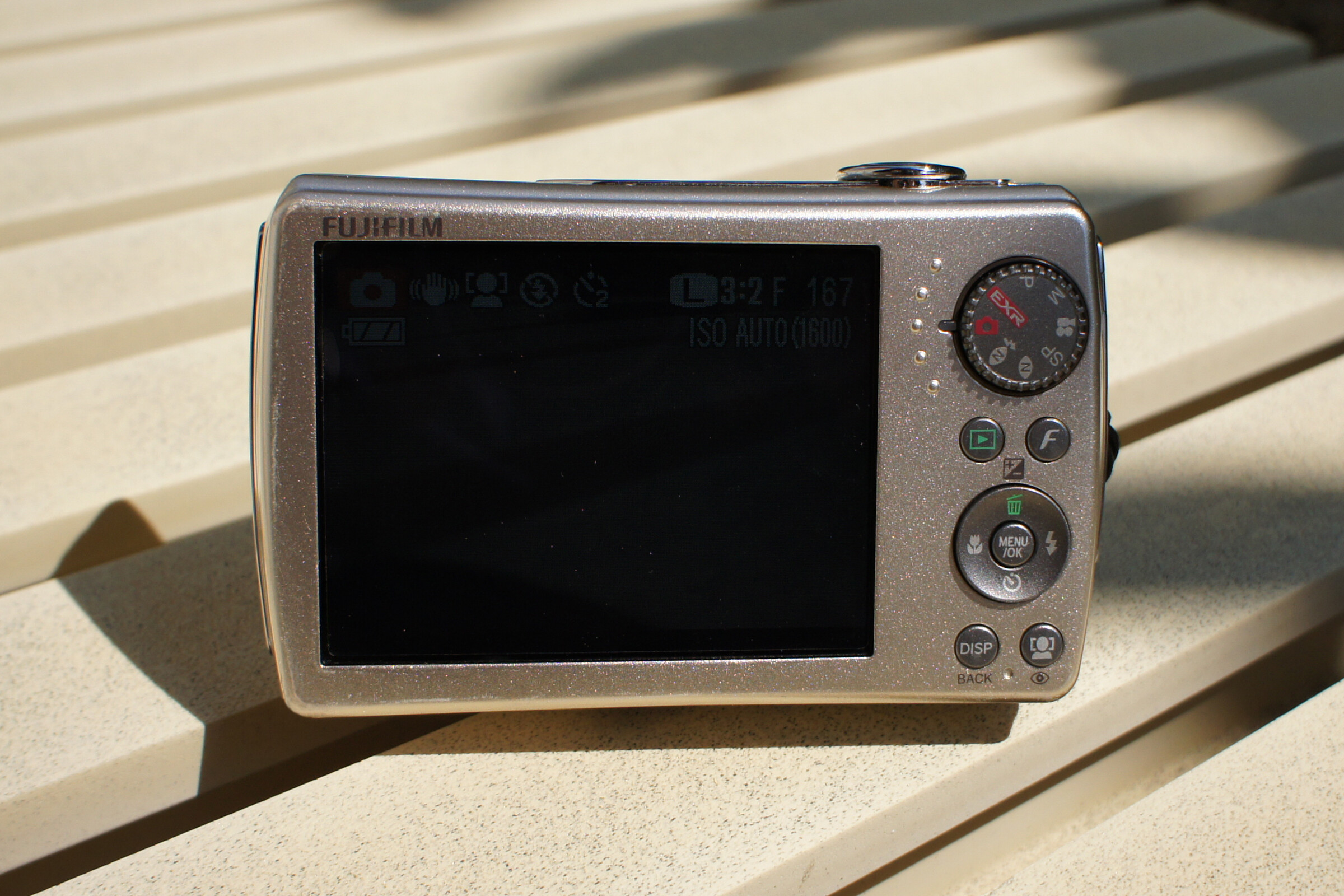
There are program, aperture-priority, and manual exposure options, but aperture control is unusually restricted. At each zoom position, you choose between two settings using an ND filter. At wide angle, the choices are f/3.3 and an indicated f/9. This is not a conventional iris with a full sequence of apertures.
I would not choose it primarily to learn depth-of-field control. Use manual exposure to understand shutter speed and brightness, while recognizing the lens mechanism’s limits.
Full-resolution bursts reach about 1.4 fps for three frames. The faster 5 fps option drops to 3MP and records up to 12 frames. That makes timing and prefocusing more useful than holding the shutter down during action.
Video tops out at 640 × 480 at 30 fps with mono sound. You cannot zoom while recording. Listings that emphasize “HD output” or the “Full HD Photo” sticker are not describing HD movie capture. For video and quick sharing, I would use a current phone.
Battery, memory cards, and getting pictures off
The correct battery is the Fujifilm NP-50. The original US kit included a BC-45W external charger. There is no in-camera USB charging. Match the battery and charger explicitly; a listing for a vaguely compatible Fujifilm accessory is insufficient.
The original battery rating was approximately 230 shots under CIPA conditions. That is a reference for a healthy battery, not a promise for an old cell. Test repeated zooming and flash use, and reject swollen or leaking batteries.
One shared card slot accepts SD, SDHC, or xD-Picture Card. SDXC is unsupported. I would use a modest 4GB or 8GB SDHC card and test it in the camera. Fujifilm’s capacity table also includes 16GB SDHC; the manual specifies no SD speed-class minimum. There is no UHS speed benefit.
An SDHC reader avoids hunting for the camera’s older USB cable. Budget for a reader compatible with your computer or phone. Import the JPEGs, check that they open, and back them up before formatting the card.
Keep Fujifilm’s F200EXR manual handy for card insertion, EXR settings, and charger instructions. The old software CD is not necessary for copying files with a card reader.
What to inspect before paying
An old compact can look clean and still fail as soon as its lens moves. Ask for fresh, full-resolution files from the actual camera. Stock photographs and a powered-on screen prove very little.
- Lens mechanism: repeat startup and shutdown, then zoom through the range. Listen for grinding and watch for hesitation or errors.
- Optics and image alignment: inspect for haze, fungus, and scratches. Photograph a detailed flat subject and compare both sides for severe uneven softness.
- Saved files: photograph a plain bright surface and an ordinary scene. Check for fixed marks, colored lines, and corrupt files on another device.
- Controls and power: test the mode dial, directional buttons, flash, doors, and battery latch. Check for shutdowns under flash or zoom load.
- Storage: record and review pictures on a known working SDHC card, then verify the transfer.
A dead LCD pixel is different from a defect appearing in every saved image. Compare playback with the transferred file before diagnosing the problem.
I would favor an honest, worn camera that works consistently over a spotless example that cannot be tested. With a private sale, price the lack of returns into your decision. Treat “untested” as a possible repair project, even when the seller says it probably works.
Price, alternatives, and my buying verdict
For a working camera rather than a collection, my ceiling would be $150 all-in. That is an editorial spending limit, not a claimed US market average. Include shipping, tax, a usable battery, charger, card, and reader. I would aim lower for a private sale without returns.
Check recent completed US sales for similarly tested kits. Asking prices, especially old new-stock listings, do not establish what buyers actually pay. Cosmetic packaging should not consume the money needed for reliable power.
If RAW editing is the priority, compare the Canon PowerShot S100. It offers RAW capture, though it brings its own aging-lens and battery risks. If you mainly want an inexpensive dedicated camera, our budget compact camera guide broadens the choices.
For a current Fujifilm system, start with the Fujifilm camera buying guide. The F200EXR has no interchangeable-lens upgrade path. Its name should not imply access to modern X-series features.
I would buy the F200EXR as a modestly priced second camera for daylight, flash snapshots, and exploring EXR. I would walk away from a collector premium or an uncertain lens mechanism. Its clever sensor remains interesting; the purchase only makes sense when the particular camera works and the complete cost stays low.
Daylight walks, flash snapshots, and experimenting with EXR priorities.
You need reliable action capture, RAW files, modern video, or a primary travel camera.
EXR trades resolution for other image qualities; limited aperture control and an external charger add friction.
No interchangeable lenses. Choose a different camera or system when needs outgrow the fixed zoom.
VGA only, mono sound, and no zoom while recording.
Yes, as a tested second camera within a $150 complete-kit budget. Skip collector premiums and unverified operation.