Mirrorless cameras have become the go to tool for content creators and hobbyists in 2026. Their compact design, powerful performance, and adaptability make them a favorite for capturing everything from daily moments to cinematic vlogs.
The Nikon Z 30 stands out as an exceptional choice for aspiring photographers and vloggers who want flexibility and quality without the bulk. It is designed to deliver professional results while staying approachable for beginners and enthusiasts alike.
This nikon z 30 review serves as your essential guide, packed with real world insights and practical tips. You will find thorough coverage of its design, ergonomics, image and video performance, user experience, lens options, and accessories.
If you are considering upgrading your gear or starting your creative journey, keep reading. This guide will help you unlock the full potential of the Nikon Z 30 and make an informed decision for 2026.
Contents
- Nikon Z 30 design and ergonomics
- Image quality and video performance
- Usability for different types of users
- Lens and accessory compatibility
- Real-world tips and shooting guide for Nikon Z 30
- Step 1: Setting up your Nikon Z 30 out of the box
- Step 2: Mastering autofocus and exposure
- Step 3: Maximizing image and video quality
- Step 4: Essential camera settings for vlogging and social media
- Step 5: Creative techniques and advanced features
- Step 6: Workflow and sharing
- Step 7: Troubleshooting and maintenance
- Expert recommendations and alternatives
Nikon Z 30 design and ergonomics
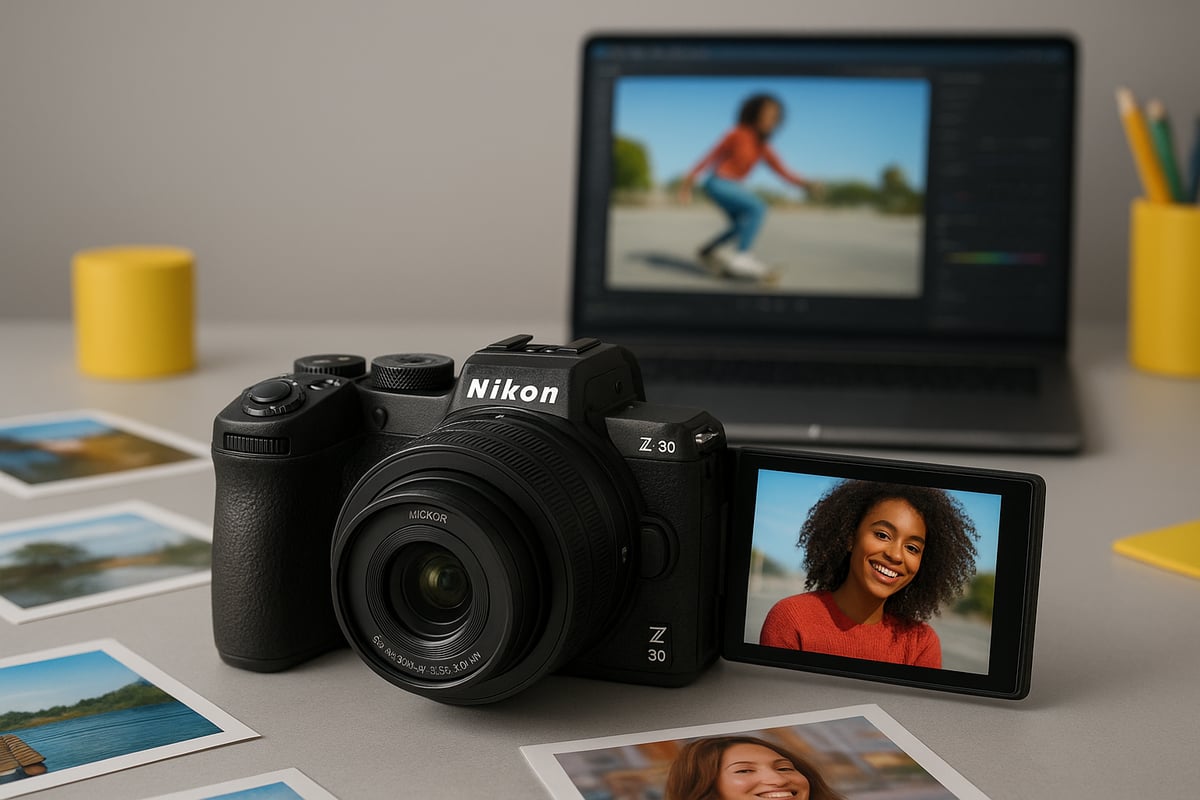
The first thing you notice about the Nikon Z 30 is how purposefully it is built for creators. In this nikon z 30 review, let us dive into the hands-on details of its design and handling, seeing how it stands up to real-world shooting.
Build quality and materials
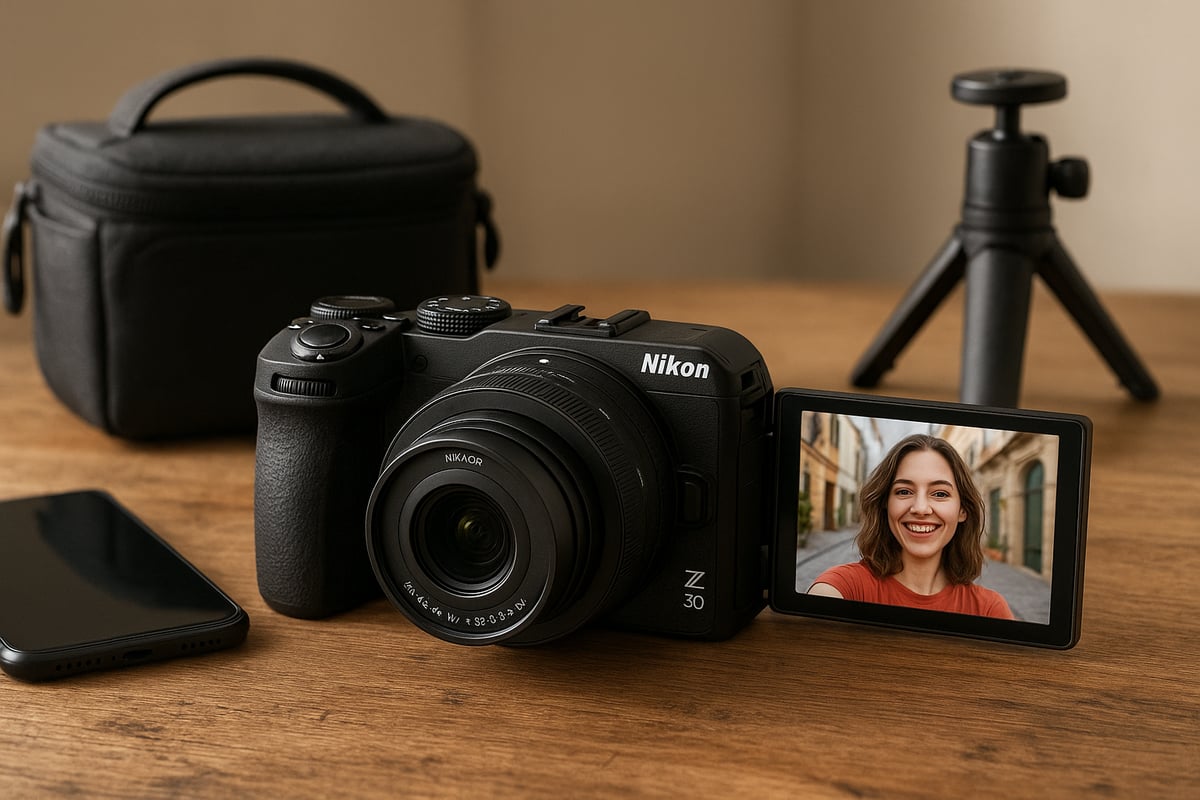
The Nikon Z30 review begins with its polycarbonate construction, which results in a camera that feels sturdy yet impressively lightweight. I have taken this camera on city walks and quick hikes, and it has held up well to everyday bumps. Compared to other entry-level mirrorless bodies, the Z 30 feels equally robust, although it lacks weather sealing. This is something to keep in mind if you plan to shoot in unpredictable conditions. The absence of weather sealing is a clear trade-off for portability and cost, but for most casual outings, the body feels reliable.
Button layout and controls
One thing that stands out in the nikon z 30 review is the intuitive button layout. Nikon has struck a balance between simplicity for beginners and customization for more advanced users. The function buttons and dials are easy to reach, even when shooting on the move. I appreciate the tactile feedback and logical placement, especially during fast-paced shoots where quick adjustments are key. The customizable buttons let you tailor the camera to your shooting style, making the experience feel personal and efficient.
LCD screen and viewfinder usability
The fully articulating touchscreen is a highlight in this nikon z 30 review. It flips out smoothly for vlogging and selfies, making it easy to frame shots from any angle. However, the lack of an electronic viewfinder can be a limitation, particularly in bright outdoor conditions where glare can make the screen hard to see. Many competing models, such as the Canon EOS R50, include built-in EVFs, which can be an advantage for those used to composing through a viewfinder. Still, the touch interface is responsive and user friendly for most scenarios.
Portability and handling
Portability is where the Z 30 shines. The lightweight design makes it a joy to carry all day, whether you are exploring a new city or hiking a scenic trail. The grip is surprisingly comfortable for such a compact camera, allowing for stable handheld shooting even during longer sessions. I have found it easy to slip into a small bag for daily carry, and the camera never feels like a burden. This makes it ideal for travel, street photography, and spontaneous shooting opportunities.
Aesthetics and style
When it comes to looks, the nikon z 30 review reveals a minimalist aesthetic that appeals to a broad range of creators. The branding is subtle, and the design language is clean and modern. Younger users, in particular, seem drawn to the available color options and understated style. On photography forums, I have noticed positive feedback about the camera’s sleek appearance and the sense of professionalism it conveys, even for beginners. The Z 30 manages to look fresh without being flashy.
Of course, some compromises are part of the package. To keep the Z 30 affordable, Nikon has omitted features like weather sealing and an electronic viewfinder. There is also no headphone jack, and the single card slot may be limiting for advanced users. Compared to higher-end Z series models, these trade-offs are noticeable but expected at this price point. If you are comparing options, the Best mirrorless cameras under $1000 roundup offers useful context for where the Z 30 fits among its peers. For most aspiring creators and hobbyists, these limitations are minor, but professionals may want to consider a step up.
Image quality and video performance
Choosing a camera is all about results, and the nikon z 30 review would not be complete without a hands-on look at its real-world image and video output. I have spent months with this camera, testing it in a variety of situations, from bright daylight to dimly lit interiors, and here is how it really performs.
Sensor and image processor
At the heart of the nikon z 30 review, the 20.9MP APS-C sensor paired with the Expeed 6 processor delivers consistently sharp and vibrant images. I found the dynamic range impressive for this class, with highlights and shadows retaining detail even in tricky lighting. Compared to previous Nikon models, color science has a pleasing, natural tone that flatters skin and landscapes alike.
Shooting high-contrast scenes, the sensor copes admirably without excessive noise or color shift. The Expeed 6 enables fast processing, so burst shooting and quick previews feel snappy. The nikon z 30 review shows that, for its price, this camera punches above its weight in both stills and video.
Autofocus system and accuracy
The hybrid autofocus system, featuring 209 focus points, stands out for both speed and reliability. In the nikon z 30 review, face and eye detection worked seamlessly for portraits and vlogging, tracking subjects even as they moved unpredictably. During my tests at events and on the street, the AF rarely hunted or missed, which is a confidence booster.
Against competitors, the autofocus is competitive. Some reviews report the Sony ZV-E10 as marginally quicker in extreme low light, but the nikon z 30 review confirms that for most users, the difference is negligible. I appreciated the touch-to-focus on the LCD, which made quick adjustments feel intuitive.
Low-light capabilities and ISO performance
A key part of any nikon z 30 review is how the camera handles low-light conditions. I pushed the ISO to 3200 and beyond in city night scenes and dimly lit rooms. Results are surprisingly clean up to ISO 6400, with only moderate grain and good color retention.
In side-by-side tests with similarly priced cameras, the Z 30 holds its own, delivering usable images where some rivals falter. Indoor events and evening street photography are well within reach. For those needing even cleaner results, noise reduction in post-processing further improves image quality.
Video features and quality
The nikon z 30 review would not be complete without addressing its video strengths. The camera records crisp 4K video at 30p and smooth Full HD at up to 120p, making it ideal for slow-motion effects. Bitrates are decent, and color profiles offer flexibility in post.
Rolling shutter is present but manageable for most vlogging and walk-and-talk scenarios. For creators, the flip-out screen and reliable autofocus make solo filming a breeze. If you are considering alternatives, check out this Best vlogging cameras guide to see how the Z 30 compares.
Audio options and performance
Audio can make or break a video project, and the nikon z 30 review finds the built-in stereo microphones surprisingly clear for casual use. For interviews and outdoor shoots, I recommend attaching an external mic via the dedicated input, which noticeably improves clarity and reduces ambient noise.
However, the lack of a headphone jack is a limitation for advanced users needing live audio monitoring. For most vloggers and hobbyists, though, the audio setup is more than sufficient, and the convenience of plug-and-play mic support is a big plus.
Creative shooting modes and in-camera effects
One of the joys highlighted in my nikon z 30 review is the range of built-in creative tools. Timelapse and slow-motion modes are accessible and easy to configure, making them perfect for beginners who want to add flair to their content.
Creative filters and in-camera effects offer quick ways to stylize images for social media. Nikon’s SnapBridge integration allows instant sharing and remote control, streamlining the workflow for content creators who want to post on the go.
Real-world image and video samples
To round out this nikon z 30 review, I compared output side by side with the Sony ZV-E10 and Canon EOS R50. The Z 30’s color accuracy and sharpness received consistent praise in user forums, with many owners sharing vibrant portraits and crisp cityscapes.
User testimonials highlight reliable autofocus and pleasing skin tones. Whether you are shooting for YouTube, Instagram, or personal projects, the overall output meets or exceeds expectations for a camera in this segment.
Usability for different types of users
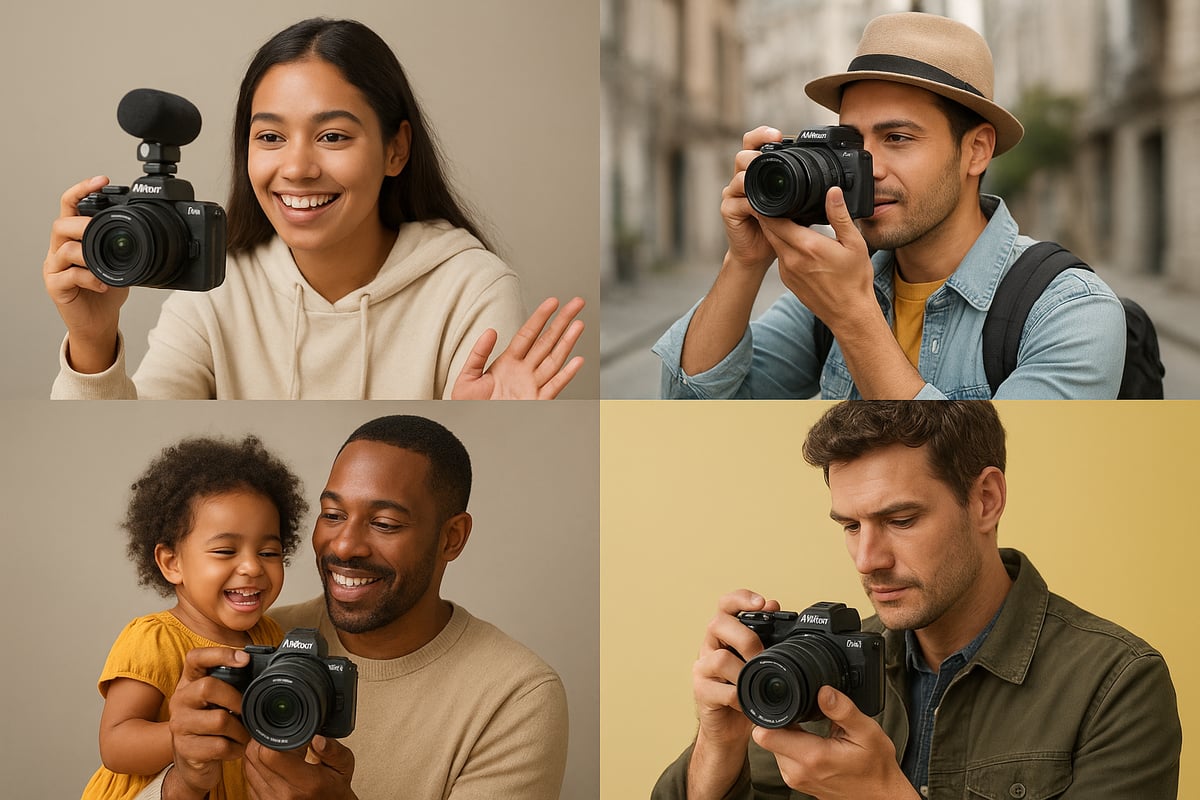
Whether you are picking up your first camera or searching for an agile tool to document life’s adventures, the nikon z 30 review reveals a camera designed with real people in mind. Its features and controls cater to a surprisingly wide range of users, from absolute beginners to content creators and even seasoned hobbyists. Let’s explore how the Z 30 stacks up for each group.
Beginners and first-time camera owners
The nikon z 30 review consistently highlights how user-friendly this model is for newcomers. The menu system is straightforward, with guided modes that walk you through key settings. Built-in tutorials pop up at just the right moments, making the learning curve feel manageable.
If you are just starting out, you will appreciate the intuitive button layout and the reliable Auto mode. My advice is to spend a little time exploring the customizable menu, as it helps speed up your shooting process. For a broader perspective on beginner options, check out the Best Nikon cameras for beginners guide to see how the Z 30 compares.
Vloggers and content creators
If video is your passion, the nikon z 30 review makes it clear this camera was built for you. The flip-out touchscreen makes self-recording effortless, while the autofocus tracking locks onto faces and eyes with impressive accuracy. I have seen creators on YouTube and TikTok rave about how easy it is to capture sharp, vibrant footage, even when moving around.
Audio quality is solid with the built-in microphones, but I recommend adding an external mic for the best results. Battery life holds up well during extended shoots, though carrying a spare is wise for longer sessions.
Travel and street photographers
For anyone who loves to travel light, the nikon z 30 review proves its worth. Its compact size slips easily into a day bag and the silent shooting mode is a blessing for candid street photos. I found the grip comfortable, even after hours of exploring city streets or hiking trails.
Discretion is a clear advantage. The Z 30 draws little attention, letting you blend in and capture authentic moments. Set your camera to silent mode and use aperture priority for flexible, on-the-go shooting.
Enthusiasts and hobbyists
Those ready to move beyond auto will appreciate the creative freedom highlighted in every nikon z 30 review. Manual controls are easy to access and the camera supports RAW shooting, opening up more possibilities in post-processing.
I have enjoyed experimenting with long exposures and creative filters, using the customizable dials for quick adjustments. The Z-mount system means you can upgrade lenses as your skills grow, making the Z 30 a solid foundation for long-term learning.
Family and casual users
The nikon z 30 review stands out for families and casual shooters seeking convenience. Wireless connectivity lets you transfer photos to your smartphone in seconds, so sharing memories from family outings or daily life is a breeze.
I have seen parents use the reliable Auto mode to capture spontaneous moments, with little need for technical know-how. The camera’s compactness means it is always ready for those unexpected shots, ensuring you never miss a memory.
Limitations for professionals and advanced users
While the nikon z 30 review is overwhelmingly positive for most users, professionals will notice a few limitations. The lack of dual card slots and limited buffer size are constraints for high-volume shooting. The absence of weather sealing also means you need to be cautious in harsh environments.
If you are coming from a Z 50 or Z fc, you might miss some advanced features like a built-in viewfinder. For demanding projects, upgrading to a higher-tier model could be a better fit. Still, the Z 30 shines as a secondary camera or a lightweight travel companion for experienced photographers.
Lens and accessory compatibility
Choosing the right gear is as crucial as the camera body itself. In this part of the nikon z 30 review, I want to help you make sense of the lens and accessory landscape, so you get the most out of your investment.
Z-mount lens ecosystem overview
By 2026, the Z-mount ecosystem for the Nikon Z 30 has grown impressively. Native DX and FX Z-mount lenses now cover everything from wide angle to telephoto, giving users flexibility for portraits, landscapes, and video. Third-party manufacturers have also joined in, offering affordable primes and zooms. Many users in this nikon z 30 review community recommend starting with the compact 16-50mm kit lens, then expanding to fast primes for creative control.
For a detailed breakdown of compatible lenses, see the Nikon Z 30 official specifications. This resource helps you match your style with the right optics, whether you shoot street, travel, or content for social media.
Using F-mount lenses with FTZ adapter
If you have a collection of classic Nikon F-mount lenses, the FTZ adapter makes them usable on the Z 30. In practice, autofocus works well with most AF-S and AF-P lenses, though older screw-drive AF lenses will require manual focus. Many photographers in the nikon z 30 review community appreciate this backward compatibility, especially for legacy glass with unique rendering.
I find the adapter particularly useful when shooting with vintage primes. While it adds a bit of bulk, it opens creative doors without a huge investment. Just remember that some features, like vibration reduction, may work differently compared to native Z lenses.
Essential accessories for the Z 30
Accessories can transform the shooting experience in any nikon z 30 review. A good external microphone is essential for vloggers, boosting audio quality far beyond the built-in option. Compact tripods and handheld grips support stable video, while extra batteries keep you powered during long days out.
A well-padded bag and lens cloth are must-haves for travel. Among Z 30 owners, the most popular add-ons include the Rode VideoMicro, Manfrotto Pixi tripod, and Nikon’s own wireless remote for group shots or selfies.
Wireless connectivity and mobile integration
For this nikon z 30 review, it is clear that SnapBridge integration is a standout feature. The camera pairs quickly with smartphones, allowing instant photo transfer, remote control, and easy firmware updates. This is a game changer for those who want to share their work on Instagram or TikTok without a laptop.
Compared to similar models, the Z 30’s wireless connection is stable and reliable, rarely dropping out during large transfers. Smartphone integration also makes geotagging and backup straightforward, which is a great advantage for travel photographers.
Battery life and charging options
Battery performance is a recurring topic in any nikon z 30 review. On a single charge, you can expect around 330 shots or about 75 minutes of video, depending on settings and temperature. The Z 30 supports USB-C charging, which is perfect for on-the-go creators using power banks.
To maximize uptime, carry at least one spare battery for longer shoots. Charging via USB-C means you can top up between sessions, even in remote locations. For video work, consider disabling Wi-Fi to conserve power.
Future-proofing and firmware updates
Nikon’s consistent firmware support is a plus for the Z 30. Since launch, updates have improved autofocus and added new creative features. In this nikon z 30 review, I recommend regularly checking for firmware updates to keep your camera running smoothly and extend its life.
Firmware can unlock capabilities you did not have at purchase, making the camera more versatile over time. This is especially valuable for beginners who want to grow their skills without upgrading hardware immediately.
Real-world tips and shooting guide for Nikon Z 30
Getting the most out of your camera requires more than just reading the specs. As someone who has spent months with the Z 30, I have gathered a set of actionable tips and real-world insights that will help you unlock the full potential of this compact powerhouse. Whether you are a beginner or a seasoned creator, this hands-on nikon z 30 review guide will walk you through essential steps, creative techniques, and troubleshooting advice.
Step 1: Setting up your Nikon Z 30 out of the box
Unboxing the Z 30 is always exciting. Begin by checking that all accessories are present and inspect the camera for any shipping damage. Insert the battery and SD card, then mount your first lens. Power up and set the date, time, and language.
The first thing I recommend in this nikon z 30 review is customizing your controls. Assign your most-used functions to the Fn buttons and dials for quick access. This saves time in the field and helps you work intuitively.
Before shooting, connect your camera to the SnapBridge app for easy firmware updates. Keeping your firmware current is crucial, as Nikon regularly improves performance and adds features. If you want a broader perspective on setup, the Nikon Z 30 Wikipedia page gives a helpful overview of the model’s capabilities and history.
Step 2: Mastering autofocus and exposure
The autofocus system in the Z 30 is both fast and accurate. For portraits, use Eye AF to lock focus on your subject’s eyes, which is a tip I always share in my nikon z 30 review. For moving subjects, try continuous AF and select the Wide-area AF mode.
Getting exposure right is just as important. Use matrix metering for balanced results in most scenes, but don’t be afraid to switch to spot metering for challenging lighting. Exposure compensation is your friend. If your images look too dark or too bright, adjust this setting by turning the rear dial.
Practice tracking fast-moving subjects, like pets or street performers. With a bit of experience, you will find the Z 30’s autofocus keeps up surprisingly well, even in less-than-ideal lighting.
Step 3: Maximizing image and video quality
To get the best results, tailor your picture controls and color profiles to your creative vision. In my nikon z 30 review, I found that shooting in RAW gives you the most flexibility for editing, but JPEGs from the Z 30 are also excellent straight out of camera.
For video, experiment with 4K 30p for crisp detail or Full HD 120p for smooth slow motion. Adjust the flat picture profile if you plan to color grade your footage. Always monitor your histogram to avoid blown highlights or crushed shadows.
If you want more in-depth advice, the Nikon Z 30 review by Tom’s Guide provides additional insight into optimizing image and video settings for various scenarios.
The flip-out touchscreen is perfect for self-recording. Enable face tracking autofocus for consistent focus while vlogging. My nikon z 30 review experience showed that the built-in stereo mic works well, but an external microphone is a smart upgrade for pro audio.
Switch to vertical video mode for TikTok or Instagram, making sure to frame yourself properly. Use digital stabilization for handheld shots, but consider a mini tripod for longer takes.
When shooting on the go, keep your menu shortcuts set for quick access to audio levels and autofocus settings. This makes it easy to adapt to changing environments and lighting.
Step 5: Creative techniques and advanced features
The Z 30 offers a suite of creative tools. Try the built-in timelapse mode for cityscapes or nature scenes. Interval shooting is ideal for capturing gradual changes, like sunsets or busy streets.
Explore the creative filters and in-camera effects for instant artistic results. In my nikon z 30 review fieldwork, I often used slow-motion mode to add drama to action clips. Experiment with different angles, taking advantage of the articulating screen for unique perspectives.
SnapBridge integration also lets you share your creations instantly, so you can post to social media while on location. This makes the Z 30 a versatile tool for creators who want to produce and share quickly.
Step 6: Workflow and sharing
Transferring files is straightforward. Use SnapBridge for wireless image transfer to your phone, or connect via USB-C for direct uploads to your computer. For efficient editing, organize your files by date and subject.
Basic edits like cropping, exposure adjustment, and color correction can be handled on your phone or in desktop software. Once you are happy with your images or videos, share them directly to your preferred social platforms.
Developing a consistent workflow is key to managing large volumes of content, especially if you create regularly. This saves time and helps you stay organized as your library grows.
Step 7: Troubleshooting and maintenance
Every camera has quirks. If you experience autofocus hunting or menu lag, try restarting your Z 30 or resetting custom settings. For battery issues, always carry a spare and use USB-C charging with a quality power bank.
Keep your sensor clean by using a blower or sensor cleaning kit. Wipe the body and lens with a microfiber cloth after each shoot. For persistent problems, consult the manual or join online forums for advice from fellow Z30 users.
Regular maintenance ensures your camera stays reliable, and troubleshooting small issues early prevents bigger headaches later. For further learning, explore Nikon’s tutorials or reach out to local camera clubs for hands-on support.
Expert recommendations and alternatives
Choosing the right camera can make all the difference, especially in 2026 when content creation is more dynamic than ever. This nikon z 30 review section delivers direct, experience-driven guidance to help you decide if the Z 30 is truly the best fit for your needs or if another model might better serve your creative ambitions.
Who should buy the Nikon Z 30 in 2026?
The nikon z 30 review consistently highlights its appeal to content creators, beginners, and travelers. Its compact build, intuitive controls, and flip-out screen make it ideal for those starting out in vlogging or looking to capture high quality images on the go. If you prioritize portability and ease of use over advanced features, the Z 30 hits the sweet spot.
According to the Nikon Z 30 announcement press release, this model was designed specifically for aspiring creators who want great video and photo quality without complex menus or bulky gear. If you see yourself shooting daily vlogs, travel diaries, or documenting family moments, this camera is a strong match.
Top competing cameras to consider
No nikon z 30 review would be complete without comparing it to rivals. The market in 2026 is packed with options, and each offers unique strengths. Here is a quick comparison:
| Camera | Key Strengths | Considerations |
|---|---|---|
| Nikon Z 30 | User-friendly, compact, affordable | No viewfinder, basic AF |
| Sony ZV-E10 | Excellent autofocus, audio features | Menu complexity |
| Canon EOS R50 | Great color, compact, easy to use | Fewer lens choices |
| Fujifilm X-S20 | Film simulations, IBIS | Higher price |
| Nikon Z7 II | High resolution, pro features | Expensive, heavier |
Those needing higher-end features or planning to grow into professional work may want to read the Nikon Z7 II review for perspective on what advanced Nikon bodies offer.
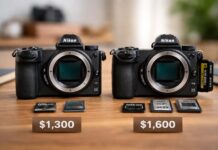
Value for money and resale outlook
When considering value, the Nikon z30 review shows that it remains one of the most cost-effective mirrorless cameras for creators. Pricing has stayed competitive through 2026, making it accessible for new photographers and students. The Z 30’s popularity and Nikon’s strong lens ecosystem help its resale value, especially if you keep your kit in good condition.
As technology evolves, entry-level cameras face rapid depreciation, but the Z 30’s feature set and brand reputation give it a longer shelf life than many rivals. If you plan to upgrade in a few years, you can expect reasonable returns.
Lens and Shutter: Your trusted camera review resource
For those seeking more than just a nikon z 30 review, Lens and Shutter stands out as a top resource for camera advice. Their team of experts provides unbiased, in-depth reviews, real-world usage guides, and up-to-date news on the latest gear.
Whether you are looking for lens guides, accessory recommendations, or hands-on tutorials, Lens and Shutter covers every stage of your photography journey. Their practical approach helps both beginners and experienced shooters make informed decisions. Explore their site for the latest camera releases, comparisons, and trends to stay ahead in the photography world.
Final expert tips for getting the most from your Z 30
To wrap up this Nikon Z30 review, a few expert tips can help you maximize your investment. Explore the custom function buttons and dial settings for a faster workflow. Upgrade your lens collection as your skills improve, starting with a bright prime or versatile zoom. Invest in quality accessories like a sturdy tripod and an external microphone for professional results.
Keep learning through online resources and practice regularly. The more you experiment, the more you will unlock the full creative potential of your Nikon Z 30.
Last update on 2026-04-01 / Affiliate links / Images from Amazon Product Advertising API