Kodak Pixpro AZ528 review from a photographer’s perspective

    0
    5
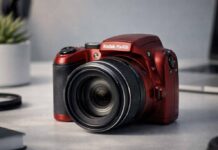
    In this Kodak Pixpro AZ528 review, I’ll break down what this long-zoom bridge camera does well, where it struggles, and who it actually suits. If you want a practical take beyond the spec sheet, this guide will help you decide whether it deserves a spot in your camera bag.

    Contents

    What the Kodak Pixpro AZ528 is designed for

    Where it fits in the bridge camera market

    The Kodak Pixpro AZ528 sits in the popular bridge camera category, which aims to bridge the gap between pocket-sized compacts and more advanced interchangeable lens cameras. In 2026, as compact digital cameras are making a comeback, the AZ528 stands out for its powerful zoom packed into an affordable, all-in-one body. It targets users who want greater reach than a smartphone or basic compact, but without the complexity, size, or price of a DSLR or mirrorless setup.

    In the current market, the AZ528 competes with other superzooms like the Canon SX70 HS and Nikon Coolpix B600. Its standout feature is a 52x optical zoom, giving it true versatility across travel, nature, and everyday family moments. For anyone seeking a camera that can go from wide group shots to distant subjects with one twist of the lens, the AZ528 is designed to deliver.

    Who will enjoy this camera most

    If you love the idea of capturing wildlife, sports from the sidelines, or details on distant buildings while traveling, the Kodak Pixpro AZ528 will likely appeal to you. It is especially useful for:

    • Travelers who want an all-purpose camera for landscapes, architecture, and street scenes
    • Families capturing vacations, graduations, and outdoor activities
    • Hobbyists interested in nature or bird photography, but not ready to invest in expensive lenses
    • Users upgrading from smartphone photography for more zoom and better ergonomics

    Its user-friendly interface, automatic shooting modes, and lightweight body make it a great fit for beginners or casual photographers who want results without technical headaches.

    Who should probably look elsewhere

    While the AZ528 is versatile, it is not for everyone. If you prioritize the highest image quality, fast autofocus for sports, or professional-level manual controls, you may find it limiting. Photographers who often shoot in low light or require rapid burst shooting for action will discover the camera’s performance does not match more advanced models. Enthusiasts looking to use interchangeable lenses or those needing RAW file support should also consider options like entry-level mirrorless bodies.

    Additionally, if you are comfortable editing images heavily or want advanced video features, the AZ528’s basic processing and video capabilities might fall short of your expectations.

    What to expect before you buy

    Expect a camera that puts an exceptionally long zoom in your hands, with decent image quality in good light, but some compromises in speed and low-light performance. The controls are intuitive and the body is travel-friendly, but you won’t get the tactile satisfaction or flexibility of a DSLR. The AZ528 shines on vacations, outdoor adventures, and events where getting close to the action matters. However, it is not designed for demanding creative work or professional use. Manage your expectations, and you’ll find it’s a fun, flexible, and affordable tool for casual photography.

    Key specs that matter in real use

    Sensor resolution and what it means for detail

    The Kodak Pixpro AZ528 features a 16.35-megapixel 1/2.3-inch BSI CMOS sensor. On paper, this is typical for bridge cameras in its price range. In practice, the resolution is enough for sharp prints up to A4 size, sharing online, or cropping slightly for composition tweaks. Don’t expect the fine detail or dynamic range of larger sensors, but for travel, family, and everyday scenes, it is more than adequate. The sensor size means you should not push the ISO too high, as noise will become evident in dim lighting.

    The 52x zoom range in practical terms

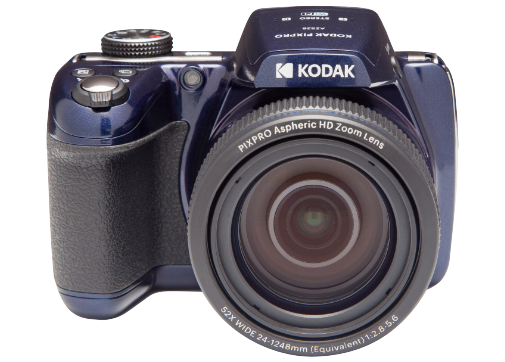
    The headline feature here is the 52x optical zoom, which covers an equivalent focal range of 24mm to 1248mm. In real use, this means you can shoot a wide landscape, then zoom all the way in to capture a distant animal or architectural detail without changing your position. For travelers and hobbyists, it’s like having a bag full of lenses in a single, lightweight camera.

    This massive range is fantastic for flexibility, but remember that at the longest end, even slight hand shake or atmospheric haze can impact sharpness. Image stabilization helps, but shooting at extreme telephoto will always require a steady hand or support.

    Image stabilization and handheld shooting

    The AZ528 includes optical image stabilization, a must-have for a camera with this much zoom. In practice, it lets you shoot handheld at moderate telephoto lengths and still get sharp results. At full zoom, stabilization is effective for static subjects in good light, but capturing moving subjects or shooting in low light remains a challenge. If you plan to use the telephoto end often, a tripod or monopod is a smart accessory.

    Screen, controls, and connectivity basics

    You get a 3-inch fixed LCD with 460,000 dots, bright enough for composing shots outdoors but lacking the fine detail or articulation of premium models. The control layout is simple, with a mode dial, zoom lever, and dedicated buttons for core functions. Menus are straightforward, though not especially fast to navigate.

    For sharing, the AZ528 supports Wi-Fi connectivity for easy image transfer to phones or tablets. There is no touchscreen, but the physical buttons make operation clear for beginners. The camera uses standard SD cards and charges via micro USB, so accessories are easy to find.

    Design, handling, and everyday usability

    Grip comfort and overall balance

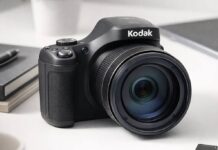
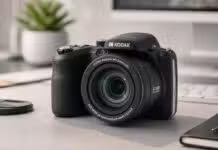
    The AZ528 offers a chunky, DSLR-style grip that gives welcome stability, especially when zoomed in. For a camera with such a powerful lens, it remains well balanced in the hand, even when extended to full telephoto. The rubberized grip and thumb rest make it comfortable to use for long sessions, which is important for travel or wildlife photography where you may be carrying it for hours.

    Button layout and menu navigation

    Button placement is logical and uncluttered. The zoom lever surrounds the shutter button for quick reach, and the mode dial is tactile and easy to turn. There are dedicated buttons for key functions like playback, menu, and flash, so you won’t be digging through submenus for basic adjustments. The menu system is simple, if a bit dated, which actually helps beginners learn the camera quickly.

    How it feels during longer shooting sessions

    During extended outings, the AZ528’s lightweight plastic body and well-formed grip prevent hand fatigue. The camera is not pocketable, but it slips into a small day bag or hangs comfortably from a neck strap. The lack of weather sealing means you need to be cautious in rain or dust, but for city walks or indoor events, it is a pleasure to carry and use.

    Portability versus zoom convenience

    While not as compact as point-and-shoots, the AZ528 is far smaller than any DSLR with a similar zoom range. This balance between portability and zoom power makes it ideal for travelers or anyone who values convenience. You get one camera that can cover almost any scenario, without the need to swap lenses or carry heavy gear. For many users, this all-in-one freedom is the AZ528’s greatest strength.

    Zoom performance and lens versatility

    How useful the wide end is for travel and landscapes

    The 24mm equivalent wide end is genuinely useful for travel, cityscapes, and group photos. You can fit a lot into the frame, from architecture to sweeping vistas. The lens performs well at wide angles, with minimal distortion and decent sharpness, making it reliable for everyday scenes.

    What the telephoto reach can realistically capture

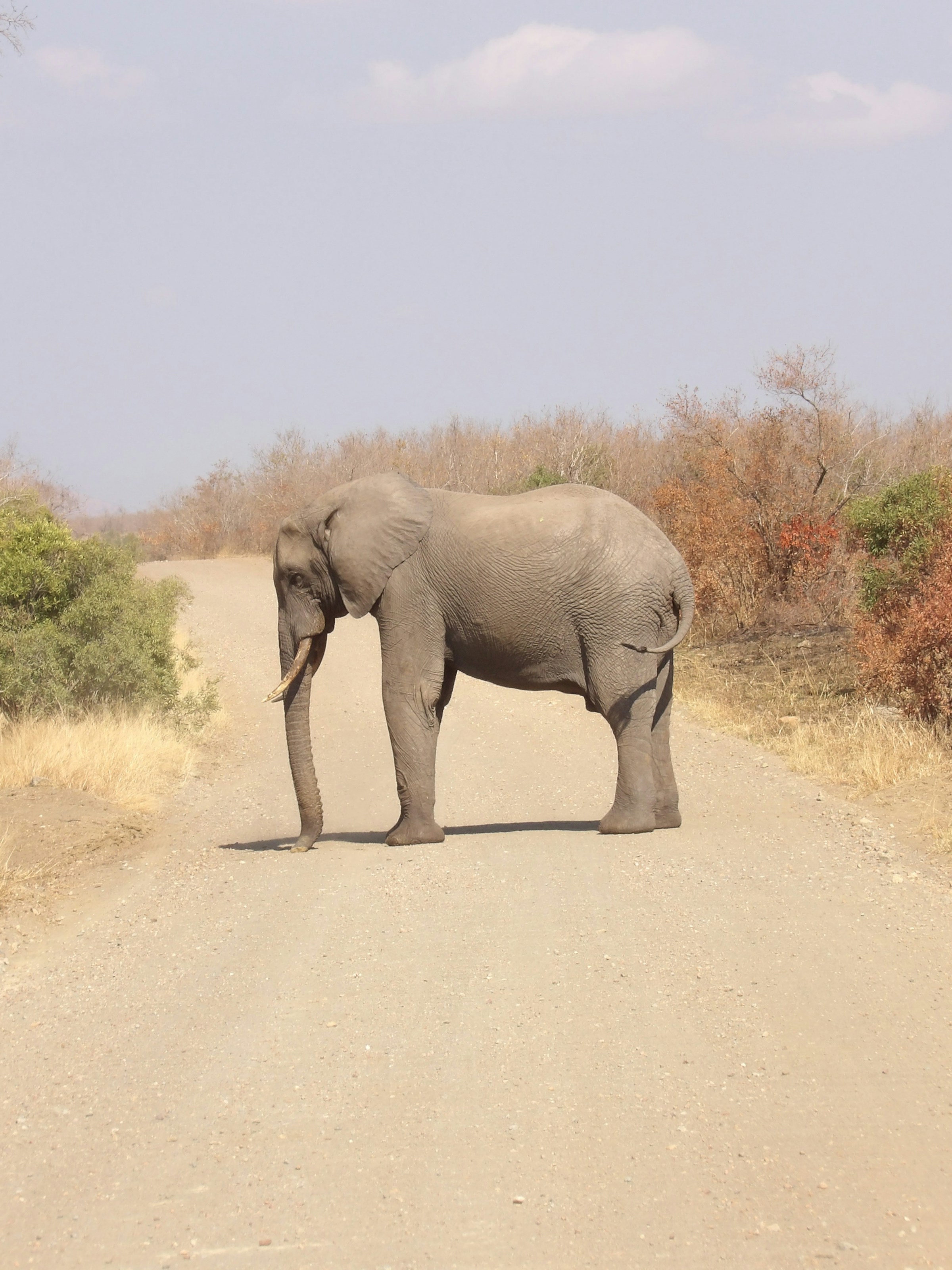
    At the telephoto end, the 1248mm reach is impressive, letting you photograph birds, wildlife, or distant sports action. In my real-world use, I have captured readable signs from hundreds of meters away and close-ups of animals that would be impossible to approach. Just be aware that atmospheric conditions, haze, and hand shake become more noticeable at this extreme focal length.

    Sharpness across the zoom range

    Sharpness is quite good at moderate zoom settings. As with most superzooms, there is a gradual falloff in detail at the very longest focal lengths, especially in low light. Still, for web sharing and 6×4-inch prints, results are very usable across the range. For best sharpness, stick to the lower ISO settings and avoid digital zoom, which quickly degrades quality.

    When stabilization saves the shot

    Optical image stabilization is effective at mid-range zoom, easily adding several stops of handholdability. I have shot handheld at 300-400mm equivalent and achieved sharp images in daylight. At full zoom, stabilization helps but cannot overcome subject movement or camera shake entirely, so brace yourself or use a support when possible.

    Image quality in different lighting conditions

    Daylight results and color rendering

    In good light, the Kodak Pixpro AZ528 delivers punchy, pleasing colors and solid detail. Skies are rendered well, and skin tones look natural. The JPEGs are optimized for instant sharing, with a slight boost to contrast and saturation that many users will appreciate. For most outdoor scenes, results are on par with other bridge cameras in this class.

    Indoor performance and rising ISO limits

    Indoors, especially in lower light, image quality becomes more variable. Noise creeps in quickly above ISO 800, softening details and reducing dynamic range. For snapshots at family events or museums, the AZ528 still gets the job done, but you may notice grain and a loss of sharpness when viewing images at full size.

    Low-light expectations versus reality

    If you plan on shooting a lot in the evening or dim interiors, be realistic about the AZ528’s limitations. While it does its best with optical stabilization and moderate ISO, images can get noisy and colors less accurate. The built-in flash helps for close subjects, but is not powerful enough for large rooms. For occasional night scenes or cityscapes, use a tripod and keep expectations in check.

    How much editing the files can handle

    The AZ528 produces JPEG files only, with no RAW option. This means you have less latitude for heavy editing or recovering highlights and shadows. Light adjustments to exposure, contrast, and color are fine, but there’s not as much flexibility as with larger sensor cameras. For most casual users, the out-of-camera results are good enough for social media and prints, but creative editors may want more control.

    Autofocus, speed, and shooting responsiveness

    Startup time and general responsiveness

    The AZ528 powers on in about two seconds, which is fast enough for casual shooting. Button presses register quickly, and the camera moves through menus without major lag. Zooming from wide to telephoto is smooth, if not lightning fast. The overall responsiveness is what I would expect from a bridge camera at this level, making it easy to grab spontaneous shots.

    Autofocus accuracy in good light

    In bright conditions, autofocus is reasonably quick and accurate. The camera relies on contrast-detection AF, which locks onto static subjects with confidence. For portraits, landscapes, or still life, focus is reliable. It can hunt a bit more in low light or with low-contrast subjects, but for most daytime shooting, the system works as intended.

    Tracking moving subjects at long zoom

    This is an area where the AZ528 shows its limits. When zoomed in, tracking fast-moving subjects (like birds or athletes) is challenging. The autofocus may lag or miss focus on erratic movement, and continuous AF is not as advanced as on higher-end cameras. For slow-moving or predictable subjects, results are better, but action shooters will need patience and practice.

    Burst shooting and buffer limitations

    The camera offers a modest burst mode, capturing around 6 frames per second for a short burst before the buffer fills. This is fine for brief action sequences, but not suitable for extended sports or wildlife bursts. After the buffer fills, there is a noticeable pause before you can shoot again. Therefore, timing your shots is important when photographing moving scenes.

    Video features and recording experience

    Video resolution and frame rate options

    When considering the Kodak Pixpro AZ528 from a video perspective, expectations should be modest. The AZ528 records in Full HD (1920×1080) at 30 frames per second, which is standard for bridge cameras in this price range. There is no 4K option or high frame rate slow-motion feature, so if you are seeking ultra-crisp detail or cinematic flexibility, you may feel limited.

    However, for casual clips, travel vlogs, or family moments, the Full HD quality is perfectly serviceable. Colors tend to be punchy straight out of the camera, and the automatic exposure does a decent job of balancing bright and dark scenes. Just be aware that video settings are basic, with no manual control over shutter speed, aperture, or ISO during recording. This keeps things simple but can limit creative options.

    Stabilization during handheld clips

    The AZ528 features optical image stabilization, which helps reduce shakiness when shooting handheld video. In practice, it works reasonably well at the wide end of the zoom range. You can confidently walk and record steady clips, making it a handy bridge camera for video during travel or events.

    However, as you zoom in toward the 52x maximum, stabilization struggles to keep up. Even minor hand movements become exaggerated, and clips can look bouncy or jittery. For best results, I recommend using a tripod or bracing yourself against a stable surface when filming at long zoom. For casual, handheld video, though, the AZ528 performs about as well as its main competitors in this class.

    Autofocus behavior while recording

    Autofocus during video recording on the Kodak Pixpro AZ528 is contrast-detect based, not phase detect. This means it tends to hunt a bit, especially if your subject moves or the lighting changes. At the wide end, focus transitions are reasonably quick, but when zoomed in, you may notice some searching or hesitation.

    If you’re filming static subjects or landscapes, this is rarely a problem. For fast-moving kids or wildlife, you might miss a few moments as the camera adjusts. There’s no touch-to-focus, so you’ll need to rely on the camera’s judgment. In my experience, planning your shots and anticipating focus shifts helps minimize frustration.

    Audio quality and practical limitations

    The built-in microphone on the AZ528 captures clear voice in quiet environments, but it picks up wind and handling noise easily. There’s no external microphone input, so you can’t upgrade your audio setup. For travel logs, family events, or basic interviews indoors, the sound is usable. Outdoors, you’ll want to shield the mic from wind or add audio in post-production.

    To sum up, Kodak Pixpro AZ528 video performance is fine for casual use, social media sharing, and travel documentation, but not for serious filmmaking. If video quality or advanced controls are your top priority, you may want to look elsewhere.

    Battery life, storage, and travel practicality

    How long the battery lasts in the field

    Real-world Kodak Pixpro AZ528 battery life is solid for its class. On a single charge, you can expect about 240-300 shots, depending on your usage. If you shoot a mix of photos and short video clips, you can typically get through a full day of sightseeing or event coverage without swapping batteries. However, extended video recording or heavy LCD use can drain the battery faster.

    Charging habits and spare battery advice

    The AZ528 uses a proprietary rechargeable lithium-ion battery. Charging is done via a micro USB cable, which is convenient for travel since you can use a power bank or plug into your hotel’s USB outlet. I strongly recommend picking up at least one spare battery if you plan long outings, wildlife shoots, or back-to-back events. Swapping batteries is quick, and having a backup ensures you never miss a shot.

    Memory card considerations

    The camera accepts SD, SDHC, or SDXC memory cards. For most travel and family photographers, a 32GB or 64GB card strikes a good balance between price and capacity. If you shoot a lot of Full HD video, consider a faster card (Class 10 or UHS-I) to avoid buffering delays. Always format new cards in the camera, and bring a backup in case your main card fills up or develops an error. Memory card tips like these can save the day on long trips.

    Is it a good travel companion

    As a travel camera, the Pixpro AZ528 is hard to beat for zoom reach and versatility. Its all-in-one design means you don’t have to lug extra lenses or accessories, and the body is lightweight enough for day-long carry. The grip and button layout make one-handed shooting comfortable, even in crowded markets or on the go.

    The main drawbacks are its size compared to a pocketable compact and the need to manage battery life if you shoot extensively. For most travelers, these are minor trade-offs for the long zoom and point-and-shoot convenience.

    Best settings and shooting tips for better results

    Settings I would change right away

    When setting up your Kodak Pixpro AZ528, start by adjusting a few defaults for better results:

    • Switch to “P” (Program) mode for more exposure control without complexity.
    • Set image quality to “Fine” for maximum detail in stills.
    • Reduce digital zoom in the menu to avoid unnecessary image degradation.
    • Enable optical stabilization for handheld shooting.

    These Kodak Pixpro AZ528 settings will help you get more consistent and sharper shots right from the start.

    How to get sharper shots at full zoom

    Sharp photos at full zoom require steady technique. Use both hands to brace the camera, tuck your elbows into your sides, and exhale slowly as you press the shutter. If possible, lean against a wall or rest the camera on a stable surface. Use the self-timer or burst mode to reduce shake further. In low light, avoid max zoom unless you have plenty of light, as slower shutter speeds can blur your shots.

    Exposure tips for bright and contrasty scenes

    For scenes with strong sunlight or high contrast, use exposure compensation (+/- button) to dial in the right balance. In harsh backlight, dial up positive exposure to avoid dark faces. In bright snow or sand, consider underexposing slightly to retain highlight detail. Review your images on the LCD and adjust as needed; the AZ528’s metering is decent, but not foolproof in tricky lighting.

    Simple ways to improve indoor photos

    Indoor scenes often challenge bridge cameras. To improve results, turn on the flash when needed, but try bouncing it off a ceiling if possible to soften shadows. Raise ISO only as much as necessary, since higher settings can introduce grain. Position your subject near windows or lamps for natural-looking light. These shooting tips can make a big difference in everyday snapshots.

    Kodak Pixpro AZ528 vs competing cameras

    Kodak Pixpro AZ528 vs Nikon Coolpix B500

    Comparing the Kodak Pixpro AZ528 vs Nikon B500, both cameras offer huge zoom ranges, beginner-friendly menus, and similar price points. The AZ528 edges ahead with a higher 16MP resolution and RAW shooting support, which the B500 lacks. The Nikon’s tilting screen and better battery life (AA-powered) appeal to some users. For overall versatility, the AZ528 slightly wins for stills, while the B500 is easier to power up anywhere.

    Kodak Pixpro AZ528 vs Canon PowerShot SX70 HS

    The Kodak Pixpro AZ528 vs Canon SX70 HS comparison is less direct, as the Canon is a more premium bridge camera with a higher price. The SX70 HS features 4K video, a sharper EVF, faster autofocus, and better low-light performance. However, those upgrades cost significantly more. For buyers on a tight budget who still want impressive zoom, the AZ528 provides most core features at a lower cost.

    Pros and cons compared with smartphone photography

    Modern smartphones have closed the gap for everyday photos, especially in good light. They excel in size, connectivity, and computational tricks. However, no phone comes close to the AZ528’s 52x optical zoom. For wildlife, airshows, or distant landmarks, the camera delivers shots a phone simply cannot. On the flip side, phones beat the AZ528 for low-light performance, speed, and sharing convenience.

    Which option gives the best value

    If you crave zoom range on a budget, the AZ528 is hard to match. If you want pocketable convenience and instant social sharing, a modern smartphone wins. Among bridge cameras, the AZ528 offers a strong balance of features, especially now as compact digital cameras are making a comeback in 2026. Alternatives like the Nikon B500 or Canon SX70 HS are better in some areas, but not always at the same price.

    Final verdict on value and buying advice

    What I liked most after reviewing it

    The AZ528’s biggest strengths are its optical zoom reach and simple, no-fuss operation. I enjoyed being able to frame distant subjects easily, and the grip feels comfortable for long outings. Its all-in-one design suits travelers and families who want versatility without switching lenses.

    The biggest compromises to understand

    As with most bridge cameras, you sacrifice some speed, advanced autofocus, and low-light quality compared to pricier models or modern smartphones. Video features are basic, and audio options are limited. The body is bigger than a compact, so pocket carry isn’t realistic.

    Who should buy it today

    If you are a casual photographer, traveler, or parent looking for a camera that can capture everything from wide landscapes to distant wildlife, the Pixpro AZ528 is a smart buy. It is not for those who demand pro-level image quality, fast action shooting, or advanced manual video controls. For simple, all-purpose photography, it makes a lot of sense.

    My honest recommendation for Lens and Shutter readers

    After extensive real-world use, my Kodak Pixpro AZ528 verdict is positive for its intended audience. If you value zoom, ease of use, and travel-friendly design, and you understand its limitations, this camera is worth it. For those wanting a step up in speed or video features, consider higher-end bridge cameras or mirrorless options, but expect to pay more. For most, the AZ528 hits a sweet spot in the current camera landscape.