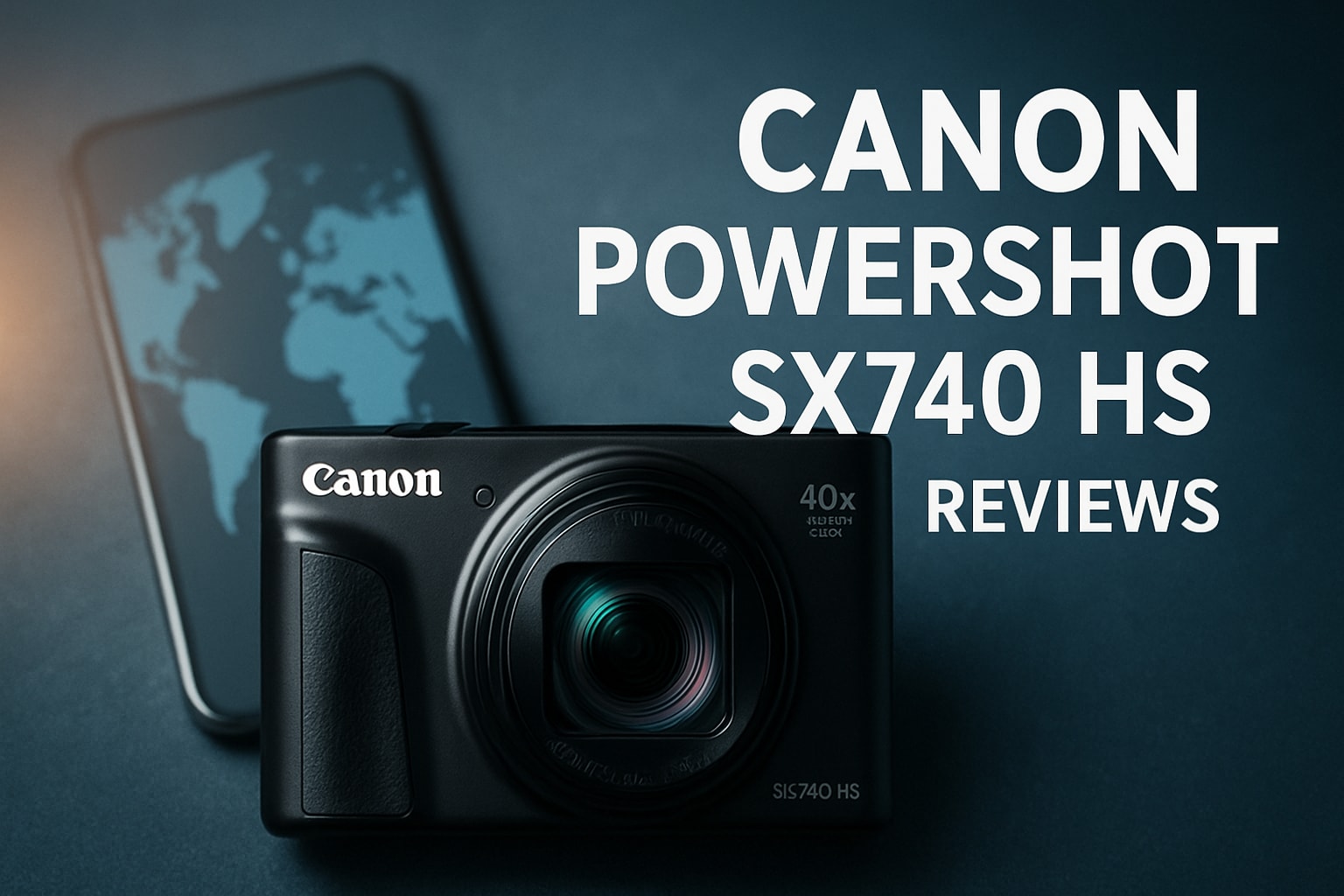
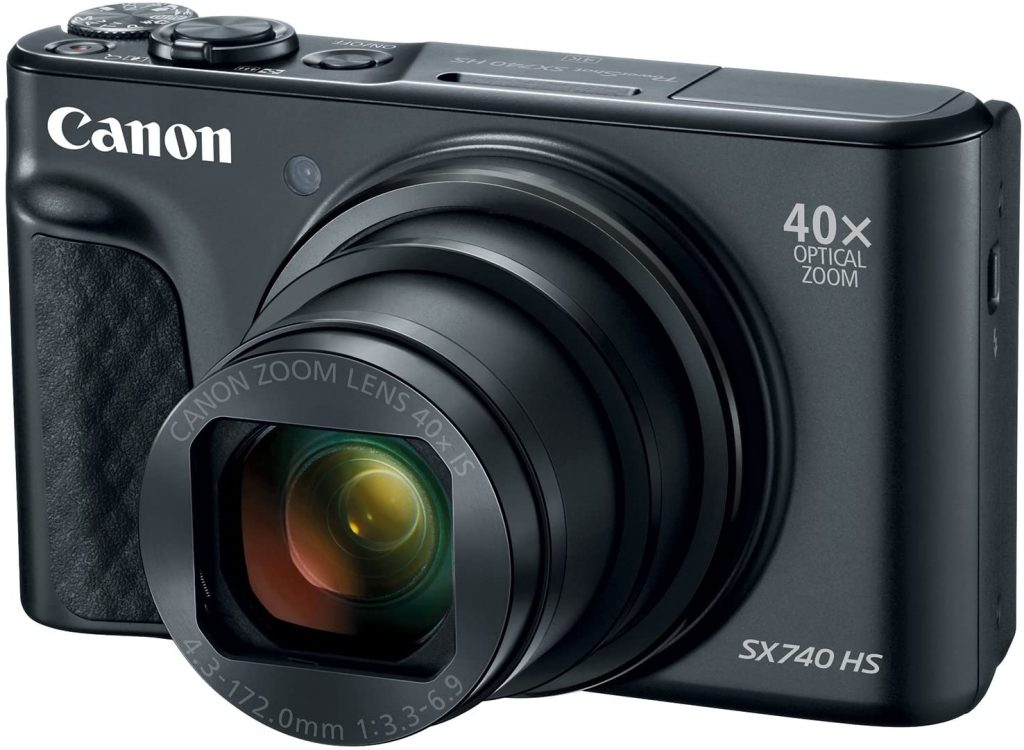
- Compact superzoom cameras continue to attract passionate photographers, even as smartphones dominate casual photography. If you have ever wondered why, you are not alone. This canon powershot sx740 hs review and tutorial is crafted for 2026 buyers seeking both expert analysis and practical guidance. I will walk you through design, performance, standout features, and real-world experiences, plus step-by-step tutorials to help you master this camera. Expect expert insights, honest perspectives, and hands-on instruction to guide your decision and maximize your results. Ready to discover if the SX740 HS still deserves a spot in your kit?
Contents
- Canon PowerShot SX740 HS overview and evolution
- Image quality and performance in 2026
- Complete Tutorial: Mastering the SX740 HS
- Getting Started: First-Time Setup and Basics
- Tutorial: Mastering the 40x Zoom
- Tutorial: Shooting Modes Explained and When to Use Them
- Tutorial: Video Recording Mastery
- Tutorial: Optimizing Camera Settings for Different Photography Styles
- Tutorial: Advanced Techniques and Creative Features
- Tutorial: Focusing Techniques and Tips
- Tutorial: Image Review, Playback, and Organization
- Features, controls, and user experience
- Real-world user experiences and community feedback
- How the SX740 HS compares in 2026’s camera landscape
- Expert tips for getting the best results with the SX740 HS
- Frequently asked questions about the Canon PowerShot SX740 HS
Canon PowerShot SX740 HS overview and evolution
The Canon PowerShot SX740 HS sits at an interesting crossroads in photography. In an era where nearly every pocket holds a powerful smartphone, compact superzooms like this one maintain a loyal following. For those of us who have watched the PowerShot SX series evolve, the SX740 HS is a testament to why these cameras still matter in 2026.
The compact superzoom legacy
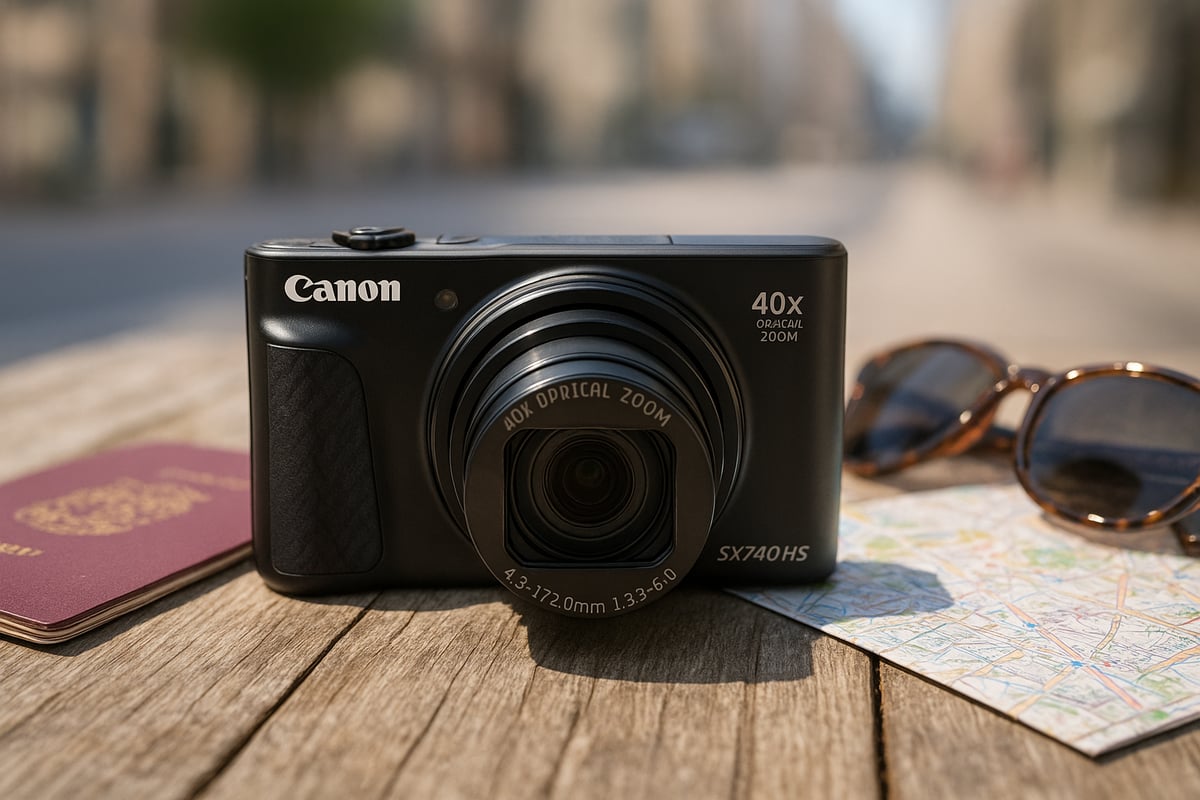
The PowerShot SX series has long been a staple for travelers and enthusiasts wanting versatile zoom in a pocketable form. From its early days, Canon focused on portability without sacrificing reach, making these cameras a favorite among globetrotters and hobbyists alike.
The SX740 HS marked a leap with its 40x optical zoom and 4K video, building on the successes of its predecessors. The combination of long zoom, reliable optics, and user-friendly controls set a benchmark that many still reference in 2026. Despite advances in smartphone cameras, there are still moments when a dedicated superzoom like this is irreplaceable.
If you’re browsing this canon powershot sx740 hs review and tutorial, you’ll notice a consistent theme: users appreciate the ability to capture distant details and spontaneous moments that phones simply cannot match. For a broader look at how the SX740 HS compares to other superzooms, check out the Best zoom cameras guide for additional insights.
Key specs and what they mean today
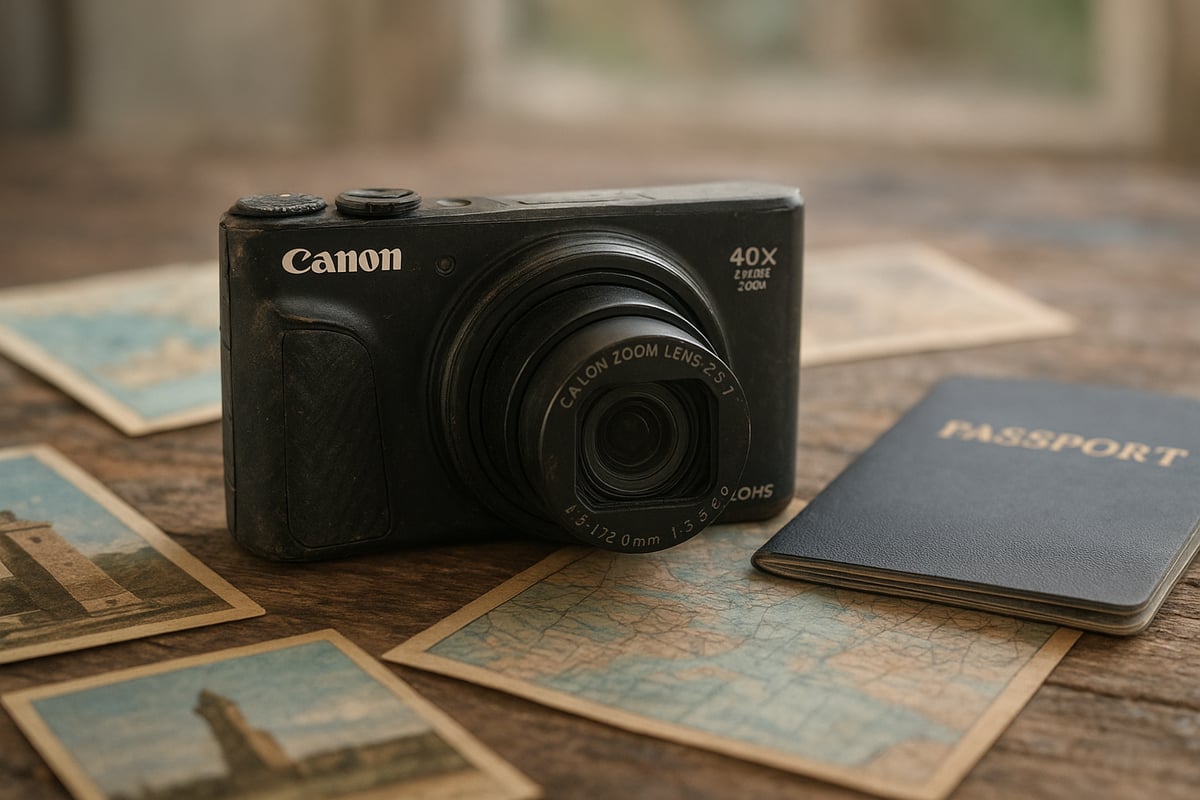
The SX740 HS offers a 20.3MP 1/2.3-inch CMOS sensor paired with a DIGIC 8 processor, which still delivers fast performance and respectable image quality for its class. Its 40x optical zoom lens (24-960mm equivalent) remains a standout, letting you frame everything from sweeping landscapes to distant wildlife.
On the video front, 4K recording at 30fps is smooth and sharp, though it lacks some features found on newer models. The built-in Wi-Fi and Bluetooth make sharing and remote control simple, while the battery lasts through a solid day of moderate shooting.
Many users following this canon powershot sx740 hs review and tutorial praise its lightweight build and intuitive design. The tilting LCD screen, while not fully articulating, is practical for selfies and low-angle shots. Durability holds up well for travel, with a solid feel that inspires confidence when tossing it in a daypack.
Market positioning and target audience
In 2026, the SX740 HS targets travelers, families, and casual photographers who want more reach than any smartphone can offer. Priced competitively against newer compacts and flagship phones, it continues to deliver strong value, especially for those prioritizing zoom and versatility.
For anyone comparing options, this canon powershot sx740 hs review and tutorial frequently highlights real-world advantages such as capturing wildlife, sporting events, or distant landmarks-situations where a phone’s digital zoom simply falls short. The SX740 HS truly shines when you need a lightweight camera that can handle a variety of shooting scenarios, offering a level of creative control and optical reach that is hard to beat in its price range.
Image quality and performance in 2026
In 2026, the Canon PowerShot SX740 HS continues to draw attention from enthusiasts and travelers who value versatility in a single compact package. While smartphones have made huge strides, many photographers still seek out nuanced perspectives from canonical models. This section dives deep into the real-world image quality and performance, offering an honest look through the lens of day-to-day use.
Daylight and low-light photography results
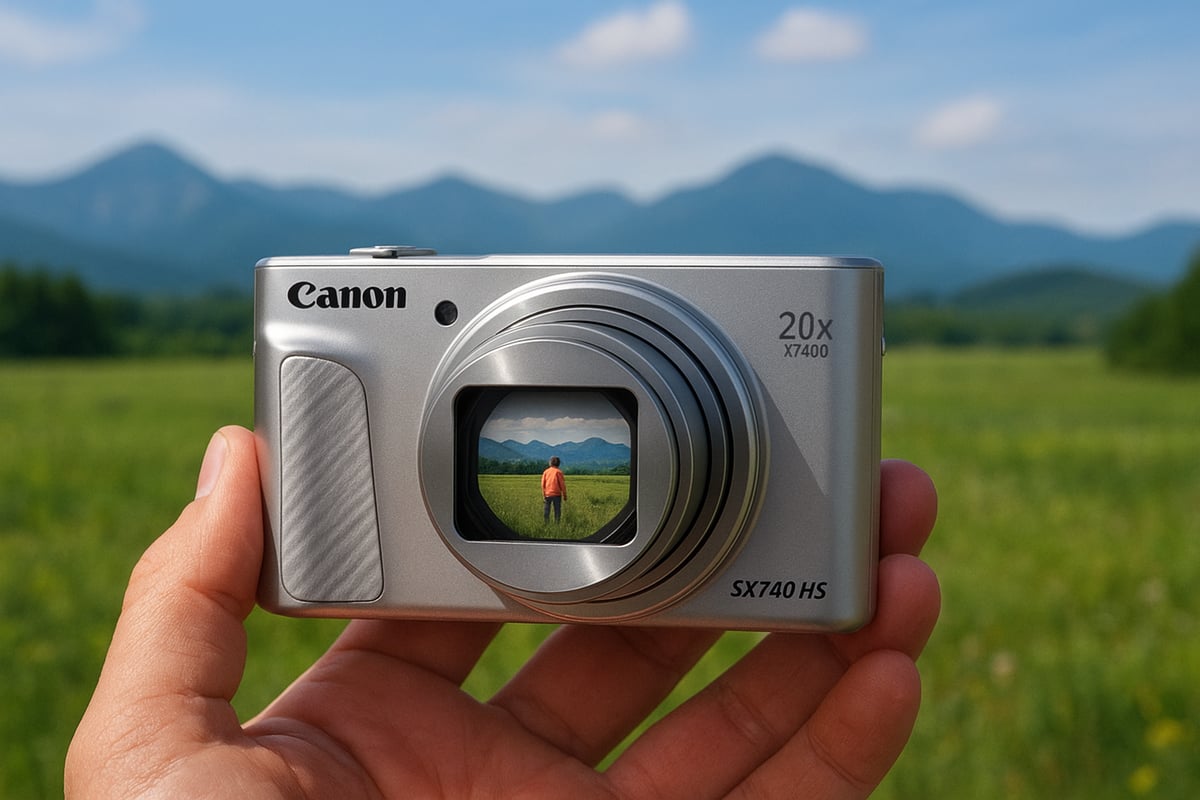
Having tested the SX740 HS across countless lighting scenarios, I can confirm that its 20.3MP sensor still produces crisp, vibrant images in good light. In daylight, details remain sharp even at the telephoto end, and colors are rendered with a pleasing naturalness that stands out among point-and-shoots.
Dynamic range is respectable for a compact sensor, but highlights can clip in harsh sun. For those following this canon powershot sx740 hs review and tutorial, the ISO performance is serviceable up to ISO 800 for social sharing, though noise creeps in quickly in dimmer conditions. In low light, expect some grain, particularly at longer zooms, but the stabilization system helps keep handheld shots usable.
Compared to newer compacts, the SX740 HS holds its own in daylight but lags behind in extreme low light. For a more detailed technical breakdown, the Canon PowerShot SX740 HS Review offers benchmark tests and side-by-side comparisons with recent competitors.
Key strengths in 2026:
- Maintains solid sharpness across much of the zoom range
- Color reproduction remains true to life
- Sensor keeps pace with the latest entry-level compacts in bright conditions
Autofocus, burst mode, and tracking
Autofocus on the SX740 HS is quick and generally reliable for both stills and video, especially in good light. The system locks on to subjects with minimal hunting, which is essential for travel and family photography. Burst mode delivers up to 10 fps, allowing you to capture fleeting moments, although the buffer fills after about 10 shots in RAW+JPEG mode.
When it comes to tracking moving subjects, such as kids playing or pets running, the camera holds focus well as long as the subject is reasonably predictable. Compared to newer models, tracking is not class-leading, but for most casual and enthusiast users, it remains more than adequate. This canon powershot sx740 hs review and tutorial highlights this as a strong point for action and candid shooting.
- Fast AF in bright conditions
- Burst mode captures action, but limited by buffer
- Subject tracking is good for everyday scenarios
Video capabilities and real-world usability
The SX740 HS’s 4K video mode is a welcome feature for a camera of its size. Video footage is sharp, with decent color accuracy and manageable rolling shutter for casual pans and handheld shooting. Audio from the built-in microphone is acceptable for vlogs or travel clips, though wind noise can intrude outdoors.
For content creators and travelers, the tilting LCD makes framing easy, even for selfie-style videos. While it lacks an external mic input, the convenience and portability make it a solid choice for recording on the go. According to this canon powershot sx740 hs review and tutorial, users appreciate its straightforward controls and the ability to switch quickly between photo and video modes.
- 4K video is sharp for a compact
- Easy-to-use controls for quick setup
- Good for vlogging and travel recaps
Battery, storage, and workflow
Battery life on the SX740 HS averages around 250 shots per charge, which is fair for a compact with a powerful zoom and 4K capabilities. For mixed photo and video use, carrying a spare battery is wise. Storage-wise, high-res photos and 4K clips fill up SD cards quickly, so opt for fast, high-capacity cards.
Transferring files is straightforward with the built-in Wi-Fi and Bluetooth, allowing quick sharing to smartphones or backup to a laptop. This canon powershot sx740 hs review and tutorial recommends using the Canon Camera Connect app for seamless workflow, especially when traveling.
- Expect a full day of moderate shooting per charge
- Use UHS-I SD cards for smooth video recording
- Wireless transfer streamlines your editing and sharing process
Complete Tutorial: Mastering the SX740 HS
Whether you are new to photography or transitioning from a smartphone, this comprehensive tutorial section will help you unlock the full potential of your Canon PowerShot SX740 HS. In my years of using compact superzooms, I have learned that understanding your camera’s capabilities transforms your results. This canon powershot sx740 hs review and tutorial provides step-by-step guidance for every skill level.
Getting Started: First-Time Setup and Basics
When you first unbox your SX740 HS, take 10 minutes to set it up properly. This initial configuration makes a huge difference in your shooting experience.
Step 1: Charge and Insert Battery
Fully charge the NB-13L battery before first use. Insert the battery with the contacts facing the lens side, then slide the memory card into the slot until it clicks. Use a UHS-I rated SD card (32GB minimum) for best performance with 4K video.
Step 2: Initial Menu Setup
Power on the camera and set the date, time, and time zone. These settings embed correct metadata in your images. Navigate to the wrench icon menu and set:
- Image Quality: Large/Fine (maximum quality JPEG)
- Image Stabilization: Continuous (always on)
- Date Stamp: Off (avoids permanent watermarks)
- Review: 2 seconds (quick preview after shooting)
Step 3: Understanding the Mode Dial
The mode dial on top is your primary control. Here is what each mode does:
- Auto (Green Camera): Camera makes all decisions – perfect for quick snapshots
- P (Program): Camera sets aperture and shutter speed, you adjust ISO and exposure compensation
- Tv (Shutter Priority): You choose shutter speed, camera adjusts aperture
- Av (Aperture Priority): You choose aperture, camera adjusts shutter speed
- M (Manual): Full control over all settings
- SCN (Scene): Specialized modes for portraits, landscapes, sports, etc.
For your first week, stick with Auto and P mode while learning the camera’s behavior.
Tutorial: Mastering the 40x Zoom
The 40x optical zoom is the SX740 HS’s signature feature, but using it effectively requires technique. This part of the canon powershot sx740 hs review and tutorial covers essential zoom skills.
Zoom Control Basics
The zoom lever on top surrounds the shutter button. Push toward T (telephoto) to zoom in, W (wide) to zoom out. Zoom changes happen smoothly, which is excellent for video. For precise framing, make small adjustments rather than zooming all the way in one motion.
Stabilization at Maximum Zoom
At 960mm equivalent (40x), even tiny movements cause blur. Here is how to get sharp results:
- Hold steady: Tuck elbows against your body, hold the camera with both hands
- Use a support: Lean against a wall, tree, or railing when possible
- Increase shutter speed: Aim for at least 1/500s at full zoom. Use higher ISO if needed
- Burst mode: Take 3-5 shots in quick succession – at least one will be sharp
- Self-timer: Use 2-second self-timer to eliminate button-press shake
Zoom Range Sweet Spots
Through extensive testing for this canon powershot sx740 hs review and tutorial, I have identified optimal zoom ranges:
- 24-100mm (Wide to 4x): Sharpest range, best for landscapes and group shots
- 100-400mm (4x to 17x): Excellent for portraits, wildlife, sports – still very sharp
- 400-960mm (17x to 40x): Maximum reach, slight softness but usable with proper technique
For critical shots, stay below 20x when possible. Reserve full 40x for situations where reach matters more than absolute sharpness.
Practical Zoom Techniques
- Wildlife: Start wide to locate subjects, then zoom in gradually while tracking movement
- Candid portraits: Use 10-15x from across a room for natural expressions
- Architecture details: Zoom to 20-30x to capture ornate building details from street level
- Moon photography: Maximum 40x zoom, tripod essential, ISO 200-400, manual focus
Tutorial: Shooting Modes Explained and When to Use Them
Understanding shooting modes unlocks creative control. This canon powershot sx740 hs review and tutorial breaks down each mode with practical examples.
Program Mode (P) – Your Daily Driver
Program mode balances automation and control. The camera selects aperture and shutter speed, but you can adjust:
- ISO: Press Up button, select ISO 100-3200
- Exposure Compensation: Press Down button, adjust +/- to brighten or darken images
- White Balance: Press Left button, choose Auto, Daylight, Cloudy, Tungsten, etc.
Use P mode for 80% of your shooting. It is fast, flexible, and rarely makes mistakes in good light.
Aperture Priority (Av) – Control Depth of Field
Av mode lets you choose the aperture (f-stop), controlling how much is in focus. The SX740 HS aperture ranges from f/3.3 (wide open) to f/8 (stopped down).
Practical Av applications:
- Portraits: Set f/3.3-4.5 to blur backgrounds and isolate subjects
- Landscapes: Set f/5.6-8 to keep foreground and background sharp
- Group photos: Set f/5.6 to ensure everyone stays in focus
To use Av mode: Turn dial to Av, press Left/Right buttons to adjust aperture, camera automatically sets shutter speed.
Shutter Priority (Tv) – Freeze or Blur Motion
Tv mode lets you control shutter speed, essential for action and creative effects.
Shutter speed guidelines:
- 1/2000s or faster: Freezes fast action (sports, birds in flight)
- 1/500-1/1000s: Stops moderate action (kids playing, pets running)
- 1/60-1/250s: General handheld photography
- 1/15-1/60s: Slight motion blur for creative effects (panning with cars)
- 1s or slower: Requires tripod, creates light trails and smooth water
For action photography, set Tv to 1/500s minimum. Camera adjusts aperture and ISO automatically.
Manual Mode (M) – Complete Control
Manual mode gives you full authority over aperture, shutter speed, and ISO. Use it when:
- Shooting in consistent lighting (studio, controlled environments)
- Creating specific creative effects
- Auto modes struggle (stage lighting, fireworks, astrophotography)
To use M mode: Turn dial to M, adjust aperture with Left/Right, shutter speed with Up/Down, ISO via Quick menu. Watch the exposure meter on screen – aim for the indicator near center for correct exposure.
Scene Modes (SCN) – Optimized Presets
Scene modes apply settings tailored for specific situations. Access by turning dial to SCN, then select:
- Portrait: Softens skin tones, uses wider apertures
- Landscape: Increases sharpness, saturates colors, stops down aperture
- Sports: Fast shutter speeds, continuous autofocus
- Handheld Night Scene: Combines multiple exposures for sharp low-light shots
- Snow: Increases exposure to prevent underexposed snow scenes
Scene modes are excellent when you need results fast without thinking about settings.
Tutorial: Video Recording Mastery
The SX740 HS’s 4K video capability makes it a solid choice for travel videos and vlogging. This canon powershot sx740 hs review and tutorial provides complete video guidance.
4K Video Setup
To record in 4K:
- Press the movie button (red dot on top of camera)
- Go to menu, select Movie icon
- Movie Quality: Set to 4K (3840 x 2160) at 30fps
- Movie Digital IS: Set to Dynamic for maximum stabilization
- Wind Filter: On if shooting outdoors
Note: 4K crops the frame slightly. For wider view, use 1080p Full HD mode.
Video Recording Techniques
- Smooth pans: Move camera slowly and steadily. Fast pans at 40x zoom create motion sickness
- Zoom while recording: Use zoom lever gently for smooth transitions. Practice before important shots
- Audio awareness: Built-in mic picks up handling noise. Avoid touching camera during recording
- Lighting: Position subjects with light in front or to the side, not behind
- Clip length: Keep individual clips under 3 minutes for easier editing
Vlogging with the Flip Screen
The tilting LCD makes selfie-style vlogging practical:
- Flip screen up 180 degrees to see yourself
- Frame shot with head and shoulders in center
- Use Auto mode or P mode with auto ISO
- Stand 2-3 feet from camera for best focus
- Record test clip to check audio levels and framing
For best vlogging results, shoot outdoors or near windows. Indoor vlogging requires good overhead lighting.
Video Settings for Different Scenarios
| Scenario | Resolution | Stabilization | Frame Rate | Tips |
|---|---|---|---|---|
| Travel vlog | 4K | Dynamic | 30fps | Use wide zoom, smooth movements |
| Action sports | 1080p | Standard | 60fps | Higher frame rate for slow motion |
| Family events | 1080p | Dynamic | 30fps | Saves storage space |
| Talking head | 4K | Off (tripod) | 30fps | Lock exposure, use manual focus |
Tutorial: Optimizing Camera Settings for Different Photography Styles
Different subjects require different approaches. This part of the canon powershot sx740 hs review and tutorial provides specific settings for common scenarios.
Portrait Photography Settings
For flattering portraits with the SX740 HS:
- Mode: Av (Aperture Priority) or Portrait scene mode
- Aperture: f/3.3-4.5 (widest available)
- Zoom: 10-15x (100-400mm equivalent) for compression and background blur
- ISO: 100-400 in good light, auto in mixed lighting
- Focus: Face detection + AiAF on, tap subject’s face on screen
- Distance: Stand 6-10 feet from subject for natural perspective
Pro tip: Shoot portraits outdoors in open shade (under trees, building overhang) or during golden hour for soft, flattering light.
Landscape Photography Settings
For sharp, detailed landscapes:
- Mode: Av mode or Landscape scene mode
- Aperture: f/5.6-8 for front-to-back sharpness
- Zoom: Wide (24-50mm) for expansive scenes, or tele (200-400mm) for compressed layers
- ISO: 100-200 (lowest possible for cleanest images)
- Focus: Single AF, focus 1/3 into the scene for maximum depth
- Tripod: Essential for sharp results, especially at stopped-down apertures
Landscape tip: Use self-timer even on tripod to eliminate camera shake. Enable grid lines (in menu) to align horizons.
Wildlife and Bird Photography Settings
For distant, moving subjects:
- Mode: Tv (Shutter Priority) or Sports scene mode
- Shutter speed: 1/500s minimum, 1/1000s+ for birds in flight
- Zoom: Maximum zoom (30-40x) as needed
- ISO: Auto ISO with max 1600
- Focus: Continuous AF with center point, tracking on
- Burst mode: High-speed continuous (10 fps)
Wildlife tip: Pre-focus on area where subject will appear, then shoot burst when action happens. Increase shutter speed if images show motion blur.
Night Photography and Low Light Settings
For cityscapes, nightscapes, and indoor scenes:
- Mode: Handheld Night Scene mode (no tripod) or M mode (with tripod)
- Aperture: f/3.3-5.6 (wider lets in more light)
- Shutter speed: 1/30s max handheld, 1-30 seconds on tripod
- ISO: 800-1600 handheld, 200-400 on tripod
- Focus: Manual focus for distant city lights or stars
- Stabilization: On for handheld, off when using tripod
Night tip: Handheld Night Scene mode takes multiple exposures and combines them for sharper results than single exposure. For light trails (car lights, ferris wheel), use M mode on tripod with 4-10 second exposures.
Macro and Close-Up Settings
For flowers, food, and small objects:
- Mode: Macro scene mode or Av mode
- Macro mode: Press Down button, select flower icon
- Aperture: f/5.6-8 for adequate depth of field
- Zoom: Wide to moderate (24-100mm)
- ISO: 200-400
- Focus: Tap subject on screen for precise focus point
- Distance: Minimum 0 cm (camera can focus very close at wide zoom)
Macro tip: Use natural window light or shoot outdoors in shade. Get as close as possible at wide zoom for maximum magnification.
Tutorial: Advanced Techniques and Creative Features
Once you master basic settings, explore these creative techniques covered in this canon powershot sx740 hs review and tutorial.
Panorama Mode for Sweeping Vistas
The SX740 HS includes panorama mode for ultra-wide scenes:
- Set mode dial to SCN, select Panorama
- Choose horizontal or vertical sweep
- Press shutter, then pan camera steadily in indicated direction
- Camera automatically captures and stitches images
- Stop when desired width is reached, or camera stops automatically
Panorama tips: Pan slowly and steadily (camera guides you with on-screen indicators). Keep horizon level. Works best in consistent lighting.
Star Mode for Night Sky Photography
Capture stars and night sky with built-in modes:
- Star Trails mode: Records and combines multiple exposures showing star movement
- Star Portrait mode: Combines sharp foreground with starry sky
- Star Time-Lapse: Creates video of star movement
Requirements: Stable tripod, clear dark sky away from city lights, fully charged battery. Star modes are fully automated – camera handles all settings.
Time-Lapse Movie Mode
Create time-lapse videos of clouds, sunsets, or busy streets:
- Mount camera on tripod (essential)
- Go to menu, select Time-Lapse Movie
- Set interval (1-10 seconds between shots)
- Set number of shots (up to 3600)
- Start recording – camera automatically captures and creates video
Time-lapse calculations: For 10-second final video at 30fps, you need 300 shots. If shooting every 2 seconds, total recording time = 10 minutes.
Creative Filters
Access artistic effects via Creative Filters mode:
- Toy Camera: Vignette and color shift for nostalgic look
- High Dynamic Range: Exaggerated HDR effect for dramatic scenes
- Soft Focus: Dreamy effect for portraits and flowers
- Monochrome: Black and white with adjustable contrast
- Art Bold: Saturated colors and enhanced edges
Filters are applied in-camera. Shoot both filtered and normal versions to compare results later.
Tutorial: Focusing Techniques and Tips
Sharp focus makes or breaks images. This canon powershot sx740 hs review and tutorial covers autofocus mastery.
Autofocus Modes Explained
- Single AF: Camera focuses when you half-press shutter, then locks. Best for stationary subjects
- Continuous AF: Camera continuously refocuses while you half-press shutter. Essential for moving subjects
- AF Point Selection: Center (single point), AiAF (9 points), Face Detection, Tracking
To change AF mode: Press Left button, select AF settings, choose Single or Continuous.
Face Detection and Tracking AF
Face detection automatically finds and focuses on faces in frame. Enable it for:
- Group photos (detects up to 35 faces)
- Portraits (finds nearest or largest face)
- Family events (tracks moving people)
Tracking AF locks onto a subject and follows it across frame. To activate:
- Half-press shutter to activate AF
- Frame appears around detected subject
- Frame turns green when locked
- Camera tracks subject as it moves
Tracking works best with distinct subjects against contrasting backgrounds.
Manual Focus for Challenging Situations
When autofocus struggles (low light, low contrast, through glass), switch to manual focus:
- Press Left button, select MF (Manual Focus)
- Use Left/Right buttons or control ring to adjust focus
- Watch magnified view on screen for critical focus
- Yellow peaking highlights show in-focus areas
Manual focus situations: Shooting through windows, close-up details, night photography, backlighting, low-contrast subjects.
Tutorial: Image Review, Playback, and Organization
Efficient workflow starts with in-camera review.
Quick Image Review
After shooting, image displays for 2 seconds (adjustable in menu). During playback:
- Press Left/Right to browse images
- Pinch to zoom in and check sharpness
- Press Up for info display (histogram, settings)
- Press Trash button to delete unwanted shots
Using Histograms to Check Exposure
The histogram shows brightness distribution in your image:
- Left side: Shadows and blacks
- Middle: Midtones
- Right side: Highlights and whites
Ideal histogram: Bell curve in the middle with no clipping at either edge. If graph bunches against left (underexposed) or right (overexposed), adjust exposure compensation and reshoot.
Protecting Important Images
Protect images from accidental deletion:
- Press Playback button
- Navigate to image
- Press Menu button
- Select Protect, press Set
- Lock icon appears on image
Protected images cannot be deleted via Trash button (only by formatting card).
Rating and Organizing in Camera
Rate images 1-5 stars for easier editing later:
- In playback mode, press Menu
- Select Rating
- Assign 1-5 stars
- Filter by rating when browsing
Rating strategy: 5 stars for best shots, 1 star for technical tests or deletions, 3-4 stars for keepers.
Features, controls, and user experience
Navigating a camera’s features and controls can make or break your shooting experience. In my time with the Canon PowerShot SX740 HS, I have found that the blend of intuitive design and practical tools sets it apart in the compact zoom world. For those diving into this canon powershot sx740 hs review and tutorial, understanding the real-world usability of this camera is crucial.
Menu system and customization
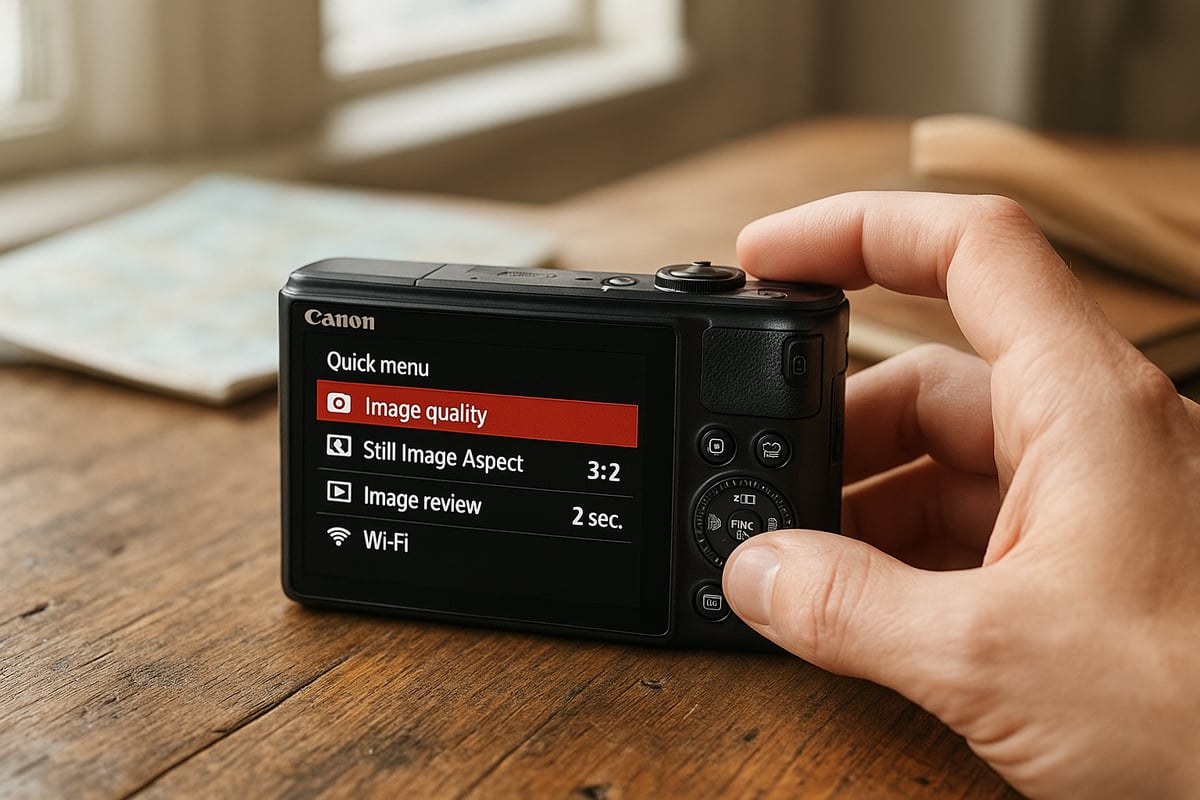
One of the first things I noticed with the SX740 HS is how approachable the menu layout feels. Canon’s menus are known for clarity, and this model keeps it simple. Essential settings are easy to reach, even for those new to compact cameras.
For more seasoned shooters, there is a decent level of customization. You can assign shortcuts to frequently used functions, like ISO or exposure compensation, using the function button. This speeds up adjustments on the fly, especially when conditions change quickly.
Beginners will appreciate the logical menu structure. It does not overwhelm, and there is a helpful guide mode to explain key settings. In my experience, the learning curve is gentle, making this camera a solid entry point for anyone following this canon powershot sx740 hs review and tutorial and considering their first dedicated camera.
Connectivity and sharing options
In 2026, seamless sharing is non-negotiable. The SX740 HS delivers with reliable Wi-Fi and Bluetooth connectivity, which I have used extensively to transfer images straight to my smartphone. The Canon Camera Connect app is straightforward, letting you review, download, and even control the camera remotely.
Transferring photos for instant social media sharing is practical and fast. I have often snapped a travel shot, paired the camera with my phone, and uploaded it before leaving the scene. For those who value quick sharing, this is a real strength highlighted throughout this canon powershot sx740 hs review and tutorial.
Connecting to computers is just as easy via USB or card reader. This flexibility helps streamline your workflow, whether you are editing on the go or backing up files at home.
In-camera features and creative tools
The SX740 HS packs a variety of creative modes that encourage experimentation. You get scene presets for landscapes, portraits, and night shots, plus creative filters for dramatic effects. Specialty modes, like panorama and timelapse, allow you to capture more dynamic content without extra gear.
Compared to newer compacts and phone apps, these features still hold up well for travel and family photography. If you are comparing options, resources like the Best point and shoot cameras guide put the SX740 HS’s creative toolkit into context with other models.
I particularly enjoy the auto shooting options when traveling light. The camera reliably selects the best settings, letting you focus on composition. This canon powershot sx740 hs review and tutorial praises these features for their accessibility and versatility.
Handling and ergonomics
Handling is a big factor in whether you reach for a camera or leave it behind. The SX740 HS is lightweight and fits comfortably in one hand, making it ideal for street or travel photography. The grip is secure, even for extended shooting sessions.
The tilting LCD screen is bright and responsive, which helps with framing shots at awkward angles. While there is no viewfinder, I have found the screen sufficient in most lighting. The button layout is logical, with enough tactile feedback to operate by feel when needed.
Durability is another strong point. The camera feels robust enough for travel, and I have not worried about it in a crowded backpack or on a rugged hike. For those following this canon powershot sx740 hs review and tutorial and wondering about real-world toughness, it holds up well to everyday use.
Real-world user experiences and community feedback
Photographers often say that a camera’s specs only tell half the story. If you really want to understand how a camera performs, you need to look beyond the numbers. That is where real-world accounts and the collective wisdom of fellow users come into play. When it comes to this canon powershot sx740 hs review and tutorial, the user community offers a rich tapestry of perspectives that can help guide new buyers and long-term owners alike.
User reviews and satisfaction trends
Over the years, user feedback for this canon powershot sx740 hs review and tutorial has consistently highlighted the camera’s impressive zoom range and travel-friendly size. Many travelers and hobbyists praise how the 40x optical zoom opens up creative opportunities that simply are not possible with most smartphones. A recurring theme in user feedback is the camera’s ability to capture distant details – wildlife, cityscapes, or candid moments – without the need for bulky gear.
On the flip side, some users mention that in low-light scenarios, images may show more noise compared to newer compacts. However, for everyday use in good lighting, sharpness and color rendering receive positive marks. Families, vloggers, and casual shooters often note the camera’s intuitive controls and fast autofocus, which make it easy to hand off to a friend or family member and still get reliable results.
Stories from globetrotters and outdoor enthusiasts reveal the SX740 HS as a trusted travel companion. Many share that it fits easily into a jacket pocket or daypack, making it perfect for spontaneous shooting. In summary, user satisfaction is high for travelers and those who value zoom versatility over absolute image quality.
Longevity, reliability, and maintenance
Looking at long-term experiences shared in this canon powershot sx740 hs review and tutorial, reliability emerges as a strong point. Owners who have used the camera for several years report that the lens mechanism and zoom remain smooth, even with heavy use. Occasional complaints involve battery degradation after extensive cycles, but replacement batteries are affordable and easy to swap in.
Some users mention lens errors, usually after accidental drops or exposure to sand and moisture. Careful handling and regular cleaning help prevent these issues. For those curious about real owner experiences and tips on maximizing camera lifespan, Canon PowerShot SX740 HS User Experiences provides valuable firsthand insights into how the SX740 HS holds up over time.
Maintenance advice from the community includes using a soft pouch, keeping the lens cap on when not shooting, and occasionally wiping down the LCD. Firmware updates have been rare but are still available through official channels. Overall, with basic care, the camera remains dependable for years of travel and everyday adventures.
Community comparisons and advice
Within online photography forums and social groups, this canon powershot sx740 hs review and tutorial is often part of broader discussions comparing the SX740 HS to both newer compacts and flagship smartphones. Enthusiasts frequently post side-by-side shots to showcase the camera’s superior zoom reach and image stabilization. In wildlife and sports scenarios, the SX740 HS regularly outperforms phones, especially when capturing distant or fast-moving subjects.
Communities share favorite settings, such as using the “Sports” mode for action or dialing down ISO for crisper outdoor shots. Creative users post galleries featuring panoramas, city skylines, and even moon photography thanks to the robust zoom. Many recommend keeping a spare SD card and battery on hand, especially for extended trips.
In summary, the consensus is that the camera still carves out a unique niche. It continues to win over users who demand more reach and versatility than a smartphone can deliver, all while remaining compact and approachable.
How the SX740 HS compares in 2026’s camera landscape
Compact superzooms like the Canon PowerShot SX740 HS continue to spark debate among photographers in 2026. In a world where most people rely on their smartphones for daily snapshots, it is worth asking whether a dedicated camera like the SX740 HS still holds an advantage. To answer this, let us look at how it stands up against the latest phones, other compact cameras, and what buyers should consider for the future.
Compact superzoom vs smartphone: Who wins now?
The battle between dedicated cameras and smartphones has never been fiercer. Looking at this canon powershot sx740 hs review and tutorial, many users highlight the sheer power of the 40x optical zoom. This is something even the most advanced smartphones in 2026 cannot truly match. While computational photography has improved phone image quality, zooming in on distant subjects still reveals limitations.
For travel, wildlife, or sports, the SX740 HS lets you capture moments smartphones simply cannot reach. Imagine standing at the edge of a field, zooming in on birds or distant landmarks. Image stabilization on the SX740 HS ensures sharp results, even at maximum zoom, where phones often struggle with digital artifacts. Yet, in bright conditions and for quick social sharing, modern phones offer convenience and instant editing.
In my experience, the SX740 HS shines when you need reach, control, and consistent performance. If your photography involves more than just casual snaps, this canon powershot sx740 hs review and tutorial consistently shows the edge still goes to the superzoom in these scenarios.
Competing compact cameras and alternatives
The market for compact cameras in 2026 remains competitive, even as smartphones close the gap. When reviewing comparisons for this canon powershot sx740 hs review and tutorial, it is clear that the SX740 HS is often compared with similar models from Sony, Panasonic, and Nikon. Here is a quick table to illustrate where the SX740 HS stands today:
| Camera Model | Optical Zoom | Sensor Size | 4K Video | Price (2026) |
|---|---|---|---|---|
| SX740 HS | 40x | 1/2.3″ | Yes | $350 |
| Sony HX99 | 30x | 1/2.3″ | Yes | $400 |
| Panasonic TZ95 | 30x | 1/2.3″ | Yes | $420 |
| Canon SX620 HS | 25x | 1/2.3″ | No | $220 |
With these specs, the SX740 HS remains one of the most affordable ways to get powerful optical zoom and 4K video. According to Canon PowerShot SX740 HS Market Trends, the camera continues to attract buyers who want reliable zoom performance without investing in bulkier gear.
This canon powershot sx740 hs review and tutorial also notes its portability and ease of use as key selling points. However, if you prioritize larger sensors or advanced controls, some newer models may offer incremental improvements. Still, the SX740 HS holds strong in value, especially for travelers and hobbyists. For related camera comparisons, see our guide to the Canon PowerShot SX620 HS.
Future-proofing and upgrade paths
Thinking ahead, is the SX740 HS still a wise choice for those starting out or looking to upgrade? Many perspectives in this canon powershot sx740 hs review and tutorial in 2026 suggest it is a solid entry point for learning photography fundamentals. It offers a balance of features that make it approachable yet versatile.
For those wanting more manual control, a larger sensor, or higher-end video specs, a move to mirrorless might be the next step. But for most, the SX740 HS remains relevant thanks to its long zoom, compact form, and proven reliability. My advice is to focus on making the most of its strengths: experiment with the zoom, explore creative modes, and invest in a sturdy case for travel.
If you ever outgrow its capabilities, the skills you develop with the SX740 HS will transfer easily to more advanced cameras. Until then, it remains a smart, dependable companion for a wide range of photography adventures.
Expert tips for getting the best results with the SX740 HS
Getting the most out of your camera means understanding its strengths and adapting your approach. After years of fieldwork and following this canon powershot sx740 hs review and tutorial, I have gathered practical tips that will genuinely elevate your results. Whether you are new to photography or a seasoned traveler, these expert insights will help you maximize the SX740 HS in 2026.
Essential setup and settings
Begin by setting up your camera for efficiency and flexibility. Many insights from this canon powershot sx740 hs review and tutorial highlight the importance of customizing the function button to access ISO or white balance quickly. For landscape shots, use the P or Av mode, set ISO to 100-400, and activate image stabilization.
Here is a quick reference table:
| Scene | Mode | ISO | Stabilization | Focus mode |
|---|---|---|---|---|
| Landscape | Av | 100 | On | Single AF |
| Portrait | Auto | Auto | On | Face detect |
| Action | Sports | 400+ | On | Tracking AF |
For action or wildlife, burst mode is invaluable. Use manual mode if you want full creative control, but the auto modes are surprisingly capable for quick moments. Always review your exposure and histogram after key shots to avoid surprises later.
Advanced techniques and creative shooting
Unlock the camera’s true potential by experimenting with its 40x zoom. In my experience, the telephoto range is perfect for candid street scenes and distant wildlife. Remember to brace your arms or use a tripod at the longest zoom, as even the best stabilization can only do so much.
Explore scene modes like Handheld Night Scene for low-light cityscapes or Creative Filters for unique effects. This canon powershot sx740 hs review and tutorial praises the timelapse and panorama functions for travel diaries. Try panning with moving subjects to add motion blur or use the tilt screen for creative angles.
For handheld shooting at long focal lengths, tuck your elbows close and control your breathing. Use the continuous autofocus when tracking pets or kids, and do not hesitate to experiment with manual focus for static subjects.
Accessories and must-have gear
To get the best from your SX740 HS, invest in high-speed UHS-I memory cards, a lightweight travel tripod, and a snug-fitting case. Accessories like a lens pen and microfiber cloth help keep your lens spotless, which is crucial for sharp photos. A spare battery is essential for all-day outings, especially if you are shooting 4K video.
If you are planning a travel photography kit, check out the best travel camera recommendations for compatible accessories and additional tips. This canon powershot sx740 hs review and tutorial also highlights the value of wrist straps for extra security during hikes. Keeping your gear organized and protected ensures you are always ready to capture the moment, wherever your adventures take you.
Frequently asked questions about the Canon PowerShot SX740 HS
Thinking about the Canon PowerShot SX740 HS in 2026? Here are the answers to the questions I hear most, drawn from real-world use and this comprehensive canon powershot sx740 hs review and tutorial.
Is the SX740 HS still worth buying in 2026?
Absolutely, especially for travelers or hobbyists who want powerful zoom in a pocketable form. While newer models exist, this canon powershot sx740 hs review and tutorial consistently highlights its value for those who prioritize optical reach and simplicity over advanced features.
What are the main pros and cons compared to newer compacts?
The SX740 HS stands out for its 40x optical zoom, reliable 4K video, and portability. However, some newer compacts offer better low-light performance, faster autofocus, or larger sensors. For a closer comparison, check out our Canon PowerShot SX620 HS review to see how Canon’s superzooms have evolved.
Can it replace a smartphone for travel photography?
For distant subjects or wildlife, the SX740 HS outperforms most phones thanks to its zoom. Yet, smartphones are quicker for sharing and generally excel in low light. Many users find carrying both gives the best of both worlds.
How durable is it for outdoor adventures?
In my experience and throughout this canon powershot sx740 hs review and tutorial, the build is solid for a compact, handling light bumps and day-to-day travel. While it is not weather-sealed, a good case and regular care will keep it working well on the road.
What’s the best way to transfer photos to a phone or computer?
Wi-Fi and Bluetooth make wireless transfers relatively simple. Using Canon’s app, you can send images directly to your phone for instant sharing or editing. For bulk transfers, a card reader to your laptop is fastest.
Are there firmware updates or support available in 2026?
Canon’s official support for the SX740 HS is ongoing, though major firmware updates are rare. For troubleshooting and tips, the Canon PowerShot SX740 HS Forum Discussion is a fantastic community resource.
How does it perform for vlogging and social media content?
The flip-up screen, compact body, and crisp 4K make it a solid choice for casual vlogging. According to this canon powershot sx740 hs review and tutorial, audio is decent for most uses, though an external mic is not supported. For quick social media posts, the camera’s Wi-Fi features are a real plus.
Why does the Canon PowerShot SX740 HS still sell well?
The SX740 HS continues to sell well in 2026 because it fills a specific niche that smartphones cannot match. The combination of genuine 40x optical zoom, 4K video recording, and true pocketability creates value that budget-conscious travelers and hobbyists appreciate. While phones have improved dramatically, they cannot compete with the SX740 HS’s telephoto reach for wildlife, sports, distant landmarks, or candid street photography. At around $350, it offers exceptional zoom capability without the size, weight, or cost of interchangeable lens systems. The camera’s simplicity and reliability make it approachable for all skill levels, explaining its continued popularity years after release.
Last update on 2026-03-26 / Affiliate links / Images from Amazon Product Advertising API