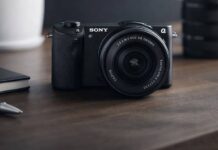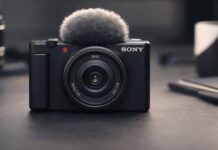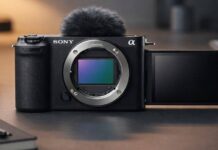
Quick verdict: the Sony FX30 is one of the best-value cinema cameras for creators who shoot video first and stills rarely. It makes the most sense if you want 10-bit 4K, strong autofocus, fan-cooled reliability, proper rigging points, and Sony E-mount flexibility without paying for a full-frame FX3. I would not choose it as a travel photo camera or casual hybrid body. For that job, the Sony a6700 review is the better comparison.
Contents
- Sony FX30 review: who should buy it?
- What the Sony FX30 is really built for
- Design, handling, and day-to-day usability
- Image quality and video performance in real shooting
- Autofocus, stabilization, and lens pairing
- Audio, codecs, and workflow considerations
- Battery life, overheating, and recording reliability
- How the FX30 compares with its closest alternatives
- Pros, cons, and final verdict
- Frequently asked questions
Sony FX30 review: who should buy it?
You should buy the Sony FX30 if your work is mostly video: interviews, YouTube productions, documentary-style projects, corporate clips, social campaigns, short films, event coverage, or client work where reliable long takes matter. The body design rewards people who add a monitor, microphone, cage, handle, lights, or wireless audio. It is also a smart upgrade if you already own Sony E-mount lenses and want a more serious video body than an Alpha hybrid.
You should probably skip it if you mainly shoot still photography, want a built-in viewfinder, need the smallest possible travel camera, or expect full-frame low-light performance. In those cases, a hybrid Sony body or a creator compact may fit better. The Sony ZV-E1 review is worth reading if you want full-frame creator video, while the best vlogging cameras guide is better for solo creators who care more about speed and portability than cinema-line controls.
| Best fit | Why the FX30 works | Possible drawback |
|---|---|---|
| Filmmakers and small crews | Cooling, mounting points, timecode support, 10-bit codecs | Needs rigging to feel complete |
| YouTube and studio creators | Reliable autofocus, clean HDMI, strong audio options | No EVF and no photo-first handling |
| Event and interview shooters | Long recording confidence and dual card slots | Low light is not FX3-level |
| Hybrid photographers | Can capture stills when needed | A6700 is usually the better hybrid camera |
What the Sony FX30 is really built for
The Sony FX30 is designed for creators who want a dedicated video camera that fits between a mirrorless hybrid and a true cinema rig. Unlike traditional stills-first cameras in this price range, the FX30 puts video above all else. That means a clear focus on 4K recording, pro-level codecs, and streamlined controls for filmmaking.
For filmmakers, the FX30 offers features that would be overkill in typical stills cameras but are essential on set. These include full-size HDMI output, custom tally lights, threaded mounting points, and advanced audio capabilities with the optional XLR handle. Its menu system is built for fast access to video-specific settings like LUT application, shutter angle, and focus assist. There’s no mechanical shutter, no built-in flash, and no traditional PASM dial, which signals that Sony expects you to use this camera for moving images first and foremost.
For content creators, the FX30 is compact and lightweight, making it easy to mount on a gimbal, rig up with accessories, or even handhold for run-and-gun shooting. The APS-C sensor allows for a deep lens selection, and the E-mount ecosystem gives flexibility whether you need wide, fast primes or power zooms for solo work. The camera’s fast autofocus and oversampled 4K make it a strong choice for YouTubers, event shooters, and anyone moving from smartphones or entry-level hybrids into serious video work.
In summary, the FX30 is purpose-built for video-focused shooters who want professional features in a small, affordable package. It’s not a hybrid. It’s not a photo-first camera. It’s a cinema tool for creators ready to move beyond the limitations of all-in-one devices.
Design, handling, and day-to-day usability
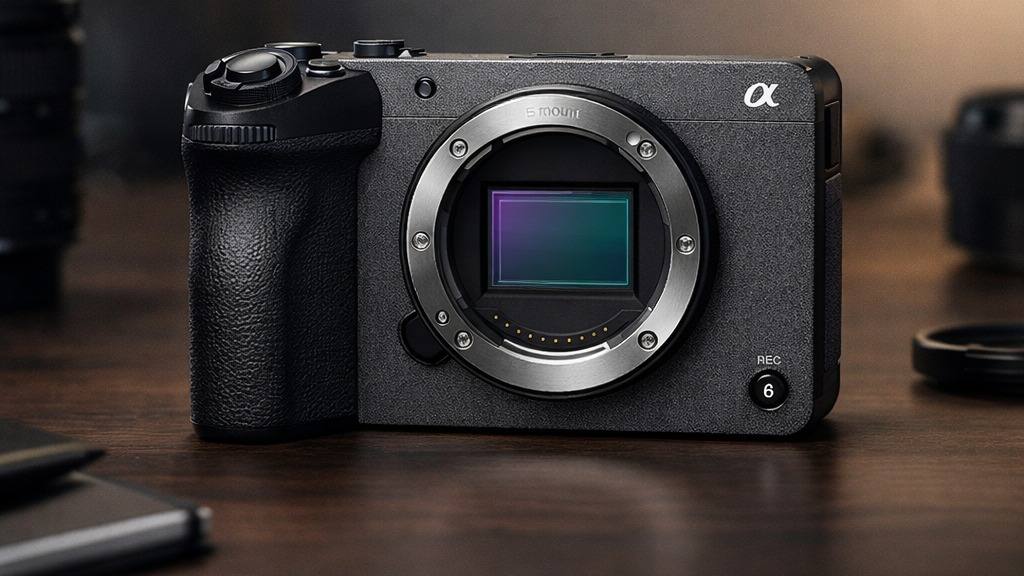
Sony leaned into the Cinema Line DNA for the FX30’s body, which feels rugged and purposeful. The magnesium alloy chassis inspires confidence, with physical tally lamps on both the front and back. These are more than cosmetic – they provide instant visual feedback that you’re recording, which is invaluable if you’re working solo or with talent who needs to know when to start performing.
The button layout is different from Sony’s Alpha mirrorless cameras. Dedicated video controls dominate: there’s a prominent REC button on top, customizable function buttons, and a lockable power switch. Unlike most hybrids, there’s no mode dial. Instead, the FX30 uses a menu-driven approach that prioritizes video shooting modes. This can be a benefit for filmmakers but may take some getting used to if you’re coming from stills-oriented bodies.
The grip is deep and comfortable for a camera of this size, and the overall weight feels well balanced, even with larger lenses like the 18-105mm F4 G OSS. One particular strength is the five built-in 1/4″-20 mounting threads, which let you attach monitors, mics, or cages without relying on a fragile hot shoe or extra base plate. This makes rigging up for handheld, tripod, or gimbal work straightforward and reliable.
Ports, monitoring, and rigging options
When it comes to connectivity, the FX30 is clearly aimed at filmmakers who need flexible monitoring and audio. There’s a full-size HDMI Type-A port, which is not only more robust than micro HDMI but also supports clean 4K output and timecode sync. This is a massive advantage for anyone using external recorders or switchers.
You’ll find dual card slots compatible with both SD UHS-II and CFexpress Type A cards, so you can shoot long takes or backup footage in real time. The camera also has a headphone jack, microphone input, and a Multi Interface Shoe for digital audio accessories. If you opt for the XLR handle (sold separately or as a kit), you get professional-grade audio inputs and physical controls, which is rare at this price point.
Monitoring is handled by a fully articulating LCD touchscreen. While it isn’t the brightest in direct sunlight, it’s sharp and responsive, making it easy to check focus and adjust exposure. There’s no built-in EVF, but in a cinema workflow, you’re likely using an external monitor anyway.
All of these design choices speak to a camera that’s ready for daily production use, whether you’re shooting solo interviews, events, or short films. The combination of smart button placement, robust build, and versatile connectivity make the FX30 much easier to live with than most photo-first cameras when shooting serious video.
Image quality and video performance in real shooting
4K detail, color, and dynamic range
The FX30’s sensor is a 26MP APS-C backside illuminated CMOS, which oversamples to produce crisp, detailed 4K footage up to 60p. In practice, this means you get a sharp, almost moiré-free image with excellent color separation right out of the camera. Sony’s S-Cinetone profile delivers pleasing skin tones and cinematic roll-off, requiring minimal grading for many projects.
For those who want maximum flexibility, the FX30 supports 10-bit 4:2:2 internal recording in XAVC HS, S-I, or standard XAVC formats. This allows for deeper color grading and less banding than 8-bit codecs, which is a real step up from many competing APS-C cameras. I’ve found the dynamic range to be in the 13-stop range when shooting in S-Log3, which is respectable for its class. Highlights roll off gently, and there’s enough latitude to recover shadows in most situations.
The camera also features user LUTs for both preview and recording, making it easier to visualize your final look on set. This is particularly helpful if you’re shooting for clients who want to see approximate color while filming.
Low-light performance and rolling shutter
Low-light capability is often the make-or-break factor for APS-C cameras. The FX30 performs well up to ISO 3200, with noise becoming visible at ISO 6400 and above. In real-world use, I’ve shot event interviews and b-roll at ISO 4000 with a fast lens and found the results usable, especially when paired with Sony’s noise reduction in post. However, if you often work in dim venues or want the shallowest depth of field, you may need to pair the FX30 with fast primes like the 24mm F1.4 or 35mm F1.8.
Rolling shutter is present, as expected from a non-stacked sensor, but it’s better controlled than on older Sony APS-C models. Fast pans or whip movements will show some skew, but for most documentary, interview, or narrative work, it’s a non-issue. If you shoot fast action or sports, you’ll want to be mindful of this limitation.
Overall, the FX30’s video image quality punches above its weight, especially when you consider the price and size. The color science, codec options, and log performance make it a clear step up from entry-level hybrids and even many full-frame competitors in this class.
Autofocus, stabilization, and lens pairing
Sony’s autofocus is one of the main reasons the FX30 is so popular among solo shooters and small teams. The camera uses the latest real-time tracking and Eye AF algorithms, which lock onto subjects with impressive speed and accuracy. Whether you’re filming a talking head, event coverage, or a moving subject outdoors, the AF rarely hunts or drifts. Touch tracking on the LCD lets you pull focus smoothly, even as your subject moves through the frame.
Stabilization is stronger than many people expect from a compact cinema body. The FX30 uses in-camera 5-axis sensor-shift stabilization, and in movie mode you can choose stabilization modes such as Standard, Active, or Off depending on the shot. Active mode crops the image slightly but delivers steadier handheld footage for walk-and-talks or quick b-roll. It is still not a full substitute for a gimbal, especially with longer lenses or very deliberate camera moves, but it gives solo shooters more usable handheld footage than a completely unstabilized cinema camera.
Lens choice is critical on the FX30. The E-mount means you have access to a huge range of options, from budget primes to cine zooms. For best results, I recommend using fast glass with optical stabilization like the Sony 16-55mm F2.8 G, 18-105mm F4 G OSS, or Sigma’s 18-50mm F2.8. Primes such as the Sony 24mm F1.4 or 35mm F1.8 deliver gorgeous bokeh and keep the ISO down in low light. For power zooms, the 18-110mm F4 is a workhorse, and the new 16-50mm PZ is surprisingly sharp.
For readers building a Sony kit from scratch, the Sony E-mount guide is the natural next step after this review. The short version: pair the FX30 with a fast standard zoom for paid work, a compact wide prime for handheld creator work, and stabilized glass if you expect to shoot a lot without a rig.
In summary, the FX30’s autofocus and stabilization systems make it especially friendly for solo creators, while the E-mount lens ecosystem allows for creative flexibility. Careful lens selection will maximize the camera’s potential and minimize its APS-C low-light limitations. For more details on settings and specs, see the official Sony FX30 Help Guide.
Audio, codecs, and workflow considerations
When considering the practical side of video production with the FX30, audio and codec options are just as important as sensor specs. I have used the FX30 on a range of projects, from quick social videos to longer-form interviews, and I can say that this camera offers some real workflow advantages – though it comes with a few quirks you should know about.
Recording formats and editing flexibility
The FX30 provides several internal recording formats, which makes it easy to adapt to different projects and post-production needs. For most shooters, the headline feature is its ability to record 10-bit 4:2:2 video internally, either as XAVC HS (H.265), XAVC S (H.264), or XAVC S-I (All-Intra). This means you get much more color information and flexibility for grading compared to 8-bit cameras, and you can push S-Log3 footage without banding or color shifts. If you’re used to working with older mirrorless bodies, this alone is a huge step up in terms of quality and workflow options.
That video-first approach is exactly why the FX30 makes the most sense for creators who rarely prioritize stills. If you want something built around a more balanced photo-and-video workflow, the Sony a6700 review offers a useful comparison point before deciding which Sony APS-C body better fits your shooting style.
The XAVC HS format gives you smaller file sizes thanks to the H.265 codec, which is ideal for longer shoots or creators working with limited storage. However, H.265 can be more demanding on older computers. If you need something easier to edit, the XAVC S-I All-Intra option is worth considering, though it eats up more space. For me, this balance between compression and workflow speed is one of the FX30’s biggest strengths – especially when working on projects with tight turnarounds.
Another key point is the FX30’s support for proxy recording. You can generate low-bitrate proxy files in-camera, which is a lifesaver for editing on slower machines or remote collaboration. The proxy workflow is straightforward, and integrating these lightweight files into your NLE speeds things up until you’re ready for final delivery.
Sony FX30 audio options
Good audio is critical for professional video, and the FX30 stands out by offering both standard and advanced capture options. The built-in stereo mic is fine for scratch audio or behind-the-scenes shoots, but for real work, you’ll want to use external mics. The FX30 features a 3.5mm mic input and headphone out, which covers the basics for most run-and-gun setups.
Where the FX30 really shines is with the Multi Interface Shoe. If you pair the camera with Sony’s XLR-H1 or XLR-K3M adapters, you get two or four channels of high-quality XLR audio straight into the camera – no need for external recorders or sync headaches. This is a major step up for interviews, documentaries, or any shoot where clean dialogue matters. The digital audio path is clean, levels are easy to control, and you can save lots of time in post by having everything in one file.
In my experience, audio preamps on the FX30 are quiet and clean, especially with an XLR adapter. However, keep in mind that you’ll need to budget for the adapter if you want the best results. For solo shooters or small teams, this integrated solution is a real workflow advantage over cameras that lack XLR support or require bulky add-ons.
Practical workflow considerations
Workflow speed and reliability can make or break a shoot. The FX30 uses dual CFexpress Type A and SD card slots, letting you record backups or split proxies and main files for extra security. CFexpress cards unlock all the highest bitrate modes, while SD cards are fine for most standard settings.
Menus and controls for codec selection are typical of Sony’s cinema line: clear, well-organized, and easy to adjust on the fly. You can assign codec and proxy settings to custom buttons, which is handy when you need to switch formats quickly. I also appreciate the ability to label clips in-camera, a small feature that pays off when managing lots of footage in post.
Overall, the FX30’s audio and codec options make it a flexible tool for both fast-paced shoots and more controlled productions. If you already use Sony workflows, you’ll find the transition seamless. If not, there’s a small learning curve, but the reliability and flexibility you gain are worth it.
Battery life, overheating, and recording reliability
One reason to buy the FX30 instead of a normal mirrorless camera is confidence during long takes. The body is fan-cooled, and that matters if you shoot interviews, live events, training videos, podcasts, or documentary scenes where stopping the camera is not acceptable. In normal indoor shooting, the FX30 feels much more production-ready than a compact hybrid body that has to balance stills handling, weather sealing, small size, and heat.
That does not mean you can ignore setup. High-bitrate codecs, warm rooms, direct sun, and long continuous recording still create heat and storage demands. I would use fast cards, keep airflow around the body, avoid burying the camera inside a tight cage without ventilation, and test your exact recording mode before a paid shoot. For most creators, the bigger practical limits are battery management and media cost, not image quality.
The FX30 uses Sony’s NP-FZ100 battery family, which is a good thing if you already own modern Sony bodies. For serious work, I would carry multiple batteries or use USB-C power for controlled shoots. If you plan to record backups, proxies, or the highest-bitrate formats, budget for reliable SD UHS-II or CFexpress Type A cards rather than buying the cheapest media available.
How the FX30 compares with its closest alternatives
With so many capable cameras on the market, it’s natural to wonder where the FX30 fits in. For most creators, the main alternatives are the Sony A6700 and the FX3. Let’s break down the practical differences based on real-world use.
Sony FX30 vs Sony A6700
The Sony A6700 shares the same sensor size as the FX30 and delivers excellent stills performance. However, the A6700 is designed as a true hybrid camera for those who split their time between stills and video. In video mode, it offers 10-bit internally, S-Log3, and similar autofocus performance.
The main differences come down to ergonomics and dedicated video features. The FX30 has a more robust cooling system, essential for long-form recording at high bitrates. It also has tally lights, more mounting points, and a form factor that is easier to rig for video. The audio options on the FX30 are superior, especially with XLR compatibility. While the A6700 is an excellent all-rounder, the FX30 makes video work easier and more reliable, especially on demanding shoots.
| Camera | Choose it if | Skip it if |
|---|---|---|
| Sony FX30 | You are video-first and want a compact cinema workflow | You need a stills-first travel camera |
| Sony A6700 | You want one APS-C body for photos and strong video | You need fan-cooled reliability, XLR workflow, and rigging points |
Sony FX30 vs Sony FX3
The FX3 is a step up in Sony’s Cinema Line, featuring a full-frame sensor. This gives it better low-light performance and shallower depth of field options. The body is nearly identical in shape and mounting options, and both share the same menu system, cooling, and XLR audio compatibility.
Where the FX30 wins is price and accessibility. If you don’t need full-frame, the FX30’s APS-C sensor is still excellent and gives you extra reach with telephoto lenses. The FX3 is better in low light and has a slight edge in dynamic range, but for most projects, these differences are subtle. The FX30 also benefits from smaller, lighter lenses and less expensive media. For many projects, the FX30 delivers 90% of the FX3’s benefits at a significantly lower cost.
Sony FX30 alternatives
- Panasonic GH6: Another popular choice, especially for those who want in-body stabilization and advanced video features. However, Micro Four Thirds means even more crop and less low-light ability compared to the FX30.
- Blackmagic Pocket Cinema Camera 6K: Delivers a Super 35mm sensor and excellent color science, but lacks phase-detect autofocus and has less robust battery life.
- Canon R7: Offers excellent 4K video, but not as many dedicated video features or audio options as the FX30.
Compact digital cameras are making a comeback in 2026, but for filmmakers who want a small, pro-ready body, the FX30’s combination of reliability, XLR audio, and codec options keeps it ahead of most direct competitors. If you are deciding between a pocket creator camera and a serious video body, the Canon PowerShot V1 review is a useful counterpoint because it shows what you gain and lose with a simpler fixed-lens creator setup.
Pros, cons, and final verdict
After months of real-world shooting, the FX30 stands out as one of the most practical and reliable video cameras in the APS-C space. Here is my honest breakdown of its strengths and weaknesses.
- Pros:
- Excellent oversampled 4K image with flexible 10-bit codecs
- Advanced autofocus and subject tracking, even in challenging conditions
- Integrated XLR audio support with Sony adapters
- Robust, compact body with pro video ergonomics and mounting options
- Affordable compared to full-frame cinema options, with lower lens and media costs
- Cons:
- APS-C sensor means more noise in very low light compared to full-frame
- Extra crop in some recording modes can limit wide-angle lens choices
- No stills-focused features; not ideal for hybrid shooters needing high-res photos
- XLR audio requires a separate (and costly) adapter
So, is Sony FX30 worth it? If your main focus is video, and you want a reliable, compact cinema camera with pro-level features, the FX30 is hard to beat for the price. Its feature set is clearly aimed at filmmakers and content creators who want to step up from hybrid cameras without jumping all the way to full-frame. Balancing capability, cost, and workflow, the FX30 easily earns its place in a modern video kit.
Frequently asked questions
Is the Sony FX30 good enough for professional video work?
Yes. The FX30 offers 10-bit 4:2:2 internal codecs, oversampled 4K, and professional audio inputs, making it suitable for client shoots, commercial work, and indie filmmaking. It lacks full-frame depth of field, but in most real-world scenarios, it delivers excellent results.
Does the Sony FX30 perform well in low light?
The FX30 handles low light well for an APS-C sensor, especially when paired with fast lenses. However, it cannot match the performance of full-frame models like the FX3. Expect some noise above ISO 6400, but careful exposure and noise reduction in post can produce clean footage up to moderate ISO levels.
What lenses work best with the Sony FX30?
Sony’s E-mount offers a wide selection. For video, I recommend fast primes like the Sigma 18-50mm f/2.8 or Sony’s 16-55mm f/2.8. For documentary work, stabilized zooms are excellent. Just keep the APS-C crop in mind when choosing focal lengths.
Should you choose the Sony FX30 over the Sony A6700?
If you prioritize video, the FX30’s body, cooling, audio, and workflow features make it a better choice. For those who need strong stills performance or a more compact body, the A6700 is a great hybrid alternative. Each has its place, but for dedicated filmmakers, the FX30 is the clear winner.
Does the Sony FX30 overheat?
The FX30 is designed with active cooling, so it is much better suited to long recording sessions than many compact hybrid cameras. Heat can still depend on codec, ambient temperature, direct sunlight, card choice, and rigging airflow, so test your exact settings before paid work.
Is the Sony FX30 good for photography?
It can capture stills, but it is not the camera I would buy for photography. The lack of a mechanical shutter, EVF, and stills-first controls makes it less comfortable than the A6700 or other Alpha bodies if photography matters as much as video.
What is the best lens for the Sony FX30?
For most creators, a fast standard zoom such as a 16-55mm f/2.8 or Sigma 18-50mm f/2.8 is the practical starting point. For handheld vlogging, go wider. For interviews, add a fast prime. For documentary work, consider stabilized zooms and power zoom options.
For more technical details, you can check the official guide at Sony’s Help Guide.