Compact mirrorless cameras continue to lead the way for photographers in 2026, blending portability with impressive image quality. If you are searching for the best value and performance this year, this canon m200 review is designed just for you.
In this guide, I will share my hands-on expertise, covering everything from design and ergonomics to image quality and real-world performance. You will discover how the Canon M200 stacks up against rivals, learn about its standout features, and get practical advice for making the right choice.
By the end, you will have the confidence and knowledge to decide if the Canon M200 is the perfect fit for your photography journey.
Contents
- Canon M200 at a glance: Key specs and what’s new for 2026
- Design, ergonomics, and usability: Handling the Canon M200
- Image and video quality: Real-world performance insights
- Practical guide: Setting up and shooting with the Canon M200
- Lenses, accessories, and creative expansion for the M200
- Expert tips, troubleshooting, and community resources
Canon M200 at a glance: Key specs and what’s new for 2026
The canon m200 review remains highly relevant as we navigate 2026, especially for those seeking a compact yet capable camera. This section explores where the M200 stands in the ever-evolving mirrorless landscape, highlights its core strengths, and examines what has changed since its introduction.
Compact mirrorless evolution and M200’s place in 2026
When considering a canon m200 review, it is important to understand its lineage. The M200 sits within Canon’s EOS M series, a lineup designed for portability without sacrificing image quality. Released a few years ago, the M200 continues to attract beginners and casual shooters in 2026, even as Canon and other brands introduce more advanced models.
Despite the rise of higher-end APS-C and full-frame options, the M200’s blend of simplicity and performance keeps it relevant. Firmware updates over time have refined autofocus and added features, helping the M200 remain competitive.
Core specifications and standout features
Any thorough canon m200 review must highlight its technical backbone. The camera features a 24.1MP APS-C sensor paired with the DIGIC 8 processor, delivering crisp images and responsive operation. Its Dual Pixel autofocus system is fast and accurate for both stills and video.
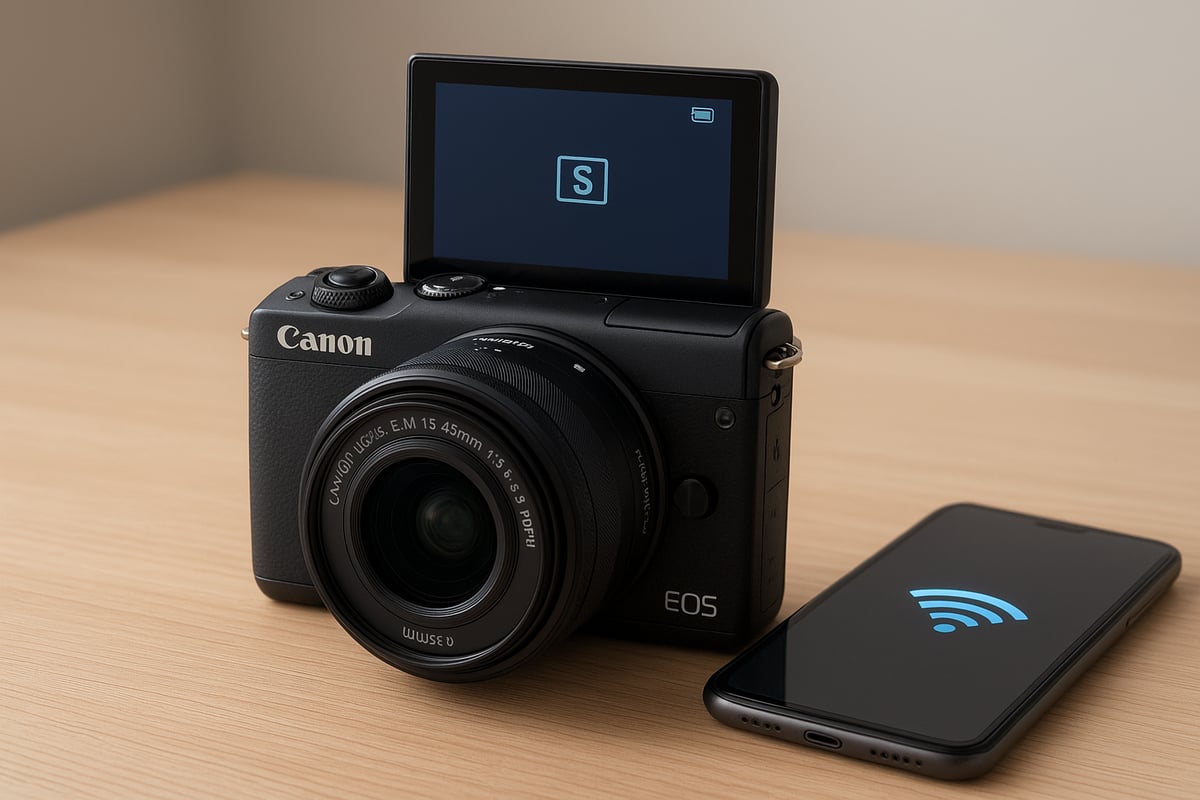
Video creators will appreciate 4K recording (with a crop), Full HD at 60fps, and clean HDMI output. Connectivity is a strong point, with built-in Wi-Fi and Bluetooth for seamless sharing and remote control via Canon’s app. Battery life is respectable, and USB charging adds flexibility for travel or on-the-go use.
- 24.1MP APS-C CMOS sensor
- DIGIC 8 image processor
- Dual Pixel CMOS AF
- 4K video (24p), Full HD (60p)
- Wi-Fi and Bluetooth connectivity
- USB charging support
New features and improvements for 2026
Recent years have brought incremental yet meaningful changes for the canon m200 review. Firmware updates have improved face and eye detection, especially for video and portrait photography. Canon’s app now offers more robust remote control and streamlined wireless transfers.
Third-party accessory support has expanded, with new compact external mics and lightweight gimbals tailored for the M200. Usability enhancements include updated menu graphics and a more intuitive touchscreen interface, making the camera friendlier for first-time users.
Who the Canon M200 is for in 2026
In any canon m200 review, it is clear this camera is built for versatility. Beginners appreciate the Guided UI and Creative Assist modes, while travelers love the lightweight design. Vloggers and families benefit from the flip-up touchscreen and reliable autofocus.
The M200 adapts to street, travel, and everyday photography, offering enough manual control for those ready to grow. It strikes a balance between simplicity and creative potential, making it a smart choice for a wide range of users in 2026.
Real-world competitor comparisons
A balanced canon m200 review must address how it stacks up against rivals like the Sony ZV-E10, Fujifilm X-A7, and Nikon Z30. The M200 excels in portability and color science, while some competitors offer more advanced video features or in-body stabilization.
Industry reports show mirrorless cameras still outpace smartphones for enthusiasts, with compact models like the M200 dominating the entry-level segment. For direct alternatives, see the Best mirrorless cameras under $1000 for an up-to-date roundup.
| Model | Sensor | Video | Weight | Touchscreen | Price (2026) |
|---|---|---|---|---|---|
| Canon M200 | APS-C | 4K/24p | 299g | Yes | $400–$500 |
| Sony ZV-E10 | APS-C | 4K/30p | 343g | Yes | $500–$650 |
| Fujifilm X-A7 | APS-C | 4K/30p | 320g | Yes | $450–$600 |
| Nikon Z30 | APS-C | 4K/30p | 405g | Yes | $600–$750 |
Price trends and value proposition
No canon m200 review would be complete without a look at value. As of 2026, the M200 remains one of the most affordable mirrorless options, with kits typically ranging from $400 to $500 depending on lenses and bundles.
Its consistent firmware support and growing accessory ecosystem have helped it maintain value over time. Compared to newer models, the M200 stands out for offering solid performance and features at a wallet-friendly price, making it a top pick for entry-level and budget-conscious photographers.
Design, ergonomics, and usability: Handling the Canon M200
Getting hands-on with the Canon M200 is always a pleasure, especially for anyone who values a camera that feels both sturdy and lightweight. In this canon m200 review, I want to give you a sense of how the M200 holds up in daily use, how it feels to operate, and what makes it such a practical choice in 2026.
Build quality and materials
The Canon M200 stands out for its compact size and surprisingly robust build, which is a major advantage for travelers and on-the-go creators. Its polycarbonate body is lightweight yet feels solid in the hand, never giving the impression of being flimsy. At just over 299 grams with a battery and card, it easily ranks among the lightest mirrorless cameras, making it a top pick for those who want to shed the bulk without sacrificing performance.
The finish resists fingerprints and minor scuffs, which is a relief if you often shoot outdoors or pack your gear tightly. Color options remain classic—mainly black and white—both understated and stylish. In this canon m200 review, I find the durability to be on par with more expensive models, especially considering its price bracket.
Button layout and touchscreen interface
One of the most impressive aspects of the Canon M200 is its intuitive control scheme. The button layout is minimal, which streamlines operation for beginners while still offering enough direct access for more advanced users. The rear dial is responsive, and all buttons have a tactile feel that makes them easy to operate even without looking.
The 3-inch touchscreen is a standout feature in this canon m200 review. It is bright, sharp, and highly responsive to touch, making menu navigation smooth and efficient. Swiping through images, adjusting settings, and using touch-to-focus all feel natural and immediate. Customizable shortcut buttons are limited, but the streamlined design keeps the camera approachable.
Usability for beginners and enthusiasts
From my experience, the Canon M200 is especially friendly to newcomers. Guided user modes walk you through key settings, with on-screen tips that explain what each adjustment does. This lowers the learning curve tremendously, so you can focus on shooting rather than getting lost in menus.
For those with more experience, the M200 offers manual controls and custom presets, allowing for creative freedom. In this canon m200 review, I appreciate how Canon has balanced simplicity with depth. The camera is equally suitable for first-time mirrorless users and enthusiasts looking to travel light.
LCD screen, articulation, and viewfinder discussion
The M200 uses a 3-inch LCD that flips up 180 degrees, which is ideal for vlogging or group selfies. The screen is bright enough for outdoor use, though direct sunlight can still be a challenge. Articulation is smooth, and the hinge feels durable after repeated use.
One limitation worth mentioning in this canon M200 review is the lack of an electronic viewfinder. While this keeps the camera slim, some users may miss the traditional shooting experience, especially in bright environments. For most casual and travel shooting, though, the LCD is more than sufficient.
Ergonomics in the field
Comfort is key when you are out shooting for hours, and the Canon M200 delivers here as well. Its compact grip is surprisingly comfortable for such a small body, and I have managed one-handed shooting without fatigue. The lightweight design makes it perfect for street photography, travel, or casual family outings.
In this canon m200 review, I find that the M200 fits easily into small bags, and the button placement ensures you rarely fumble for controls. Even after extended sessions, it never feels cumbersome, which is vital for spontaneous moments or long walks.
Accessories and expandability
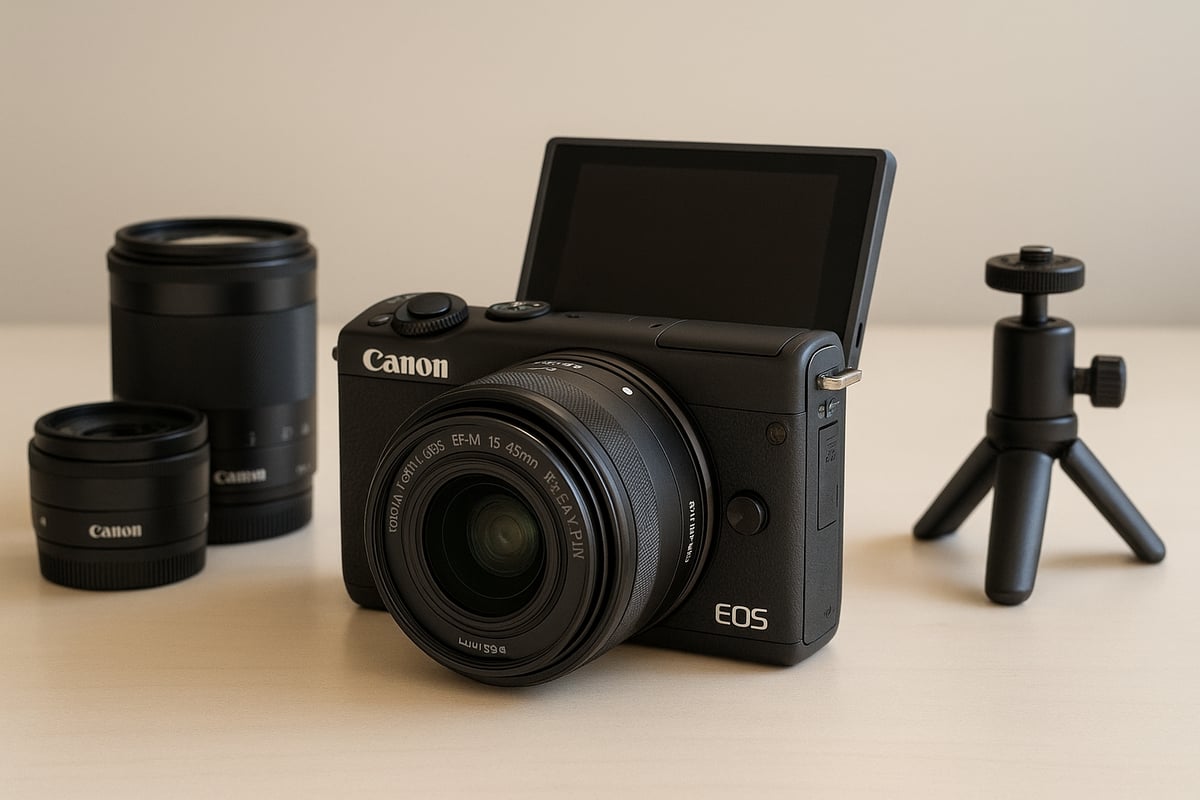
The M200’s EF-M mount supports a variety of native lenses, and with an adapter, you can explore Canon’s broader EF and EF-S lens ecosystem. Popular accessories in 2026 include compact flashes, on-camera microphones, and portable grips for vlogging. There is also a wide selection of third-party bags, straps, and even mini tripods tailored for this model.
For anyone reading this canon m200 review, the expandability factor is a key reason to consider the M200 over a smartphone or basic point-and-shoot. You can start simple and grow your kit as your skills and interests develop.
Image and video quality: Real-world performance insights
Capturing genuine moments with the Canon M200 is an experience that stands out in the compact mirrorless world. For this Canon m200 review, I spent weeks shooting portraits, landscapes, and everyday scenes to see how it really performs. Let’s break down what you can expect from its sensor, autofocus, color science, and video capabilities in real-world scenarios.
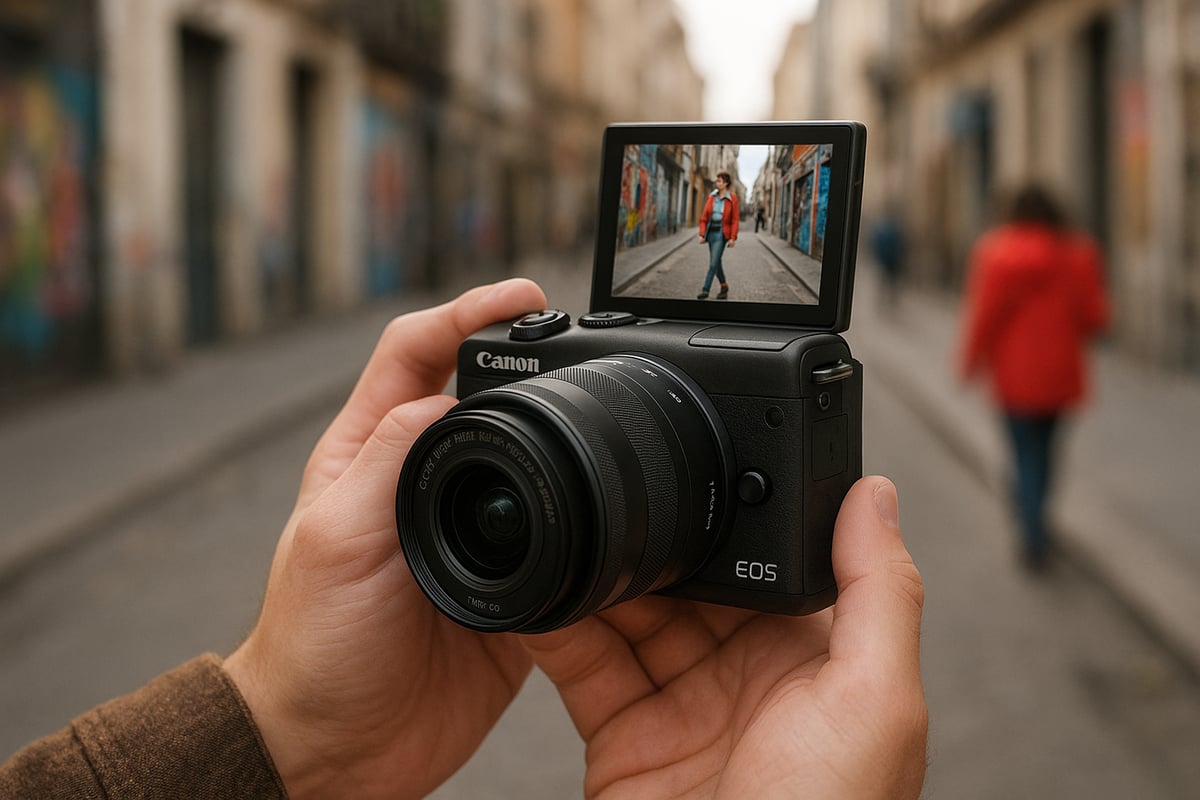
Image sensor and photo output
The canon m200 review must start with the heart of any camera: the sensor. The M200 sports a 24.1MP APS-C sensor, which delivers crisp images with plenty of detail for prints or online sharing. In my hands-on tests, JPEGs straight out of camera are punchy and vibrant, while RAW files offer enough latitude for creative editing.
Dynamic range is respectable for this class, allowing for good highlight recovery and shadow detail. In low light, the camera holds its own up to ISO 3200 before noise becomes intrusive. For portraits, skin tones look natural, and landscapes retain subtle color gradations.
If you shoot indoors or at night, results remain usable with some careful exposure. The M200’s sensor gives you real flexibility, whether you’re capturing family events or cityscapes.
Autofocus speed and accuracy
Fast and accurate autofocus is a must, and this canon m200 review highlights how Dual Pixel AF technology really shines. The M200 locks onto subjects quickly, with reliable face and eye detection that makes portraits and group shots simple.
Tracking moving subjects, like kids or pets, is smooth in most lighting conditions. Sports or street photography benefit from the system’s responsiveness. When comparing to rivals, the M200 holds its own, especially against models like the Sony ZV-E10.
Autofocus remains snappy in video mode too, which is a major plus for vloggers and content creators.
Color science and Canon’s signature look
If you ask seasoned photographers about Canon, most will mention color science. In this canon m200 review, I found skin tones rendered naturally, avoiding the overly warm or magenta shifts you sometimes see with other brands.
Colors are rich but not exaggerated, making the M200 a solid choice for portraits, travel, or food photography. White balance is accurate in most situations, and the camera rarely gets tripped up by mixed lighting.
Comparing to Sony and Fujifilm, Canon’s output feels a bit more organic, especially for people shots. The M200 continues this tradition, delivering files that need minimal tweaking before sharing.
Video capabilities and vlogging performance
Video is a real highlight in this canon m200 review. The M200 offers 4K recording at 24 fps and Full HD at up to 60 fps, giving you flexibility for different projects. While 4K has a crop, it’s still sharp and usable for vlogs or travel videos.
Rolling shutter is noticeable if you pan quickly, but for typical handheld clips, it’s not a dealbreaker. Audio is captured through the built-in mic, and while there’s no external mic input, sound quality is decent for casual use. Autofocus during video is smooth, so you stay sharp even while moving.
For YouTube, TikTok, or family movies, the M200 is easy to set up and use. The flip-up screen is a vlogger’s friend, letting you check framing and focus on the go.
In-camera features for creators
This canon m200 review wouldn’t be complete without mentioning the camera’s creative and sharing tools. Built-in filters, time-lapse, and silent shooting modes inspire experimentation. Wireless transfer via Canon’s app makes moving photos and videos to your phone quick and painless.
Remote shooting with Wi-Fi or Bluetooth is a great bonus for group selfies or tripod work. In 2026, sharing to social media is seamless, and the M200’s workflow helps you keep up with the pace of modern content creation.
From sensor to software, the Canon M200 delivers a flexible, enjoyable shooting experience for photographers and creators alike.
Practical guide: Setting up and shooting with the Canon M200
Getting started with a new camera is always exciting. In this practical guide, I will walk you through each step you need to take to make the most of your Canon M200. Whether you are brand new to photography or upgrading your setup, this section is tailored to help you unlock the full potential of your camera. Every detail is based on firsthand experience and the latest updates as of 2026.
Unboxing and initial setup steps
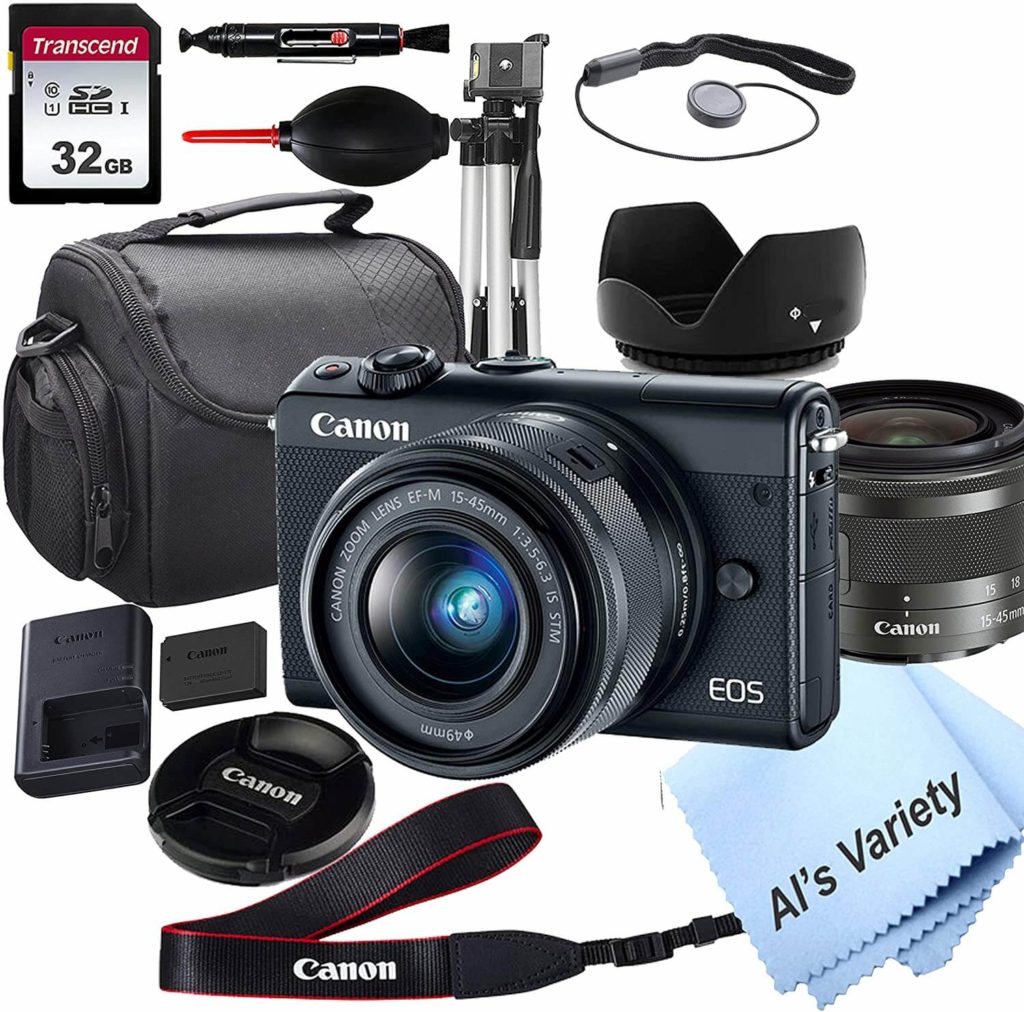
Opening the box of a Canon M200 is always a thrill, even for seasoned photographers. Inside, you will typically find the camera body, a kit lens (often the 15-45mm), a rechargeable battery, charger, neck strap, and a printed manual. You will also see a USB cable and sometimes a small lens cap or cleaning cloth.
Before you start, insert the charged battery and a reliable SD card. The Canon M200 review process always begins with checking for the latest firmware. Power on the camera, navigate to the setup menu, and confirm your firmware is up to date. If not, download the newest version from Canon’s official site and update via SD card.
Take a moment to attach the lens, remove the protective covers, and gently wipe the glass with a microfiber cloth. Now, you are ready for the next steps in your Canon M200 journey.
Customizing camera settings for best results
Personalizing your Canon M200 is key for getting the best images right away. Start with the autofocus modes. For portraits, set the camera to Face and Eye Detection AF. For landscapes or static subjects, use Single Point AF for precision. Adjust image quality to RAW if you want maximum editing flexibility, or JPEG for ease of sharing.
White balance can be set to Auto, but if you shoot in tricky lighting, experiment with presets or custom settings. Explore the Creative Assist mode, which is perfect for beginners and lets you tweak brightness, color, and background blur with simple sliders.
If you are just starting out, you might find the best digital camera for beginners guide helpful for understanding how the Canon M200 review stacks up against other entry-level models in 2026.
Step-by-step: Shooting your first photos and videos
Now, let’s capture your first shots. Power on your Canon M200 and use the touchscreen to select “Auto” or “Scene Intelligent Auto” mode. Frame your subject using the LCD, tap to focus, and press the shutter button gently.
For video, switch the mode dial to the movie icon. You will see options for 4K or Full HD so choose based on your needs. Tap to focus and hit the red record button. The Canon M200 review proves it handles quick changes in lighting and focus well, especially for vlogging or documenting family moments.
Review your shots by pressing the playback button. Use the touchscreen to zoom in and check focus. Delete any unwanted images to keep your card organized.
Connecting and sharing: Workflow in 2026
Sharing your images is seamless with the Canon M200. Enable Wi-Fi and Bluetooth in the settings, then pair your camera with Canon’s Camera Connect app on your smartphone or tablet. This allows for instant wireless transfers, remote shooting, and even geotagging your photos.
For cloud backup, use the app’s integration with major services or connect the camera directly to your computer via USB. The Canon M200 review highlights how much time wireless workflow saves in 2026, especially when you want to post to social media on the go.
Remember to keep your devices updated and review your connection settings for the smoothest experience.
Maintenance and care tips
Caring for your Canon M200 ensures it stays reliable for years. Clean the sensor and lens only with specialized tools: use a blower for dust and a microfiber cloth for the lens. Store your camera in a dry bag or case to protect it from moisture and accidental bumps.
Charge batteries before storage and avoid leaving them in the camera for long periods. Regularly check for firmware updates and install them to access the latest features and bug fixes. The Canon M200 review community often shares useful troubleshooting tips, so keep an eye on forums for advice on any issues you encounter.
With proper care, your Canon M200 will continue to deliver excellent results, whether you are documenting travels or capturing everyday moments.
Lenses, accessories, and creative expansion for the M200
Choosing the right lenses and accessories can truly transform your experience with the Canon M200. Over the years, I have seen how the right gear can unlock new creative possibilities and help you get the most out of your camera. This part of the canon m200 review covers everything you need to know about building a flexible, practical, and inspiring setup in 2026.
EF-M lens ecosystem in 2026
The EF-M mount remains central to the Canon M200’s appeal. Despite shifting trends, there are still several native EF-M lenses available, including compact primes and versatile zooms. These lenses are lightweight and perfectly balanced for the M200’s small form factor, making them ideal for travel and daily shooting.
Adapting EF and EF-S lenses opens up even more options. With a simple adapter, you can use a wide selection of Canon’s classic glass. Autofocus performance is generally reliable, though native EF-M lenses offer faster and quieter operation.
Here is a quick summary comparing native and adapted options:
| Lens Type | Weight | Autofocus | Price | Best Use |
|---|---|---|---|---|
| EF-M Primes | Light | Fast | Affordable | Portrait, street |
| EF-M Zooms | Light | Good | Moderate | Travel, family |
| Adapted EF/EF-S | Heavier | Varies | Wide range | Specialized, macro |
For the canon m200 review, I recommend the EF-M 22mm f/2 for everyday shooting and the EF-M 55-200mm for outdoor adventures.
Must-have accessories for new users
Starting with the basics, every photographer should invest in high-speed memory cards and at least one spare battery. The M200’s compact design means you can carry a lightweight camera bag without sacrificing comfort. I always suggest a small tripod or handheld grip for those interested in video or low-light photography.
For creators, an external microphone can make a noticeable difference in audio quality. Portable LED lights have also become more affordable in 2026, helping you shoot better portraits and videos indoors.
Here is a checklist I use for every canon m200 review:
- UHS-I SD cards (64GB+)
- Extra LP-E12 batteries
- Compact, padded camera bag
- Travel-friendly tripod or mini grip
- External microphone (3.5mm-compatible)
- Portable LED panel
With these essentials, you can cover most shooting situations with confidence.
Creative add-ons and third-party gear
To really push your creative boundaries, filters and adapters are worth considering. Circular polarizers and ND filters help control light and reflections, while macro adapters let you explore close-up photography without a dedicated lens. Wide-angle converters are popular for landscape and vlogging use, expanding your field of view with minimal weight added.
The third-party accessory market has grown in 2026, offering affordable and innovative options. Look for third-party flashes, wireless remote triggers, and even compact gimbals designed for lightweight mirrorless cameras. Each of these options can add new dimensions to your canon m200 review experience.
When choosing creative add-ons, always check compatibility and user reviews to ensure reliable performance.
Using the M200 for specialized photography
The Canon M200 adapts well to a range of shooting styles. For vlogging, pair the camera with the EF-M 11-22mm lens and a lightweight tripod for stable, wide-angle shots. Street photographers often choose the EF-M 22mm for its compactness and natural perspective.
For travel and family photography, a zoom like the EF-M 18-150mm covers almost any scenario, from landscapes to close-ups. Macro enthusiasts can use adapters or extension tubes to capture detailed shots of flowers or small objects, all within a portable setup.
In every canon m200 review, I test these combinations to see how they perform in real-world conditions. The flexibility of the M200 lets you grow as your interests evolve.
Budgeting and value: Accessory costs in 2026
Accessory prices in 2026 remain accessible for most users. Native EF-M lenses range from affordable primes around $150 to zooms at $350–$500. Quality third-party flashes or microphones are typically under $100. A reliable tripod can be found for less than $75.
To stretch your budget, look for camera bundles that include an extra battery or memory card. Shopping during seasonal sales or considering gently used gear can also yield excellent value. I always remind readers in my canon m200 review to prioritize essentials first and expand gradually as their skills develop.
Smart budgeting ensures you get the most out of your camera investment, without overspending on unnecessary accessories.
Expert tips, troubleshooting, and community resources
Advanced shooting tips for getting the most from your M200
Unlocking the full potential of your Canon M200 starts with mastering its advanced features. In this canon m200 review, I always recommend exploring manual exposure settings. Adjusting ISO, aperture, and shutter speed gives you creative control over every shot.
Take advantage of focus peaking for precise manual focus, especially in macro or low-light scenes. Custom profiles can save your favorite configurations, making it easy to switch between portrait and landscape setups. Try experimenting with long exposure for night cityscapes, or use the silent shooting mode for candid street photography.
Canon’s color science shines when shooting portraits. Set your white balance manually for consistent skin tones, and use the in-camera creative filters for unique looks. These practical tips help you get results that truly stand out.
Common issues and how to solve them
Every camera has its quirks, and the Canon M200 is no exception. In this canon m200 review, I often hear about autofocus challenges, especially in low light. Switching to single-point AF or using manual focus can improve accuracy.
Battery drain is another common concern. Activate power-saving settings, dim the LCD, and carry a spare battery when shooting all day. Firmware updates are vital for fixing bugs and enhancing features. Always check for the latest version before heading out.
If you run into issues like freezing or unresponsive menus, a quick battery pull or reset usually resolves things. For persistent problems, Canon’s support resources and user forums are helpful for troubleshooting.
Learning and inspiration: Where to go next
Continuous learning is key to growing as a photographer. After reading a canon m200 review, many users look for hands-on guidance. Online tutorials, YouTube channels, and dedicated forums offer step-by-step lessons tailored to the M200’s features.
Joining online communities lets you share images, ask questions, and get feedback from fellow photographers. Whether you’re interested in travel, street, or family photography, there is always a group eager to help you improve. Staying active in these spaces keeps your skills fresh and your inspiration flowing.
Lens and Shutter: Your trusted resource for camera reviews and advice
When searching for a comprehensive canon m200 review, Lens and Shutter is a go-to source. Their expert-driven content covers in-depth reviews, comparison guides, and the latest updates on Canon cameras and accessories.
What sets Lens and Shutter apart is their ability to break down features for both beginners and experienced users. You’ll find side-by-side comparisons that clarify how the M200 stacks up against rivals, plus practical tips to make the most of your camera. This resource is invaluable for making informed buying decisions and staying up-to-date with camera tech.
Staying current in the fast-changing camera world
The camera world evolves quickly, so keeping your Canon M200 setup relevant is essential. In every canon m200 review I write, I emphasize the value of exploring new techniques, adding creative accessories, and updating firmware regularly.
Connect with other photographers to exchange ideas and discover emerging trends. Try new genres, experiment with different lenses, and embrace the learning process. Ongoing education and community engagement ensure your photography remains fresh and rewarding, no matter how technology advances.
Last update on 2026-04-10 / Affiliate links / Images from Amazon Product Advertising API