

)
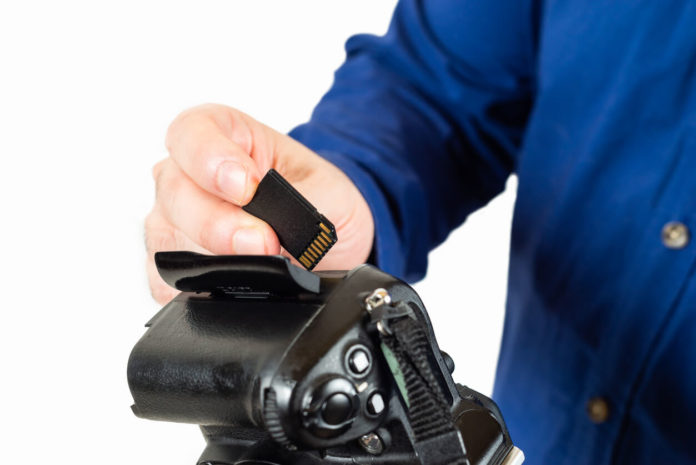
Why Memory Cards Matter More Than You Think
After years of professional shooting and watching countless photographers lose critical images to failed memory cards, I can tell you this: memory cards are not the place to save $20. A cheap card failing during a once-in-a-lifetime moment teaches this lesson the hard way.
In 2026, memory cards have evolved significantly. Faster write speeds support 4K and 8K video without dropped frames. Larger capacities handle RAW burst shooting without buffer constraints. And improved reliability means your images actually stay safe. But the market is also flooded with counterfeits and substandard cards that fail catastrophically.
This guide covers everything you need to know about choosing the right memory cards for your camera in 2026 – from understanding confusing specifications to specific recommendations for different shooting styles.
Understanding Memory Card Types in 2026
SD Cards (Secure Digital)
SD cards remain the most common format in consumer and enthusiast cameras. Three physical sizes exist:
SD (Standard): Full-size cards used in most DSLRs and mirrorless cameras
microSD: Tiny cards used in action cameras, drones, smartphones (adapters let you use them in SD slots)
miniSD: Obsolete, ignore
Capacity designations:
– SDSC: Up to 2GB (obsolete)
– SDHC: 2GB to 32GB
– SDXC: 32GB to 2TB
– SDUC: 2TB to 128TB (rare, expensive)
Buy SDXC cards – they offer the best capacity/price ratio for photography in 2026.
CFexpress (Type A, Type B)
CFexpress cards use PCIe interface for extreme speeds – crucial for professional cameras shooting 8K video or 30fps RAW bursts.
Type B: Larger, faster, used in pro cameras (Canon R5, Nikon Z9, Sony A1)
Type A: Smaller, used in select Sony cameras (A7S III, A7 IV)
These are expensive ($100-400) but essential if your camera requires them. No substitutes exist.
CFast 2.0
CFast 2.0 cards were common in pro cameras from 2015-2020 (Canon 1DX II, 1DX III). Fast but being phased out in favor of CFexpress. If your camera uses CFast, buy SanDisk or ProGrade.
XQD
XQD preceded CFexpress Type B and used similar form factor. Some Nikon cameras (D850, D500, Z6/Z7 first generation) use XQD but can often accept CFexpress Type B via firmware updates. Check your camera compatibility.
Speed Specifications Decoded
Video Speed Class (Most Important for 2026)
These ratings indicate minimum sustained write speeds:
V30: 30 MB/s – minimum for 4K video
V60: 60 MB/s – recommended for 4K 60fps
V90: 90 MB/s – required for 8K, high-bitrate 4K
For photography, V30 cards work fine. For 4K video, buy V30 minimum, preferably V60.
UHS Speed Class
UHS (Ultra High Speed) ratings indicate bus interface speed:
UHS-I: Up to 104 MB/s – sufficient for most photography
UHS-II: Up to 312 MB/s – better for burst shooting and 4K video
UHS-III: Up to 624 MB/s – rare, very expensive
UHS-II cards have two rows of pins on the back. UHS-I cards have one row. If your camera supports UHS-II, buy UHS-II cards – they are significantly faster.
Read/Write Speeds (Marketing Numbers)
Manufacturers advertise peak read speeds (170MB/s! 300MB/s!). These matter less than sustained write speeds for actual shooting.
Read speed: How fast images transfer to computer. Nice but not critical.
Write speed: How fast camera saves images to card. This determines buffer clearing speed and video capabilities.
Always check sustained write speed reviews, not just marketing claims.
Best Memory Cards by Use Case
For General Photography (Landscapes, Portraits, Travel)
Recommended: SanDisk Extreme Pro 64GB or 128GB (UHS-I, V30)
Price: $20-35
Why: Reliable, fast enough for burst shooting, affordable, widely available.
Alternative: Samsung Pro Plus (slightly cheaper, similar performance)
For 4K Video
Recommended: SanDisk Extreme Pro V60 or V90 (UHS-II)
Price: $40-70 for 128GB
Why: V60/V90 ratings ensure no dropped frames during 4K recording. UHS-II speed handles high bitrates.
Alternative: ProGrade Digital V60 (excellent but pricier)
For Sports & Wildlife (Fast Burst Shooting)
Recommended: SanDisk Extreme Pro UHS-II 128GB or 256GB
Price: $50-100
Why: Fast sustained write speeds clear camera buffer quickly, letting you shoot longer bursts without slowdown.
For Professional Work (Weddings, Events, Commercial)
Recommended: ProGrade Digital V60 or V90 (UHS-II)
Price: $60-120 for 128GB
Why: Proven reliability, excellent warranty support, consistent performance. Worth paying extra when livelihood depends on cards.
Also buy: Multiple cards as backup. Never rely on a single card for critical work.
For Drones (DJI, etc.)
Recommended: SanDisk Extreme (not Pro) microSD 128GB V30
Price: $20-30
Why: microSD format, V30 rating handles 4K drone footage, affordable enough to keep spares.
Avoid: Ultra-cheap no-name microSD cards. Drones push write speeds hard and cheap cards fail.
For Action Cameras (GoPro, etc.)
Recommended: SanDisk Extreme microSD 128GB-256GB V30
Price: $25-50
Why: V30 minimum for GoPro 4K recording. Higher capacities prevent running out mid-activity.
Recommended Memory Cards (2026)
Best Overall SD Card: SanDisk Extreme Pro (UHS-I)
Price: $20-35 for 64-128GB
The Extreme Pro UHS-I is my default recommendation for 90% of photographers. It is fast enough for burst shooting, reliable, affordable, and widely available. Write speeds of 90MB/s handle all but the most demanding use cases.
I have used dozens of these cards over the years without a single failure. They handle everything from professional wedding shooting to travel photography without complaint.
Buy it if: You shoot photos primarily, occasional 4K video, want reliability without overspaying.
Best for 4K Video: SanDisk Extreme Pro V60 (UHS-II)
Price: $40-70 for 128GB
For serious 4K video work, step up to the UHS-II version with V60 or V90 rating. The faster bus speed and guaranteed sustained write speeds prevent dropped frames during long recording takes.
The UHS-II advantage shows when editing – files transfer to computer dramatically faster.
Buy it if: You shoot significant 4K video, need guaranteed sustained write speeds, want faster workflow.
Best Premium Option: ProGrade Digital V60
Price: $60-100 for 128GB
ProGrade Digital makes cards specifically for professional photographers and videographers. Their quality control is exceptional, warranty support is excellent, and consistency is unmatched.
I switched to ProGrade for professional work after a SanDisk failure during a wedding (it happens rarely, but it happens). The peace of mind is worth the premium.
Buy it if: Photography is your career, you need absolute reliability, warranty support matters.
Best Budget Option: Samsung EVO Select
Price: $15-25 for 128GB
For casual shooting where you can tolerate occasional slowdowns, Samsung EVO Select cards offer solid value. They are slower than SanDisk Extreme Pro but adequate for single-shot photography and 1080p video.
Buy it if: Budget is primary concern, you shoot casually, you never do burst shooting or 4K video.
Best for CFexpress: Sony TOUGH CFexpress Type B
Price: $150-400 depending on capacity
If your camera requires CFexpress, Sony TOUGH cards offer the best combination of speed, reliability, and durability. They are physically reinforced, handle temperature extremes, and deliver consistent performance.
ProGrade Digital Cobalt also gets strong reviews if you want an alternative.
How Many Cards and What Capacity?
Capacity Recommendations
64GB: Holds ~2,000 JPEGs or ~1,500 RAW images (24MP camera). Good for day trips, casual shooting.
128GB: Sweet spot for most photographers. Holds ~4,000 JPEGs or ~3,000 RAW images. Enough for full-day professional shoots.
256GB: For extended trips, multi-day events, or heavy video work. Rarely necessary unless shooting 4K video extensively.
512GB+: Overkill for photography. Useful for 8K video or extremely long productions.
I recommend 128GB cards as the best balance of capacity, cost, and risk mitigation (smaller cards mean less data loss if one fails).
How Many Cards to Own
Casual Photographer: 2 cards minimum (one primary, one backup). Both 64-128GB.
Enthusiast: 3-4 cards (64-128GB each). Rotate them so one is always formatted and ready.
Professional: 6+ cards minimum. Always have more card capacity than you could possibly use in a shoot.
Never rely on a single card. Cards fail. Have backups.
Memory Card Care & Best Practices
Format in Camera, Not Computer
Always format cards in your camera, not on computer. This ensures optimal file system structure and prevents compatibility issues. Format after transferring images to computer, not before shooting.
Do Not Fill Cards Completely
Leave 5-10% capacity unused. Completely full cards are more prone to corruption and performance degradation.
Eject Properly
Never remove cards while camera is writing (indicator light flashing). Power off camera before removing cards. On computer, always “eject” before physically removing.
Check for Counterfeits
Buy from reputable sellers (B&H, Adorama, Amazon direct, not third-party sellers). Counterfeit SanDisk and Samsung cards are rampant. If the price seems too good, it is probably fake.
Check: SanDisk has anti-counterfeit features. Check packaging for holographic labels and verify card using SanDisk’s tool.
Replace Every 3-5 Years
Memory cards degrade with write cycles. Professional cards are rated for thousands of writes, but I replace them every 3-5 years regardless. Cheap cards should be replaced more frequently.
Store Properly
Keep cards in protective cases when not in use. Avoid extreme temperatures. Never leave cards in hot cars. Keep away from magnets and strong electromagnetic fields (though this is less concern with solid-state media).
Troubleshooting Common Card Issues
Card Not Recognized
Solutions:
– Clean contacts with microfiber cloth
– Try card in different camera/card reader
– Check if card format is compatible (some cameras do not read SDXC)
– Format card in camera (warning: erases data)
Slow Write Speeds/Buffer Filling Quickly
Causes:
– Card speed insufficient for shooting mode
– Card degraded from age/heavy use
– Card full or nearly full
– Fake/counterfeit card not meeting stated specs
Solution: Upgrade to faster card (UHS-II, higher V rating)
Files Corrupted or Missing
Prevention:
– Never remove card while camera writing
– Format regularly
– Use quality cards from reputable manufacturers
– Replace aging cards proactively
Recovery: Photo recovery software (DiskDrill, Recuva) can sometimes recover files. Prevention is better than recovery.
Special Considerations
Dual Card Slot Cameras
If your camera has two card slots, use them:
Option 1 – Backup: Write same images to both cards simultaneously. If one fails, you have backup. Safest for critical work (weddings, events).
Option 2 – Overflow: Camera writes to Card 2 when Card 1 fills. Maximizes capacity.
Option 3 – Split: RAW to Card 1, JPEG to Card 2. Speeds workflow for some photographers.
For professional work, always use backup mode.
Traveling Internationally
Bring more cards than you think you need. You cannot always buy quality cards abroad, and counterfeits are rampant in many countries.
Strategy: Backup images to portable SSD or laptop daily. Format and reuse cards. This minimizes cards needed while maintaining backup.
Long-Term Storage
Memory cards are NOT long-term archival media. Transfer images to computer/external drives promptly. Do not store master files on memory cards for years. Data retention degrades over time, especially when unpowered.
Brand Recommendations (2026)
Most Reliable: SanDisk, ProGrade Digital, Sony
Good Value: Samsung, Lexar
Avoid: No-name brands from Amazon, ultra-cheap cards, anything without warranty
I personally use mix of SanDisk Extreme Pro and ProGrade Digital. Both have served me reliably for years.
Common Mistakes to Avoid
Mistake 1: Buying cheapest cards
False economy. A $15 card failing can cost thousands in lost images or reshoots.
Mistake 2: Using single large card instead of multiple smaller cards
If your only 512GB card fails mid-wedding, you lose everything. Multiple 128GB cards spread risk.
Mistake 3: Never formatting cards
Repeatedly deleting individual images fragments file system. Regular formatting maintains performance and reduces corruption risk.
Mistake 4: Ignoring speed ratings
V30 cards for 8K video will not work. Match card specs to camera requirements.
Mistake 5: Buying wrong card type
CFexpress cameras cannot use SD cards, SD cameras cannot use CFexpress. Verify your camera’s card type before buying.
Conclusion: Invest in Quality
Memory cards protect your most valuable asset – your images. They are literally the only thing standing between a perfect shot and permanent loss. This is not the place to save $20.
For 2026, I recommend:
– Most photographers: SanDisk Extreme Pro 128GB (UHS-I) x 2-3 cards
– 4K videographers: SanDisk Extreme Pro V60 (UHS-II) 128GB x 2-3 cards
– Professionals: ProGrade Digital V60 128GB x 4-6 cards
Buy from reputable sellers, format in camera, have backups, replace every few years, and your images will stay safe.
Get the right camera, pair it with quality memory cards, and shoot with confidence knowing your images are secure.
Now go fill those cards with amazing images.