Contents
- Who the Nikon Z50 II is really for
- Design, build quality and handling in the field
- Autofocus performance and shooting speed
- Image quality, dynamic range and ISO performance
- Video features and creator-friendly tools
- Lens options and building a Nikon Z DX kit
- Connectivity, menus and overall user experience
- Comparison with Nikon Z50 and rival APS-C cameras
- Real-world use cases: travel, street and family photography
- Limitations, quirks and who should skip it
- Price, value and final verdict for Nikon Z50 II
Who the Nikon Z50 II is really for
Target photographers and shooting styles
The Nikon Z50 II is designed for photographers who want a lightweight, portable camera without sacrificing performance. It fits naturally into the hands of travel shooters, urban explorers, parents documenting family moments, and anyone who values a camera that is easy to carry and quick to deploy. This compact APS-C body is ideal for those who spend long days shooting on the move, capturing street scenes, landscapes, and everyday life. If you shoot events, casual portraits, or even sports at the hobbyist level, this camera offers enough speed and flexibility to keep up.
Skill levels: from beginner to enthusiast
One of the key appeals of the Z50 II is its approachability. Beginners coming from smartphones will find the menu system and controls easy to learn, thanks to Nikon’s clear interface and helpful guide modes. However, it’s not a basic beginner mirrorless camera alone. Enthusiasts benefit from direct access to manual controls, customizable buttons, and support for RAW workflows. The Z50 II strikes a balance that lets new users grow without outgrowing the system too quickly.
Still vs video priorities
If you prioritize still photography, the Z50 II delivers crisp images, fast autofocus, and pleasing color. It’s equally comfortable shooting a travel vista or a quick candid. For hybrid creators who need video, the camera now includes improved autofocus and video recording tools over the original Z50. However, if your focus is high-end video production, you might find some limitations in external audio support or advanced video codecs that are present in more expensive models. As a vlogging camera or for casual content creation, it’s more than capable and user-friendly.
When the Nikon Z50 II is not the right choice
While the Z50 II is flexible, it is not for everyone. If you need full-frame sensor quality, ultra-high burst rates for professional sports, or the deepest video features, you’ll want to look at higher-tier models like the Z6 II or Z7 II. Likewise, if you’re heavily invested in another lens system or need a vast native lens selection, some rivals may be better suited. For those seeking the smallest possible camera, compact digital cameras are making a comeback in 2026 and may be worth a look.
Design, build quality and handling in the field
Body size, weight and ergonomics
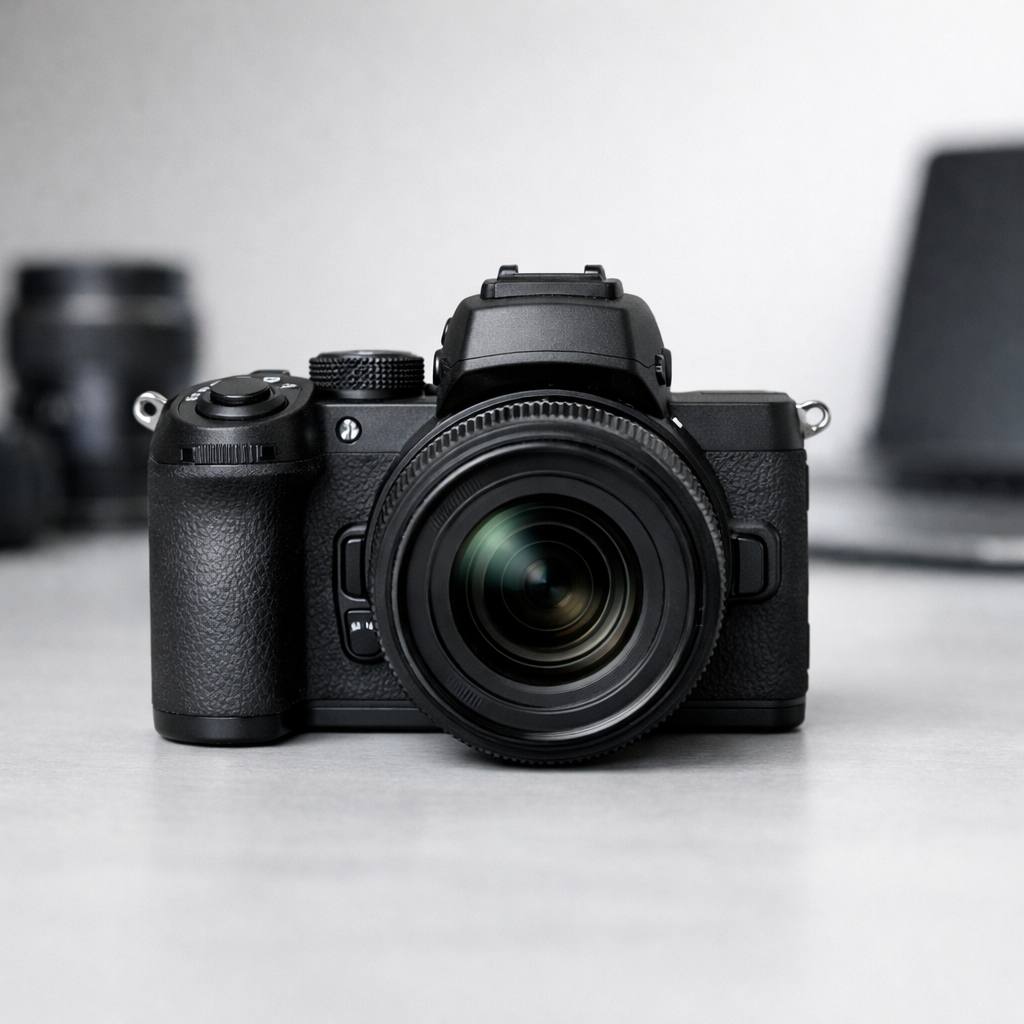
The Z50 II keeps the strengths of the original body, measuring just under 400g with battery and card, making it one of the lightest mirrorless cameras in its class. The grip is deep and sculpted, typical of Nikon’s design language, so it feels secure even during long shooting sessions. Walking city streets or hiking trails, I found it easy to forget I had a camera around my neck until I needed it. The compact size doesn’t come at the expense of comfort or confidence in hand.
Nikon’s control layout on the Z50 II blends simplicity with flexibility. There’s a well-placed mode dial, twin command dials, and a red video record button that is easy to reach but hard to press by accident. Buttons like ISO and exposure compensation are where your fingers expect them, and two function buttons on the front can be customized for quick access to your favorite settings. This matters when you need to react quickly to changing light or subjects, especially in street or travel photography.
Viewfinder, rear screen and usability
The 2.36M-dot electronic viewfinder provides a clear, lag-free view even in bright sunlight. It’s not the largest EVF on the market, but it’s sharp and responsive. The rear touchscreen flips down for selfies or vlogging, and up for shooting at waist level or over crowds. The tilting screen is bright and touch-responsive, making menu navigation and focus point selection quick. This flexibility is a real asset in dynamic shooting scenarios.
Weather sealing and durability on the road
The Z50 II is built with a magnesium alloy top and front plate, giving it a solid feel without excessive weight. While not as rugged as pro-level bodies, it does feature some weather sealing. Occasional light rain or dusty conditions on a trip didn’t faze my review unit, but I’d avoid heavy downpours without extra protection. For most travel, street, or family shooting, the build quality inspires confidence.
Battery life and real-world shooting endurance
Battery life is always a concern for travel shooters. The Z50 II uses the EN-EL25 battery, rated for about 320 shots per charge. In real-world mixed use, I often saw 350-400 shots, especially with screen brightness turned down and careful power management. USB charging via power bank is supported, a must-have feature for extended days away from outlets. For long trips, I recommend carrying a spare battery, but for typical outings, one is often enough.
Autofocus performance and shooting speed
AF coverage, modes and interface
The autofocus system in the Z50 II covers a wide area of the frame and offers a variety of modes, from single-point to wide-area tracking. The user interface is intuitive, letting you cycle through AF modes quickly with the press of a button. For most real-world subjects, I found the default settings to be reliable, but advanced users can fine-tune behavior for specific needs.
Face, eye and subject detection reliability
Face and eye detection AF are standout improvements on the Z50 II. The camera locks onto faces and eyes quickly, even in mixed lighting or with glasses. For family events, street portraits, or travel group shots, this takes much of the guesswork out of focusing. The camera also recognizes animals, a plus for pet owners or wildlife enthusiasts shooting in parks or on hikes.
Tracking moving subjects for action and wildlife
The Z50 II isn’t a dedicated sports camera, but its subject tracking is impressive for its price. I tested it shooting cyclists, birds, and active kids, and the AF kept up in most situations. The buffer depth allows for respectable short bursts, though it will fill faster if shooting RAW. For casual action and wildlife, it’s more than capable, but professionals shooting demanding sports may want a higher-end body.
Burst rate, buffer depth and rolling shutter
The camera shoots up to 11 frames per second, which is competitive for its class. Buffer depth is moderate, allowing for several seconds of continuous shooting in JPEG, slightly less in RAW. In high-speed modes, rolling shutter is present but not severe for most everyday subjects. For fast-paced travel, events, or spontaneous moments, the Z50 II rarely misses a beat.
Low light autofocus performance
Low light autofocus is a common pain point for APS-C cameras, but the Z50 II fares well. The AF system remains accurate down to -4 EV with a fast lens, which covers most night street scenes and dim interiors. Focusing slows a bit in near-darkness, but the camera rarely hunts excessively. This reliability makes it a strong choice for evening city walks or indoor family gatherings.
Image quality, dynamic range and ISO performance
Sensor characteristics and resolution
The Z50 II uses a 20.9MP APS-C sensor, which balances resolution and low-light ability. Images are detailed and sharp, holding up well to moderate cropping for social media or prints up to 16×24 inches. This is an ideal sweet spot for travel and everyday photography, avoiding the large file sizes of higher-resolution sensors while still delivering professional results.
Color rendering and Nikon profiles
Nikon’s color science is a highlight. JPEGs from the Z50 II look natural, with pleasing skin tones and vivid but realistic landscapes. Picture Controls offer further customization for those who want to tune color or contrast in-camera. If you shoot RAW, Nikon’s profiles in popular editors retain the subtle tonality and color the brand is known for.
Dynamic range and shadow recovery in RAW
Dynamic range is strong for an APS-C sensor. Well-exposed RAW files allow for significant shadow recovery, which is helpful for high-contrast scenes such as sunlit streets or backlit portraits. Highlights are somewhat less forgiving, so careful exposure is still important, but the sensor gives plenty of latitude for post-processing. For those who like to edit, the Z50 II provides a forgiving and flexible file.
High ISO noise for night and indoor shooting
At higher ISO settings, the Z50 II remains usable up to ISO 6400 and even ISO 12800 for small prints or web. Noise is well-controlled, and color doesn’t shift dramatically, which is not always the case with rival APS-C cameras. For night street work, indoor events, or dimly lit travel scenes, you can push the ISO with confidence, especially if you shoot RAW and apply moderate noise reduction during editing.
JPEG vs RAW workflow considerations
The Z50 II produces excellent JPEGs with minimal effort, ideal for those who want ready-to-share images. However, the real flexibility comes with RAW files, where you can maximize dynamic range and detail. Many users will find themselves starting with JPEG and gradually exploring RAW as their skills grow. For travel, I often shoot RAW+JPEG, giving me both convenience and editing flexibility on the road.
Video features and creator-friendly tools
Core video specs and recording formats
The Z50 II shoots 4K UHD video at up to 30p and Full HD up to 120p for slow motion. Video is recorded with full pixel readout, so sharpness and detail are strong for an APS-C body. Recording times are more than enough for travel vlogs or family clips, and files are easy to edit on most laptops.
Autofocus behavior in video mode
Video autofocus is reliable, with face and eye detection working well for vlogging and interviews. Focus transitions are smooth, and the camera tracks moving subjects without excessive hunting. This is a noticeable improvement over the original Z50, making the Z50 II a practical choice for hybrid shooters who want to focus on their story, not their gear.
Stabilization options and handheld footage
While the Z50 II lacks in-body stabilization, it supports lens-based VR and adds digital stabilization for video. When paired with a stabilized lens, handheld footage is steady enough for walking shots or handheld interviews. Digital stabilization crops the frame slightly but is useful for reducing shake during travel or street filming.
Audio inputs and monitoring
Audio quality is serviceable from the built-in microphones, but for serious work, the 3.5mm mic input allows use of shotgun or wireless mics. There’s no headphone jack for live monitoring, which is a drawback for advanced video creators. For most travel vlogs, interviews, or casual streaming, the audio setup is sufficient and easy to use.
Vlogging and streaming usability
The flip-down screen, reliable autofocus, and compact size make the Z50 II an inviting vlogging camera. It’s light enough to hold at arm’s length or mount on a small tripod. With USB webcam support, direct streaming is possible, adding to its appeal for content creators and remote workers who want better quality than a laptop webcam.
Lens options and building a Nikon Z DX kit
Native Z DX lenses: strengths and gaps
The native Z DX lens lineup is compact, lightweight, and optically solid, with highlights like the 16-50mm kit zoom and 50-250mm telephoto. These lenses match the Z50 II’s ethos: portable, sharp, and user-friendly. The main gap, currently, is the lack of fast prime lenses and specialty options for DX. Nikon is gradually expanding the lineup, but some shooters may feel limited for now.
Using full-frame Z lenses on the Nikon Z50 II
One of the system’s strengths is the ability to use full-frame (FX) Z lenses. These are larger and heavier, but offer top-tier optics and open up creative possibilities like ultra-wide or fast portrait primes. The Z50 II balances well with mid-sized FX lenses, though for travel, you’ll want to keep an eye on overall kit weight.
Adapting F-mount glass with the FTZ adapter
The FTZ adapter lets you use classic Nikon F-mount DSLR lenses with the Z50 II. Autofocus works with most modern AF-S and AF-P lenses, giving access to decades of Nikon glass. This is a cost-effective way for existing Nikon shooters to transition to mirrorless, or for new users to expand their system with affordable used F-mount lenses.
Recommended lens kits for travel and everyday use
- 16-50mm Z DX kit lens: Compact and sharp, a great walkaround for cities and landscapes.
- 50-250mm Z DX telephoto: Lightweight reach for wildlife, sports, or travel details.
- 35mm f/1.8 Z (FX): For low light, portraits, and creative depth of field on a budget.
This combination covers nearly every travel or family scenario, while remaining compact in your bag.
Future system growth and upgrade paths
As Nikon releases more Z DX primes and zooms, the system’s appeal will only increase. If you decide to upgrade to a full-frame Nikon Z body in the future, your Z lenses come along seamlessly. This makes the Z50 II not just a great starting point, but a sound investment in a growing mirrorless system for years to come.
Menu system and customization tips
The Nikon Z50 II menus remain familiar to anyone who has used recent Nikon Z bodies. The structure is logical, with color-coded tabs and a clear separation between photo, video, and setup options. For newcomers, the default layout is easy to follow, but the real power comes from the My Menu section. Here, you can add your most-used items, like format card, image quality, or Wi-Fi toggle, for quick access.
As a working photographer, I rely on the customizable function buttons (Fn1 and Fn2) and the i-Menu, which can be tailored for instant access to ISO, white balance, and more. The touchscreen is responsive, making navigation and focus point selection fast. If you shoot in mixed light or switch between stills and video often, I recommend assigning color profile and autofocus settings to your i-Menu. This little setup step saves time in the field and helps avoid missed shots.
SnapBridge, Wi‑Fi and Bluetooth workflow
Wireless connectivity is a key part of the user experience Nikon Z shooters expect. The Nikon Z50 II uses Nikon’s SnapBridge app for both Bluetooth and Wi‑Fi transfers. Pairing is straightforward – just enable Bluetooth on your phone and camera, then follow the app prompts. Once paired, you can send 2MP JPGs automatically as you shoot or manually transfer full-resolution files.
For travel bloggers or anyone who wants to post quickly, this SnapBridge workflow is a real asset. You can also use your phone as a remote trigger and even see a live preview. While the app is not the fastest with large RAW files, it’s reliable for quick social sharing and backup. Firmware updates are handled wirelessly as well, helping keep your camera up to date without a computer.
In-camera tools for beginners and learners
Nikon includes several tools to help those new to mirrorless cameras. The Guide Mode, though mainly for entry-level DSLRs, finds its spirit here in intuitive explanations and info screens. Scene modes and creative filters are easy to access for beginners who want to experiment. For instance, the Picture Controls system lets you apply film-style looks in-camera, which is great for travel or family snaps that you want to share right away.
Additionally, the Z50 II’s help button brings up context-sensitive descriptions for menu items. This feature is especially helpful when you’re learning advanced autofocus or video settings. If you’re coming from smartphones or compact digital cameras, these built-in guides shorten the learning curve.
File management, dual slots and backups
A frequently asked question is whether the Nikon Z50 II adds dual card slots. Unfortunately, like the original Z50, this model uses a single UHS-I SD card slot. For most travel and casual shooters, one slot is manageable, especially with regular wireless backups. However, if you shoot paid events or need instant redundancy, this is a limitation to consider.
The camera supports both RAW and JPG recording, with options for different compression levels. File naming and folder organization are straightforward, and you can set the camera to rotate images for vertical display on your computer. For professionals, the lack of a second slot means you’ll want to adopt a backup workflow, such as regular SnapBridge offloads or using a rugged SD card.
Everyday usability and small quality-of-life details
What stands out in the Nikon Z50 II user experience is the attention to small details. The EVF is bright and clear, with minimal lag and accurate color. The touchscreen flips down for vlogging or selfies, and the grip remains deep and comfortable for all-day shooting. The camera starts up quickly and wakes from sleep without delay.
Battery life is solid for an APS-C mirrorless, especially in moderate weather. USB-C charging means you can top up from a power bank while traveling, a huge convenience. The shutter is quiet and discreet, making it suitable for street and documentary work. All these factors combine to create a camera that feels seamless in daily use, whether you’re a beginner or seasoned shooter.
Comparison with Nikon Z50 and rival APS-C cameras
Nikon Z50 II vs Nikon Z50: what actually changed
For those familiar with the original Z50, the Nikon Z50 II is an evolution, not a revolution. The image sensor remains the same 20.9MP APS-C chip, so base image quality is very similar. The main upgrades focus on processing power, autofocus refinements, and improved video features. These include better eye-detection AF, faster burst rates, and more robust face tracking – especially in continuous AF and video.
If you already own a Z50, upgrading makes sense mainly if you need smoother autofocus for moving subjects, improved video AF, or value the latest wireless features. For new buyers, the Z50 II is the clear choice thanks to its responsiveness and up-to-date feature set.
Nikon Z50 II vs Sony a6400 and a6700
Sony’s a6400 and a6700 are popular choices in the APS-C mirrorless segment. The Sony a6700 offers a newer 26MP sensor, advanced subject detection AF, and higher-end video options, including 4K60p and 10-bit recording. The a6400, while older, remains a benchmark for autofocus and compactness.
The Nikon Z50 II holds its own with better ergonomics, a more intuitive menu system, and a brighter EVF. However, Sony’s AF tracking is still slightly ahead, especially for sports and unpredictable movement. Nikon’s color science and handling are preferred by many photographers, but video shooters might lean toward Sony for advanced codecs and log profiles.
Nikon Z50 II vs Canon EOS R10 and R7
Canon’s EOS R10 is a direct competitor, with a 24MP sensor, fast autofocus, and a slightly lower price. The EOS R7 steps up with in-body stabilization and dual card slots, making it attractive for action and wildlife shooters. Canon’s lens selection is growing, but its APS-C RF lineup is still limited, much like Nikon’s DX Z lenses.
The Z50 II matches the R10 in portability and ease of use, but the R7 outpaces it for professional features. In terms of image quality, all three deliver excellent results, but Nikon’s files often require less editing for pleasing color. If you value in-body stabilization or dual slots, Canon has the edge, but for pure handling and user experience, the Nikon is tough to beat.
Pros and cons summary against competitors
Advantages of the Nikon Z50 II:
- Best-in-class ergonomics for small hands and travel setups
- Intuitive menus and fast access to key settings
- Reliable color science with pleasing skin tones
- Affordable entry into the Nikon Z system
Drawbacks compared to rivals:
- No in-body stabilization (unlike Canon R7 or Sony a6700)
- Limited native DX lens selection
- Single SD card slot limits professional backup options
- Video features less advanced than Sony or Canon for serious creators
The right choice depends on your needs. If you want the best autofocus for video and action, Sony wins. For backup and lens variety, Canon R7 stands out. For balance and pure shooting enjoyment, the Z50 II is a strong contender.
Which camera offers the best value for you
Value depends on your priorities. The Nikon Z50 II sits at a sweet spot for enthusiasts, travel shooters, and families who want a camera that feels great in hand. If you already own Nikon F or Z lenses, the transition is smooth and affordable.
Sony and Canon offer more features at the high end but often at a higher price and sometimes with a steeper learning curve. For those seeking a reliable, enjoyable camera that covers most bases without excess complexity, the Z50 II stands out as a great value.
Real-world use cases: travel, street and family photography
Travel and documentary work on the move
When traveling, weight and size matter. The Nikon Z50 II, paired with the 16-50mm kit lens, fits easily in a sling or small backpack. I’ve taken it on city walks, hikes, and museum trips where discretion and comfort are key. The fast start-up and responsive controls mean you catch fleeting moments without fuss.
Battery life is enough for a full day of moderate shooting, and USB-C charging means you can top up anywhere. For documentary projects, the silent shutter and reliable autofocus make capturing candid moments a breeze. The files are robust enough for editing and printing, even for exhibition work.
Street photography and low-profile shooting
For street photography, a camera should be unobtrusive and quick. The Z50 II excels here, with a small body, tilting touchscreen, and quiet operation. Autofocus locks quickly on faces and eyes, even in busy scenes. The grip helps steady your shots, and the EVF is bright for composing in harsh daylight.
The compact kit lens draws little attention, letting you blend in. For those coming from smartphones, the Z50 II offers a natural step up in quality and control while staying portable.
Family, kids and everyday life moments
Capturing kids and family life means dealing with unpredictable movement and changing light. The Nikon Z50 II’s improved eye detection and face tracking help nail focus on active children or pets. The JPGs have pleasing color straight out of camera, so you can share memories right away with minimal editing.
The flip-down screen is useful for selfies or group shots, and the camera’s light weight means anyone in the family can use it comfortably. For parents who want better photos than a phone can provide, this camera delivers without being intimidating.
Landscape and nature with the Nikon Z50 II
While not marketed as a landscape specialist, the Z50 II’s sensor has plenty of resolution for detailed scenes. Dynamic range holds up well for sunrise and sunset, letting you recover shadows and highlights in RAW files. A lightweight tripod and the 16-50mm or 50-250mm lenses make for a versatile travel kit.
For nature walks, the camera’s fast wake time and accurate AF means you won’t miss wildlife or fleeting light. The lack of in-body stabilization is a limitation, but lightweight lenses with VR help compensate.
Hybrid photo and video shooting in one day
If you need to shoot both stills and video on a single outing, the Z50 II adapts quickly. The dedicated video mode, clean HDMI out, and responsive touchscreen make switching modes simple. Autofocus is more confident than the original Z50, tracking faces well in video.
For travel vlogs or family movies, the Z50 II’s 4K video is detailed and sharp, though rolling shutter is present if you pan quickly. Built-in microphone quality is decent, but for serious audio, add an external mic. This camera is at home with hybrid creators who want to document a day in both photos and clips.
Limitations, quirks and who should skip it
Key limitations that matter in practice
No camera is perfect, and the Nikon Z50 II is no exception. The most notable limitation is the single SD card slot, which is a dealbreaker for some professionals. There’s also no in-body stabilization, so handheld video and low-light stills require careful technique or stabilized lenses.
The 20.9MP sensor is excellent for most uses, but if you regularly crop heavily or print large, higher resolution rivals may suit you better. Rolling shutter is present in video, and autofocus, while greatly improved, still lags behind Sony for erratic subjects.
Lens ecosystem constraints today
The native DX Z lens lineup remains limited in 2026, with only a handful of compact zooms and one or two primes. You can adapt full-frame Z lenses, but they add weight and cost. If you need specialist glass (fast primes, macro, or ultra-wide), you may need to adapt Nikon F lenses or look to other systems.
For most travel and family shooters, the kit lenses are sharp and compact. However, enthusiasts wanting to build a specialized kit will find Sony’s or Canon’s APS-C lens selection broader.
Video and autofocus caveats for professionals
While video quality is solid, the lack of advanced codecs, 4K60p, or flat picture profiles means the Z50 II is not aimed at pro videographers. Eye-detection AF in video is better than before, but still not flawless when subjects move quickly or in low light.
If your work depends on perfect continuous AF or advanced video features, you may want to look at the Sony a6700 or Canon R7.
Situations where full-frame makes more sense
If you shoot lots of night scenes, demand the shallowest depth of field, or need ultimate image quality for commercial clients, full-frame Z bodies like the Z6 II or Z5 offer more headroom. The Z50 II is a fantastic travel and everyday camera, but it’s not a true replacement for full-frame in demanding professional shoots.
Workarounds and practical fixes from the field
To get the best from the Z50 II, I recommend:
- Using high-speed, reliable SD cards and backing up daily
- Pairing with lightweight VR lenses for handheld video
- Adapting F-mount lenses when you need specialty optics
- Leveraging SnapBridge for instant offloads and sharing
With these approaches, most users will never hit the camera’s practical limits in daily or travel shooting.
Price, value and final verdict for Nikon Z50 II
Current pricing and kit options
As of mid-2026, the Nikon Z50 II body retails around $950 USD. The most popular kit pairs it with the 16-50mm VR lens for about $1,100, or the dual-lens set (16-50mm and 50-250mm) for $1,350. These prices place it firmly in the enthusiast APS-C segment, competing directly with Canon’s R10/R7 and Sony’s a6400/a6700 kits.
Value for money compared to rivals
The Nikon Z50 II offers excellent value for those prioritizing build quality, ergonomics, and color science. Its kit lenses perform better than most rivals’ equivalents, and the body feels more robust than the price suggests. For photographers who value a simple, enjoyable shooting experience, it’s hard to find a better balance of price and capability.
That said, Sony and Canon offer more advanced specs for video and action shooters at similar prices. If your needs are highly specialized, those systems might be a better fit.
Who will get the most from this camera
The Z50 II is ideal for:
- Travelers who want quality without bulk
- Enthusiasts upgrading from phones or compact digital cameras
- Families looking for reliable, beautiful photos
- Hybrid shooters who need both solid photos and simple video
If you already own Nikon glass, that’s another strong incentive.
Pros and cons recap from a working photographer
Pros:
- Lightweight, comfortable, and rugged
- Excellent image quality and colors
- Intuitive menus and controls
- Reliable wireless workflow
Cons:
- Limited DX lens selection
- No in-body stabilization or dual card slot
- Video and AF not as advanced as some rivals
Final thoughts and buying recommendations
To close this nikon z50 ii review, the Z50 II is a camera that puts real-world usability first. It shines as a travel and family camera, offers a rewarding shooting experience, and brings great Nikon color and ergonomics to the APS-C world. If you’re seeking a camera that just works and makes photography fun again, the Z50 II is an excellent choice. For video pros or those with specific lens needs, you might look elsewhere, but for most hybrid shooters, it’s a compelling package and a sign that compact digital cameras truly are making a comeback in 2026.