

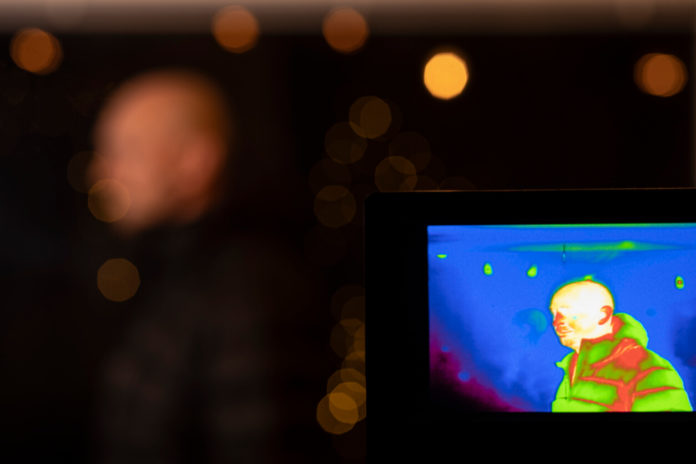
The TOPDON TC004 SE is the best thermal imaging camera for most buyers in 2026. Its 256 x 192 native thermal sensor, smooth 25 Hz refresh rate, low-noise imaging, long battery life, and standalone design hit the practical sweet spot for home inspections, HVAC work, electrical troubleshooting, and automotive diagnostics.
If you need polished reports and dependable support, the FLIR C5 is the safer professional choice. For occasional home use, the TOPDON TC004 Mini costs less without dropping to the almost unusable resolution found in many cheap thermal imagers.
As a photographer, I judge a thermal camera by the same fundamentals that matter with any imaging tool: real sensor resolution, usable dynamic contrast, lens behavior, focus, handling, and how quickly the camera lets you interpret a scene. A large color display or an inflated “super resolution” number cannot recover detail that the thermal sensor never captured.
Best thermal imaging cameras at a glance
| Thermal camera | Best for | Native IR resolution | NETD | Frame rate | Temperature range |
|---|---|---|---|---|---|
| TOPDON TC004 SE | Best overall | 256 x 192 | <40 mK | 25 Hz | -4 to 842 F |
| FLIR C5 | Professional reports | 160 x 120 | <70 mK | 8.7 Hz | -4 to 752 F |
| TOPDON TC004 Mini | Best budget handheld | 128 x 128 | <40 mK | 25 Hz | -4 to 842 F |
| TOPDON TC001 | Android and Windows value | 256 x 192 | <40 mK | 25 Hz | -4 to 1022 F |
| FLIR ONE Pro USB-C | Best phone workflow | 160 x 120 | 70 mK | 8.7 Hz | -4 to 752 F |
| Seek Thermal CompactPRO | Phone sensor detail | 320 x 240 | <70 mK | >15 Hz | -40 to 626 F |
Specifications are manufacturer figures for the listed variants. Connector type, app support, bundles, and availability can change, so confirm the exact version before ordering.
How I chose the best thermal cameras
This is an editorial buying guide, not a claim that every camera was tested in a controlled laboratory. I compared current manufacturer specifications, software support, physical design, reporting options, US availability, and the features that determine whether a thermal image is genuinely useful.
I gave the most weight to these factors:
- Native thermal resolution: This determines how much real temperature detail the sensor records. Enhanced or super-resolution output can improve presentation, but it is not equivalent to a higher-resolution detector.
- Thermal sensitivity: NETD describes the smallest temperature difference the camera can distinguish. Lower is better. It is not the same as temperature accuracy.
- Accuracy: This tells you how close a measured temperature should be to the true value under specified conditions.
- Frame rate: A 25 Hz image responds more naturally as you scan a wall or electrical panel than an 8.7 Hz image.
- Focus and field of view: Wide fixed-focus lenses suit rooms, walls, and equipment panels. A focusable lens is more useful for small components or distant subjects.
- Workflow: Storage, radiometric files, app reliability, image fusion, annotations, and report creation often matter more than another color palette.
1. TOPDON TC004 SE: Best thermal imaging camera overall
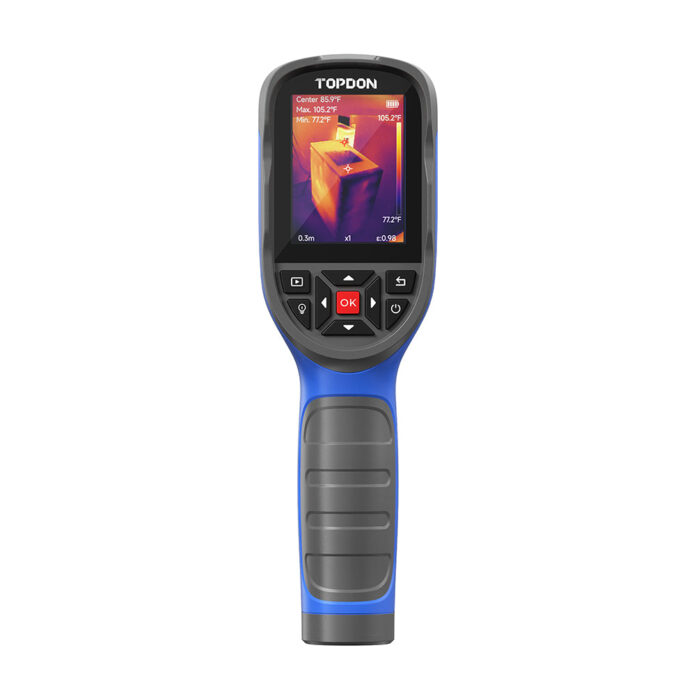
Key specifications: 256 x 192 native IR resolution, <40 mK NETD, 25 Hz, +/-2 C or 2% accuracy, -4 to 842 F range, IP54 protection.
The TC004 SE is the most balanced camera here. Its 49,152 thermal pixels provide enough detail to separate closely spaced pipes, trace insulation gaps, and identify small hot components without relying on aggressive software sharpening. The 25 Hz feed also makes scanning feel immediate rather than jerky.
It is a standalone tool with a 2.8-inch screen, 32 GB of storage, still and video capture, PC analysis, a tripod socket, and up to 21 hours of quoted battery life at low brightness. That combination is more convenient on a ladder, in a crawlspace, or beside an engine than balancing a phone with a small plug-in module.
The main compromise is image context. Unlike the FLIR C5, the TC004 SE does not use a visible-light camera to emboss recognizable edges over the thermal image. You get more native thermal detail, but FLIR’s MSX view can be easier to explain in a client report.
Pros:
- Strong native resolution for the price
- Smooth 25 Hz live view
- Very good <40 mK sensitivity
- Long battery life and large internal storage
- Standalone, rugged, and easy to carry
Cons:
- No visible-light image fusion
- PC software is less polished than FLIR’s reporting ecosystem
- Fixed focus limits close inspection of tiny circuit-board components
Buy it if: You want one capable thermal camera for home inspection, HVAC, electrical, automotive, and general maintenance work.
2. FLIR C5: Best thermal camera for professional reporting
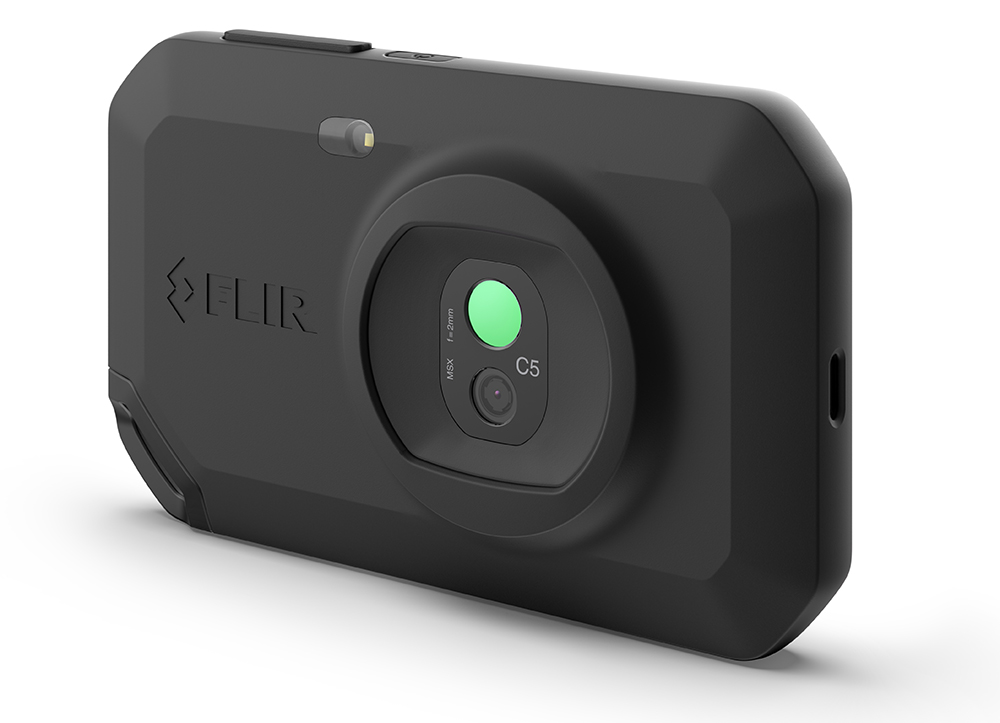
Key specifications: 160 x 120 native IR resolution, <70 mK NETD, 8.7 Hz, -4 to 752 F range, MSX image enhancement, Wi-Fi, IP54 protection.
The FLIR C5 does not win the specification contest, but it remains one of the easiest compact thermal cameras to use in a professional workflow. Its 5 MP visible camera and MSX processing overlay visible edges onto the thermal image. Labels, outlet plates, pipe joints, and equipment contours stay recognizable, which makes a report far clearer to a client who was not standing beside you.
The pocket-size body includes a 3.5-inch touchscreen, 1-touch level and span control, Wi-Fi, internal storage, and FLIR Ignite cloud integration. Radiometric JPEG files retain temperature data for later analysis rather than baking a simple color image with no measurement information.
The trade-off is value. Native resolution is only 160 x 120, the feed is limited to 8.7 Hz, and its <70 mK sensitivity trails the TOPDON models above. You are paying for FLIR’s software, image fusion, documentation, and support as much as the sensor.
Pros:
- Excellent MSX image context
- Simple touchscreen operation
- Radiometric files and useful reporting workflow
- Compact IP54 body with 2 m drop rating
- Established support ecosystem
Cons:
- Lower native resolution than cheaper rivals
- Slow 8.7 Hz refresh rate
- Built-in battery is not field replaceable
Buy it if: You produce inspection reports, share findings with customers, or value a mature workflow more than maximum pixels per dollar.
3. TOPDON TC004 Mini: Best budget thermal imaging camera
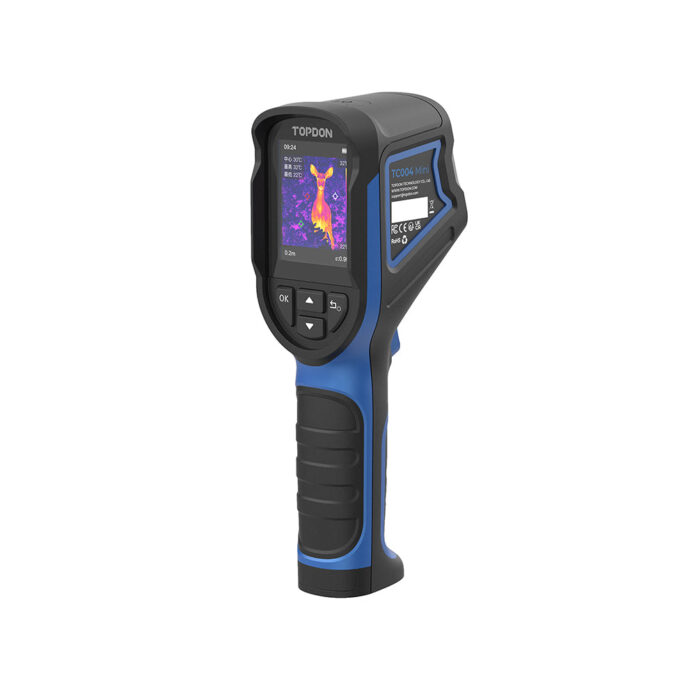
Key specifications: 128 x 128 native IR resolution, 240 x 240 TISR output, <40 mK NETD, 25 Hz, +/-2 C or 2% accuracy, -4 to 842 F range, IP54 protection.
Cheap thermal cameras often fall to 96 x 96 or even 80 x 60 sensors. That is enough to spot a large radiator or a broad insulation gap, but small electrical faults quickly turn into colored blobs. The TC004 Mini’s 128 x 128 detector is still modest, yet it is a sensible floor for occasional inspection work.
TOPDON’s TISR processing outputs a 240 x 240 image, but the important number is the native 128 x 128 resolution. What makes this model attractive is the rest of the package: <40 mK sensitivity, 25 Hz motion, hot/cold/center spot tracking, 15-hour quoted battery life, IP54 protection, and a 2 m drop rating.
It stores photos but does not record thermal video. The 2.4-inch display is also small, so it is better for finding a fault than presenting polished evidence to a customer.
Pros:
- Good sensitivity and frame rate for a budget model
- Standalone operation with long battery life
- Rugged enough for a tool bag
- Simple hot, cold, and center measurements
Cons:
- Only 128 x 128 native resolution
- No video recording or visible-light fusion
- Small display
Buy it if: You need an affordable tool for drafts, missing insulation, HVAC checks, automotive troubleshooting, and obvious hot spots.
4. TOPDON TC001: Best value phone thermal camera
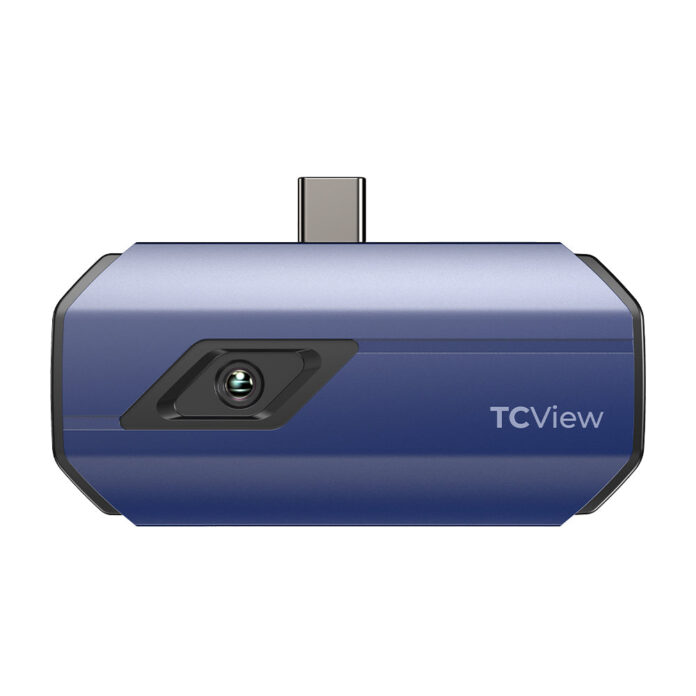
Key specifications: 256 x 192 native IR resolution, <40 mK NETD, 25 Hz, +/-2 C or 2% accuracy, -4 to 1022 F range, Android USB-C and Windows compatibility.
The TC001 puts the same useful 256 x 192 resolution and 25 Hz refresh rate into a 30 g phone module. For buyers who already carry a compatible Android phone, it delivers remarkable imaging performance without the cost and bulk of a separate screen, battery, and storage system.
The app adds point, line, and area measurements, alarms, image enhancement, recording, and temperature graphs. Those controls are genuinely useful when monitoring a component over time or comparing several parts of a scene.
A plug-in camera is less convenient when you are wearing gloves, working in a cramped space, or need your phone for calls. It also depends on operating-system compatibility and draws power from the phone. Confirm that your device supports USB OTG and check the connector orientation before buying.
Pros:
- Excellent native resolution and sensitivity for the money
- Smooth 25 Hz scanning
- Detailed app-based measurement tools
- No separate camera battery to charge
- Works with compatible Android and Windows devices
Cons:
- Not the correct choice for Lightning iPhones
- Phone compatibility must be checked carefully
- Awkward compared with a handheld unit in dirty or gloved work
Buy it if: You use Android or Windows and want the strongest image quality per dollar in a pocketable inspection camera.
5. FLIR ONE Pro USB-C: Best smartphone workflow
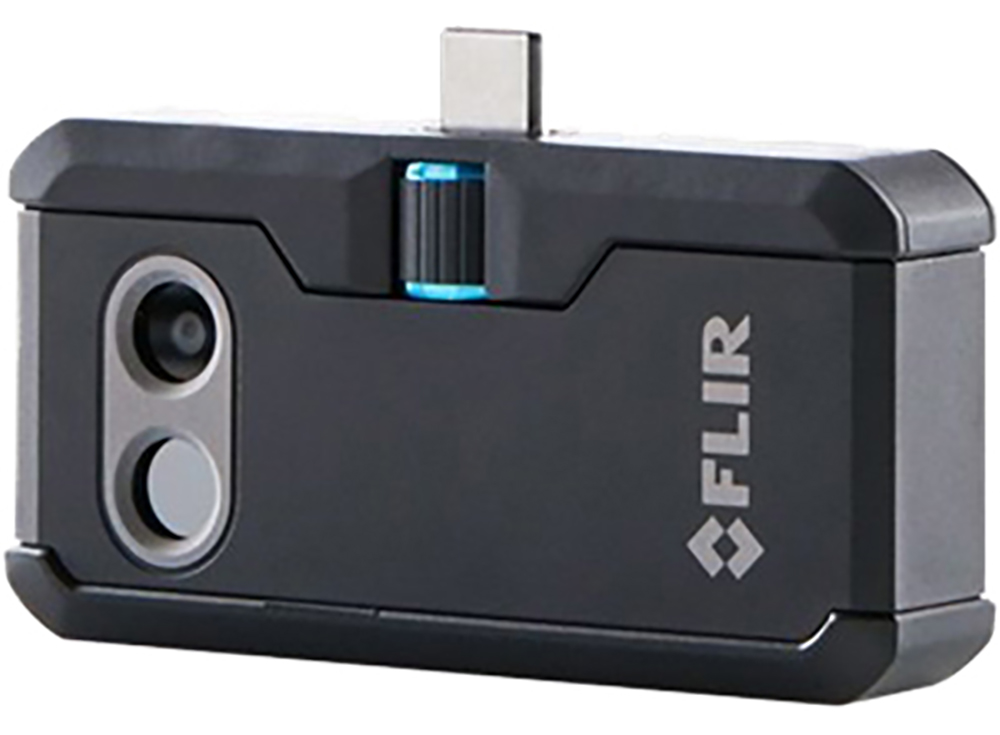
Key specifications: 160 x 120 native IR resolution, 480 x 360 VividIR output, 70 mK NETD, 8.7 Hz, -4 to 752 F range, MSX image enhancement.
The FLIR ONE Pro earns its place through software and image interpretation rather than raw resolution. MSX adds visible edges to the thermal view, while the app supports radiometric stills, video, multiple spot meters, and adjustable image blending. The result is easier to understand than a soft thermal image alone.
Its adjustable OneFit connector is helpful with many phone cases, and FLIR sells separate connector variants. The Amazon block here is for the Android USB-C version, so do not assume it is automatically the right version for every USB-C iPhone.
Battery life is the weak point at roughly one hour, and the camera needs its own charge. The 8.7 Hz feed is also visibly slower than a 25 Hz competitor. Choose it for app quality, MSX, and reports, not for maximum sensor resolution.
Pros:
- MSX makes faults easier to locate and explain
- Good app and radiometric file support
- Compact, case-friendly connector design
- Wide temperature range
Cons:
- Short battery life
- Only 160 x 120 native resolution
- 8.7 Hz refresh rate
- Connector variants can be confusing
Buy it if: You want FLIR’s app, MSX overlays, and a compact tool for documenting inspections on a compatible USB-C Android phone.
6. Seek Thermal CompactPRO: Best high-resolution phone attachment
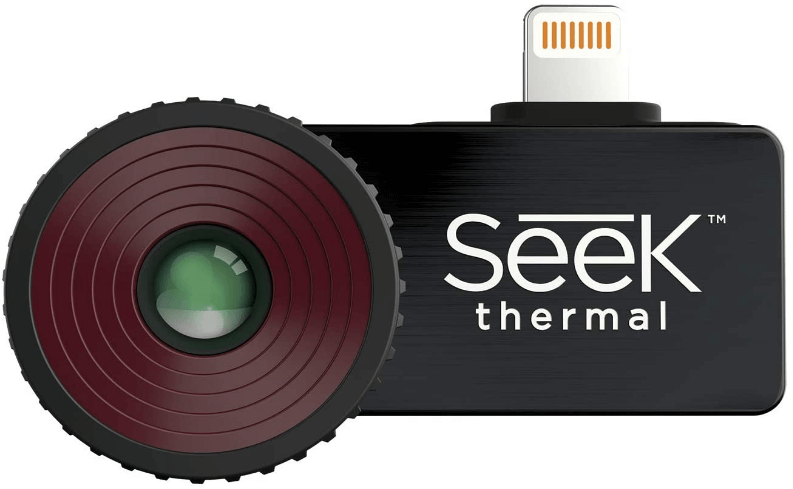

Key specifications: 320 x 240 native IR resolution, <70 mK NETD, more than 15 Hz, -40 to 626 F detection range, focusable lens.
The CompactPRO records 76,800 real thermal pixels, the highest native resolution in this guide. That extra detail helps when a fault is small in the frame, when temperature boundaries are subtle, or when you need to focus more precisely than a fixed-focus inspection camera allows.
Seek also provides manual span and level control, adjustable emissivity, multiple palettes, stills, and video. The focusable lens is valuable for electronics and more distant subjects, although it slows down quick room-to-room surveys because you must keep checking focus.
Compatibility is the deciding issue. CompactPRO has been sold in several connector versions, including older Lightning and Android formats. The product block here is the iOS version represented by that exact Amazon listing. Confirm the connector and current app support for your phone before ordering.
Pros:
- Excellent 320 x 240 native thermal detail
- Focusable lens
- Faster refresh than 9 Hz models
- Manual span, level, and emissivity controls
- No internal battery to maintain
Cons:
- Connector and app compatibility require careful checking
- Manual focus is slower for rapid surveys
- No visible-light MSX-style overlay
Buy it if: Native thermal detail matters most and you have confirmed compatibility with the exact phone and connector version.
How to choose a thermal imaging camera
Start with the job, not the maximum temperature
A homeowner looking for drafts and missing insulation needs a wide field of view, good sensitivity, and enough resolution to recognize wall and ceiling patterns. An electrician benefits from clear hot-spot tracking and safe working distance. Electronics work calls for higher resolution, low NETD, and often a focusable lens. A home inspector may care most about annotation, radiometric files, and fast report creation.
A huge upper temperature limit looks impressive but adds little value if you are checking windows, ductwork, radiators, and breaker panels.
Buy enough native IR resolution
I recommend 128 x 128 as the practical minimum for occasional home use. A 160 x 120 sensor is adequate for general troubleshooting, while 256 x 192 gives a visible step up in detail. A 320 x 240 detector is useful for small targets, complex equipment, and images that need to survive closer inspection.
Always separate native detector resolution from display resolution and software-enhanced output. A 640 x 480 screen does not turn an 80 x 60 thermal sensor into a 640 x 480 thermal camera.
Do not confuse sensitivity with accuracy
NETD is measured in millikelvin. A camera rated below 40 mK can distinguish smaller temperature differences than one rated below 70 mK under comparable conditions. That helps reveal faint insulation gaps, moisture patterns, and subtle thermal bridges.
Accuracy is separate. A specification such as +/-2 C or 2% describes measurement uncertainty under stated conditions. For diagnosis, the pattern and temperature difference are often more useful than treating one displayed number as laboratory truth.
Choose handheld or phone-connected
A standalone thermal camera is faster to grab, easier with gloves, more rugged, and does not tie up your phone. A phone attachment is smaller and often gives you better image quality for the money because the phone supplies the screen, processor, storage, and battery.
For occasional home checks, a phone module makes sense. For paid inspections or frequent maintenance work, I prefer a dedicated handheld camera.
Check focus, emissivity, and file format
Fixed-focus cameras are quick and convenient for buildings and general equipment. Focusable lenses take more time but can resolve small components and distant targets better.
Adjustable emissivity matters when measuring different surfaces. Shiny bare metal reflects surrounding infrared energy and can produce misleading readings. Whenever possible, compare similar materials at similar angles and confirm a suspicious result with another measurement method.
For professional reporting, choose a camera that saves radiometric images. These retain temperature data for analysis after capture. A normal JPEG is only a picture of the palette shown on screen.
Our verdict
The TOPDON TC004 SE is the best thermal imaging camera for most people. It combines useful 256 x 192 native detail, <40 mK sensitivity, a fluid 25 Hz image, long battery life, and a rugged standalone body at a competitive price.
Choose the FLIR C5 when client-facing reports, MSX overlays, and established software support matter more than specifications per dollar. Choose the TOPDON TC004 Mini for occasional household diagnosis on a smaller budget.
FAQs
What is the best thermal imaging camera for home inspections?
The TOPDON TC004 SE is the best all-around choice for home inspections because its 256 x 192 sensor and <40 mK sensitivity can reveal insulation gaps, HVAC problems, thermal bridges, and moisture-related temperature patterns. The FLIR C5 is better when you need polished reports for clients.
Can a thermal camera see through walls?
No. A thermal camera reads infrared energy from the wall’s surface. It can reveal patterns caused by missing insulation, pipes, air leakage, moisture, or heat sources behind the wall, but it does not see through the material.
Can a thermal camera find water leaks?
It can help locate the cooler or warmer surface pattern created by moisture and evaporation, but it does not directly detect water. Confirm the finding with a moisture meter and a physical inspection before opening a wall.
Is 160 x 120 thermal resolution enough?
Yes for broad home, HVAC, and electrical troubleshooting. Move closer when safe so the target fills more of the frame. For small electronics, distant subjects, or detailed reports, 256 x 192 or 320 x 240 native resolution is a worthwhile upgrade.
Can I use a thermal imaging camera to check for fever?
Do not use these general inspection cameras to diagnose fever or make medical decisions. Their accuracy, calibration, intended measurement distance, and operating conditions are not substitutes for an approved clinical thermometer or medical screening system.
What does NETD mean on a thermal camera?
NETD measures thermal sensitivity, or how small a temperature difference the camera can distinguish. Lower numbers are better: <40 mK is more sensitive than <70 mK. NETD does not tell you the camera’s absolute temperature accuracy.
Last update on 2026-07-04 / Affiliate links / Images from Amazon Product Advertising API