





View full specs
Specifications checked: RAW support, screen design, audio, battery endurance and storage limits were verified against the official Kodak PIXPRO AZ653 specifications on July 11, 2026.
Who the Kodak Pixpro AZ653 is really for
The kind of photographer who will enjoy this camera
If you want a camera that lets you photograph almost anything from a single comfortable body, the Kodak Pixpro AZ653 is a strong contender. This is a long zoom camera designed for people who love flexibility and convenience. Beginners who want to graduate from smartphone photography, as well as hobbyists who do not want the size, price, or complexity of DSLR or mirrorless systems, will find the AZ653 appealing.
With its 65x optical zoom, this bridge camera suits those who want to capture distant wildlife, action at sporting events, or sweeping landscapes, all without carrying extra lenses. If you enjoy experimenting with different perspectives but do not want to invest in an interchangeable lens system, the AZ653 makes a lot of sense.
Where a bridge camera makes more sense than a DSLR
For many, a bridge camera like the Kodak Pixpro AZ653 is about practicality. If you value simplicity and do not want to swap lenses, worry about sensor cleaning, or haul a heavy kit, this camera is worth considering. Carrying a single device that covers everything from wide group shots to extreme telephoto means you can travel lighter and react faster to unexpected photo opportunities.
- Vacations and sightseeing, where versatility and portability matter
- Family events, where switching lenses is inconvenient
- Birdwatching or nature walks, when you cannot get close to your subject
DSLRs and mirrorless cameras still win for ultimate image quality, but if you want a no-fuss solution and do not plan to print large images, a bridge camera is often the more relaxed and enjoyable choice.
Best use cases for travel, wildlife, and casual family shooting
Travelers will appreciate the AZ653’s ability to adapt to cityscapes, distant architecture, or wildlife in a national park. I have used it for zoo trips, local hikes, and even backyard bird photography, and the zoom reach is genuinely impressive for such a compact package.
For family events, the AZ653 works well thanks to its scene modes and face detection, simplifying group photos or candid moments. Wildlife and sports shooters on a budget can capture action that would be impossible on a standard smartphone.
- Wildlife at a distance (birds, animals at the zoo, etc.)
- Travel snapshots, landmarks, street scenes, and group portraits
- Everyday family moments, school events, and outdoor activities
Who should skip it and look elsewhere
There are real limitations. If you want the fastest autofocus, the best low-light photos, or pro-level video features, you may feel restricted. Photographers who demand the shallow depth of field possible with larger sensors or substantially cleaner high-ISO files may still be disappointed. The AZ653 does support RAW and RAW+JPEG, but its small sensor limits how far difficult files can be pushed.
For those already invested in interchangeable lens cameras, or who want the very best in image quality, the AZ653 will feel like a step down. Enthusiasts who shoot in challenging light, do serious sports photography, or need advanced manual controls should consider other options.
In summary, the Kodak Pixpro AZ653 review finds this camera ideal for beginners, travelers, and families who want a big zoom in a simple, affordable package. If you need pro-level performance, look at more advanced models or consider compact digital cameras making a comeback in 2026.
Key specifications that matter in daily shooting
65x zoom range and what it means in practice
The highlight spec of the Kodak Pixpro AZ653 is the 65x optical zoom, covering a range from 24mm (wide angle) to 1560mm (super telephoto) in 35mm equivalent terms. In daily use, this zoom lets you frame wide landscapes or capture a bird perched at the top of a tall tree without moving your feet.
Unlike digital zoom, which simply crops the image, optical zoom maintains full sensor resolution and clarity. This is especially useful for wildlife, sports, or candid street photography. However, keep in mind that at the maximum zoom, stability and light become crucial for sharp photos – tripods or steady hands help significantly.
Sensor resolution and image processing basics
The AZ653 uses a 20-megapixel 1/2.3-inch BSI CMOS sensor. This resolution is standard for bridge cameras and allows for prints up to A3 size if you shoot carefully. In practice, the sensor produces detailed images in good light, but it is not as forgiving in poor conditions as larger sensors in DSLRs or mirrorless models.
Color processing leans toward punchy, crowd-pleasing tones, which works well for casual shooters. However, advanced users may notice some compression artifacts and a drop in dynamic range compared to more expensive cameras.
Lens aperture, stabilization, and shooting modes
The built-in lens features a variable aperture, starting at f/2.9 at wide angle and narrowing to f/6.7 at telephoto. While the fast aperture at wide angle is helpful for indoor or low-light shots, the lens does become slower as you zoom in. This means you’ll need more light or higher ISO for distant subjects.
Optical image stabilization is built in, which helps counteract camera shake – especially useful at full zoom. The camera also offers a range of shooting modes, including fully automatic, scene presets, and manual controls. For most users, the automatic modes handle exposure well, but enthusiasts will appreciate the option to tweak settings manually.
Video specs, burst shooting, and connectivity
The AZ653 records Full HD (1080p) video at up to 30 frames per second, suitable for casual use and family events. It is not a replacement for a dedicated video camera, but stabilization helps keep handheld footage fairly smooth. Burst shooting tops out at 5 frames per second, which is enough for basic action but not for serious sports photographers.
On the connectivity side, the camera includes Wi-Fi for easy photo sharing and remote control via a smartphone app. This is a welcome feature for travel and social media sharing, though the app experience is basic compared to more advanced brands.
To sum up, the Kodak Pixpro AZ653 specs focus on a huge zoom range, solid resolution, and user-friendly features. If you want a camera that covers almost every situation without fuss, these features make the AZ653 a practical and enjoyable choice.
Design, grip, and overall handling in the field
Body layout and first impressions in hand
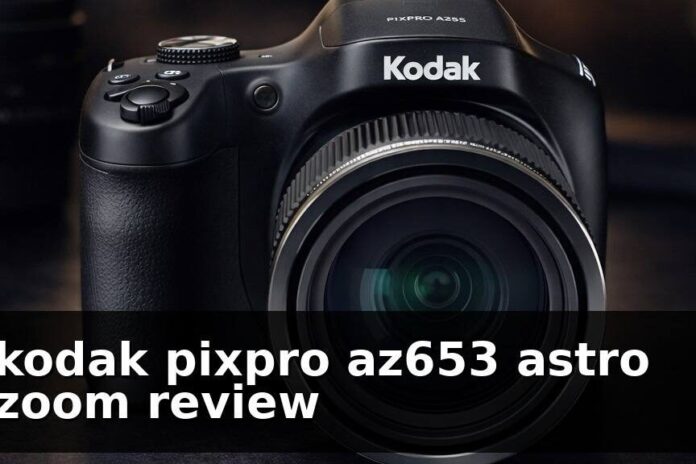
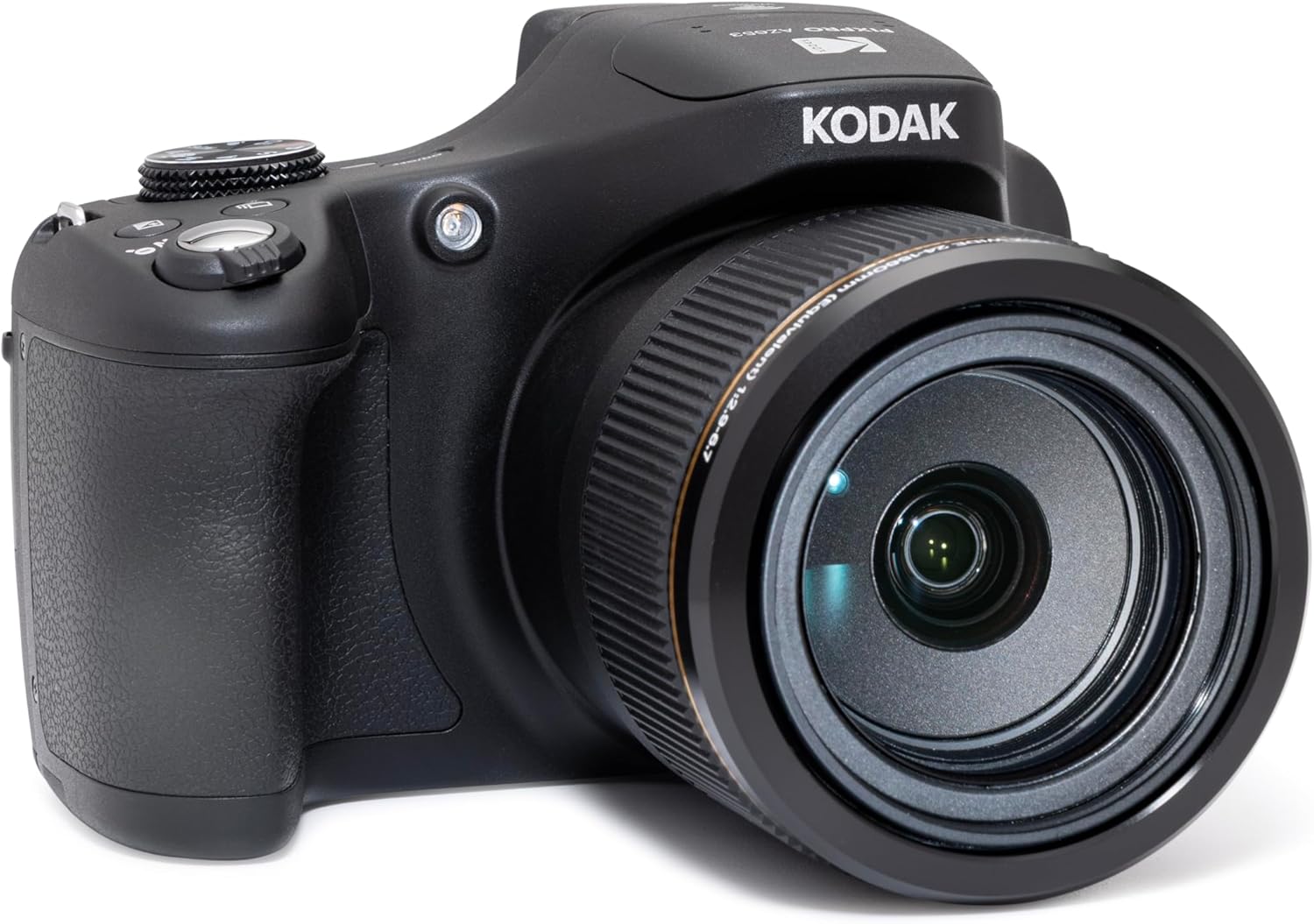
The Kodak Pixpro AZ653 looks and feels like a classic bridge camera, with a prominent grip and a body that balances well with the oversized lens. It is larger than a compact camera but smaller and lighter than most DSLRs. The polycarbonate construction keeps weight down while still feeling solid and substantial in hand.
The camera’s design is straightforward. Most users will feel comfortable with it after a short familiarization period. The mode dial, zoom lever, and main controls are easy to find and use, even with gloves in cold weather.
Physical buttons are logically placed for quick access to zoom, flash, playback, and menu functions. The main menu is organized into clear tabs. I found it easy to change settings on the fly, though the navigation is not as fast as on some premium models.
- Dedicated zoom lever around the shutter button for intuitive focal length changes
- Separate buttons for video record and playback
- Menu and info buttons are reachable with your right thumb
For beginners, the menu system is simple to learn. Advanced users will want faster shortcuts, but for most, the controls are well laid out.
How the grip feels during long shooting sessions
The grip is chunky and comfortable for long periods, even when shooting at full zoom. I have used the AZ653 for hours during hikes and events, and hand fatigue was rarely an issue. The textured rubber and ergonomic shape help maintain a secure hold, which is vital when tracking moving subjects or shooting video.
Portability versus the size of the zoom lens
While not pocket-size, the AZ653 fits easily in a small backpack or shoulder bag. The large lens barrel is a trade-off for the massive zoom range, but it does not feel unwieldy. For travel or wildlife days, you get all-in-one versatility without the need for extra lenses or accessories.
In terms of bridge camera ergonomics, the AZ653 strikes a good balance between comfort, usability, and portability. For casual use and travel, the size is rarely a burden.
Zoom performance from wide angle to full telephoto
How usable the zoom range feels at everyday distances
The real-world experience of using the AZ653’s zoom is impressive. At 24mm, you can capture wide landscapes or big group shots indoors. As you zoom in, you quickly reach focal lengths that would require a huge, expensive lens on a DSLR.
For wildlife, sports, or kids’ performances, the long zoom lets you fill the frame with distant action. However, at maximum reach, careful technique and good light are important for sharp results.
Sharpness changes across the focal range
Sharpness is best from wide angle up to about 400mm. Beyond that, images soften slightly, especially at the extreme telephoto end. For web sharing or small prints, the quality remains good, but if you crop heavily or print large, the softness becomes more noticeable.
This is typical of most superzoom lenses. The AZ653 holds up well for its class, but managing expectations at full zoom is important.
Stabilization performance at extreme zoom
Optical image stabilization is essential at maximum zoom, and the AZ653’s system does a solid job. Handheld shots at 1560mm are possible, though your success rate will improve with a steady stance or by bracing against a solid surface. For best results at full telephoto, consider using burst mode and reviewing several frames.
Tips for getting cleaner shots at maximum reach
- Use higher shutter speeds to freeze movement and reduce blur
- Brace elbows against your body or a stable object
- Use burst mode to maximize your chance of a sharp image
- Consider a lightweight tripod or monopod for distant wildlife
Overall, the Kodak Pixpro AZ653 zoom performance delivers huge creative flexibility, especially for travel and wildlife. With a bit of care and practice, you can get clean, sharp shots at distances most cameras cannot reach.
Image quality in bright light, shade, and low light
Color, contrast, and detail in daylight
In good light, the AZ653 produces punchy, vibrant images with plenty of detail. Colors are bright and contrasty, making landscapes and portraits look lively right out of the camera. The lens is sharpest at the wide and mid-zoom ranges, and JPEG files are ready for sharing with minimal editing.
How the sensor handles indoor scenes and cloudy weather
Indoors or on cloudy days, the small sensor starts to show its limitations. Images are still usable, but you may notice a drop in detail and more visible noise, especially in shadow areas. The built-in flash is fine for close subjects, but it is not powerful enough to light a large room.
Noise levels as ISO rises
As you raise the ISO for dim conditions, noise becomes noticeable from ISO 800 upward. At ISO 1600 and above, fine detail drops off, and colors become less accurate. For best results in low light, stick to lower ISO settings and use a tripod if possible.
RAW, RAW+JPEG, and editing headroom
nUnlike several cheaper PIXPRO models, the AZ653 records JPEG, RAW, or RAW+JPEG. RAW capture gives you more control over white balance, sharpening and exposure adjustments, but the 1/2.3-inch sensor still has less highlight and shadow latitude than a larger-sensor camera. RAW is useful here; it does not remove the camera’s low-light limitations.
Overall, Kodak Pixpro AZ653 image quality shines in bright light and everyday snapshots, while low light and high ISO images show the trade-offs of a small sensor. For travel, family, and web sharing, results are more than satisfactory.
Autofocus speed, accuracy, and shooting responsiveness
Single-shot autofocus in good light
In bright conditions, autofocus is quick and accurate. The camera locks onto subjects with little hunting, making it reliable for street, travel, and landscape shots. Face detection is effective for group photos and portraits.
Focus behavior at long zoom distances
At full telephoto, autofocus slows down and can hunt for focus, especially in lower light or with small, moving subjects. For wildlife or sports, pre-focusing on a spot or switching to manual focus helps. The lens does not have a focus ring, so manual focus is controlled via buttons, which is less intuitive but manageable for patient shooters.
Startup time, shot-to-shot speed, and burst limitations
Startup time is typical for a bridge camera – about two seconds from power-on to shooting. Shot-to-shot speed is reasonable in daylight but slows with longer exposures or when the flash is used. The 5fps burst mode is helpful for capturing action but is limited by a small buffer, so you can only shoot a few frames in a row before the camera pauses to write to the card.
How responsive the camera feels for moving subjects
While the AZ653 is not a dedicated action camera, it is responsive enough for casual wildlife, sports, and family moments, as long as you anticipate the action. For fast-moving subjects, keeping the zoom at mid-range helps maintain focus speed and image clarity.
In summary, Kodak Pixpro AZ653 autofocus and responsiveness are good for everyday photography, with some expected trade-offs at extreme zoom or in poor light. For most beginners and hobbyists, the performance is more than adequate, especially considering the price and zoom range.
Video quality and usability for casual creators
What to expect from video resolution and detail
If you are wondering whether the Kodak Pixpro AZ653 is a good bridge camera for video, the answer depends on your expectations. This camera records Full HD (1080p) video at up to 30 frames per second. For travel camera recording, that is usually enough for clips to share on social media or for family memories. Detail is decent in good light, but you will not get the crispness or dynamic range of a modern mirrorless camera or high-end smartphone. Textures hold up well at wide angle, but at full zoom, some softness and noise creep in, especially if light drops or you shoot indoors.
For most casual creators, you can expect video that looks fine on a phone or laptop screen, but falls short of cinematic or professional standards. If you plan to edit or crop your footage heavily, keep your expectations modest. The AZ653’s sensor and processing are not tuned for advanced color grading or high-bitrate recording, but for quick, practical clips.
Stabilization and zoom behavior while recording
A standout feature is the built-in optical image stabilization. When you are handholding at 65x zoom, this stabilization is essential for keeping footage steady. However, it is not as smooth or “floaty” as the best digital gimbals or in-body stabilization on pricier cameras. If you are walking while recording, you will see some jitter, but for static shots or slow pans, it helps a lot. The zoom motor is reasonably quiet, so you can zoom while filming without loud mechanical noise ruining your audio.
However, the zoom lever is not the most precise. Fast zooms can create a jumpy look, especially at higher magnifications. For best results, zoom slowly and avoid abrupt changes. If you value smooth, continuous zoom for travel vlogs, you might notice the difference compared to higher-end bridge cameras.
Audio limitations and practical workarounds
Audio is one of the Kodak Pixpro AZ653’s clear limitations. There is no external microphone input, so you are limited to the built-in stereo microphones. Indoors with little background noise, audio is OK for casual clips. Outdoors, wind and ambient sounds can quickly overwhelm your voice or subject. If you want to record usable sound for interviews or vlogging, you will need to stand close to the camera or record audio separately with your phone or a dedicated audio recorder.
A few practical workarounds:
- Use a foam windscreen (DIY or commercial) over the mic to reduce wind noise.
- Position your subject within a meter for best voice pickup.
- Sync external audio in post-production if you want higher quality sound.
Whether it works for travel clips and family videos
For travel, family, and casual event videos, the Kodak Pixpro AZ653 is a practical choice if you are not chasing perfection. The massive zoom lets you capture distant subjects that a phone cannot reach, such as wildlife, stage events, or sports. In bright conditions, color and clarity are pleasing. The 3-inch rear LCD is fixed rather than articulated or touch-sensitive, so low-angle framing and self-recording are less convenient than on a camera with a tilting screen.
If you want to record long clips, keep in mind the camera’s video files can get large and the sensor may heat up after extended recording. For most day-to-day uses – think birthday parties, sightseeing, or quick vlogs – the AZ653 delivers solid results, but if video is your main focus, you may want to consider a dedicated video camera or a newer compact camera with better audio and 4K.
Battery life, storage, and day-to-day reliability
How long the battery lasts in mixed shooting
Kodak rates the AZ653 at approximately 400 still images per charge under CIPA testing, or about 90 minutes of 1080p/30 video. Actual endurance varies with zoom, wireless use, playback and temperature, so a spare LB-070 battery is still sensible for a long travel or wildlife day.
Charging habits and carrying spares
Charging is via USB-C, which is a useful improvement for travelers because you can top up from a compatible wall charger or power bank. I would still pack a spare battery for long days, especially if you are using the long zoom heavily. After-market batteries are available and reasonably priced, so picking up one or two extras is smart. I always carry at least one fully charged backup to avoid missing shots late in the day.
Memory card considerations for photos and video
The AZ653 uses standard SD cards for storage. Kodak supports Class 10 SD, SDHC, and SDXC cards up to 1.5TB. For most buyers, a reputable 64GB or 128GB card is already ample for JPEG/RAW photos and 1080p video; format it in the camera before important shooting. I have not experienced corruption or major errors, but always format your card in the camera before a big shoot.
Reliability issues to watch for over time
In day-to-day reliability, the AZ653 is generally sturdy. The lens barrel is not weather-sealed, so avoid dusty or wet conditions. After months of use, the zoom mechanism can become slightly stiffer or noisier, especially if exposed to grit. The rear LCD is fixed, so there is no hinge to protect, but the extending lens remains the vulnerable part of the camera. To minimize avoidable problems:
- Keep firmware up to date from the official Kodak site.
- Store the camera in a padded bag when not in use.
- Avoid dropping or bumping the lens when extended.
Kodak Astro Zoom comparison: AZ255 vs AZ528 vs AZ653
The AZ653 is the reach-first option in the current Kodak Pixpro group. Before buying it, compare it with the AZ528 and AZ255 so you know whether the extra zoom is worth the larger body and higher price.
| Model | Best reason to buy it | Full review |
|---|---|---|
| AZ255 | Best budget Kodak zoom camera for casual buyers. | Kodak Pixpro AZ255 review |
| AZ528 | Best middle-ground bridge option with stronger reach. | Kodak Pixpro AZ528 review |
| AZ653 | Best Kodak Pixpro pick when maximum zoom is the priority. | Kodak Pixpro AZ653 review |
For the full lineup context, use the Kodak Pixpro cameras guide.
How it compares with rival superzoom cameras
Kodak Pixpro AZ653 vs Nikon Coolpix P950
The Nikon Coolpix P950 is a well-known rival in the superzoom category. The Nikon offers a longer 83x optical zoom (compared to the AZ653’s 65x), 4K video recording, and a larger, higher-resolution electronic viewfinder. In practice, the Nikon’s autofocus is faster and more accurate, especially for moving subjects. However, it is heavier, bulkier, and significantly more expensive. If your main goal is extreme reach and better video, the Nikon P950 pulls ahead – but for casual shooters or those on a budget, the AZ653 is easier to carry and use.
Kodak Pixpro AZ653 vs Canon PowerShot SX70 HS
The Canon PowerShot SX70 HS sits closer in price to the Kodak. It offers a 65x zoom, 4K video, and a responsive autofocus system. Colors are more vibrant out-of-camera, and Canon’s menus feel more refined. However, the Canon’s body is a bit smaller and lighter, making it a better travel companion for some. The AZ653, however, often costs less and is easier to find new or used. If you want better video and Wi-Fi features, the Canon is a stronger pick, but for pure zoom value, the Kodak keeps pace.
Pros and cons compared with smartphone zoom photography
Modern smartphones have improved digital zoom, but their reach and quality at long focal lengths still lag behind true superzooms. The AZ653 gives you real optical reach and better subject separation at distance. However, phones beat it in low light, video stabilization, and convenience. If you mostly shoot and share straight from your device, a phone might be all you need. For true wildlife, airshows, or distant sports, the Kodak wins by a landslide.
Where the AZ653 wins and where competitors pull ahead
The Kodak Pixpro AZ653 shines in affordability and user-friendly zoom power. Its main weaknesses are in video quality, autofocus speed, and advanced features. If your priorities are simplicity and maximum reach for the dollar, the AZ653 is a smart choice. If you need faster response and higher-end video, Nikon and Canon competitors offer more, but at a higher price and size.
Pros, cons, and the compromises you need to accept
What I genuinely like about the shooting experience
The shooting experience with the Kodak Pixpro AZ653 is fun and liberating. You can go from wide landscapes to tight wildlife portraits in seconds. The grip feels comfortable, and the controls are intuitive enough for beginners but flexible enough for enthusiasts. The fixed LCD is less convenient for high, low, or self-facing compositions than an articulated screen.
The biggest weaknesses to understand
The biggest weaknesses are the slow autofocus in dim conditions, the fixed non-touch screen, and the basic video features. Low light performance is also limited, and you will see noise and softness if you push the ISO. The absence of a hot shoe and external mic input limits creative expansion.
Features that sound better on paper than in practice
The 65x zoom is impressive, but at the maximum focal length, image quality drops and it is hard to keep subjects steady, even with stabilization. The “astro zoom” branding suggests stellar performance for moon and stars, but in reality, you need a tripod and patience to get sharp results. The Full HD video is fine for casual use, but not a replacement for 4K or advanced recording options.
How these trade-offs affect different buyers
If you value versatility, simplicity, and budget-friendliness, the compromises are easy to accept. For travel, wildlife, and everyday memories, the Kodak AZ653 gets the job done. If you are an advanced user or want to grow into more serious photography or videography, you may outgrow its capabilities quickly.
Final verdict and whether it is worth buying today
Best reasons to choose the AZ653 now
The best reason to choose the AZ653 is if you want an affordable superzoom that offers real reach, ease of use, and a comfortable grip. For new photographers or those upgrading from a phone, it is a dramatic step up in flexibility. It is especially appealing now that compact digital cameras are making a comeback in 2026, offering a meaningful alternative to always shooting with your phone.
When a different camera will serve you better
If you prioritize fast action, low light, or pro-quality video, look at the Nikon P950 or Canon SX70 HS. Smartphone shooters who value convenience and instant sharing may also find a modern phone more practical for most needs.
My recommendation based on budget and expectations
If you are on a budget, want a dedicated camera for travel, wildlife, or events, and accept its limitations, the AZ653 is still a strong value. Set realistic expectations, and it will deliver enjoyable results. If your budget stretches further or you want to grow as a photographer, consider saving for a higher-end superzoom or an entry-level mirrorless kit.
Who should buy used, new, or wait
Buy new if you want peace of mind and warranty. Used is a great option if you find one in good condition at a bargain price – just check the lens and zoom mechanism for wear. If you are hoping for a big leap in features, waiting for Kodak’s next update or upcoming compact cameras in 2026 might be wise. For many, though, the AZ653 delivers exactly what it promises: lots of zoom, simple controls, and fun for a fair price.
Is Kodak Pixpro AZ653 worth it? For the right photographer, yes. Just know what you are getting, and you might be pleasantly surprised by how much you can capture with this bridge camera’s powerful lens.
Kodak PIXPRO AZ653 alternatives
The main alternatives to the Kodak PIXPRO AZ653 are Nikon P950, Nikon P1000/P1100, Canon SX70 HS, Panasonic FZ80D. Compare autofocus, stabilization, video limits, lens choice and current price before deciding which camera fits you best.
Budget wildlife, travel, and hobby zoom buyers who want 65x reach without changing lenses.
You need 4K video, a large sensor, fast action autofocus, weather sealing, or proven used value.
Low in Auto mode, with enough PASM control for learning exposure later.
Nikon P950/P1000/P1100 for more reach, or mirrorless if image quality matters more.
Full HD only; it is a stills-first bridge camera rather than a creator video tool.
Yes near launch price if 65x zoom is the draw; no if used Nikon superzooms cost similar money.


