



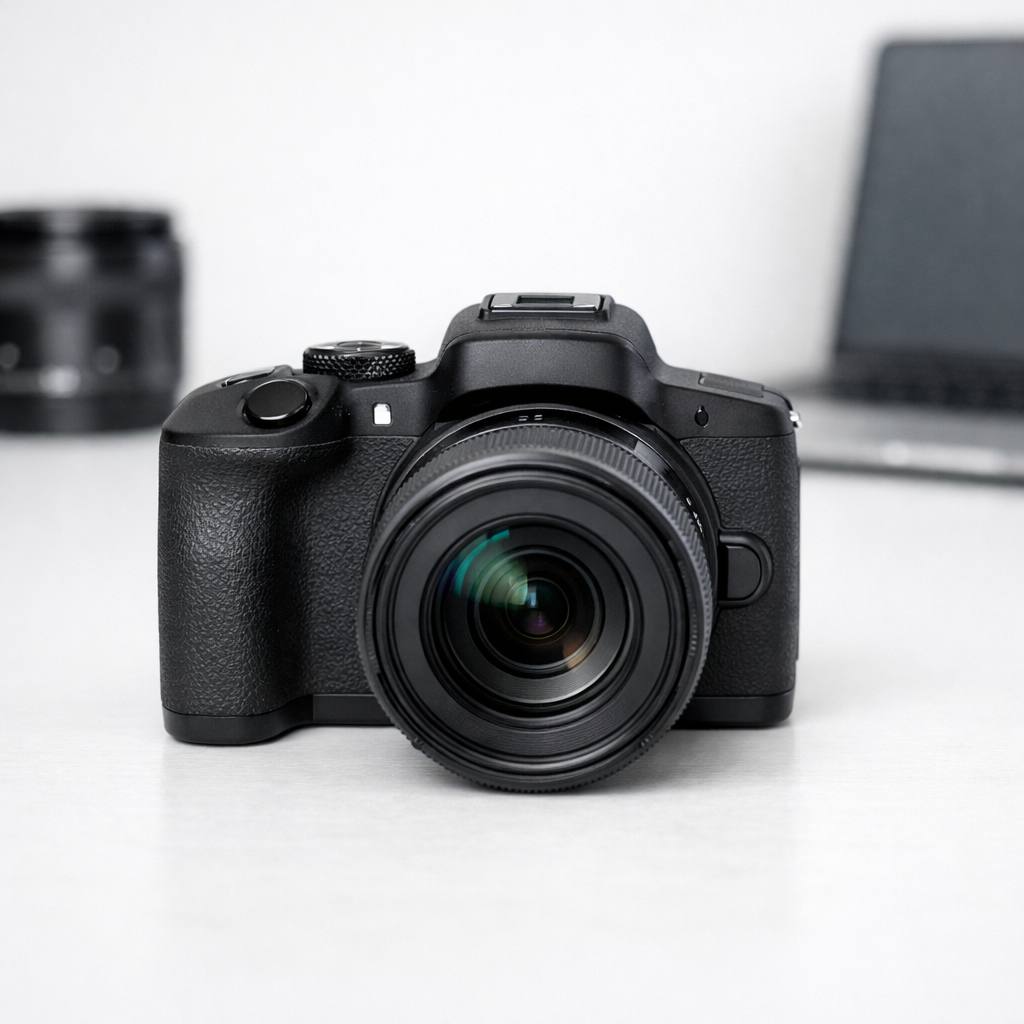
Contents
- Who the Canon EOS R50 v is really for
- Design, handling and everyday usability
- Sensor performance and image quality in practice
- Autofocus, speed and reliability for stills
- Video features, vlogging and creator tools
- Lens choices and building an RF-S kit
- Connectivity, battery life and workflow
- Canon EOS R50 v vs rivals and siblings
- Pros, cons and who should buy the Canon EOS R50 v
- Recommended settings, accessories and setup tips
Who the Canon EOS R50 v is really for
Target users and shooting styles
If you’re curious about who is Canon EOS R50 v for, the answer is simple: it’s designed for creators, casual shooters, vloggers, and anyone stepping up from smartphones or older compact cameras. The R50 v is especially appealing to those who want a camera that is easy to use, light to carry, and delivers noticeably better results than their phone. It’s ideal for:
- Travelers who want great photos and video without bulky gear
- Content creators filming for YouTube, TikTok, or Instagram
- Families capturing kids, pets, and everyday adventures
- Beginner photographers eager to learn with room to grow
The R50 v excels for those who want simple controls, fast autofocus, and reliable video features. If you often shoot on the go, need quick setup, or want to switch between stills and video often, it’s a natural fit.
Is the Canon EOS R50 V good for YouTube and beginner creators?
Yes. The Canon EOS R50 V is a strong fit for YouTube, vlogging, and beginner creator work because it combines reliable autofocus, simple menus, useful video tools, and an upgrade path that makes more sense than most fixed-lens alternatives. If you are weighing Canon EOS R50 V vs R50, the V model stands out for creator-focused handling and video-first usability, while the standard R50 remains the simpler stills-first option for casual photography.
How it fits into Canon’s mirrorless lineup
Canon’s mirrorless lineup can look confusing at first, but the R50 v sits near the entry-level end of the RF mount family. It’s more affordable and smaller than the EOS R10, with a stronger emphasis on video and creator tools compared to models like the older M50 Mark II or the more advanced R7. The R50 v is the clear successor to Canon’s popular entry APS-C cameras, now reimagined for the current wave of hybrid shooting and social sharing.
In practice, it bridges the gap between classic compact digital cameras and Canon’s more professional RF bodies. For anyone watching the comeback of compact digital cameras in 2026, the R50 v feels like the logical modern evolution: pocket-friendly, but powerful enough for real creative work.
When the EOS R50 v is the wrong choice
While the R50 v is versatile, it’s not for everyone. If you shoot fast action sports, need extensive manual controls, or demand pro-grade weather sealing, you may want to consider the Canon EOS R10 or R7. The R50 v lacks a large hand grip, dual card slots, and some advanced video options. For heavy-duty work, or if you already own a set of EF lenses and want the best autofocus tracking for wildlife or sports, you might outgrow the R50 v quickly.
Also, those who shoot in very low light often, or need extended battery life for all-day events, may find the R50 v’s limits show up sooner than expected. It’s best viewed as a highly capable step up from a phone or basic camera, not as a pro workhorse.
My own use cases with the R50 v
Personally, I’ve used the R50 v for street photography, weekend family outings, and quick video projects. It slips easily into a small shoulder bag, so I’m never tempted to leave it behind. The touchscreen and autofocus make it almost as quick as my phone, but with richer colors and more creative control. For vlogs and behind-the-scenes clips, the flip screen and microphone input mean I can shoot solo with confidence. It’s become my go-to for situations where bigger gear would draw attention or slow me down.
Design, handling and everyday usability
Body size, weight and ergonomics in the hand
The Canon EOS R50 v is one of the smallest mirrorless cameras in Canon’s RF lineup. Weighing just over 375 grams with a battery and card, it feels almost featherlight compared to traditional DSLRs. The body is well-balanced with the kit RF-S 18-45mm lens or any of the small RF-S primes. Despite its compact frame, the R50 v doesn’t feel cramped. The grip is modest but comfortable for small to medium hands. I’ve carried it all day during city walks without fatigue.
Button layout, dials and touchscreen experience
Canon’s design team clearly had simplicity in mind. The controls are intuitive, with a mode dial, a single main dial, and dedicated buttons for video recording and playback. The rear touchscreen is crisp and responsive, offering full menu navigation and touch-to-focus. You can swipe through images, tap to set focus points, or even use the touch shutter for candid shots. For beginners, the touchscreen makes learning settings much less intimidating. I find myself using touch controls often, especially when shooting from awkward angles.
Viewfinder quality and shooting comfort
The built-in electronic viewfinder (EVF) is bright, sharp, and perfectly usable in daylight. While it’s not as large as the EVFs on higher-end models, it’s more than enough for composing, reviewing focus, or checking exposure. For glasses wearers, the diopter adjustment and eye relief are decent, though those with larger spectacles might prefer using the rear screen. In crowded or sunny environments, I appreciate having a reliable EVF to fall back on.
Menus, guided modes and learning curve for beginners
Canon’s menu system on the R50 v is beginner-friendly without feeling dumbed down. There are guided modes and a visual menu interface that explains settings in plain language, making the learning curve gentle for new users. You can switch to the classic tabbed menus if you prefer more control. The creative assist feature helps you experiment with background blur, color, and brightness using sliders rather than technical jargon. This is a real confidence booster for anyone still learning photography basics.
Real-world handling: street, travel and family shoots
Out on the street or traveling, the R50 v’s handling shines. It powers on quickly, focuses fast, and fits easily in a small bag or even a large jacket pocket with the 18-45mm lens. The silent shutter option is perfect for candid moments or quiet events. When shooting family gatherings, the compact size means people are less self-conscious than when faced with a big camera. I’ve found it quick to grab, shoot, and put away – ideal for spontaneous moments.
Of course, the smaller body comes with trade-offs: the grip is less substantial for those with large hands, and the lack of a second dial can slow down advanced adjustments. Still, for most casual and creator use, these are minor issues.
Sensor performance and image quality in practice
Resolution, dynamic range and color rendering
The R50 v uses a 24.2MP APS-C sensor, offering a good balance of detail and manageable file sizes. In real-world shooting, images are crisp with plenty of latitude for cropping. Dynamic range is solid for an entry-level camera, handling bright skies and shadowy interiors with ease. Canon’s color science is famous for a reason: JPEGs straight out of camera look natural, vibrant, and flattering, especially for skin tones and landscapes.
High ISO performance and low light behavior
Low light is a common worry for smaller sensors, but the R50 v holds up well. At ISO 3200, noise is visible but still controlled, and detail remains strong up to ISO 6400 for web or social media use. Pushing further, you’ll see more grain and color shift, but for casual shooting indoors or at events, the results are impressive for this class. The built-in noise reduction does a good job for JPEGs, though RAW files offer more flexibility if you want to fine-tune in editing.
JPEG engine vs RAW files and editing latitude
Canon JPEGs are pleasing out of the box, requiring little post-processing for everyday snaps. For those who want to push shadows, tweak white balance, or recover highlights, the RAW files provide enough latitude for moderate editing. I often shoot RAW+JPEG for important events, using the JPEGs for quick sharing and the RAWs for later edits. The R50 v’s sensor won’t match full-frame bodies for deep shadow recovery, but it’s more than capable for 95% of daily use.
Skin tones, landscapes and mixed lighting examples
Where the R50 v really stands out is in real-world scenes. Skin tones look natural and not overly pink or yellow. Landscapes pop with rich greens and blues, especially in golden hour light. In mixed lighting, such as an indoor party with window light and lamps, the auto white balance does a great job keeping colors true. I’ve shot birthday parties, outdoor hikes, and city nights with reliable, pleasing results every time.
How the sensor compares to older Canon APS-C bodies
Compared to older Canon APS-C cameras like the M50 II or Rebel DSLRs, the R50 v’s sensor offers better dynamic range, improved high ISO, and noticeably cleaner colors. The jump in image quality is clear when comparing side by side, especially in tricky lighting. If you’re upgrading from a Canon Rebel or M-series body, you’ll notice the difference immediately, especially in detail and low light performance.
Autofocus, speed and reliability for stills
Dual Pixel AF coverage and focus modes
Canon’s Dual Pixel autofocus is a standout feature. The R50 v covers nearly the entire frame with AF points, making it easy to focus on off-center subjects. There are multiple focus modes: single-point, zone, and wide area, so you can tailor your approach. For general photography, I use the tracking mode most, as it keeps moving subjects sharp even when they dart around the frame.
Face, eye and subject tracking accuracy
Face and eye detection are fast and sticky. In my tests, the camera locked onto faces even as kids ran through a playground or turned their heads. It tracks eyes accurately, even in low indoor light. For vlogging, this means you can hold the camera at arm’s length, move around, and trust that you’ll stay in focus. Subject tracking also works well with pets and bicycles, though very fast sports may challenge the system at times.
Burst rates, buffer depth and rolling shutter
The R50 v shoots at up to 12 frames per second with the electronic shutter, or 15fps with the electronic shutter mode, though the buffer fills quickly when shooting RAW. For short bursts – say, a kid jumping or a dog running – it’s more than fast enough. Rolling shutter is present if you pan rapidly, but for most family and travel action, it’s not a problem. For longer bursts or pro-level sports, you may want a higher-end model.
Sports, kids and pets: real-world keeper rate
In everyday action, my keeper rate is high. The autofocus rarely misses unless the subject is backlit or moving erratically. For sports day at school or chasing my dog at the park, I get sharp results in most frames. The camera’s silent mode is a bonus for candid moments, letting you shoot without drawing attention.
Limitations you should know before a paid shoot
If you’re considering the R50 v for paid gigs, know its limits: the buffer is modest, and the lack of dual card slots means less backup safety. AF tracking is great for casual events but may struggle with erratic or super-fast movement. For weddings, pro sports, or high-pressure gigs, a higher-tier Canon body will offer more reliability and speed. For everything else, it’s a joy to use.
Video features, vlogging and creator tools
Resolution options, frame rates and crop factors
The Canon EOS R50 v video options are strong for a camera in this class. You get 4K at up to 30p with no additional crop, plus Full HD up to 60p for smooth slow motion. There’s also a vertical video mode for TikTok and Instagram Reels. The lack of a heavy crop in 4K is a big plus for wide shots and walk-and-talk vlogs.
Autofocus behavior in video and subject tracking
Autofocus in video mode is smooth and confident. Face and eye tracking work as well in video as in stills, making solo filming easy. You can tap to shift focus or let the camera track you as you move through the frame. In my experience, focus transitions are natural, and the camera rarely hunts or loses track, even with complicated backgrounds.
Stabilization, handheld shooting and walk-and-talk
While the R50 v doesn’t have in-body stabilization, it offers digital IS for video, which helps smooth out handheld footage. With stabilized RF-S lenses, you get even better results. For walk-and-talk vlogs, footage is steady enough for YouTube without a gimbal, though fast walking or running may still show some shake. The light body means less muscle fatigue for longer shoots.
Audio inputs, preamps and monitoring options
A microphone input is included – a must for creators. The R50 v’s preamps are clean for this price point, and you can adjust audio levels in-camera. However, there’s no headphone jack for live monitoring. For most vloggers and casual filmmakers, this setup is more than sufficient, but if you need pro-level audio control, you’ll want to consider external recorders.
Streaming, vertical video and creator-friendly modes
The R50 v can stream directly via USB, acting as a high-quality webcam for live broadcasts or Zoom calls. Vertical video mode is perfect for social media, automatically rotating your footage for phone viewing. There are also scene modes and creative filters tailored to quick content creation – ideal for those who want polished clips without editing on a computer. I’ve used these features for Instagram stories and quick YouTube uploads with great success.
Overall, the Canon EOS R50 v review shows that this camera is an excellent choice for creators and casual shooters, delivering strong video and stills features in a small, approachable package.
Lens choices and building an RF-S kit
Native RF-S lenses that pair well with the R50 v
When considering Canon EOS R50 v lenses, the RF-S lineup is the logical first stop. These lenses are custom-built for Canon’s APS-C mirrorless bodies, keeping things light, compact, and cost-effective. The RF-S 18-45mm F4.5-6.3 IS STM, often bundled as a kit lens, covers wide to short telephoto and is impressively portable. Its optical quality is decent for everyday use and travel, though it won’t wow pixel peepers.
For more reach, the RF-S 55-210mm F5-7.1 IS STM offers a practical telephoto option. This lens is ideal for casual wildlife, sports, or family outings. Both lenses use STM motors, so autofocus is quiet and smooth – great for video and vlogging. If you want a wider view for landscapes or architecture, the RF-S 10-18mm F4.5-6.3 IS STM is a logical addition and keeps your kit highly portable.
Using full-frame RF glass on the EOS R50 v
The beauty of the RF mount is its flexibility. Full-frame RF lenses can be mounted on the EOS R50 v without any adapters. If you already own an RF 50mm F1.8 STM or RF 35mm F1.8 Macro IS STM, you’ll enjoy stellar sharpness and better low-light performance compared to most starter zooms. Just remember, the APS-C crop means a 50mm lens behaves more like an 80mm equivalent, which is fantastic for portraits but less so for street or landscape.
While full-frame RF glass tends to be bulkier and pricier, these lenses future-proof your system if you ever move up to a full-frame Canon body. They also tend to have better weather sealing, faster apertures, and more robust optical designs than their RF-S siblings.
Adapting EF and EF-S lenses: pros, cons and balance
One of Canon’s big strengths is the ability to adapt legacy EF and EF-S lenses using a simple adapter. If you’re coming from a Canon DSLR, your existing glass will work on the R50 v. Autofocus is reliable and image quality holds up, especially with higher-end EF primes and L-series zooms.
However, adapted lenses are often larger and heavier than native RF-S options. Some third-party EF lenses may have slower autofocus or lack full compatibility, especially for video. Still, for shooters on a budget or those with a collection of classic Canon glass, this is a practical way to expand your kit without breaking the bank.
Travel, portrait and everyday lens recommendations
For creators looking to build a flexible RF-S kit, consider these combos:
- Travel: RF-S 18-45mm for general use, RF-S 10-18mm for wide scenes, and a compact RF 50mm F1.8 for low-light or portraits.
- Portraits: RF 50mm F1.8 STM (gives you an 80mm equivalent) is a budget-friendly, sharp option. The RF 85mm F2 Macro IS STM is even better if you want to invest in future-proof glass.
- Everyday shooting: The RF-S 18-45mm covers most needs; consider adding the RF-S 55-210mm for extra reach.
If you want to keep your kit minimalist, the 18-45mm kit lens and a fast prime like the RF 35mm F1.8 Macro IS STM offer low weight and high versatility.
Future-proofing your lens investments in the RF system
With Canon investing more in the RF mount, your lens choices today will serve you well for years. RF-S lenses keep your kit light and affordable, while select full-frame RF glass lets you scale up later. Canon’s recent openness to third-party RF lenses (like Sigma and Tamron) is also promising, with more affordable options on the horizon.
If you see yourself growing as a photographer or creator, prioritize at least one full-frame RF lens in your bag. It’s a small insurance policy for future upgrades, especially as compact digital cameras are making a comeback in 2026, driving innovation across the market.
Connectivity, battery life and workflow
Battery performance in mixed photo and video use
The Canon EOS R50 v uses the LP-E17 battery, a familiar choice in Canon’s entry models. In real-world mixed use (photos, short clips, some Wi-Fi transfers), I routinely get 250-350 shots per charge, or about 60-90 minutes of video. Shooting mostly stills with the screen set to low brightness stretches battery life noticeably.
For heavy video work, especially 4K, bring at least one spare. Video does drain the battery faster than stills, particularly if you engage digital stabilization. There’s no in-body USB charging while shooting, which is a limitation if you want to power the camera during long sessions.
Charging options, USB power and spares
You can recharge the LP-E17 battery with the included wall charger or via USB-C when the camera is powered off. For travel, a portable USB power bank is handy, but know you’ll need to stop shooting to recharge. Aftermarket LP-E17 batteries are widely available and reliable from reputable brands like Wasabi Power and Anker.
If you’re serious about continuous shooting or extended video, a couple of spare batteries are essential. Always carry a second SD card as well – UHS-I V30 cards are fast enough for the R50 v’s video specs.
Wi‑Fi, Bluetooth and app integration
The Canon EOS R50 v’s wireless features are simple but effective. Wi-Fi transfers full-res images to your phone or tablet using the Canon Camera Connect app. Initial pairing is straightforward, and once connected, you can browse, transfer, or remotely trigger the shutter. Bluetooth keeps a low-power connection for easy reconnections and geotagging.
App integration covers basic remote control, image transfer, and some camera settings. You can use your phone as a remote monitor, which is handy for vlogging or family portraits. The system is reliable, though not as fast as wired tethering.
For creators, the ability to send images and video clips directly to a phone for instant social sharing is a real workflow booster. JPEGs and compressed MP4s transfer quickly, while large RAWs and full-res video take longer. If you shoot for Instagram or YouTube, you can edit and post moments after capture.
Remote control is basic but responsive. For pro workflows, you’ll want to use a card reader or direct USB-C connection to offload files to your laptop – especially for batch processing or backups.
How the R50 v fits into a professional workflow
While the EOS R50 v isn’t designed for high-volume professional jobs, it fits nicely as a lightweight travel or backup body. For hybrid creators, the wireless workflow and compact form save time and effort. File organization is logical, and dual card slots aren’t missed at this level.
Photographers who rely on rapid turnaround will appreciate the direct-to-device transfer options. For more advanced needs, pairing the R50 v with Canon’s DPP software or Lightroom maintains full RAW flexibility.
Canon EOS R50 v vs rivals and siblings
Canon EOS R50 v vs Canon EOS R10 and EOS R100
If you’re comparing the Canon EOS R50 v vs R10, the R10 offers faster burst rates, a dedicated AF joystick, and slightly better ergonomics for extended shooting. However, the R50 v matches the R10 in sensor performance and autofocus for most scenarios, especially for creators focused on portability and video.
The EOS R100, on the other hand, is even more stripped down. It lacks the R50 v’s advanced autofocus, video features, and touchscreen interface. The R50 v is the clear choice for anyone wanting a well-rounded starter camera without the R10’s price tag.
Canon EOS R50 v vs Sony and Fujifilm APS-C options
Sony’s ZV-E10 and Fujifilm’s X-S10/X-T30 II are close competitors. Sony offers excellent autofocus and more third-party lens support, but its menu system is less beginner-friendly. Fujifilm provides better manual controls and film simulations, but its autofocus isn’t quite as sticky for video.
Canon’s color science, intuitive menu, and strong skin tones set the R50 v apart for creators and casual shooters. However, limited third-party lens options and basic video codecs are weaker points compared to rivals.
Strengths and weaknesses for stills photographers
For stills, the R50 v delivers sharp, vibrant images with reliable autofocus. It’s great for travel, family, and street photography. The lack of in-body stabilization and limited buffer for long bursts are the main drawbacks for action or wildlife shooters.
Strengths and weaknesses for hybrid creators
Hybrid shooters benefit from the R50 v’s simple video interface, face and object tracking, and vertical video support. It’s less suited for serious filmmakers due to limited video profiles and no headphone jack, but for YouTube, reels, or TikTok, it’s more than enough.
Which camera I’d pick for different shooting priorities
- If you prioritize video and portability: R50 v
- If you want faster burst rates and more controls: R10
- If you’re on a strict budget: R100
- If you want maximum lens flexibility: Sony ZV-E10
Pros, cons and who should buy the Canon EOS R50 v
Key advantages that stand out in daily use
- Lightweight and compact, perfect for travel and everyday carry
- Excellent autofocus for both stills and video
- Touchscreen interface is intuitive, great for beginners
- RF-S lens ecosystem is growing and affordable
- Strong wireless features for social sharing
Real limitations and deal-breakers to consider
- No headphone jack, which limits pro video monitoring
- Single card slot and modest buffer for burst shooting
- Limited in-body USB charging during use
- RF lens selection still catching up to rivals
Best user profiles: beginners, enthusiasts, creators
The Canon EOS R50 v is ideal for:
- Beginners wanting a step up from smartphones
- Casual photographers and travelers
- Content creators and vloggers entering the Canon ecosystem
- Anyone prioritizing easy sharing and portability
When to step up to a higher-end body instead
If you shoot fast action, need dual card slots, or require advanced video features, the R10 or a full-frame body is a better fit. Similarly, those seeking weather sealing or extended battery life should look higher in the lineup.
My honest verdict after extended shooting
The Canon EOS R50 v review shows a camera that delivers where it matters for its target audience. It’s not the most advanced body, but for creators and casual shooters, it’s a joyful, reliable tool. If your needs grow, the RF system will grow with you.
Recommended settings, accessories and setup tips
Set image quality to RAW + JPEG for maximum flexibility. Enable lens corrections for distortion and chromatic aberration. For best color, adjust white balance manually or use custom presets.
Assign AF-ON to a rear button for back-button focus. Use Face + Tracking AF for people, and switch to single-point for static subjects. Scene Intelligent Auto is a safe mode for quick grabs, but Av or Tv modes give more creative control.
Must-have accessories: cards, batteries and support
- At least one extra LP-E17 battery
- UHS-I V30 SD cards (64GB or higher)
- Compact tripod or tabletop stand for video
- Hot-shoe mic for improved audio
- Protective pouch or sling bag
Video-specific settings for YouTube and reels
Shoot in 4K 24p or 30p for the best quality. Enable digital IS if shooting handheld, but use a tripod when possible. Set autofocus to Face Tracking for talking-head videos. Use the vertical video mode for TikTok or Instagram.
How to grow with the EOS R50 v over time
Start with the kit lens, then add a fast prime and a wide zoom as your skills improve. Explore manual modes, experiment with custom picture styles, and try remote shooting via the app. The R50 v is a fantastic platform to learn and expand your photographic and video skills as trends shift and compact digital cameras make their comeback.


