



In 2026, more people than ever want a camera that is both affordable and simple to use. The sony cx405 camcorder stands out as a favorite among hobbyists, parents, travelers, and those just starting with video.
This essential handbook is your up-to-date guide to mastering every aspect of the sony cx405 camcorder. You will find everything from a thorough feature breakdown and setup instructions to practical shooting tips, advanced techniques, troubleshooting advice, and top accessory picks.
Whether you want to capture family memories, document your travels, or start a YouTube channel, this guide is designed to help you get the most from your camcorder. Dive in and discover how to unlock its full potential.
Contents
- Sony CX405 camcorder overview: Features and performance
- Getting started: Unboxing and setup
- Mastering basic shooting: Essential techniques for beginners
- Advanced shooting: Unlocking the full potential
- Essential accessories and gear recommendations
- Troubleshooting and maintenance: Keeping your CX405 in top shape
Sony CX405 camcorder overview: Features and performance
Looking for a video camera that packs performance and portability into one? The sony cx405 camcorder stands out as a smart companion for everyday videography. Whether you record family memories or document travel adventures, this model offers a balance of features and ease of use. It is especially appealing for those who want professional results without carrying bulky gear.

Compact design and portability
One of the first things you notice about the sony cx405 camcorder is its lightweight build. Weighing under 8 ounces, it slips easily into a backpack or even a large pocket. For travelers, vloggers, or parents chasing toddlers around the park, this camera never feels like a burden.
Compared to many larger camcorders in a similar price range, the CX405 feels almost invisible in your hand. Its slim profile and comfortable grip mean you can shoot for hours without fatigue. This is a real advantage during long events or spontaneous outings.
Video and image quality
The sony cx405 camcorder delivers crisp 1080p Full HD video at up to 60 frames per second. This means smooth motion, whether you are filming a bustling festival or capturing a quiet moment at home. For still photography, the 9.2 megapixel Exmor R CMOS sensor produces vibrant and detailed images.
Balanced Optical SteadyShot is a standout feature, keeping footage steady even when you are walking or zooming in. In my experience, this stabilization makes a huge difference when recording handheld, especially in unpredictable situations.
Zoom capabilities and lens quality
If you enjoy capturing distant subjects, the sony cx405 camcorder will not disappoint. Its 30x optical zoom brings faraway action up close without sacrificing clarity. Digital zoom pushes this further to an impressive 350x, though I prefer sticking with optical for best results.
The Carl Zeiss Vario Tessar lens ensures sharpness and accurate colors. I have used this camera to film wildlife from a distance and fast moving sports, and the results are genuinely impressive for a compact camcorder. For more on compatible lenses and gear, the Sony CX405 Product Page offers a full specification rundown.
User interface and controls
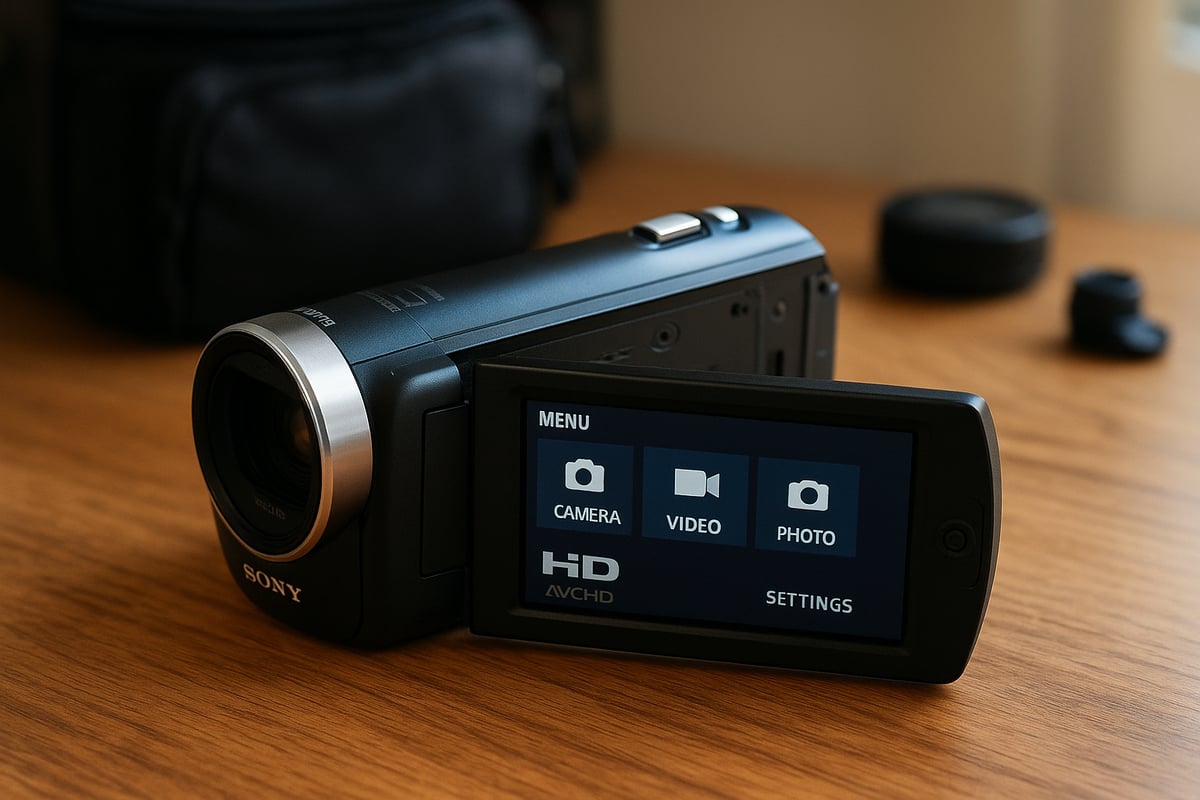
Navigating the sony cx405 camcorder is refreshingly straightforward. The LCD touchscreen makes it easy to access menus, while dedicated buttons provide quick access to recording and playback. Even if you are new to camcorders, you will find the interface intuitive and responsive.
The quick start up time means you will not miss spontaneous moments. Everything from focusing to changing shooting modes is just a tap or button press away. This simplicity lets you focus on the story, not the settings.
Battery life and storage
On a single charge, the sony cx405 camcorder can record up to 2 hours of continuous video. This is plenty for most outings, and spare batteries are easy to carry if you plan longer shoots. The camera supports SD, SDHC, SDXC, and Memory Stick Micro cards, so you can choose your preferred storage option.
To maximize recording time, consider using cards with fast write speeds and always format new cards in camera. In my fieldwork, this has prevented data hiccups and extended shooting sessions.
Connectivity and sharing options
Sharing your creations from the sony cx405 camcorder is straightforward. With HDMI output, you can connect directly to a TV for instant playback with friends or family. The USB 2.0 port enables quick file transfer to your computer for editing or backup.
File management feels approachable, even for beginners. You can organize, delete, or protect files right from the camera, making post shoot workflow smoother.
Durability and build quality
Despite its lightweight feel, the sony cx405 camcorder is surprisingly robust. The plastic body is sturdy and the textured grip helps prevent accidental drops. I have taken this camera on hikes, in crowded markets, and to kids’ birthday parties, and it has held up well.
Most user reviews praise its long term reliability, with only minor cosmetic wear after heavy use. As with any device, keeping it clean and avoiding harsh environments will help it last for years.
Getting started: Unboxing and setup
Unboxing a new sony cx405 camcorder is always a moment of anticipation, whether you are stepping into videography for the first time or upgrading your gear. The setup process is straightforward, but taking the time to do it right ensures optimal performance and longevity. Let us walk through each step to get your sony cx405 camcorder ready for its first shoot.
What’s in the box
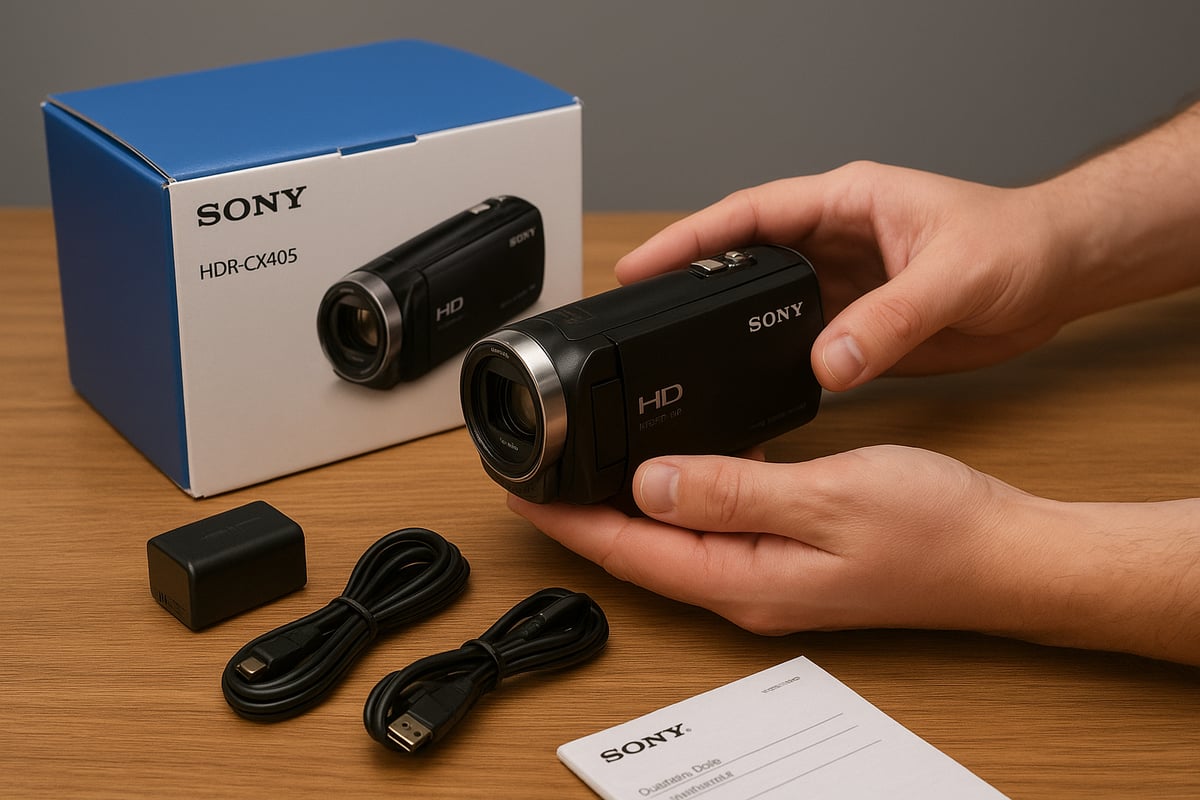
When you open the sony cx405 camcorder package, you will find:
- The camcorder body
- Rechargeable battery pack
- AC adapter and power cord
- HDMI cable
- USB cable (attached, for charging and data transfer)
- Printed user manual
Each accessory serves a practical purpose. The HDMI cable lets you view footage directly on a TV, while the USB cable is essential for charging and transferring files. The included manual provides a quick reference, but I always recommend keeping it handy for troubleshooting.
Charging and inserting the battery
Before using the sony cx405 camcorder, fully charge the battery. Connect the camcorder to the AC adapter using the attached USB cable, then plug it into a wall outlet. A small LED will indicate charging status. For best battery health, charge it completely on the first use and avoid overcharging.
Once charged, open the battery compartment on the camcorder’s underside. Slide the battery in until it clicks. Always use the official battery for safety and to ensure accurate power readings. Carrying a spare battery is wise for long shooting sessions.
Installing memory cards
The sony cx405 camcorder supports SD, SDHC, SDXC, and Memory Stick Micro cards. For smooth 1080p recording, use a Class 10 SD card or higher. Recommended brands include SanDisk, Lexar, and Sony. Insert the card label side up into the slot inside the battery compartment.
| Card Type | Supported? | Recommended Use |
|---|---|---|
| SD/SDHC/SDXC | Yes | Video, photos |
| Memory Stick Micro | Yes | Backup, photos |
Before first use, format the card in the camcorder menu. This ensures compatibility and reduces risk of file errors during recording.
Initial setup and configuration
Power on the sony cx405 camcorder by opening the LCD screen. The initial setup wizard prompts you to select language, date, and time. Adjust these settings carefully, as they are embedded in your video files for easy organization later.
You can access basic preferences like beep sounds, auto power off, and display brightness. Personalize these to match your shooting style. I prefer turning off sounds to avoid distractions during recording.
The menu is easy to navigate, thanks to the responsive LCD and dedicated buttons. Use the joystick or touchscreen to move through categories such as shooting mode, image quality, and playback options.
You can customize shortcuts for features you use most, like white balance or face detection. This saves valuable time when filming spontaneous moments with your sony cx405 camcorder.
Firmware updates and support
Keeping your sony cx405 camcorder up to date is essential for reliability. Periodically check for firmware updates on Sony’s website. Updates can resolve bugs and add new features. If you encounter issues or need guidance, consult the Sony CX405 Operating Instructions for detailed step-by-step help.
Sony’s online resources also cover troubleshooting, accessory compatibility, and software downloads. Bookmarking their support page can save you time in the future.
Mastering basic shooting: Essential techniques for beginners
Learning to capture memorable moments with the sony cx405 camcorder is both rewarding and accessible, especially if you focus on mastering the basics. Whether you are filming a family gathering or your first vacation vlog, understanding these foundational techniques will set you up for success. If you are looking for even more beginner-friendly tips, check out this Best camera for beginners guide for a broader look at starting your video journey.
Framing and composition tips
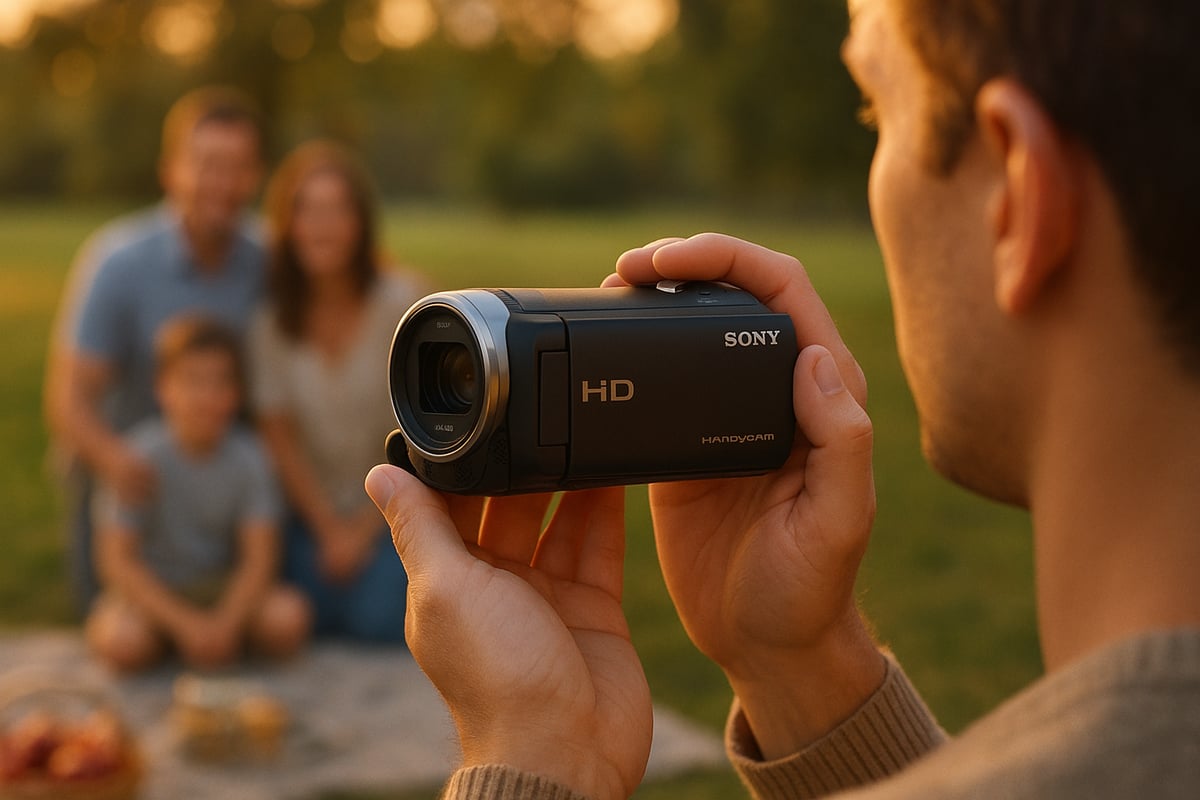
Great video starts with thoughtful composition. With the sony cx405 camcorder, use the rule of thirds to place your subject off-center, creating a more dynamic and engaging shot. Try leading lines, like a pathway or fence, to draw the viewer’s eye through the frame.
Experiment with different angles and heights. Shooting from a child’s eye level during a birthday party or capturing a landscape from a low angle can add visual interest. Always review your shot in the LCD before hitting record to ensure nothing distracting is in the background.
Understanding exposure and lighting
Lighting makes or breaks your footage. The sony cx405 camcorder does a solid job in auto exposure, but you can get better results by paying attention to your environment. If you are indoors, position subjects near a window for natural light.
For outdoor shoots, avoid harsh midday sun. Early morning or late afternoon gives a softer look. If you need more control, the sony cx405 camcorder offers manual exposure adjustments. In low light, keep the camera steady to reduce blur and let the sensor capture more detail.
Using zoom effectively
The sony cx405 camcorder features a powerful 30x optical zoom, which is ideal for capturing distant subjects without losing clarity. Stick to optical zoom for sharp results. Digital zoom can degrade image quality, so use it sparingly.
When zooming, move slowly and smoothly to avoid jerky footage. For long zoom shots, brace your arms against your body or use a tripod. This helps maintain stability and keeps your video looking professional.
Autofocus and face detection
Autofocus on the sony cx405 camcorder is reliable and quick, making it easy to track moving subjects. The face detection feature is particularly handy for group events or interviews.
When filming kids running around or multiple people in a frame, enable face detection in the menu. The camera will automatically prioritize faces, ensuring everyone stays sharp and in focus. This saves time and reduces the risk of blurry shots.
Recording modes and resolutions
The sony cx405 camcorder supports both AVCHD and MP4 formats. AVCHD offers higher quality for archiving or home theater playback, while MP4 is best for quick sharing on YouTube or social media.
| Mode | Resolution | Best For |
|---|---|---|
| AVCHD | 1080p 60fps | Home videos, TV |
| MP4 | 1080p 30fps | Web, social media |
Choose the right mode based on your project. Set your resolution in the menu before recording to avoid surprises later.
Playback and reviewing footage
After capturing your footage, use the LCD screen to play back and review your clips. The sony cx405 camcorder lets you fast forward, rewind, and pause with simple on-screen controls.
If you spot a clip you want to keep safe, use the protect function to prevent accidental deletion. Organize your files regularly, and copy your favorites to a computer or external drive for backup.
Quick troubleshooting for common mistakes
Every beginner faces a few hiccups. If your video is blurry, double check focus and keep the sony cx405 camcorder steady. For audio issues, make sure your hand is not covering the microphone.
Accidentally deleted a file? Stop recording immediately and try recovery software at home. Regularly formatting your memory card in the camera can help prevent data corruption and keep everything running smoothly.
Advanced shooting: Unlocking the full potential
Unlocking the full creative range of the sony cx405 camcorder is all about moving beyond automatic settings. Once you start exploring manual controls and advanced features, you will see just how much this compact camera can deliver. Whether you want cinematic effects, crisp audio, or smooth handheld footage, a few practical adjustments can make a huge difference.
Manual controls and creative settings
The sony cx405 camcorder offers more manual flexibility than most beginners expect. Start by exploring exposure compensation, which lets you brighten or darken a scene without diving into full manual exposure. Adjusting white balance is essential for accurate color, especially under mixed lighting. Try using scene modes for different environments: beach, snow, or night.
For backlit situations, enable backlight correction to preserve details in both shadows and highlights. Spotlight correction helps balance exposure when filming events or performances with strong stage lights. Small tweaks like these give your footage a professional look, even if you are just filming at home.
Time-lapse and slow-motion recording
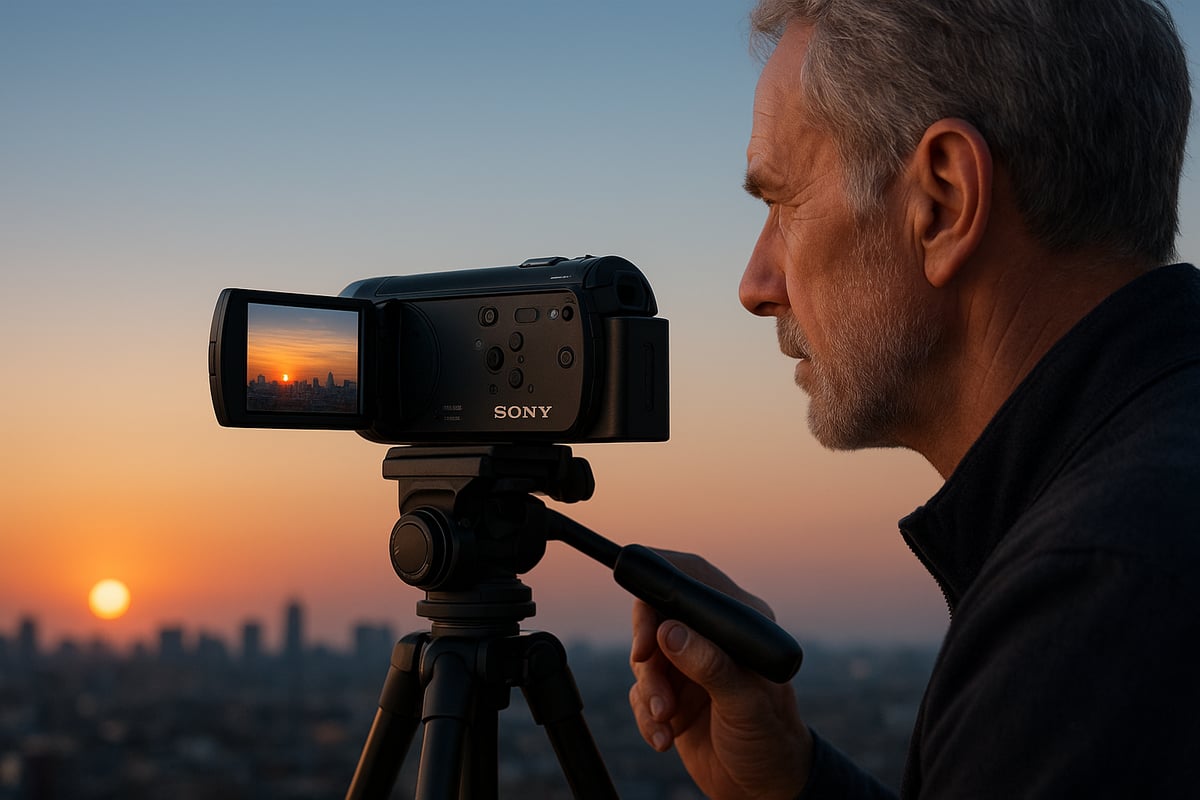
Creating time-lapse sequences with the sony cx405 camcorder is straightforward and adds a dynamic touch to travel or nature videos. Set your camera on a tripod, choose the interval recording mode, and let it capture frames over time. For slow-motion, switch to a higher frame rate setting and record action scenes like sports or pets playing.
A simple table for quick reference:
| Feature | Menu Location | Use Case |
|---|---|---|
| Time-lapse | Scene Selection | Sunsets, cityscapes |
| Slow-motion | Record Settings | Sports, playful moments |
Planning your shot and keeping the camera steady is key for both techniques. Experiment with different intervals and frame rates to discover your signature style with the sony cx405 camcorder.
Audio recording tips
Good audio can transform a simple video into a compelling story. The built-in microphone on the sony cx405 camcorder is capable, but for interviews or events, consider using an external mic with the right adapter. Position your subject close to the camera to minimize background noise.
Use the wind noise reduction feature when shooting outdoors. For group events, activate the zoom mic function so audio focuses on what is in frame. Always monitor sound levels on playback to avoid surprises during editing.
Stabilization techniques
Balanced Optical SteadyShot is a standout feature of the sony cx405 camcorder. It compensates for hand movement, keeping footage smooth even when you are walking or panning. For best results, hold the camera with both hands and tuck your elbows in.
When filming long zoom shots, use a tripod or a small grip accessory. Practice slow, deliberate movements for pans. For action scenes, try using the camera’s dynamic stabilization mode to further minimize shake.
Using the CX405 for vlogging and content creation
If you are aiming to create content for YouTube or social media, the sony cx405 camcorder is a solid choice. Its lightweight build makes it easy to hold at arm’s length, and face detection keeps you in focus. Use the flip-out LCD to check framing, and set the camera to MP4 mode for easy editing.
For more tips on turning entry-level cameras like the CX405 into filmmaking tools, check out this practical guide: Best digital camera for filmmaking.
Position yourself in soft, natural light whenever possible. Use a compact tripod for stability during sit-down segments. With the right setup, your videos will look polished and professional.
Low-light and night shooting
Low-light conditions can be tricky, but the sony cx405 camcorder handles them better than most smartphones. Switch to night mode or raise the ISO sensitivity for indoor events or evening city scenes. Use the built-in LED light for close subjects.
Keep your shots steady, since longer exposures are more sensitive to movement. Compare footage in low light with your phone, and you will notice richer colors and less noise with the CX405. This makes it a great option for family gatherings or city nightscapes.
Editing and exporting footage
Transferring video files from your sony cx405 camcorder to a computer is simple with the USB cable. Use basic editing software to arrange clips, trim unwanted sections, and add music. Export in the format best suited to your platform, like MP4 for YouTube.
Create a backup of your raw footage before editing. Take advantage of the camera’s file organization system for quick access. With a well-planned workflow, you can turn hours of footage into engaging stories.
Embracing these advanced shooting techniques will help you get the most out of your sony cx405 camcorder. With practice, you will see your videos reach a new level of quality and creativity.
Essential accessories and gear recommendations
Building the perfect kit for your sony cx405 camcorder ensures you capture every special moment with confidence. The right accessories not only protect your investment, but also make shooting easier and more enjoyable, whether you are at a family picnic or recording a travel vlog.

Best memory cards for reliability and speed
Selecting the right memory card is essential for smooth, uninterrupted recording on the sony cx405 camcorder. I recommend using SDHC or SDXC cards from brands like SanDisk, Lexar, or Samsung, with a minimum Class 10 or UHS-I rating for full HD video.
Here is a quick comparison:
| Brand | Type | Capacity | Write Speed | Reliability |
|---|---|---|---|---|
| SanDisk | SDXC | 64-128GB | 90 MB/s | Excellent |
| Lexar | SDHC | 32-64GB | 80 MB/s | Very Good |
| Samsung | SDXC | 64-128GB | 95 MB/s | Excellent |
Choose at least a 64GB card for extended shoots and always carry a spare. Format your card in-camera before use to avoid compatibility issues.
Extra batteries and charging solutions
Few things are more frustrating than running out of power mid-shoot. The official Sony NP-BX1 battery is the most reliable option for the sony cx405 camcorder, but reputable third-party brands like Wasabi Power can offer solid performance at a lower cost.
Consider these tips:
- Carry at least one fully charged spare battery.
- Invest in a portable USB charger for travel days.
- Avoid cheap, no-name batteries, as they can cause reliability issues.
A dual-battery charger can also be a lifesaver when filming back-to-back events.
Tripods, grips, and stabilization gear
Steady footage is key to professional-looking video. For the sony cx405 camcorder, a lightweight tripod like the Manfrotto PIXI or a Joby GorillaPod is ideal for travel and family events.
Other stabilization options:
- Handheld grips for on-the-go vlogging
- Mini tabletop tripods for group shots
- Wrist straps for added security
A compact tripod fits easily in your bag and can make a huge difference in your results.
Microphones and audio enhancements
Audio quality can make or break your video. While the built-in mic on the sony cx405 camcorder is decent for casual use, you will notice a big improvement with an external mic. Since the CX405 lacks a dedicated mic input, use a compatible adapter for lavalier or small shotgun mics.
Top audio tips:
- Use a windscreen outdoors to reduce noise
- Position the mic close to your subject
- Test your setup before important shoots
Carrying cases and protection
Protecting your sony cx405 camcorder from bumps and weather is a smart move, especially if you travel often. Look for a padded, lightweight case with adjustable dividers to fit your camera and accessories.
Popular options include:
- Compact shoulder bags for daily use
- Hard shell cases for extra protection
- Weather-resistant covers for outdoor shoots
Pick a case that suits your shooting style and keeps your gear organized.
Cleaning and maintenance tools
A clean lens is crucial for sharp, clear footage. For your sony cx405 camcorder, I recommend a microfiber lens cloth, a small air blower, and a soft brush for removing dust.
Maintenance checklist:
- Wipe the lens gently before each shoot
- Use a blower to remove debris from buttons and seams
- Store silica gel packs in your case to prevent moisture
Regular cleaning extends the life of your gear and preserves image quality.
Budget-friendly accessory bundles
Starter kits are a great way to outfit your sony cx405 camcorder without overspending. Look for bundles that include memory cards, compact tripods, spare batteries, and cleaning tools.
When evaluating bundles:
- Check the brand reputation for included batteries and cards
- Make sure the tripod is stable enough for your camera
- Avoid overly generic kits with unnecessary extras
A thoughtful bundle can save you time and money as you build your video setup.
Troubleshooting and maintenance: Keeping your CX405 in top shape
Keeping your sony cx405 camcorder in top condition is easier than it seems. With some practical care and a few essential troubleshooting skills, you can ensure reliable performance for years. Let’s walk through the most common issues and solutions, all from the perspective of someone who uses this camcorder regularly.
Common technical issues and fixes
Even the most reliable gear can have hiccups. Sometimes, your sony cx405 camcorder might not power on, freeze, or refuse to record. In these cases, always start with the basics: remove and reinsert the battery, check your memory card, and reset the camera using the menu. Most minor problems resolve with a simple restart.
If these steps do not help, examine your battery charge level or try a different memory card. Using quality, well-formatted cards can prevent many headaches. For deeper issues, refer to the camcorder’s user manual, which contains helpful troubleshooting charts for quick reference.
Dealing with file corruption and data loss
Losing footage can be frustrating, especially after a great shoot. To reduce the risk of file corruption, always turn off the sony cx405 camcorder before removing the memory card. Use high-quality SD cards from reputable brands, and format them in-camera instead of on your computer.
If you do encounter corrupted files, do not panic. There are data recovery tools designed specifically for cameras. Always back up your footage right after important events. This simple habit can save you from major disappointment and keep your creative work safe.
Cleaning and caring for the lens and body
A clean lens is essential for sharp, clear video. With the sony cx405 camcorder, use a microfiber cloth for gentle cleaning and an air blower to remove dust. Never use rough fabrics or household cleaners. For the body, a soft, dry cloth usually does the trick.
Regular maintenance keeps your camcorder looking and performing like new. Be mindful of fingerprints, smudges, and dust, especially around buttons and the lens area. Store your cleaning gear nearby so you can wipe down the camera after each use.
Firmware updates and performance optimization
Firmware updates can improve your sony cx405 camcorder’s performance, fix bugs, and add new features. Check for updates directly through Sony’s support resources. The official Sony CX405 Support Resources page offers step-by-step guides and the latest downloads.
Keeping your firmware current ensures your camcorder operates reliably. It also helps prevent compatibility issues with new memory cards and accessories. Make it a habit to check for updates once or twice a year for the best experience.
Battery and charging problems
If your sony cx405 camcorder will not charge or hold a charge, inspect the battery and charger for damage. Try charging with a different outlet or another compatible charger. Always use batteries and chargers approved by Sony for safety and reliability.
To extend battery life, avoid storing batteries in extreme temperatures. Charge them fully before long shoots and carry a spare for peace of mind. If you notice rapid battery drain, it may be time to invest in a replacement.
When to seek professional repair
Some issues require a professional touch. If your sony cx405 camcorder displays hardware errors, persistent lens problems, or physical damage, contact an authorized Sony service center. Attempting repairs yourself can void the warranty and cause further harm.
Look for warning signs like repeated freezing, error codes that do not clear, or visible cracks. Professional technicians have the right tools and experience to restore your camcorder safely and efficiently.
Storing your camcorder safely
Proper storage is essential for longevity. Keep your sony cx405 camcorder in a padded case when not in use. Store it in a cool, dry place, away from humidity and direct sunlight. Remove the battery and memory card if you will not be using it for extended periods.
Avoid leaving the camcorder in a car, basement, or attic, where temperature and moisture can cause damage. With thoughtful storage habits, your camcorder will be ready for action whenever inspiration strikes.


