



Contents
- Panasonic Lumix S9 review: is it worth it for hybrid creators?
- Who the Panasonic Lumix S9 is really for
- Design, build and handling in real-world use
- Image quality from the full-frame sensor
- Autofocus, speed and reliability
- Video performance for hybrid shooters
- Workflow, connectivity and the Lumix app
- Lens choices and system flexibility on L-Mount
- Panasonic Lumix S9 vs rivals and other Lumix bodies
- Strengths, limitations and who will love the S9
- Buying advice, accessories and ideal setups
Panasonic Lumix S9 review: is it worth it for hybrid creators?
Quick take: the Panasonic Lumix S9 makes the strongest case for creators who want full-frame image quality in a smaller body for travel, social video, and daily carry. Most buyers reading a Panasonic Lumix S9 review are really deciding whether this lightweight body is a smarter creator tool than a larger option like the S5 II, so the important questions are portability, autofocus confidence, video usability, and how practical the lens setup feels once you build a real kit around it.
Who the Panasonic Lumix S9 is really for
Target users and shooting scenarios
If you have been following the rise of compact digital cameras, the Panasonic Lumix S9 arrives at the perfect time. The S9 is designed for hybrid creators, street shooters, and travelers who want full-frame quality without carrying a bulky rig. This camera is for those who want to move fast, stay light, and still get pro-level results. Whether you are capturing a bustling market, filming a quick travel vlog, or shooting behind-the-scenes at an event, the S9’s grab-and-go size makes it ideal.
The S9 targets content creators who split their time between stills and video. If you want to shoot quick Reels or TikToks in the morning and then switch to high-res RAWs for a client in the afternoon, this camera fits your needs. It is also a great fit for photojournalists, travel bloggers, and anyone who wants to always have a full-frame camera in their bag – but not on their shoulder all day.
How it fits into the Lumix S ecosystem
Within the Lumix S lineup, the S9 is the most compact and portable option. It shares the same sensor as the Lumix S5 II, so image quality is on par with Panasonic’s more traditional bodies. However, the S9 trades the electronic viewfinder and some physical controls for size, weight, and simplicity.
If you already own other L-Mount lenses, the S9 slots right into your kit as a lightweight backup or travel body. For those considering a jump from Micro Four Thirds to full-frame, the S9 offers a familiar Lumix interface in a package that won’t intimidate. The S9 supports the same color profiles and picture styles as its bigger siblings, so you can match footage or photos across cameras easily.
Who should skip the S9 and look elsewhere
Despite its strengths, the S9 is not for everyone. If you rely heavily on a viewfinder, shoot a lot of action, or need maximum battery life, you may find the S9’s compromises frustrating. Photographers coming from DSLRs or larger mirrorless bodies might miss direct controls and the tactile experience of a traditional grip. Studio shooters and those who frequently use flash will also miss a hot shoe for triggers or accessories.
In short, if you want a dedicated professional workhorse with every control at your fingertips, the Panasonic Lumix S5 II or S1 will serve you better. The S9 is for those who prioritize portability and minimalism – and know exactly what trade-offs that brings.
Design, build and handling in real-world use
Size, weight and first impressions in hand
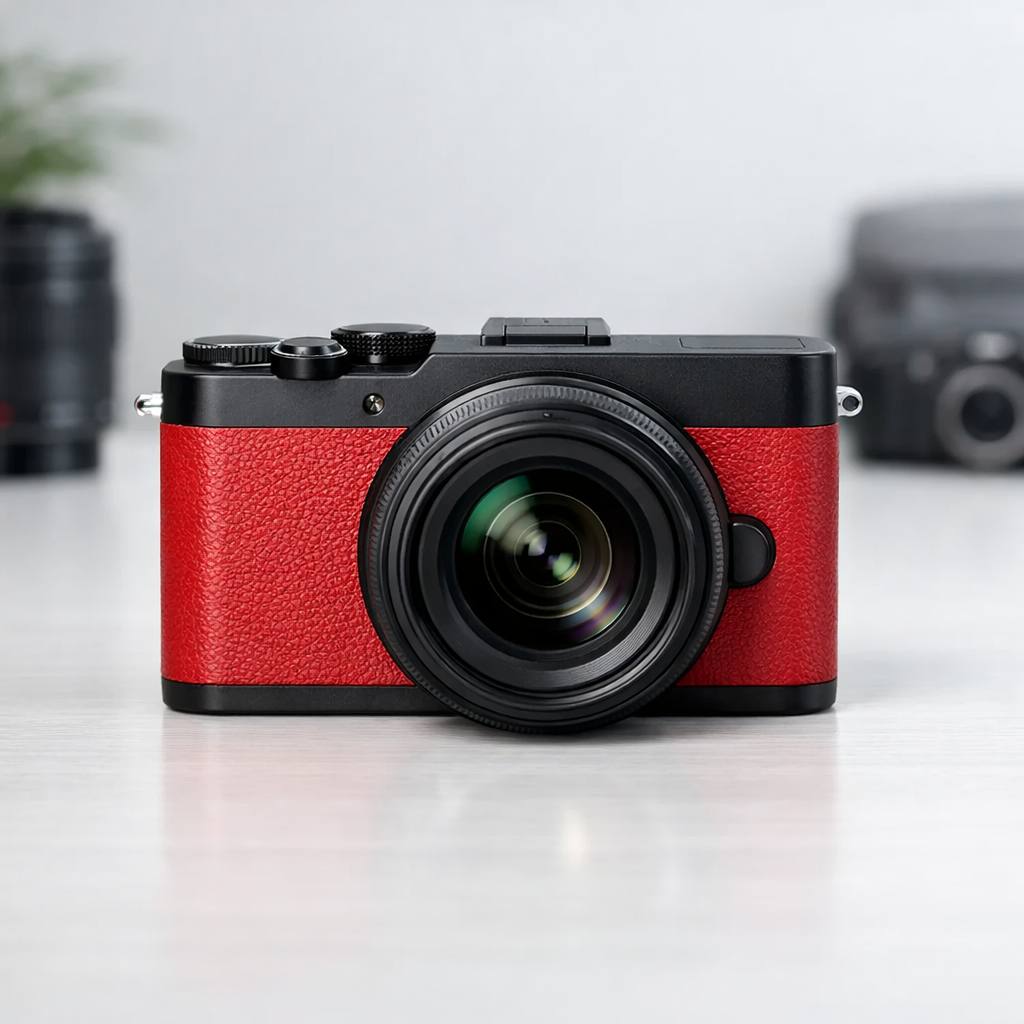
The moment you pick up the S9, the difference is clear. This camera is truly pocketable for a full-frame body, especially with one of Panasonic’s compact pancake primes attached. At 486g with battery and card, it is about as light as the smallest APS-C cameras, but with all the benefits of a larger sensor.
The body feels solid, with a magnesium alloy chassis and textured grip area. While there is no deep front grip, the camera is stable enough for one-handed operation, especially with lightweight lenses. Street photographers and travelers will appreciate that the S9 slips into a small sling or even a coat pocket.
Controls, dials and the minimalist interface
Panasonic has stripped the S9 down to essentials. The top plate features a simple mode dial, a video record button, and a shutter release. There are just enough buttons on the back for playback, menu, and a few quick-access settings. This minimalism keeps the body clean and approachable for beginners, but experienced users may miss a dedicated ISO or exposure compensation dial.
Touchscreen controls are your main way of interacting with the S9. Menus are familiar to anyone who has used a recent Lumix camera, and you can customize the quick menu to surface your most-used settings. For fast-paced shooting, however, you’ll need to adapt to doing more via the rear display rather than physical controls.
Viewfinder-free shooting and composing on the rear screen
One of the boldest choices Panasonic made is omitting a traditional electronic viewfinder. You compose everything on the 3-inch, fully articulating LCD. This screen is bright and responsive, even in outdoor light, but it is not as immersive as an EVF for critical work or tracking fast action.
For travel, street, and vlogging, the flip-out screen works well. You can tilt it for waist-level shots or selfies, and touch controls are responsive. However, if you are coming from a camera with a good EVF, plan to adjust your shooting style – especially in bright sunlight or for fast-moving subjects.
Weather resistance and durability concerns
The S9’s body is robust for its class, but it is not fully weather-sealed. Panasonic states that it is splash- and dust-resistant, enough for light rain or dusty streets, but you should be cautious in harsher environments. The build quality is solid, with tight seams and a premium feel, but I would not treat it as roughly as a pro-grade S1 or S5 II.
If you shoot a lot outdoors or in unpredictable weather, consider a small rain cover or case for added protection. For typical travel and day-to-day use, the S9 holds up well and inspires confidence, even with repeated lens changes and on-the-go shooting.
Image quality from the full-frame sensor
Resolution, dynamic range and color science
The Lumix S9 uses the same 24.2MP CMOS sensor found in the S5 II, so you can expect outstanding image quality for its size. Resolution is plenty for prints, social media, and client work. Dynamic range is excellent, letting you recover highlights and shadows in post, and Panasonic’s color science is pleasing straight out of camera.
Skin tones, blues, and greens are rendered naturally, with enough punch for landscapes and enough subtlety for portraits. The camera supports Vivid, Natural, and several custom color profiles, so you can tailor looks for different scenarios.
High ISO performance and low-light shooting
Low-light performance is a highlight. The S9 delivers clean files up to ISO 6400, and even ISO 12800 is usable with some noise reduction. This makes it a strong choice for city nightscapes, dimly lit interiors, or handheld street photography after dark.
The in-body image stabilization helps you get sharp shots at slower shutter speeds, reducing the need to push ISO higher. For travelers who want to shoot handheld in all conditions, the S9’s sensor and stabilization are a winning combination.
JPEG looks vs RAW flexibility
Panasonic’s JPEG engine produces attractive files with minimal effort, especially if you use the built-in LUT support for custom looks. For social sharing or quick edits, the JPEGs are more than good enough. However, the RAW files offer extensive flexibility for color grading, exposure tweaks, and highlight recovery.
Hybrid creators will appreciate being able to shoot both formats at once. If you want to push your editing or match a specific look, the S9’s RAW files hold up under heavy adjustments.
Real-world photo examples and use cases
During my testing, the S9 handled everything from golden hour landscapes to candid street portraits. Colors stayed accurate, focus was sharp, and files held up to large prints. For travel, documentary, and event work, the image quality rivals much larger (and pricier) cameras.
If you want to see the S9 in action, check out Panasonic’s sample gallery or look for real-world shots from street shooters and vloggers who have adopted the camera for their everyday carry.
Autofocus, speed and reliability
Phase-detect AF performance for stills
The S9 benefits from Panasonic’s latest phase-detect autofocus system. Focusing is fast and accurate, a big leap from older contrast-detect models. For stills, single and continuous AF are both reliable, even with moving subjects in good light.
Shooting street scenes or fast-moving kids, I found the S9 locked on quickly and rarely hunted, especially with native Lumix S lenses. While not quite as snappy as some Sony or Canon rivals, it outpaces most compact full-frame cameras in its price range.
Face, eye and subject tracking in mixed light
Face and eye detection are robust, working well for portraits and vlogging, even in backlit or mixed lighting. The S9 can track people, animals, and vehicles, keeping focus locked as subjects move through the frame. In low light, tracking slows but remains usable for most real-world scenarios.
Burst shooting, buffer and rolling shutter
The S9 can shoot bursts up to 9 frames per second with single AF, or 7 frames per second with continuous AF. The buffer is decent for short bursts, but if you shoot long action sequences, you will want faster cards. Rolling shutter is well controlled for stills but can show up when panning quickly in electronic shutter mode.
How the S9 compares to other Lumix S bodies for AF
Compared to the S5 II, the S9 delivers nearly identical autofocus performance, thanks to the same sensor and processor. The main difference is usability; with only a rear screen, tracking fast action or shooting from the hip is a bit less precise. For most hybrid creators, the AF is more than good enough for everyday work.
Video performance for hybrid shooters
Resolutions, codecs and recording limits
Video is a core strength of the S9. It records up to 6K 30p and 4K 60p in 10-bit, with H.265 or H.264 codecs. There are no major recording time limits, and overheating is rare in real-world use. You get all of Panasonic’s popular video picture profiles, including V-Log and real-time LUT application for instant grading.
Stabilization, rolling shutter and handheld footage
In-body image stabilization makes handheld video steady and smooth, even at slower shutter speeds. Walking shots, travel vlogs, and event coverage all benefit from this system. Rolling shutter is visible in fast pans but is much less of an issue than on many compact cameras.
Video autofocus and focus transitions
Continuous autofocus is reliable for video, with smooth face and eye tracking. Focus transitions are natural, making the S9 a strong choice for documentary, YouTube, or social content where you want to move quickly and keep your subject sharp.
Audio options and using the S9 on small rigs
Audio is captured via a 3.5mm mic input, and there is a headphone jack for monitoring. The lack of a hot shoe means you will need a cage or bracket for accessories like external mics or lights. On a mini tripod or gimbal, the S9’s size and weight make it easy to use for solo creators or run-and-gun filmmakers.
Overall, the Panasonic Lumix S9 proves that you can have both excellent photo and video performance in a camera small enough to go everywhere.
Workflow, connectivity and the Lumix app
File management, card slots and battery life
When you pick up the Panasonic Lumix S9, its compact body hints at certain compromises. One of the most noticeable is the presence of a single SD card slot. While this aligns with its target audience of travelers and social-first creators, those coming from larger S-series bodies may miss the security of dual slots for instant backup. For most hybrid creators, though, one UHS-II card is enough for both stills and 4K video. I recommend using high-speed, high-capacity cards to avoid interruptions, especially if you shoot a lot of video or rapid bursts.
Battery life is respectable, but not outstanding. The S9 uses the same DMW-BLK22 battery as the S5II, which is a plus for those who already own Lumix gear. In my experience, a single battery lasted for about 350-400 shots or 60-90 minutes of video, depending on settings and how much you use the screen. For full-day shoots, I suggest carrying at least one spare battery.
Wireless transfer and mobile-first workflows
The Lumix S9 workflow shines when it comes to mobile connectivity. Built-in Wi-Fi and Bluetooth make wireless transfer quick and straightforward, especially with the improved Lumix app. I tested the app on both iOS and Android, and the pairing process is smoother than on older Lumix cameras. Once connected, you can browse, transfer, and even edit JPEGs or HEIF files on your phone without ever touching a PC.
For creators who publish content on the go, this is a game-changer. You can snap an image, apply a look, send it to your phone, and upload it to Instagram or TikTok within minutes. The S9 is clearly designed for this kind of fast, mobile-first workflow, rather than the traditional tethered studio setup.
One of my favorite features in the S9 is the ability to apply creative LUTs and looks directly in-camera. You can load up to 39 custom LUTs via the Lumix app or SD card, letting you preview your favorite color grades live. This saves a ton of time if you want to deliver stylized content straight from the camera. I found the process of applying LUTs intuitive, and you can easily cycle through your favorites with just a few taps.
The integration between the Lumix S9 app and camera makes this workflow seamless. After capturing, you can transfer the already-graded file to your phone for immediate sharing. For content creators and event shooters who want to stand out on social platforms, this is a huge plus.
Tethering and integration into pro workflows
For more traditional photographers, the S9 supports tethering to a computer via USB-C. This works well with Panasonic’s Lumix Tether software, allowing you to control the camera and transfer files directly during studio sessions. However, the single card slot, no headphone jack, and lack of a full-size HDMI port mean this isn’t the first choice for heavy-duty pro workflows. Still, for travel, event, or run-and-gun content creation, the S9’s connectivity covers all the essentials.
Lens choices and system flexibility on L-Mount
Best compact primes and zooms for the S9
One of the S9’s main appeals is its small size, so it makes sense to pair it with compact lenses. Panasonic’s own 26mm f/8 pancake is the obvious match – it keeps the camera pocketable and is perfect for street and travel. I also enjoyed using the Lumix 50mm f/1.8 and 24mm f/1.8, both of which are light and sharp, offering bright apertures without dwarfing the S9 body.
For travel zooms, the Lumix 20-60mm f/3.5-5.6 is a great all-purpose option. It covers everything from wide street scenes to tighter portraits while remaining lightweight. The 16-35mm f/4 is another excellent choice for landscapes and architecture.
Balancing small body with larger pro lenses
The L-Mount system has grown rapidly, with plenty of pro-grade lenses from Panasonic, Sigma, and Leica. While you can mount large f/2.8 zooms or exotic primes, the S9’s grip and overall balance are best with smaller glass. I found that using heavier lenses like the Lumix 70-200mm f/2.8 made the camera front-heavy and less comfortable for long sessions.
That said, for occasional telephoto or low-light work, the S9 can handle bigger lenses in a pinch. Just be prepared for a less ergonomic experience compared to the bigger S5II or S1 series bodies.
Third-party L-Mount options worth considering
The L-Mount Alliance has opened up a wide field of third-party lens options. Sigma’s Contemporary series offers lightweight, affordable primes and zooms that pair beautifully with the S9. The Sigma 45mm f/2.8 DG DN is a standout, combining solid build, great optics, and compact size.
Tamron has also joined the L-Mount party, with versatile zooms like the 28-75mm f/2.8 G2. For budget-friendly options, check out the 7Artisans and TTArtisan manual focus lenses – these can add creative options to your kit without breaking the bank.
Travel and street photography lens kits
For travel or street photography, I recommend building a lightweight kit: the Lumix 26mm pancake for stealthy shooting, a 50mm f/1.8 or Sigma 45mm for portraits and low light, and the 20-60mm zoom as your all-rounder. This combo keeps your bag light and covers nearly every scenario you’ll face as a hybrid creator.
Panasonic Lumix S9 vs rivals and other Lumix bodies
Lumix S9 vs Lumix S5II and S5IIX
When comparing the Lumix S9 vs S5II, the S5II and S5IIX offer more physical controls, dual card slots, an EVF, and better heat management for longer video sessions. However, the S9 is smaller, lighter, and more pocketable, with a faster mobile workflow thanks to its app integration and LUT features. For professional event or wedding shooters, the S5II series remains the safer bet, but the S9 is perfect for travel, street, and casual hybrid work.
Lumix S9 vs Sony and Canon compact full-frame
The Lumix S9 faces competition from the Sony A7C II and Canon EOS RP. The Sony offers an EVF and more advanced autofocus, but at a higher price and with a more plasticky feel. The Canon is affordable and light, but its sensor and autofocus lag behind. The S9’s edge is its color science, customizable looks, and L-Mount lens ecosystem, making it a compelling choice for creators who value image quality and flexibility in a tiny package.
Advantages and compromises of going smaller
Going small with the S9 means unmatched portability and a minimalist shooting experience. You lose the viewfinder, some physical dials, and certain pro features, but you gain discretion and spontaneity. For many creators, especially those focused on mobile-first content or travel, these are worthwhile trade-offs.
Pros and cons summary for different types of creators
- Street photographers: love the size and silent operation, may miss the EVF.
- Hybrid vloggers: appreciate LUT workflow and app integration, but may want better mic options.
- Event pros: should stick with S5II/S5IIX for redundancy and control.
- Travelers: best match for the S9, especially with compact primes.
Strengths, limitations and who will love the S9
Key strengths that stand out in daily use
The S9’s strengths are clear: it delivers full-frame image quality in a body that slips into a jacket pocket. The app workflow is among the best I’ve used, making it easy to share images and videos quickly. The creative LUT features let you dial in your signature look in-camera, which is a huge time-saver.
Real limitations you feel in the field
In real-world use, the lack of a viewfinder is the biggest limitation. Shooting in bright sun can be tricky, as you’re limited to the rear screen. The single card slot and modest battery life may also frustrate professionals, especially on longer assignments. Audio options are limited, with no headphone jack and a single mic input.
Balancing expectations for professional work
While it’s possible to use the S9 for paid work, especially for travel or street gigs, I wouldn’t rely on it as my only camera for critical shoots. It’s best as a lightweight companion, backup body, or social-first tool rather than a full-on pro workhorse.
My personal verdict after extended shooting
After several weeks of carrying the S9 everywhere, I found myself reaching for it more than I expected. It’s fun, fast, and delivers excellent results for its size. For hybrid creators, travelers, and anyone who values mobility over maximum controls, it’s a standout. If you need complex pro features or redundancy, consider it a second body rather than your main camera.
Buying advice, accessories and ideal setups
Which kit to buy and what to skip
I recommend buying the S9 body with the 20-60mm kit lens if you want flexibility, or the 26mm pancake if you want ultimate compactness. Skip the bundles with large zooms unless you already own them, as they defeat the purpose of the S9’s small size.
Essential accessories for photo and video
- Extra DMW-BLK22 batteries
- Fast UHS-II SD cards
- Small tabletop tripod or grip for vlogging
- USB-C power bank for field charging
- Compact external microphone (like Rode VideoMicro)
- Soft lens cleaning cloth and spare body cap
Suggested setups for travel, street and content creation
For travel: S9 + 20-60mm + 50mm f/1.8, two batteries, and a USB-C charger.
For street: S9 + 26mm pancake, wrist strap, and a spare card.
For content creation: S9, compact shotgun mic, mini tripod, and a smartphone for quick editing and posting.
Future-proofing your Lumix S9 investment
Thanks to the L-Mount system, your lens investment is safe even if you upgrade to a larger S-series body later. The S9 will likely see firmware updates for new app features and improved connectivity. Keeping your kit lightweight and modular will help you adapt as your needs grow.
The Panasonic Lumix S9 review shows a camera that fits right into the resurgence of compact digital cameras in 2026, offering a perfect balance of portability, image quality, and creative flexibility for hybrid creators and travelers. If you value these qualities, the S9 is a strong contender for your next camera.


