



Few cameras have stood the test of time quite like the Canon 700D, especially for filmmakers and content creators still pushing its limits in 2026. Its reputation for reliable performance and distinct visual style keeps it in the hands of passionate videographers, even as newer models flood the market.
This guide is designed to be your trusted resource for everything related to canon 700d video quality. Inside, you will find real-world tips, expert analysis, and practical workflows covering sensor technology, video settings, lens selection, sound, editing, and more. Whether you are looking to master your craft or simply get the best results from your gear, you are in the right place.
Contents
Canon 700D video specs in 2026: What you need to know
Even in 2026, the canon 700d video quality still sparks conversations among filmmakers and hobbyists. Having spent years behind the lens with this camera, I find its blend of features surprisingly relevant. Let’s break down what you need to know about its video specs, and why it might still deserve a spot in your kit.

Key sensor and processor capabilities
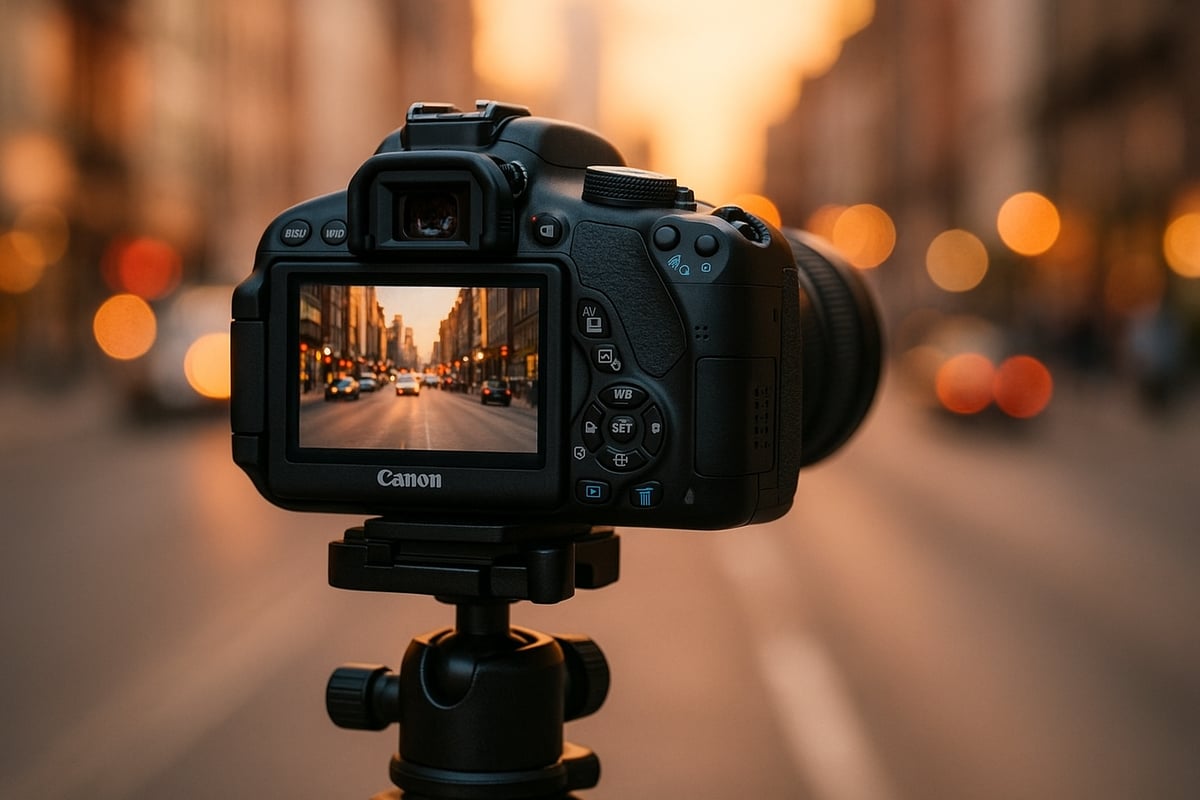
The canon 700d video quality starts with its 18MP APS-C CMOS sensor and DIGIC 5 processor. While these specs may sound modest next to today’s high-res giants, they still deliver crisp 1080p footage at up to 30 frames per second. For YouTube, vlogs, or educational content, 1080p remains the sweet spot for balancing detail and manageable file sizes.
What about bitrate and compression? The 700D records in MOV format using H.264 compression. This combo means footage holds decent detail, but heavy grading or extreme crops can reveal compression artifacts. Keep this in mind if you plan to push your footage in post.
Rolling shutter is another factor. Like most DSLRs of its era, fast pans or handheld action shots can introduce that familiar jello effect. If you stick to slower movements or use a tripod, it’s rarely a dealbreaker.
Autofocus in video mode is contrast-detect, not phase-detect, so it’s a bit slower than modern systems. Tracking moving subjects can be hit-or-miss, but for static scenes or controlled focus pulls, it works reliably enough.
Low-light performance is where the 700D starts to show its age. The native ISO range of 100 to 12800 helps, but noise creeps in past ISO 1600, especially in shadow areas. Careful exposure and fast lenses can help you get the most from the sensor.
Canon’s color science is a big reason many still love the canon 700d video quality. Skin tones look natural, and colors pop without appearing oversaturated. Even now, that signature Canon look is a favorite among content creators. For a deeper dive into sensor performance and real-world tests, the Canon EOS 700D Review offers valuable technical insights.
Canon 700D video quality compared to modern cameras
By 2026, mirrorless cameras have leapfrogged older DSLRs in many ways. Entry-level models now offer 4K or even 6K, faster autofocus, and better dynamic range. Yet, the canon 700d video quality still holds its own in certain scenarios, especially for creators who value color and that familiar DSLR handling.
Let’s look at a quick comparison:
| Feature | Canon 700D | 2026 Entry Mirrorless |
|---|---|---|
| Max Resolution | 1080p @ 30fps | 4K @ 60fps+ |
| Autofocus | Contrast-Detect | Hybrid/Cross-Type |
| ISO Performance | Usable to 1600 | Clean to 6400+ |
| Color Science | Classic Canon | Varies by brand |
| Rolling Shutter | Noticeable | Minimal |
In side-by-side tests, the canon 700d video quality shines in well-lit, color-rich scenes. Where it falls short is in fast action or dim environments, where new sensors pull ahead. Recent YouTube creator surveys highlight that many beginners still choose the 700D for its reliability, affordable lens ecosystem, and pleasing colors, even if they eventually upgrade.
User feedback points to a camera that is easy to learn, forgiving, and capable of professional-looking results with the right technique. In the end, while the canon 700d video quality may not match the technical prowess of modern mirrorless models, it remains a solid choice for those who prioritize look and usability over sheer spec numbers.
Optimizing your canon 700d video quality starts with mastering the camera’s menu system and settings. Even in 2026, this model rewards those who take the time to dial in the right configurations. Let’s walk through the key steps and advanced options to unlock the best performance from your 700D.
Step-by-step setup for best results
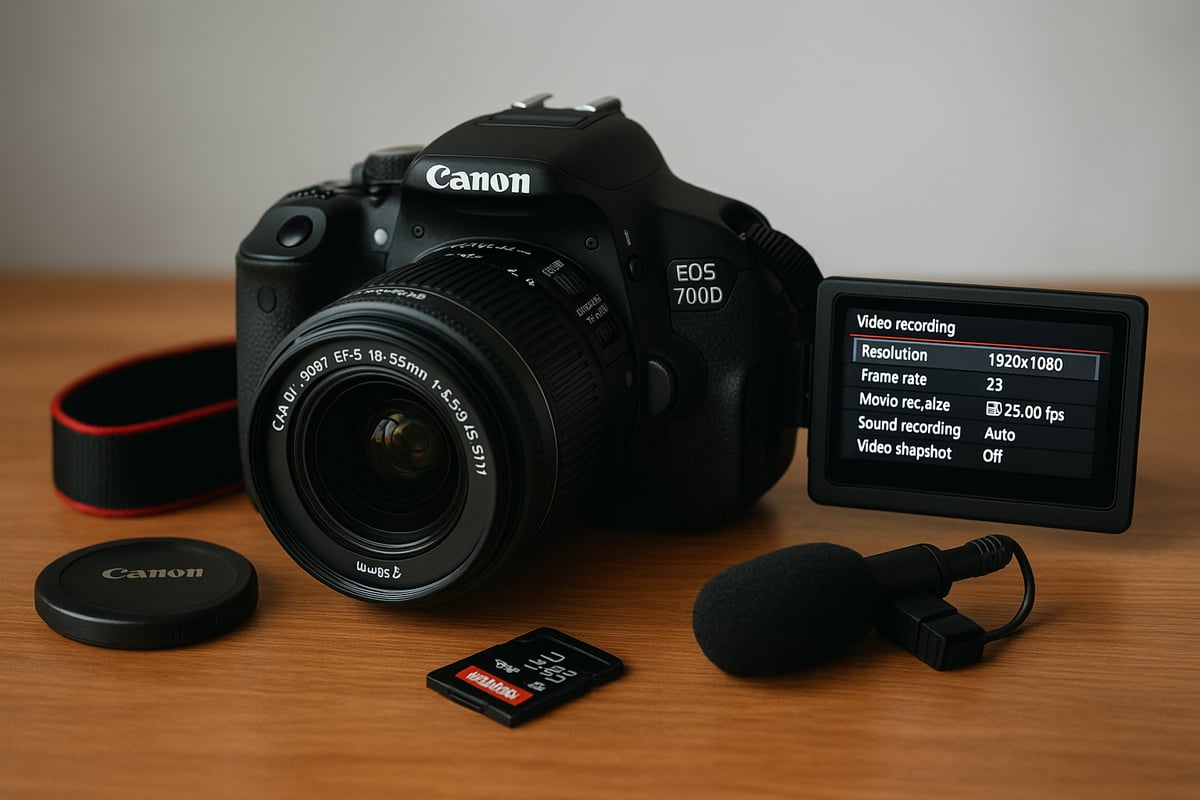
Choosing the right movie recording size is the first step in maximizing canon 700d video quality. For most projects, 1080p at 30fps delivers crisp footage suitable for YouTube and social media. If you want a more cinematic look, switch to 24fps. Use 720p or 480p only when file size or upload bandwidth is a concern, as these lower resolutions sacrifice detail.
Frame rate selection matters more than many realize. I find 30fps is ideal for smooth motion, while 24fps gives your footage that classic film feel. If you plan to slow down your footage later, stick with 30fps and apply slow motion in post-production.
Picture style customization can make a dramatic difference. The Neutral or Faithful profiles are great starting points if you intend to color grade later. For those who want a ready-to-share look, Standard offers vibrant colors but less flexibility in post. Custom profiles allow you to reduce sharpness and contrast, preserving more dynamic range in your canon 700d video quality.
White balance is often overlooked, but it shapes the mood of your video. Use the preset options (Daylight, Tungsten, Cloudy, etc.) to match your environment, or set a custom white balance for tricky lighting. Consistent color temperature is essential for professional-looking results.
Manual vs auto exposure is where many new users trip up. Manual exposure gives you full control, letting you lock in ISO, shutter speed, and aperture to avoid flickering or inconsistent brightness. Set your shutter speed at double your frame rate (for 30fps, use 1/60s), keep ISO as low as possible for clean images, and adjust aperture for depth of field. For those new to manual, the Canon Rebel Video Settings Guide provides a detailed walkthrough.
Focusing modes can be the difference between sharp, engaging footage and missed moments. Use AF (auto focus) with face detection for vlogging or interviews, but be aware that autofocus on the 700D may hunt and create noise in quiet settings. Manual focus is more reliable for static shots or when you want to pull focus between subjects.
Audio recording settings are crucial to canon 700d video quality. The built-in mic is fine for simple clips, but for clean dialogue, plug in an external microphone via the 3.5mm input. Adjust the recording level in the menu to avoid peaking, and monitor audio with headphones if possible.
Digging deeper into the menu unlocks even more from your canon 700d video quality. Start by disabling digital zoom and unnecessary in-camera processing like auto lighting optimizer. These features can introduce artifacts and reduce sharpness, especially in demanding scenes.
Highlight tone priority is a powerful tool for preserving detail in bright areas. Enable this when shooting outdoors or in high-contrast situations. Dynamic range optimization, while limited on the 700D, can also help smooth transitions between shadows and highlights.
Using grid overlays is a simple way to keep your framing level and your compositions balanced. Turn on the grid in the display menu for effortless alignment, especially when shooting landscapes or interviews.
Focus peaking is not available natively on the 700D, but you can use the digital zoom preview to check focus before rolling. Practice pulling focus manually for creative control, especially in storytelling or product videos.
Custom function settings allow you to program buttons for quick access to key features. For example, assign the depth-of-field preview button to switch AF modes or toggle the display, speeding up your workflow.
For vloggers, a typical menu walkthrough might look like this:
- Set movie mode to 1080p 30fps
- Select Neutral picture style, lower contrast and sharpness
- Set white balance to match your lighting or use a grey card
- Use manual exposure, ISO 400 for daylight, 1/60s shutter speed
- Enable grid overlay for composition
- Plug in an external mic and set audio levels manually
With these advanced tips, you can push canon 700d video quality to its limits, making the most of every frame. Mastery of the menu system is what separates casual shooters from those who consistently deliver professional-looking results.
Lenses and accessories for superior video output
Selecting the right lenses and accessories makes a remarkable difference in canon 700d video quality. Over years of shooting with this camera, I have found that even a modest upgrade from the kit lens can transform your footage. Let’s break down what matters for getting the most cinematic and professional results with your Canon 700D.
Choosing the right lens for your style
The lens you choose has a direct impact on canon 700d video quality. Prime lenses, like the Canon EF 50mm f/1.8 STM, offer sharpness and beautiful background blur, making them an excellent pick for interviews or cinematic shots. Zoom lenses, such as the EF-S 18-135mm, give you flexibility to reframe quickly, which is crucial for event coverage or run-and-gun filmmaking.
One of the first upgrades I recommend is moving from the kit lens to a fast prime. For instance, the difference in low-light performance and depth of field between the 18-55mm kit and a 50mm f/1.8 is dramatic. You’ll notice smoother bokeh and less noise in your footage, which really elevates canon 700d video quality.
Image stabilization is another key factor. Lenses with IS help offset the lack of in-body stabilization in the 700D, especially for handheld shots. If you often shoot on the move, having IS can make your footage look much steadier.
Aperture size also plays a huge role. Wider apertures (lower f-numbers) allow more light in, enabling you to shoot in dim conditions without cranking up the ISO. This keeps your videos cleaner and colors more vibrant.
Here’s a quick comparison of popular lens types for the Canon 700D:
| Lens Type | Example | Advantage | Limitation |
|---|---|---|---|
| Prime (50mm f/1.8) | Sharp, bright | Beautiful bokeh, low-light | Fixed focal length |
| Wide (24mm STM) | Wide angle | Great for vlogs, interiors | Less subject isolation |
| Zoom (18-135mm IS) | Versatile | Flexible framing | Smaller max aperture |
If you want more tailored suggestions, check out this Recommended lenses for Canon video resource. It can help you match your creative needs with the right glass and truly maximize canon 700d video quality.
Must-have accessories for video shooters
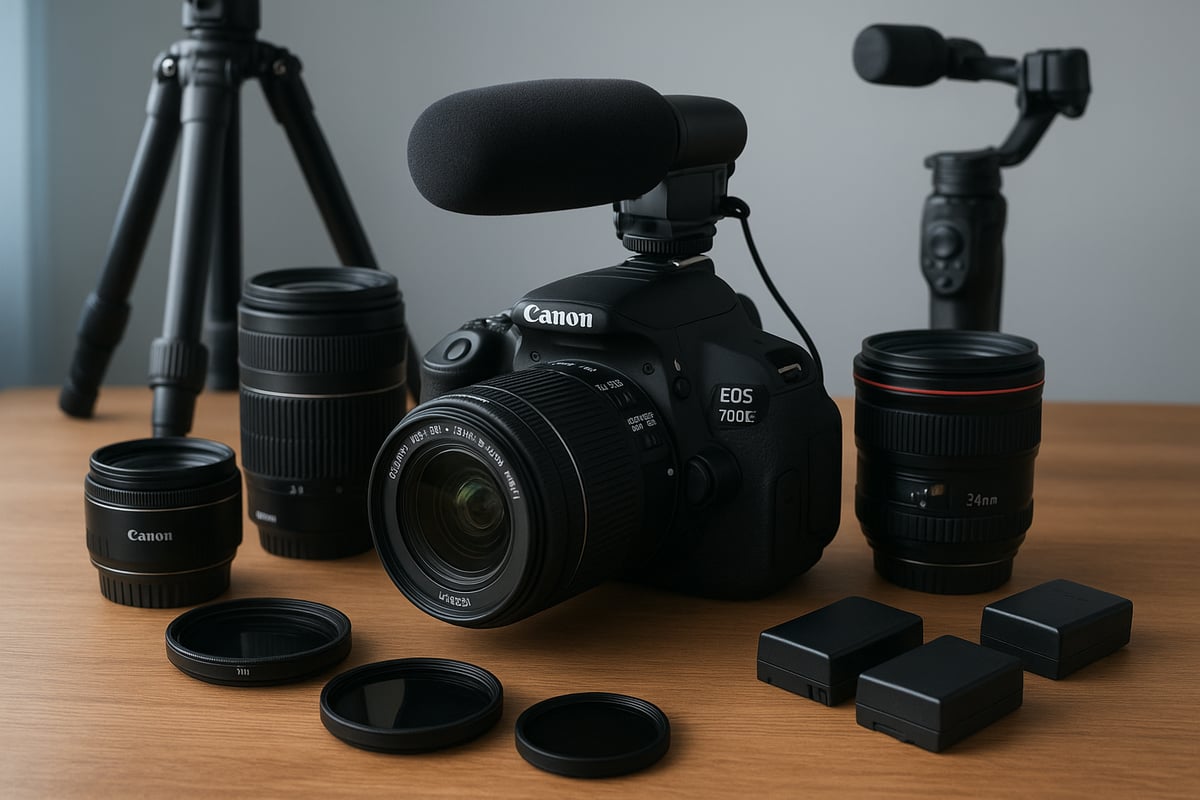
Beyond lenses, the right accessories can further boost canon 700d video quality and make your shooting process smoother. Start with a sturdy tripod or, for dynamic shots, a gimbal. These tools ensure stable, shake-free footage, which is critical for a polished look.
Audio is just as important as visuals. While the 700D’s built-in mic is decent for reference, an external shotgun or lavalier microphone plugged into the 3.5mm input will deliver noticeably clearer sound, enhancing the overall canon 700d video quality.
ND filters are essential when shooting in bright conditions with wide apertures. They allow you to maintain a shallow depth of field without overexposing your image. Always carry extra batteries and high-speed SD cards, as video recording can drain power and fill cards quickly.
For those who want to monitor their footage in real-time, an HDMI monitor is a smart investment. It lets you check focus, framing, and exposure much more accurately than the camera’s rear screen.
Here’s a checklist of must-have accessories:
- Tripod or gimbal for stable shots
- External microphone for crisp audio
- ND filters for bright outdoor scenes
- Spare batteries and SD cards for uninterrupted recording
- HDMI monitor for precise monitoring
With the right combination of lenses and accessories, you can unlock the full potential of canon 700d video quality, even in 2026. These tools not only improve technical performance but also give you creative flexibility and confidence in every shooting scenario.
Audio quality: Getting the most from the Canon 700D
Capturing high-quality audio is just as important as sharp visuals when it comes to maximizing canon 700d video quality. Many creators underestimate how much clear sound can elevate a project, but a few thoughtful adjustments can make a world of difference. Let us explore how to get the best audio from this classic camera, whether you are shooting vlogs, interviews, or short films.
Internal vs external microphones
The built-in mic on the Canon 700D is convenient, but it is not designed for professional results. You will notice it picks up camera handling noise, wind, and even subtle hums from the environment. This can muddy your dialogue and distract your viewers, which is why many opt for external microphones.
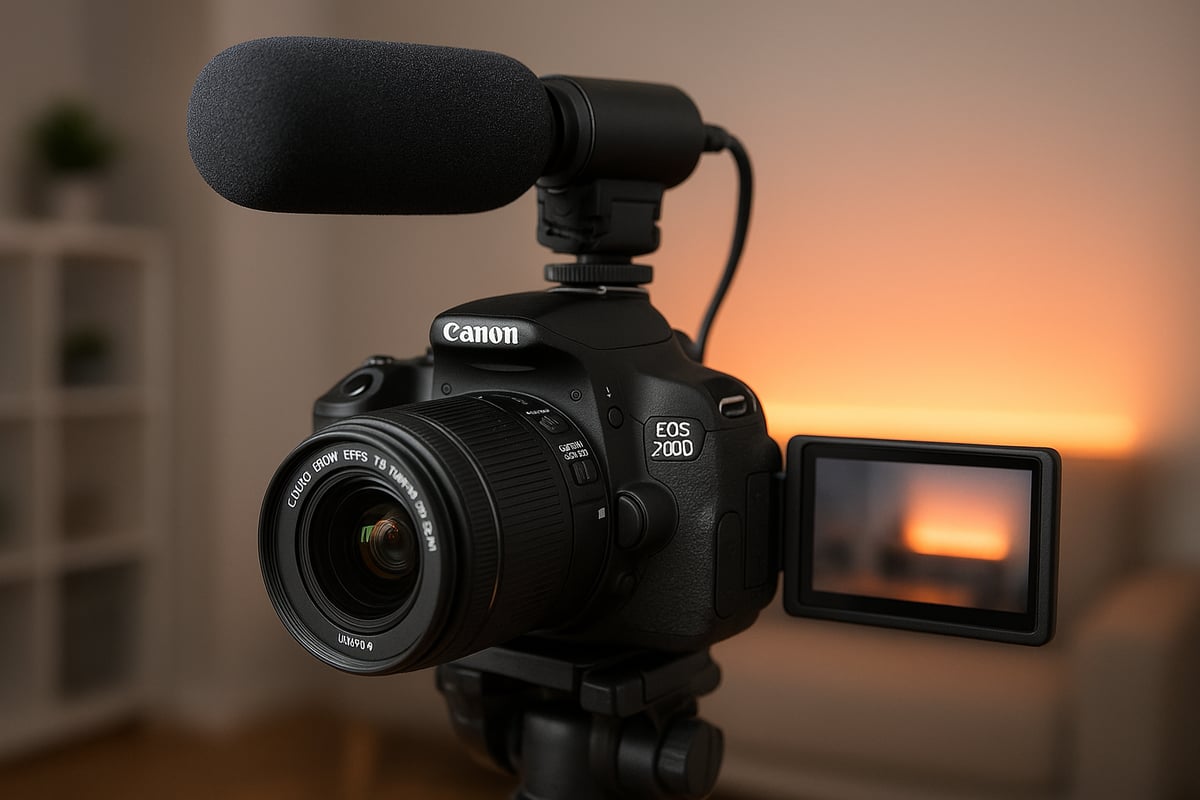
Plugging in a shotgun or lavalier mic through the 3.5mm input dramatically improves canon 700d video quality. These mics focus on your subject and reduce unwanted background noise. For best results, position your mic as close as possible to the sound source, ideally just out of frame. If you are shooting interviews, a lavalier clipped to a shirt collar works wonders.
Monitoring audio levels is essential. The 700D displays on-screen meters, so keep an eye out for peaking or clipping. Aim for levels that average around -12 dB, leaving headroom for unexpected spikes. A pair of inexpensive headphones can help you catch issues before they ruin a take.
In real-world use, the difference between internal and external mics is clear. Dialogue sounds richer, and ambient noise is more controlled. If you want a detailed walkthrough for configuring your Canon for video, including audio setup, check out this Canon Camera Video Setup Guide.
Audio settings and post-production considerations
Fine-tuning the audio settings in-camera is crucial for capturing the best possible canon 700d video quality. Start by setting your recording levels manually rather than relying on auto. This prevents the camera from boosting quiet moments and introducing unwanted hiss. Use the menu to adjust audio gain, and test with your microphone before you hit record.
For longer shoots or multi-camera setups, consider recording audio separately on a dedicated recorder. Syncing external audio in post-production is straightforward with editing software like DaVinci Resolve or Adobe Premiere. Just align the audio waveform with your video clip, and you are set.
Editing is where you can truly polish your soundtrack. Basic noise reduction can clean up low-level hum or background chatter. EQ adjustments help voices stand out, and compression can even out volume fluctuations. Always listen with good headphones to catch subtle issues that speakers might miss.
Remember, canon 700d video quality is about more than just visuals. Clear, well-balanced audio makes your content more engaging and professional. Take a few minutes to dial in your settings and plan your post-production workflow, and you will notice a significant improvement in your final videos.
Post-production workflow for Canon 700D video files
Navigating post-production is essential for maximizing canon 700d video quality. Whether you are a beginner or a seasoned creator, a well-structured workflow ensures your footage looks professional and stands out. Let us break down the process, from importing video files to archiving your final projects.

Importing, editing, and grading footage
After a shoot, the first step in any canon 700d video quality workflow is transferring your MOV files to your computer. Use a reliable SD card reader and copy files to a dedicated folder. This prevents corruption and makes organization easier.
For editing, several software options work well with canon 700d video quality. DaVinci Resolve is a solid free choice, offering powerful color grading and noise reduction tools. Adobe Premiere Pro remains an industry standard, especially for those who want advanced effects and integration with other Adobe apps.
Color correction is key to enhancing the signature Canon look. Start by adjusting white balance and exposure, then fine-tune contrast and saturation. The canon 700d video quality shines with subtle tweaks that retain natural skin tones. For low-light clips, apply noise reduction sparingly to avoid losing detail.
When exporting, match your platform requirements. Here is a quick reference:
| Platform | Resolution | Codec | Bitrate |
|---|---|---|---|
| YouTube | 1080p | H.264 | 12-16 Mbps |
| 1080p | H.264 | 5-10 Mbps |
Before sharing, compare your graded footage with the original. A simple side-by-side can reveal if you have gone too far or not far enough. For inspiration and further context on how the canon 700d video quality stacks up in post, check out the Best DSLR cameras for video guide.
Managing storage and archiving projects
Canon 700d video quality means dealing with HD files that can quickly eat up storage. One minute of 1080p footage can take up to 200 MB. Invest in fast SD cards for recording and reliable external hard drives for editing.
For backups, follow the 3-2-1 rule: keep three copies of your footage, on two types of media, with one copy offsite or in the cloud. Cloud storage like Google Drive or Dropbox is convenient, but physical drives are essential for large projects.
Organizing files is critical for efficient retrieval. Use a clear folder structure and consistent naming conventions. For example:
2026-ProjectName-Raw/
2026-ProjectName-Edits/
2026-ProjectName-Exports/
Archiving finished projects preserves your canon 700d video quality work for the long term. Store master files and project files together, and periodically check your drives for integrity. Label everything, and keep a spreadsheet tracking where each project is stored.
By maintaining a disciplined workflow, you protect your creative investment and ensure your canon 700d video quality always looks its best.
Real-world use cases and expert insights
When you think about canon 700d video quality in 2026, it is more relevant than many expect. Despite newer models flooding the market, this camera continues to serve creators who value reliability, affordability, and that unmistakable Canon look. Let us explore where the 700D truly fits in today’s creative landscape and how to make the most of it.
Who should use the Canon 700D for video in 2026?
The canon 700d video quality still holds its own for a range of creators. If you are vlogging, teaching online, or producing indie films, the 700D offers a solid balance of image quality, ease of use, and cost-effectiveness. Many YouTubers and educators choose this camera for its approachable controls and reliable color science.
For those on a tight budget, the 700D is an attractive choice. Its compatibility with affordable EF and EF-S lenses means you can experiment with different looks without breaking the bank. In fact, the camera is often highlighted in guides such as the best camera for filmmaking on a budget, showing its continued relevance for content creators starting out or working with limited resources.
You will still see creators preferring canon 700d video quality for its natural skin tones and pleasing color rendering, especially in controlled lighting. However, for high-end commercial projects or demanding productions requiring 4K, advanced autofocus, or super-slow motion, the 700D’s limitations become clear. Its maximum 1080p resolution and rolling shutter can be restrictive for fast-paced or highly detailed work.
Expert advice for new and returning users
To get the most out of canon 700d video quality, avoid a few common pitfalls. Many beginners overlook manual controls, leading to inconsistent exposure and color. Take the time to learn custom white balance and manual exposure settings to achieve professional results. Regularly clean your sensor and lens, and check your firmware updates to keep performance optimal.
Another tip: always monitor your audio when recording. The built-in mic is convenient but can pick up unwanted noise, so invest in an external microphone for cleaner sound. Back up your footage after each shoot and organize your files for smoother editing later.
If you find yourself outgrowing the camera, compare it to other models in the Canon DSLR lineup overview before upgrading. The 700D’s classic look might be exactly what your project needs, or you may discover a newer model that fits your evolving needs. Either way, understanding the strengths and quirks of canon 700d video quality will help you make informed decisions and create content that stands out in 2026.


